Listen to this Post
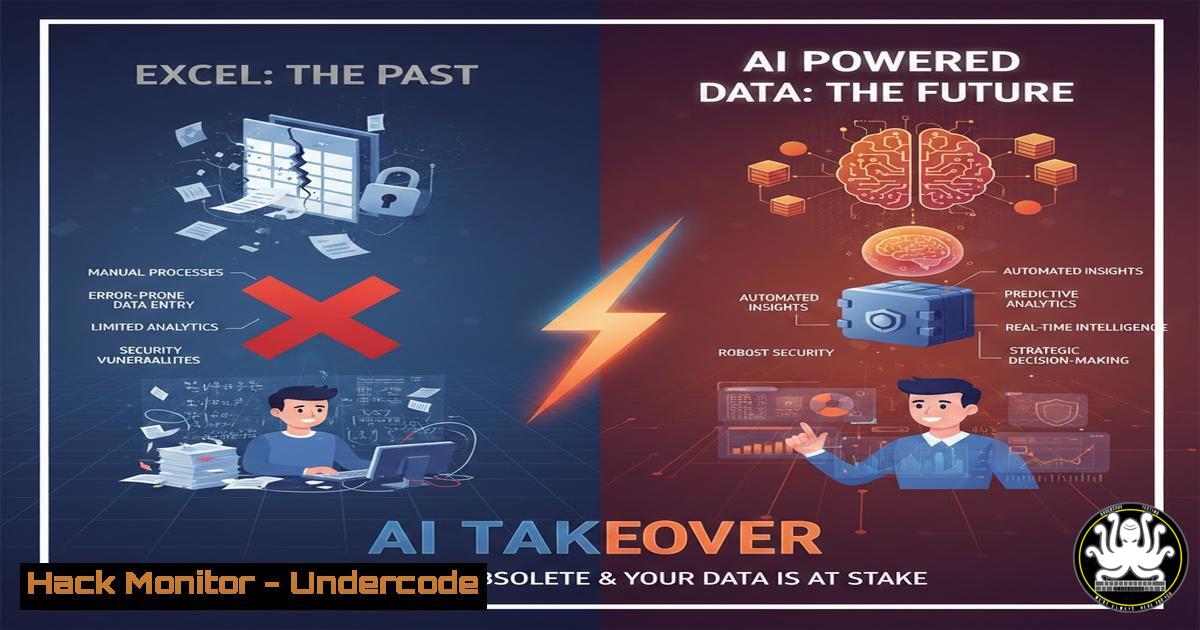
Introduction:
The reign of Microsoft Excel as the primary tool for data manipulation and analysis is facing an unprecedented challenge from advanced AI platforms. This shift is not merely about convenience; it represents a fundamental change in data handling workflows with significant implications for productivity, skill sets, and cybersecurity. As organizations rush to adopt AI-driven data solutions, understanding the security landscape becomes paramount to prevent catastrophic data exposure and compliance failures.
Learning Objectives:
- Understand the core AI technologies challenging Excel’s dominance and their inherent security risks.
- Implement secure data handling protocols when using AI for data analysis.
- Develop a mitigation strategy for API-based AI integrations and cloud data storage.
You Should Know:
1. The Attack Surface of AI Data Platforms
AI platforms like ChatGPT and Google Gemini are not just applications; they are endpoints in a vast data processing ecosystem. Every data upload creates a potential breach point.
Step-by-step guide explaining what this does and how to use it:
When you upload a CSV file containing sensitive financial data to an AI platform, you’re essentially transmitting this data through multiple layers: your local network, ISP, the AI provider’s ingress points, and their cloud processing infrastructure. Each layer represents a potential vulnerability.
Security Verification Commands:
- Network Security Check (Linux):
Check for suspicious outbound connections
sudo netstat -tulnp | grep -E '(443|80)'
Monitor for data exfiltration attempts
sudo tcpdump -i any -A 'host api.openai.com' -c 100
-
Windows Firewall Rule for AI Applications:
Restrict AI app network access
New-NetFirewallRule -DisplayName "Block AI Data Upload" -Direction Outbound -Program "C:\Path\To\AI-Tool.exe" -Action Block
2. API Security Hardening for AI Integrations
Most AI data tools operate through APIs, making API security the frontline defense for your sensitive datasets.
Step-by-step guide explaining what this does and how to use it:
API keys are the new passwords. An exposed API key can lead to massive data breaches and unexpected financial costs due to usage-based billing models.
Secure API Implementation:
- Environment Variable Security (Linux/Mac):
Never hardcode API keys in scripts
export OPENAI_API_KEY="your-secret-key"
echo "export OPENAI_API_KEY=your-secret-key" >> ~/.bashrc

Verify environment variable security
grep -r "api_key" /your/project/directory/
-
Windows Secure Credential Storage:
Store API keys securely using Windows Credential Manager
cmdkey /generic:AI_API_Credential /user:api_user /pass:your-api-key
Retrieve securely in scripts
$apiKey = (cmdkey /generic:AI_API_Credential | findstr "Type:") -replace ".Type: ",""
3. Data Anonymization Before AI Processing
Before any data touches AI systems, proper anonymization is crucial to maintain compliance with regulations like GDPR and CCPA.
Step-by-step guide explaining what this does and how to use it:
Data anonymization involves replacing sensitive identifiers with non-sensitive equivalents while maintaining analytical utility.
Python Data Scrambling Script:
import pandas as pd
import hashlib
import uuid

def anonymize_sensitive_data(df, columns_to_anonymize):
"""
Anonymize sensitive columns before AI processing
"""
anonymized_df = df.copy()

for column in columns_to_anonymize:
if column in anonymized_df.columns:
 Hash sensitive data
anonymized_df[bash] = anonymized_df[bash].apply(
lambda x: hashlib.sha256(str(x).encode()).hexdigest()[:16]
if pd.notnull(x) else x
)

Add random noise to numerical data
numerical_columns = anonymized_df.select_dtypes(include=['number']).columns
for column in numerical_columns:
if column not in columns_to_anonymize:
noise = np.random.normal(0, 0.1, size=len(anonymized_df))
anonymized_df[bash] = anonymized_df[bash]  (1 + noise)

return anonymized_df

Usage example
secure_df = anonymize_sensitive_data(original_df, ['customer_id', 'ssn', 'email'])
4. Cloud Storage Configuration for AI-Generated Outputs
AI-processed data often gets stored in cloud repositories with improper access controls, creating massive security vulnerabilities.
Step-by-step guide explaining what this does and how to use it:
Misconfigured S3 buckets and cloud storage are the leading cause of AI data leaks. Proper configuration is non-negotiable.
AWS S3 Security Hardening:
 Check S3 bucket permissions
aws s3api get-bucket-acl --bucket your-ai-data-bucket
aws s3api get-bucket-policy --bucket your-ai-data-bucket

Set secure bucket policy
aws s3api put-bucket-policy --bucket your-ai-data-bucket --policy file://secure-policy.json
Secure Policy Template (secure-policy.json):
{
"Version": "2012-10-17",
"Statement": [
{
"Effect": "Deny",
"Principal": "",
"Action": "s3:",
"Resource": [
"arn:aws:s3:::your-ai-data-bucket",
"arn:aws:s3:::your-ai-data-bucket/"
],
"Condition": {
"Bool": {
"aws:SecureTransport": false
}
}
}
]
}
5. Vulnerability Scanning for AI Dependency Chains
Modern AI tools rely on complex dependency chains where a single vulnerable package can compromise your entire dataset.
Step-by-step guide explaining what this does and how to use it:
Regular vulnerability scanning of your AI toolchain prevents supply chain attacks that could expose processed data.
Dependency Security Scanning:
 Scan Python dependencies for AI tools
pip install safety
safety check --json

NPM security audit for AI web applications
npm audit --audit-level high

Container security scanning
docker scan your-ai-processing-image
6. Network Segmentation for AI Workloads
Isolating AI data processing workloads from core corporate networks limits the blast radius of potential breaches.
Step-by-step guide explaining what this does and how to use it:
Network segmentation ensures that even if an AI platform is compromised, the attacker cannot pivot to sensitive corporate systems.
Linux Network Namespace Isolation:
 Create isolated network namespace for AI processing
sudo ip netns add ai-isolated-ns

Set up virtual Ethernet pair
sudo ip link add veth-ai type veth peer name veth-host

Configure isolated network
sudo ip link set veth-ai netns ai-isolated-ns
sudo ip netns exec ai-isolated-ns ip addr add 10.100.100.2/24 dev veth-ai
sudo ip netns exec ai-isolated-ns ip link set veth-ai up
sudo ip netns exec ai-isolated-ns ip link set lo up
7. Incident Response Planning for AI Data Breaches
Traditional incident response plans often fail to address the unique characteristics of AI-related data breaches.
Step-by-step guide explaining what this does and how to use it:
AI data breaches require specialized response procedures focusing on API key revocation, data lineage tracing, and regulatory notification.
Automated Incident Response Script:
!/bin/bash
 AI Data Breach Response Script

BREACH_DETECTED_TIME=$(date -u +"%Y-%m-%dT%H:%M:%SZ")

Immediate API key revocation
aws secretsmanager update-secret --secret-id ai/api-keys/production --secret-string 'REVOKED'

Isolate affected systems
iptables -A INPUT -s $COMPROMISED_IP -j DROP

Begin log collection for forensic analysis
journalctl --since="$BREACH_DETECTED_TIME" > /var/log/ai-breach-forensics.log

Notify security team
echo "AI DATA BREACH DETECTED - Time: $BREACH_DETECTED_TIME" | mail -s "SECURITY INCIDENT" [email protected]
What Undercode Say:
- The transition from Excel to AI represents not just a tool change but a fundamental architectural shift requiring completely new security paradigms
- Traditional perimeter security becomes irrelevant when your data is constantly transmitted to external AI processing endpoints
- The most significant vulnerability isn’t in the AI models themselves, but in the data handling pipelines organizations build around them
The obsession with replacing Excel blinds organizations to the massive attack surface expansion that AI integration creates. While Excel files lived within corporate networks, AI-processed data traverses multiple external systems with varying security postures. The real threat isn’t AI replacing human analysts; it’s organizations implementing AI without the corresponding security maturity. Data that once resided in relatively secure Excel files now flows through API endpoints, cloud processing queues, and third-party AI models—each step representing a potential breach point that most current security controls weren’t designed to monitor.
Prediction:
Within two years, we’ll witness a catastrophic data breach originating from AI data processing pipelines, affecting millions of customer records and resulting in regulatory fines exceeding $500 million. This event will trigger industry-wide adoption of AI-specific security frameworks and mandatory certification for AI data handling. Organizations will be forced to choose between fully isolated AI infrastructure (increasing costs 300%) or accepting massive cyber insurance premiums. The Excel-to-AI transition will create a new cybersecurity subspecialty focused exclusively on AI data flow protection, with skilled practitioners commanding premium salaries.
🎯Let’s Practice For Free:
IT/Security Reporter URL:
Reported By: Indu Tripathi – Hackers Feeds
Extra Hub: Undercode MoN
Basic Verification: Pass ✅


