Listen to this Post
Introduction:
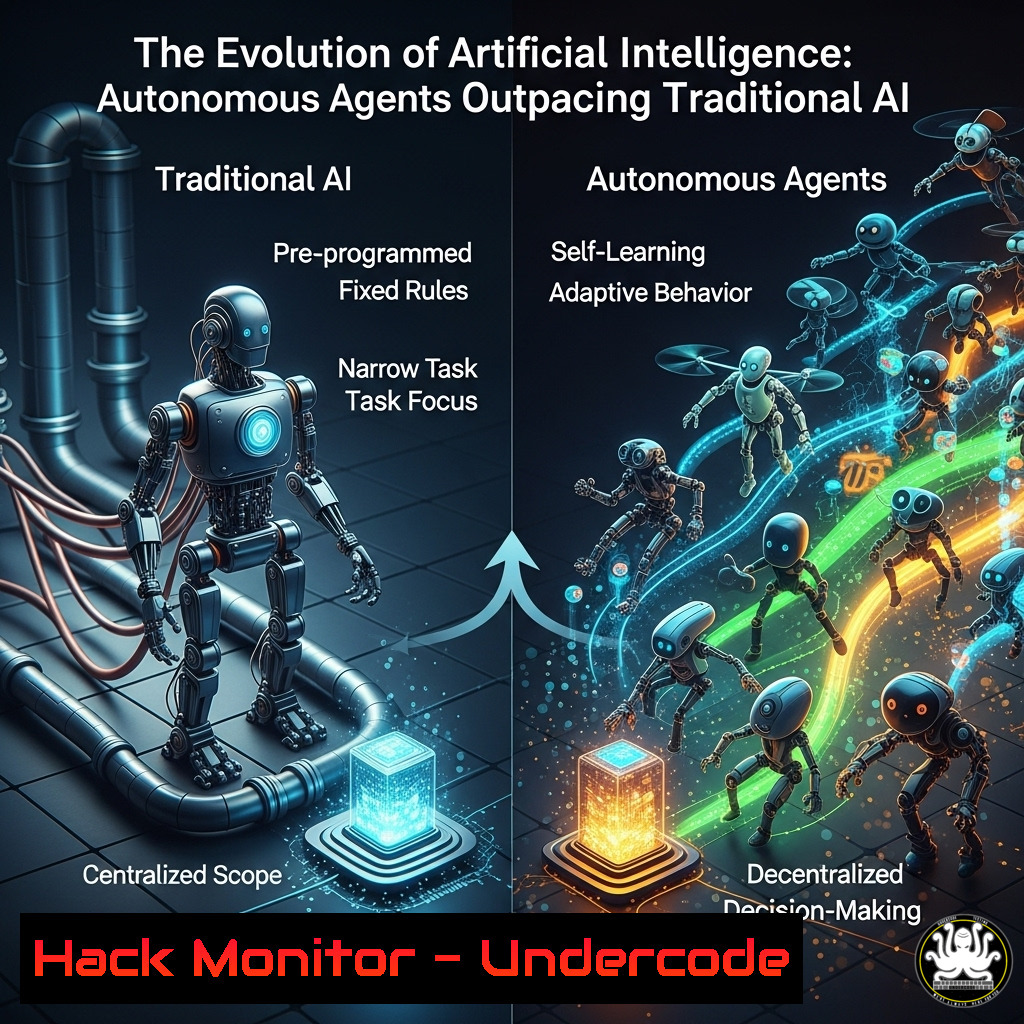
The landscape of artificial intelligence is undergoing a seismic shift, moving from static, single-task models to dynamic, goal-oriented AI agents. This evolution represents a fundamental change in how systems automate complex workflows, requiring a new understanding of their architecture and security implications for IT professionals.
Learning Objectives:
- Understand the core architectural differences between traditional AI and autonomous AI agents.
- Learn to implement and secure basic AI agent workflows using popular frameworks.
- Identify and mitigate the novel cybersecurity risks introduced by autonomous AI systems.
You Should Know:
1. Architectural Foundations: From Models to Agents
Traditional AI operates on a call-and-response model, while an AI agent incorporates a reasoning engine, tools (APIs), and a persistent goal loop. You can conceptualize this using a simple Python structure.
 Basic AI Agent Skeleton (Python using LangChain)
from langchain.agents import AgentType, initialize_agent, load_tools
from langchain.llms import OpenAI

llm = OpenAI(temperature=0)  The reasoning engine
tools = load_tools(['serpapi', 'requests_all'], llm=llm)  Tools the agent can use
agent = initialize_agent(tools, llm, agent=AgentType.ZERO_SHOT_REACT_DESCRIPTION, verbose=True)

agent.run("Analyze the latest CVE reports from the NVD API and summarize the top 3 critical vulnerabilities for our systems.")  The goal
Step-by-step guide: This code initializes a basic AI agent using the LangChain framework. The `llm` (Large Language Model) acts as the agent’s brain. The `tools` array grants it access to external resources—in this case, a search API and web requests. The `agent.run()` command gives the agent a goal. It will autonomously reason (REACT), decide which tools to use, execute them, and analyze the results until it fulfills the request.
2. Tool Execution and API Security
AI agents gain power through API access. Securing these endpoints is paramount. Use these commands to inspect and harden your API gateway.
 1. Scan for exposed API endpoints using nmap
nmap -p 1-65535 --script http-enum <your-api-gateway-ip>

<ol>
<li>Check Nginx/Apache logs for anomalous agent activity (high request rate to /api/tools/)
tail -f /var/log/nginx/access.log | grep "POST /api/v1/execute" | awk '{print $1}' | sort | uniq -c | sort -nr</p></li>
<li><p>Use curl to test API endpoint authentication
curl -H "Authorization: Bearer $TOKEN" https://api.yourcompany.com/v1/tool -X POST -d '{"action":"query_db"}'
Check for 200 OK vs. 401 Unauthorized
Step-by-step guide: The `nmap` command scans your API gateway for improperly exposed ports and services. The `tail` command monitors web server logs in real-time, filtering for POST requests to a common tool execution endpoint, then counts and sorts the IP addresses making these requests to identify potential brute-force attacks from a compromised agent. The `curl` command is a crucial test to verify that your API endpoints correctly reject requests without proper authentication.
3. The Persistent Loop: Monitoring Agent State
Agents run in loops, maintaining state. This can be exploited. On a Linux system, monitor for long-running Python processes consuming unusual resources.
 1. Find all Python processes related to your agent framework
ps aux | grep "langchain|llama_index" | grep -v grep

<ol>
<li>Check the open network connections of a suspicious agent process
lsof -i -a -p <PID></p></li>
<li><p>Monitor the agent's memory footprint over time (log to file)
pidstat -r -p <PID> 30 | tee -a /tmp/agent_memory_log.txt
Step-by-step guide: The `ps aux` command provides a snapshot of all running processes, filtered to show only those related to common agent frameworks. The `lsof` command lists all open network connections for a specific Process ID (PID), which can reveal unauthorized external connections if an agent’s reasoning is hijacked. `pidstat` is then used to take a sample of the process’s memory usage every 30 seconds, logging it to a file for trend analysis and to detect potential memory-based attacks or leaks.
4. Windows Integration: Securing Agent Execution
Agents can interact with Windows environments. Use PowerShell to audit and constrain their capabilities.
 1. Get a list of all running processes that have made network connections
Get-NetTCPConnection | Select-Object OwningProcess, State, RemoteAddress | Get-Unique -AsString | Sort-Object OwningProcess

<ol>
<li>Use Get-Process to find the name of the process from its PID
Get-Process -Id <PID></p></li>
<li><p>Restrict script execution policy for the service account running the agent
Set-ExecutionPolicy -ExecutionPolicy RemoteSigned -Scope LocalMachine -Force</p></li>
<li><p>Audit PowerShell script block logging to monitor agent tool execution
Get-WinEvent -LogName "Microsoft-Windows-PowerShell/Operational" -MaxEvents 10 | Where-Object {$_.Message -like "Invoke-WebRequest"}
Step-by-step guide: These PowerShell commands are essential for visibility and control. First, list all network-connected processes to establish a baseline. Then, correlate a suspicious PID to a specific process name. Crucially, set the execution policy to `RemoteSigned` to prevent the agent from executing untrusted PowerShell scripts downloaded from the web. Finally, query the PowerShell operational log to audit specific, powerful cmdlets that an agent might use, like Invoke-WebRequest.
5. Cloud Hardening for AI Workloads
Agents often run in the cloud. Use AWS CLI commands to enforce least-privilege access for their IAM roles.
 1. Attach a least-privilege policy to an IAM role for an AI agent
aws iam put-role-policy --role-name AIAgentExecutionRole --policy-name AllowSpecificActions --policy-document file://policy.json

<ol>
<li>Contents of policy.json:
{
"Version": "2012-10-17",
"Statement": [
{
"Effect": "Allow",
"Action": [
"s3:GetObject",  Only read from a specific bucket
"dynamodb:Query"  Only query specific tables
],
"Resource": [
"arn:aws:s3:::agent-tools-bucket/",
"arn:aws:dynamodb:us-east-1:123456789012:table/AgentTable"
]
}
]
}</p></li>
<li><p>Simulate the policy to test permissions before deployment
aws iam simulate-principal-policy --policy-source-arn arn:aws:iam::123456789012:role/AIAgentExecutionRole --action-names s3:GetObject dynamodb:Query
Step-by-step guide: This is a critical security practice. Instead of giving an AI agent’s IAM role broad permissions, you create a finely-grained policy document (policy.json) that explicitly lists only the required API actions (s3:GetObject) and the exact resources they can act upon (arn:aws:s3:::agent-tools-bucket/). The `aws iam put-role-policy` command attaches this policy. Finally, the `simulate-principal-policy` command is used to test the permissions without actually running the agent, preventing accidental over-privilege.
6. Vulnerability Mitigation: Sandboxing Tool Execution
Isolate agent tool execution to prevent lateral movement. Implement Docker containerization.
 1. Create a Dockerfile for a sandboxed tool environment
FROM python:3.9-slim
RUN pip install requests
WORKDIR /app
COPY tool_script.py .
USER nobody  Run as unprivileged user
CMD ["python", "tool_script.py"]

<ol>
<li>Build the image and run the container, mapping no host volumes
docker build -t safe-agent-tool .
docker run --rm --network none safe-agent-tool</p></li>
<li><p>Use Linux capabilities to further restrict the container (e.g., no sys_admin)
docker run --rm --cap-drop ALL --security-opt no-new-privileges:true safe-agent-tool
Step-by-step guide: This Docker setup creates a robust sandbox. The `Dockerfile` defines a minimal image and explicitly sets the user to `nobody` to drop privileges. The `docker run` command starts the container with the critical flag --network none, severing all network access and preventing the tool from making unexpected external calls. The second `docker run` example goes further by dropping all Linux capabilities (--cap-drop ALL) and ensuring the process cannot gain new privileges, effectively creating a jail for the agent’s tool.
7. The New Attack Surface: Prompt Injection Mitigation
Agents are vulnerable to prompt injection, where malicious input hijacks their reasoning. Implement basic input sanitization.
 Python code snippet for input validation and sanitization
import re

def sanitize_agent_input(user_input):
"""
Sanitize input to mitigate direct prompt injection.
"""
 1. Check for common injection patterns (e.g., pretending to be a system prompt)
injection_patterns = [
r"(?i)ignore previous instructions",
r"(?i)as a language model",
r"(?i)system:",
r"(?i)your new instructions are",
r"<code>.?</code>"  Excessive code blocks
]

for pattern in injection_patterns:
if re.search(pattern, user_input):
raise ValueError(f"Input rejected: Potential injection attack detected ({pattern})")

<ol>
<li>Limit input length to prevent overwhelming the context window
max_length = 1000
if len(user_input) > max_length:
raise ValueError(f"Input exceeds maximum allowed length of {max_length} characters.")</p></li>
<li><p>Return sanitized input (consider additional escaping for your specific LLM)
return user_input

Usage
try:
safe_input = sanitize_agent_input(user_query)
agent.run(safe_input)
except ValueError as e:
print(f"Security Control: {e}")
Step-by-step guide: This function provides a first line of defense. It uses regular expressions to scan the user’s input for known phrases and patterns commonly used in prompt injection attacks. If a pattern is matched, it raises an exception and rejects the input entirely. It also imposes a length limit to prevent an attacker from stuffing the prompt with a overwhelming amount of malicious instructions. This is not a complete solution but a necessary hardening measure to be combined with other security layers.
What Undercode Say:
- The Perimeter is Now the Prompt. The greatest threat is no longer just a vulnerable API endpoint, but a maliciously crafted instruction that can socially engineer the AI agent into bypassing all other security controls.
- Autonomy Amplifies Risk. A traditional AI model makes a mistake on a single task. An autonomous agent, given a goal and tools, can make a mistake that triggers a cascading failure across multiple systems through repeated, automated actions.
The emergence of AI agents represents the most significant expansion of the corporate attack surface since the move to the cloud. While traditional AI is a tool, an agent is a workforce. Securing it requires a paradigm shift from infrastructure-centric security to reasoning-centric security. We must now audit not just code and configs, but the goals, tools, and reasoning loops we grant to these systems. The race is on to develop frameworks for adversarial testing of agent reasoning, runtime monitoring for goal drift, and ultimately, verifiable guarantees for autonomous AI behavior. The organizations that win will be those that learn to harness this power without ceding control.
Prediction:
Within two years, prompt injection attacks against AI agents will become a top-five cybersecurity threat vector, leading to high-profile data breaches and operational disruption. This will spur the creation of a new cybersecurity market segment focused on AI Agent Security Posture Management (AI-ASPM), featuring tools for simulating adversarial prompts, monitoring agent reasoning chains for anomalies, and automatically enforcing guardrails on agent actions across enterprise tooling.
🎯Let’s Practice For Free:
IT/Security Reporter URL:
Reported By: Msgfaria Servicenow – Hackers Feeds
Extra Hub: Undercode MoN
Basic Verification: Pass ✅


