Listen to this Post
Introduction:
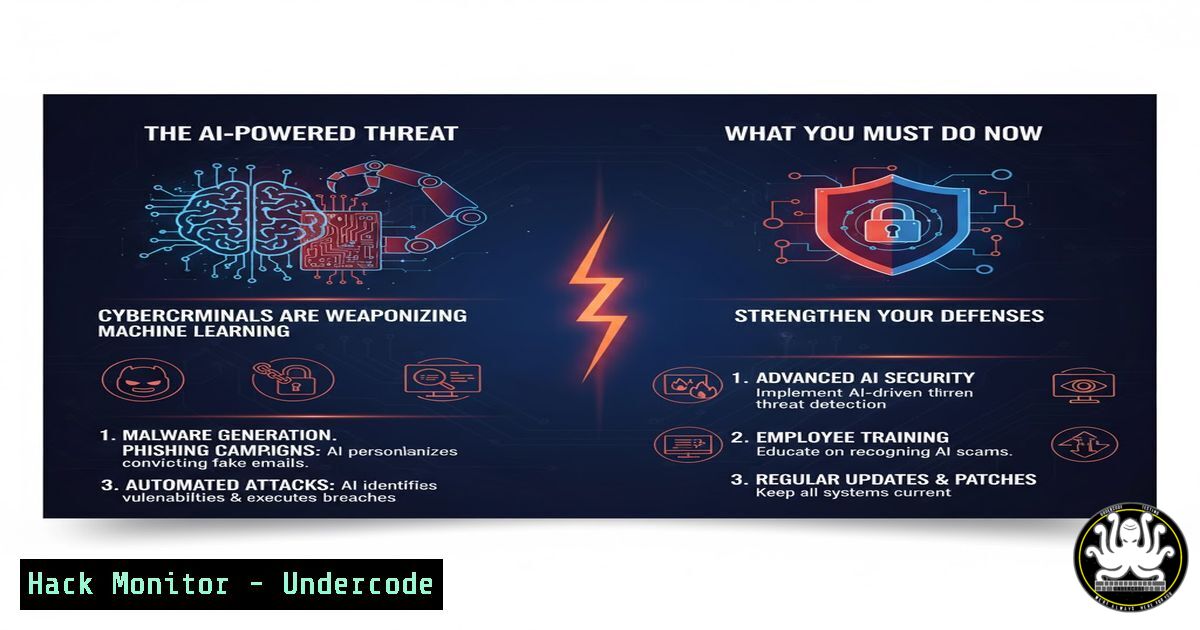
The integration of Artificial Intelligence into the cybersecurity landscape is no longer a future prediction; it is a present-day battleground. As highlighted in recent expert discussions, such as the ‘Cyber Breakfast im SAP Garden’, AI is fundamentally altering the threat landscape, enabling attackers to automate and refine their assaults with unprecedented speed and precision. This article provides a technical deep dive into the specific tools and commands necessary to defend against and understand these evolving AI-driven cyber threats.
Learning Objectives:
- Understand the technical mechanisms behind AI-powered attacks, including automated phishing, vulnerability discovery, and malware evasion.
- Implement defensive commands and configurations for endpoints, cloud environments, and network perimeters to mitigate AI-enhanced threats.
- Develop skills in AI security tooling for threat hunting and log analysis to detect anomalous activities indicative of machine-learning attacks.
You Should Know:
1. AI-Generated Phishing Detection and Hardening
The rise of AI large language models (LLMs) has made generating highly convincing and personalized phishing emails trivial for attackers. Defending against this requires robust email security protocols and user training.
Command (Microsoft 365 Defender/PowerShell):
Get-MailFilterPolicy | Set-MailFilterPolicy -PhishThresholdLevel 4 -HighConfidencePhishAction Quarantine -EnableRegionBlockList $true -RegionBlockList "CN, RU"
Step-by-step guide:
This PowerShell command, executed within an Exchange Online PowerShell session, strengthens your organization’s defense against phishing emails. It adjusts the mail flow filter policy to a more aggressive phishing threshold (Level 4), automatically quarantines emails identified as high-confidence phishing, and enables a region block list to reject mail originating from countries commonly associated with cyberattacks. Regularly review and update the `RegionBlockList` based on your threat intelligence.
2. Hardening Cloud APIs Against AI-Fuzzing
AI can systematically fuzz APIs to discover hidden endpoints and vulnerabilities at a scale impossible for humans. Securing your API endpoints is critical.
Command (AWS CLI & jq):
aws apigateway get-rest-apis | jq -r '.items[] | .id' | while read api_id; do
aws apigateway update-stage --rest-api-id $api_id --stage-name prod --patch-operations op='add',path='////throttling/rateLimit',value='1000'
aws apigateway update-stage --rest-api-id $api_id --stage-name prod --patch-operations op='add',path='////throttling/burstLimit',value='500'
done
Step-by-step guide:
This bash script uses the AWS CLI to iterate through all your API Gateway REST APIs and applies rate limiting to the ‘prod’ stage. Rate and burst limits are crucial defenses against AI-driven automated attacks that attempt to overwhelm your APIs. The `jq` tool is used to parse the JSON output and extract the API IDs. Adjust the `rateLimit` and `burstLimit` values according to your application’s normal traffic patterns.
3. Detecting AI-Enhanced Lateral Movement with EDR Queries
Attackers use AI to analyze compromised networks and predict the most efficient paths for lateral movement. Endpoint Detection and Response (EDR) tools are essential for spotting these activities.
Command (Elastic Security EQL Query):
sequence by host.id with maxspan=2m
[ network where process.name : "lsass.exe" and destination.port == 445 ]
[ process where event.type : "start" and process.parent.name : "wmic.exe" and process.name : "powershell.exe" ]
Step-by-step guide:
This Event Query Language (EQL) sequence, for use in tools like Elastic Security, hunts for a specific lateral movement pattern. It first looks for network connections from the `lsass.exe` process (a sign of credential dumping attempts) to port 445 (SMB). Then, within a two-minute window, it searches for the execution of PowerShell as a child of wmic.exe, a common technique for executing commands on remote systems. This correlation can indicate stolen credentials being used for lateral movement.
4. Mitigating AI-Optimized Password Spraying
AI can analyze company data from leaks to generate context-aware password lists and optimize spraying attacks to avoid account lockouts.
Command (Windows Active Directory – Group Policy):
Set-ADDefaultDomainPasswordPolicy -Identity yourdomain.com -MinPasswordLength 14 -LockoutDuration 00:30:00 -LockoutThreshold 5 -LockoutObservationWindow 00:30:00 -ComplexityEnabled $true
Step-by-step guide:
This PowerShell command, run on a Domain Controller, strengthens your domain’s password policy. It mandates a 14-character minimum length, enforces complexity, and sets a lockout policy that locks an account for 30 minutes after 5 failed attempts within a 30-minute observation window. This significantly raises the cost and complexity for AI-driven password spraying campaigns, making them less likely to succeed.
5. Securing ML Model Endpoints from Data Poisoning
The models themselves can be targets. Adversaries may attempt to poison training data or manipulate model outputs.
Command (Python – Input Sanitization for ML API):
from flask import Flask, request, jsonify
import re
import numpy as np

app = Flask(<strong>name</strong>)

def sanitize_input(input_data):
 Check for type and shape consistency
if not isinstance(input_data, list):
raise ValueError("Input must be a list")
if len(input_data) != 100:  Expected feature vector length
raise ValueError("Invalid input dimensions")
 Check for anomalous or out-of-bounds values
arr = np.array(input_data)
if np.any(np.isnan(arr)) or np.any(np.abs(arr) > 10):  Example bounds check
raise ValueError("Input contains anomalous values")
return arr

@app.route('/predict', methods=['POST'])
def predict():
try:
data = request.get_json()
features = data.get('features')
sanitized_features = sanitize_input(features)
 ... proceed with model prediction ...
return jsonify({"prediction": result})
except ValueError as e:
return jsonify({"error": str(e)}), 400

if <strong>name</strong> == '<strong>main</strong>':
app.run(ssl_context='adhoc')  Always use HTTPS
Step-by-step guide:
This simple Python Flask API demonstrates critical safeguards for a machine learning model endpoint. The `sanitize_input` function validates that the incoming data is the correct type, shape, and contains values within expected bounds. This helps prevent malicious inputs designed to skew the model’s prediction or probe its weaknesses. Always serving predictions over HTTPS is non-negotiable.
6. Hunting for AI-Generated Code in Your Environment
Attackers may use AI to generate polymorphic or obfuscated code to bypass signature-based detection.
Command (Linux – YARA Rule for Obfuscation):
cat > detect_obfuscation.yar << 'EOF'
rule Suspicious_Code_Obfuscation {
meta:
description = "Detects common code obfuscation techniques"
author = "SecurityTeam"
date = "2024-10-21"
strings:
$s1 = /StrReverse|Execute|Eval|FromBase64String/ nocase
$s2 = /powershell.-EncodedCommand/ nocase
$s3 = /chr\s(\s\d+\s)/ nocase
$s4 = /\x[0-9a-f]{2}/ nocase
condition:
any of them and filesize < 500KB
}
EOF

yara -r detect_obfuscation.yar /path/to/scan/
Step-by-step guide:
This YARA rule file defines patterns indicative of code obfuscation, commonly found in AI-generated or manually obfuscated scripts. It looks for specific functions (StrReverse, Execute), PowerShell encoded commands, character code assemblies (chr()), and hex-encoded strings. The `yara` command then recursively scans a directory for files matching these patterns, helping you identify potentially malicious scripts that evaded initial detection.
What Undercode Say:
- The Defense Must Also Automate: Relying on manual security processes is a guaranteed failure against AI-driven attacks. The only viable defense is a fully integrated, automated security stack that leverages AI for threat detection, hunting, and response at machine speeds.
- Shift from Perimetric to Data-Centric Security: As AI blurs the traditional network boundary by finding novel ways in, the primary security focus must shift to protecting the data itself through stringent access controls, encryption, and data loss prevention policies, regardless of its location.
The paradigm shift brought by AI in cybersecurity is not incremental; it is foundational. The analysis from leading experts confirms that the comfort zone of traditional security is gone. Organizations that continue to view AI as a distant future threat are actively steering their own operational and reputational risk. The tools and commands outlined here are not a silver bullet but are essential components of a new defensive posture that must be as dynamic, intelligent, and relentless as the threats it aims to counter. Proactive hardening, continuous monitoring, and investing in AI-powered defense systems are no longer optional.
Prediction:
Within the next 18-24 months, we will witness the first widespread, fully autonomous cyber-attack campaigns powered by generative AI. These campaigns will involve self-propagating malware that can independently perform reconnaissance, exploit vulnerabilities, and make lateral movement decisions without human intervention, effectively creating “AI worms.” The primary defense will be AI-driven Security Orchestration, Automation, and Response (SOAR) platforms that can autonomously contain and neutralize these threats in real-time, leading to an AI-vs-AI arms race that will define the next decade of cybersecurity.
🎯Let’s Practice For Free:
IT/Security Reporter URL:
Reported By: Christoph Kiening – Hackers Feeds
Extra Hub: Undercode MoN
Basic Verification: Pass ✅


