Listen to this Post
Introduction:
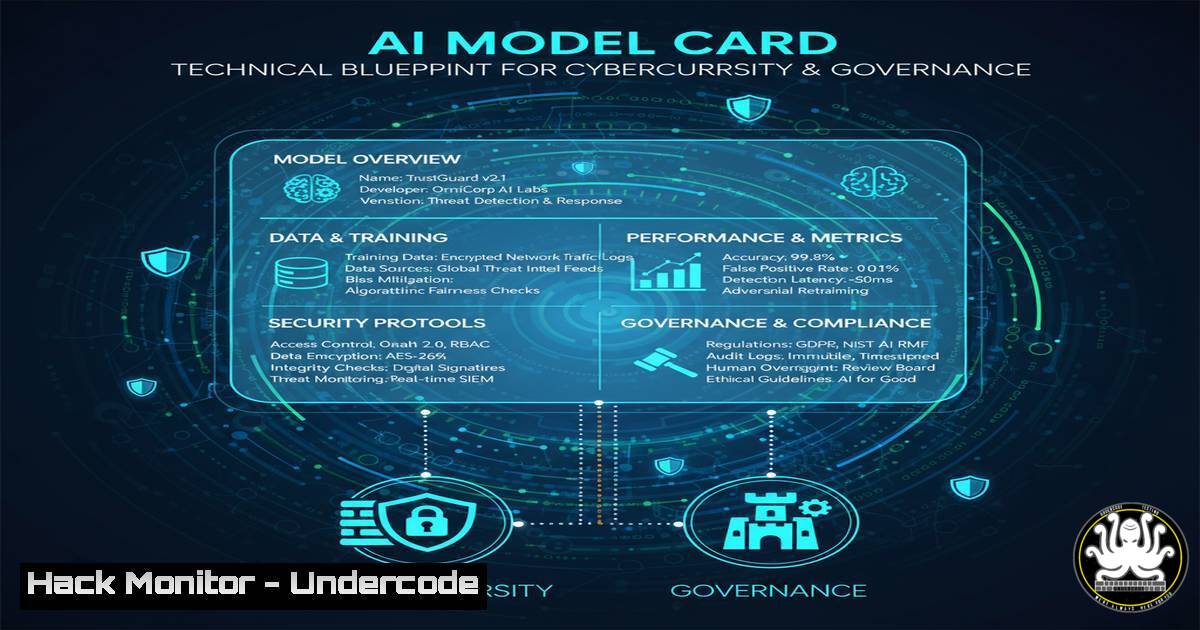
The emergence of AI Model Cards represents a critical evolution in algorithmic accountability, providing a standardized framework for transparency. For cybersecurity and IT professionals, these documents are not just policy tools but vital sources of technical metadata for risk assessment and system hardening. Understanding their components is essential for securing AI-integrated infrastructures.
Learning Objectives:
- Decipher the technical specifications within an AI Model Card for security auditing.
- Implement configuration and monitoring controls based on Model Card disclosures.
- Understand the intersection of AI governance and cybersecurity policy.
You Should Know:
1. Parsing Model Card Metadata with Python
AI Model Cards are often published as JSON or YAML files. Security teams need to parse this data to automate risk assessments.
import json

Sample code to load and inspect a Model Card
with open('model_card.json', 'r') as f:
model_card = json.load(f)

Extract critical security-related fields
model_name = model_card.get('model_name')
version = model_card.get('version')
training_data = model_card.get('training_data', {})
fairness_metrics = model_card.get('fairness_analysis', {})
known_limitations = model_card.get('known_limitations', [])

print(f"Auditing Model: {model_name} Version: {version}")
print(f"Training Data Source: {training_data.get('source')}")
print(f"Fairness Metrics: {fairness_metrics}")
for limitation in known_limitations:
print(f"Security Consideration: {limitation}")
Step-by-step guide:
This script provides a foundational audit of an AI model’s documentation. By programmatically extracting fields related to training data, fairness, and limitations, security analysts can flag potential risks, such as biased data sources or acknowledged vulnerabilities, for deeper investigation. Run this against any provided Model Card JSON to generate a quick threat profile.
2. Monitoring for Model Drift and Adversarial Inputs
Model Cards disclose performance characteristics. Continuous monitoring is required to detect deviations indicating attacks or drift.
 Example using Prometheus and Grafana for monitoring AI model endpoints
 1. Deploy a Prometheus exporter to scrape your model API
 prometheus.yml configuration snippet
scrape_configs:
- job_name: 'ai_model_api'
static_configs:
- targets: ['localhost:8000']
metrics_path: '/metrics'
params:
format: ['prometheus']

<ol>
<li>Alert rule for performance degradation (model drift)
groups:

<ul>
<li>name: ai_model.rules
rules:</li>
<li>alert: HighInferenceLatency
expr: avg_over_time(model_inference_latency_seconds[bash]) > 0.5
for: 10m
labels:
severity: warning
annotations:
summary: "Model inference latency is high (instance {{ $labels.instance }})"
Step-by-step guide:
This setup helps detect operational anomalies that could signify adversarial attacks or natural model decay. Configure your model-serving application to expose metrics like inference latency, request rate, and error count. Prometheus scrapes these metrics, and the alerting rule triggers if latency exceeds a threshold, prompting an investigation.
3. Hardening the Model Serving Environment (Docker)
The runtime environment for AI models must be secured. Use Docker to create a minimal, hardened container.
 Use a minimal base image to reduce attack surface
FROM python:3.9-slim

Set a non-root user
RUN addgroup --system app && adduser --system --group app
USER app

Copy application code
COPY --chown=app:app ./app /app
WORKDIR /app

Install only essential dependencies
RUN pip install --no-cache-dir -r requirements.txt

Expose the application port
EXPOSE 8000

Health check
HEALTHCHECK --interval=30s --timeout=30s --start-period=5s --retries=3 \
CMD curl -f http://localhost:8000/health || exit 1

Command to run the application (e.g., using Gunicorn for a Python app)
CMD ["gunicorn", "--bind", "0.0.0.0:8000", "app:app", "--workers", "4"]
Step-by-step guide:
This Dockerfile creates a more secure runtime by using a non-root user, a slim base image, and health checks. Build the image with `docker build -t ai-model-server .` and run it with docker run -p 8000:8000 ai-model-server. This minimizes privileges and resource footprint, reducing the potential impact of a compromise.
4. Auditing Model Access with Linux Auditd
Log and monitor access to the model files and configuration to detect unauthorized changes or access.
 Configure auditd rules to monitor the model directory
 Edit /etc/audit/audit.rules or create a file in /etc/audit/rules.d/
-w /opt/ai_models/production_model.pkl -p wa -k ai_model_asset
-w /etc/ai_model_config.json -p rwxa -k ai_model_config

Restart the auditd service to apply rules
sudo systemctl restart auditd

Search the audit logs for events related to the model
ausearch -k ai_model_asset | aureport -f -i
Step-by-step guide:
These audit rules ensure that any write or attribute change (-p wa) to the model file, and any read, write, attribute change, or execute (-p rwxa) on the configuration file, are logged. The `-k` flag tags the events for easy searching. Regularly review the logs with `ausearch` to detect suspicious activity.
5. Windows PowerShell for API Endpoint Security
Use PowerShell to configure Windows Firewall rules for an AI model API running on a Windows server.
 Create a new firewall rule to restrict access to the model API port
New-NetFirewallRule -DisplayName "AI_Model_API_Access" `
-Direction Inbound `
-LocalPort 8000 `
-Protocol TCP `
-Action Allow `
-RemoteAddress "10.0.1.0/24" `
-Profile Any

Verify the rule was created
Get-NetFirewallRule -DisplayName "AI_Model_API_Access" | Format-Table Name, Enabled, Direction, Action

Script to monitor established connections to the API port
while ($true) {
$connections = Get-NetTCPConnection -LocalPort 8000 -State Established
if ($connections) {
Write-Host "[$(Get-Date)] Established connections on port 8000:"
$connections | Format-Table LocalAddress, LocalPort, RemoteAddress, RemotePort, State -AutoSize
}
Start-Sleep -Seconds 30
}
Step-by-step guide:
The first command creates a firewall rule that only allows inbound connections to port 8000 from a specific, trusted subnet (10.0.1.0/24). The monitoring script runs in a loop, checking every 30 seconds for active connections to the API port, providing visibility into who is accessing the model.
6. Scanning for Vulnerabilities in AI/ML Libraries
Dependencies listed in a Model Card can contain known vulnerabilities. Automate scanning with tools like Safety or Snyk.
 Install the Safety CLI for Python vulnerability scanning
pip install safety

Scan a requirements.txt file generated from the model's environment
safety check -r requirements.txt --output json

Integrate into a CI/CD pipeline with a failing exit code on critical issues
safety check -r requirements.txt --exit-code 1

Example of a requirements.txt file that might be scanned
 tensorflow==2.11.0
 numpy==1.24.0
 scikit-learn==1.2.0
Step-by-step guide:
Regularly scan the Python packages your model depends on. The `safety check` command will cross-reference the package versions against a database of known vulnerabilities. Integrating this into your build pipeline (--exit-code 1) will fail the build if critical vulnerabilities are found, preventing deployment of vulnerable models.
7. Implementing API Rate Limiting with NGINX
Protect model inference endpoints from denial-of-service (DoS) attacks or resource exhaustion by implementing rate limiting.
 Inside an NGINX configuration file (e.g., /etc/nginx/conf.d/model_api.conf)
http {
 Define a rate limit zone (10 requests per minute per IP)
limit_req_zone $binary_remote_addr zone=model_api:10m rate=10r/m;

server {
listen 443 ssl;
server_name api.aimodel.example.com;

location /v1/predict {
 Apply the rate limiting zone with a burst of 5 requests
limit_req zone=model_api burst=5 nodelay;
limit_req_status 429;

Proxy pass to the actual model server
proxy_pass http://localhost:8000;
proxy_set_header X-Real-IP $remote_addr;
}
}
}
Step-by-step guide:
This NGINX configuration creates a shared memory zone (model_api) to track request rates from each IP address. The `limit_req` directive inside the `location` block enforces the limit, allowing a steady rate of 10 requests per minute with a burst of 5. Requests exceeding this limit will receive a 429 Too Many Requests error, protecting the backend model server.
What Undercode Say:
- Transparency is the New Perimeter: AI Model Cards shift security left by forcing disclosure of critical information before deployment. This allows proactive risk mitigation rather than reactive firefighting.
- Automate Governance Checks: The technical data within Model Cards should be ingested directly into security tooling. Manual reviews are insufficient for scale and speed.
The push for Model Cards signifies a maturation of the AI lifecycle, treating models as first-class IT assets that require the same rigorous documentation, monitoring, and hardening as any critical server or database. For cybersecurity teams, the card is the starting point for threat modeling. It reveals the model’s “DNA”—its training data, biases, and limitations—which are the very attributes attackers will seek to exploit. The technical controls outlined above are not optional; they are the baseline for deploying accountable and secure AI systems. Ignoring the blueprint provided by a Model Card is equivalent to deploying an application with unknown ports open to the internet.
Prediction:
The mandatory use of AI Model Cards will become a cornerstone of cybersecurity regulations within the next 3-5 years. We will see the first major incident response reports that trace a breach back to an unaddressed limitation documented in a Model Card, leading to significant liability for the deploying organization. This will catalyze the development of specialized security tools designed to continuously validate a model’s runtime behavior against its card’s claims, creating a new subcategory of AI Security Posture Management (AI-SPM).
🎯Let’s Practice For Free:
IT/Security Reporter URL:
Reported By: Ianleroyarakel Responsibleai – Hackers Feeds
Extra Hub: Undercode MoN
Basic Verification: Pass ✅


