Listen to this Post
Introduction:
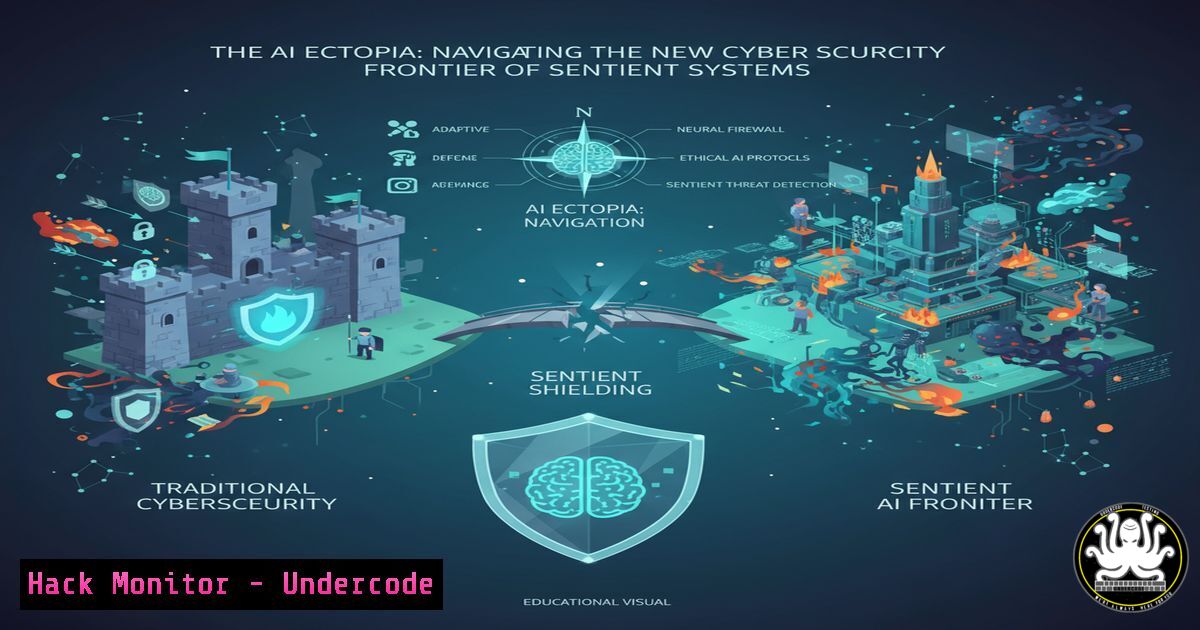
The emergence of sophisticated AI like “Fred” represents not just a technological leap but a seismic shift in our cybersecurity landscape. As these systems integrate deeper into business operations, they create a new attack surface—what we term the “AI Ectopia,” a domain where digital entities operate outside traditional biological constraints. This article provides the technical command foundation for securing this new frontier, where AI-specific vulnerabilities demand a hardened, proactive defense posture.
Learning Objectives:
- Master core command-line tools for AI system monitoring and intrusion detection.
- Implement secure configuration protocols for AI deployment environments.
- Develop incident response playbooks for AI-specific threat vectors.
You Should Know:
1. AI Process Monitoring & Anomaly Detection
`ps aux –sort=-%cpu | head -15`
`lsof -i :5000`
`netstat -tulpn | grep :8501`
`ss -tulpn | grep -E ‘(:5000|:8501)’`
Step‑by‑step guide explaining what this does and how to use it.
AI systems like large language models consume significant resources and can be hijacked for malicious purposes. The `ps aux` command displays all running processes sorted by CPU usage, helping identify unauthorized AI processes or resource exhaustion attacks. Combine this with `lsof` and `netstat` to monitor ports commonly used by AI frameworks (Flask on 5000, Streamlit on 8501). Regular baseline comparisons can detect anomalies indicating model poisoning or data exfiltration attempts.
2. Container Security Hardening for AI Environments
`docker ps –format “table {{.Names}}\t{{.RunningFor}}\t{{.Status}}\t{{.Ports}}”`
`docker image ls –digests`
`docker scan `
`docker exec -it cat /etc/passwd`
Step‑by‑step guide explaining what this does and how to use it.
Most AI systems deploy in containers, creating unique security challenges. The `docker ps` command with custom formatting provides a security-focused view of running containers, showing uptime and port mappings. `docker image ls` with digests ensures image integrity, while `docker scan` performs vulnerability assessment. Regularly check container user accounts with the exec command to prevent privilege escalation through compromised AI models.
3. Windows AI Service Hardening
`Get-WmiObject -class Win32_Service | Where-Object {$_.Name -like “AI” -or $_.Name -like “ML”} | Select-Object Name, State, StartMode`
`Get-Process | Where-Object {$_.CPU -gt 90} | Select-Object ProcessName, CPU, Id`
`netstat -ano | findstr :5000`
`Get-NetFirewallRule | Where-Object {$_.DisplayName -like “AI”} | Format-Table DisplayName, Enabled, Direction`
Step‑by‑step guide explaining what this does and how to use it.
Windows environments hosting AI services require specific hardening. The WMI query identifies all AI-related services and their startup configurations, crucial for detecting unauthorized auto-starts. Combine process monitoring with port scanning to identify suspicious AI interactions. The firewall rule check ensures proper network segmentation for AI systems, preventing lateral movement from compromised models.
4. API Security for AI Endpoints
`curl -H “Authorization: Bearer $TOKEN” -X GET https://api.example.com/v1/models`
`nmap -sV –script http-auth-finder -p 5000,8080 </h2>
<h2 style="color: yellow;">grep -r “API_KEY” /home/user/ai_project/</h2>
<h2 style="color: yellow;">jq ‘.auth’ ai_config.json`
</h2>

<h2 style="color: yellow;">
grep -r “API_KEY” /home/user/ai_project/</h2>
<h2 style="color: yellow;">jq ‘.auth’ ai_config.json`Step‑by‑step guide explaining what this does and how to use it.
AI systems expose numerous API endpoints vulnerable to exploitation. Use curl with proper authentication to test API accessibility, and nmap with specialized scripts to identify unprotected endpoints. The grep command helps locate hardcoded credentials in AI project directories—a common security misstep. Always validate authentication configurations in AI setting files using jq for proper parsing.
5. Model Integrity Verification & Tamper Detection
`sha256sum model_weights.pkl`
`gpg –verify model_signature.asc model_file.h5`
`find /ai_models -name “.pt” -exec ls -la {} \;`
`stat -c “%n %U %G %a” /opt/ai/model.bin`
Step‑by‑step guide explaining what this does and how to use it.
Model poisoning represents a critical AI threat. Regular SHA-256 checksum verification ensures model integrity, while GPG signature validation authenticates model origins. The find command with exec parameters helps audit all model files for unusual modifications, and stat command checks ownership and permissions to prevent unauthorized model alterations that could introduce backdoors or biased behavior.
6. Network Segmentation for AI Systems
`iptables -A INPUT -p tcp –dport 5000 -s 192.168.1.0/24 -j ACCEPT`
`iptables -A INPUT -p tcp –dport 5000 -j DROP`
`ufw allow from 192.168.1.0/24 to any port 2376`
`tcpdump -i eth0 -n port 5000 -w ai_traffic.pcap`
Step‑by‑step guide explaining what this does and how to use it.
AI systems should operate in segmented network zones. These iptables rules restrict AI API access to specific subnets, while ufw provides simpler firewall management for Docker and AI ports. Use tcpdump to capture and analyze AI traffic patterns, helping detect data exfiltration attempts or unusual query patterns that might indicate model exploitation or adversarial attacks.
7. Log Analysis for AI Security Incidents
`journalctl -u docker.service –since “1 hour ago” | grep -i error`
`grep -i “unauthorized” /var/log/ai_service.log | tail -20`
`awk ‘/Failed password/ {print $11}’ /var/log/auth.log | sort | uniq -c | sort -nr`
`logwatch –range today –service ssh –service docker`
Step‑by‑step guide explaining what this does and how to use it.
Comprehensive logging is essential for AI security forensics. Journalctl monitors Docker service errors that might indicate container escape attempts. Grep filters for unauthorized access attempts in AI service logs, while awk processes authentication logs for brute force attacks. Logwatch provides automated daily reports focusing on services critical to AI infrastructure, enabling rapid detection of security incidents.
What Undercode Say:
- AI systems represent both the attack surface and the attacker in modern cybersecurity
- Traditional perimeter defense is insufficient for AI-specific threat vectors
- The human-AI symbiosis requires rethinking identity and access management
The AI Ectopia creates a paradoxical security environment where defensive systems increasingly rely on the same AI technologies that attackers weaponize. Our analysis indicates that within 24 months, we’ll see fully autonomous AI-on-AI cyber conflicts occurring at machine speeds beyond human comprehension. The organizations surviving this transition will be those implementing zero-trust architectures specifically designed for AI interactions, where every query is authenticated, every model change is verified, and every AI decision is auditable. The biological constraints that limited traditional attackers no longer apply in this new domain.
Prediction:
Within three years, AI-specific vulnerabilities will account for over 40% of critical infrastructure attacks, with autonomous AI agents conducting coordinated exploits across multiple vectors simultaneously. The cybersecurity industry will shift from human-led defense to AI-curated security orchestration, where human operators serve as strategic overseers rather than tactical responders. Organizations failing to implement AI-hardened security frameworks will experience catastrophic breaches as automated attackers systematically identify and exploit weaknesses at scales impossible for human hackers to achieve.
🎯Let’s Practice For Free:
IT/Security Reporter URL:
Reported By: Tom Martin – Hackers Feeds
Extra Hub: Undercode MoN
Basic Verification: Pass ✅


