Listen to this Post
Introduction:
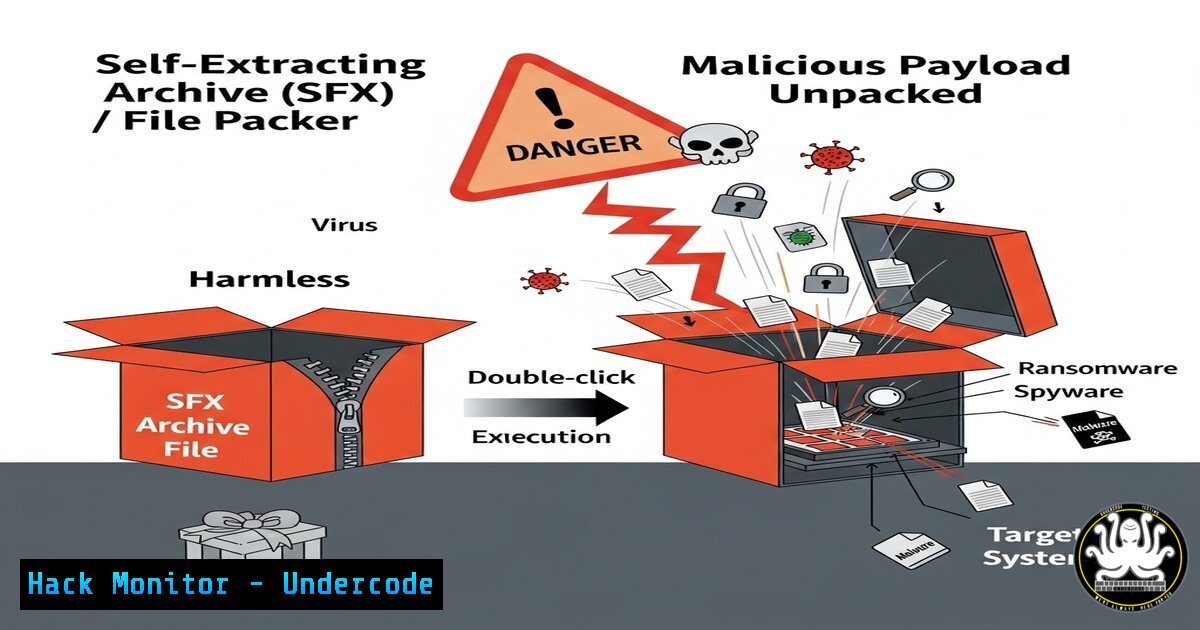
Self-extracting archives (SFX) and file packers are legitimate tools repurposed by threat actors to conceal malware, bypass defenses, and initiate sophisticated infection chains. This technique, formally categorized under MITRE ATT&CK T1027 (Obfuscated Files or Information), represents a primary method for delivering payloads while evading detection. Understanding their mechanics is crucial for both offensive security professionals and defenders.
Learning Objectives:
- Understand the core mechanics of how self-extracting archives and file packers are weaponized.
- Learn to identify and analyze suspicious packed files using common command-line and scripting tools.
- Implement defensive measures and detection rules to mitigate the threat of malicious packers.
You Should Know:
1. Identifying Suspicious SFX Archives with 7-Zip
While archives are common, their contents should always be validated. The 7-Zip command-line tool can list contents without extraction, a safer alternative to double-clicking.
7z l suspicious_archive.exe
Step-by-step guide:
This command lists the contents of the executable archive without executing any embedded scripts. Look for:
– A single, large, obfuscated payload file alongside legitimate software installers (e.g., `AdobeInstaller.msi` and payload.bin).
– Script files (.vbs, .ps1, .bat) that are automatically executed upon extraction.
– Always perform this analysis in an isolated sandbox environment.
2. Extracting File Hashes for IOC Scanning
Once you’ve identified files within an archive, extract them (in a sandbox) and generate hashes for threat intelligence matching.
Get-FileHash -Algorithm SHA256 C:\sandbox\payload.bin | Format-List
Step-by-step guide:
This PowerShell cmdlet calculates the SHA-256 hash of a file. Use this hash to query VirusTotal, your SIEM, or threat intelligence platforms to see if the file is a known malicious indicator of compromise (IOC).
3. Analyzing Packed Executables with PE-bear
PE-bear is a free tool for static analysis of Portable Executable (PE) files. A tell-tale sign of packing is a low entropy in the file header but high entropy in the `.text` section, indicating obfuscation or encryption.
1. Open the suspected packed binary in PE-bear.
2. Examine the sections. Look for:
- Unusually small section sizes for code sections (like
.text). - Sections with names not common in legit compilers (e.g.,
.UPX0,.vmp0). - A high entropy value (close to 8.0) displayed by the tool.
4. Detecting Packer Signatures with YARA
YARA is a pattern-matching tool invaluable for creating custom detection rules for known packers and malware families.
rule Suspicious_SFX_Installer {
meta:
description = "Detects SFX archives with common malware packers"
author = "Analyst"
date = "2023-09-05"
strings:
$a = "UPX0"
$b = "ASPack"
$c = "7zSFX"
$d = "WinRARSFX"
condition:
any of them
}
Step-by-step guide:
Save this rule to a `.yar` file. Use the YARA command-line tool to scan a directory: yara -r rules.yar /path/to/scandir. A hit on `7zSFX` or `WinRARSFX` alone is not malicious, but when combined with other IOCs, it warrants deep investigation.
5. Monitoring Process Injection with Sysinternals Sysmon
Malicious droppers often use process injection or hollowing. Sysmon with a strong config can detect this.
A key Sysmon Event ID to alert on is Event ID 8 (CreateRemoteThread), especially when the source process is an installer or archive tool.
<RuleGroup groupRelation="or">
<CreateRemoteThread onmatch="include">
<SourceImage condition="end with">7zSFX.exe</SourceImage>
<SourceImage condition="end with">WinRAR.exe</SourceImage>
<SourceImage condition="end with">setup.exe</SourceImage>
</CreateRemoteThread>
</RuleGroup>
Step-by-step guide:
Integrate this rule into your Sysmon configuration file (e.g., sysmon.xml). Deploy Sysmon across endpoints. An alert will trigger in the Windows Event Log when a remote thread is created by these processes, which is highly unusual for legitimate installers.
6. Using Strings to Uncover Obfuscated Payloads
The `strings` command can often reveal obfuscated text, URLs, or API calls within a packed binary that are not visible in a hex editor.
strings -n 8 malicious_packed.exe | grep -i "http|https|dll|loadlibrary"
Step-by-step guide:
This Linux command extracts all sequences of printable characters of minimum length 8 from the binary. Piping it to `grep` searches for indicators of network activity (http) or library loading, which are common in malware. Run this on a suspected file to find hidden commands or C2 server addresses.
7. Building Resilience with Application Allowlisting
The most effective technical control against unknown packed executables is application allowlisting (whitelisting) via tools like Windows Defender Application Control (WDAC) or AppLocker.
New-CIPolicy -FilePath allowlist.xml -Level Publisher -Fallback Hash -UserPEs
Step-by-step guide:
This PowerShell command (run in an admin shell) creates a new WDAC policy based on publisher rules for all user-mode executables. It allows only signed, trusted applications to run. This would block any unknown SFX archive or packed malware from executing, effectively neutralizing this threat vector.
What Undercode Say:
- The Illusion of Legitimacy is Key. The potency of this technique isn’t in advanced code, but in social engineering. Users and automated systems see a familiar `.exe` with a trustworthy icon (e.g., Adobe, DocuSign) and let their guard down. Defense must shift from purely technical analysis to include user training and strict email filtering for executables.
- Packing is a Red Team Necessity. For penetration testers, mastering custom packers and crypters is non-negotiable for evading modern EDR solutions. This demonstrates the perpetual cat-and-mouse game between attackers and defenders; as detection for public packers (UPX) improves, red teams develop private, FUD (Fully Undetectable) packers.
Analysis: The fundamental takeaway is that the line between legitimate admin tools and attacker tradecraft is irreversibly blurred. The tools demonstrated (7z, Sysmon, YARA) are dual-use. The defense is not about finding a magic bullet but layering technical controls (allowlisting, Sysmon monitoring), analytical skills (static analysis), and procedural changes (user awareness). This approach creates a defensive shield that is resilient even when a novel packed artifact bypasses a single control layer.
Prediction:
The future of file packing lies in AI-assisted obfuscation. We will see the rise of packers that use lightweight machine learning models to dynamically generate unique, benign-looking decryption routines for each victim, making static signature-based detection completely obsolete. This will force a industry-wide pivot towards behavioral AI detection that focuses on how a file behaves (e.g., API call sequences, memory allocation patterns) rather than what it contains, fundamentally changing the endpoint protection landscape.
🎯Let’s Practice For Free:
IT/Security Reporter URL:
Reported By: Jwallaceni Self – Hackers Feeds
Extra Hub: Undercode MoN
Basic Verification: Pass ✅


