
Listen to this Post
Introduction:
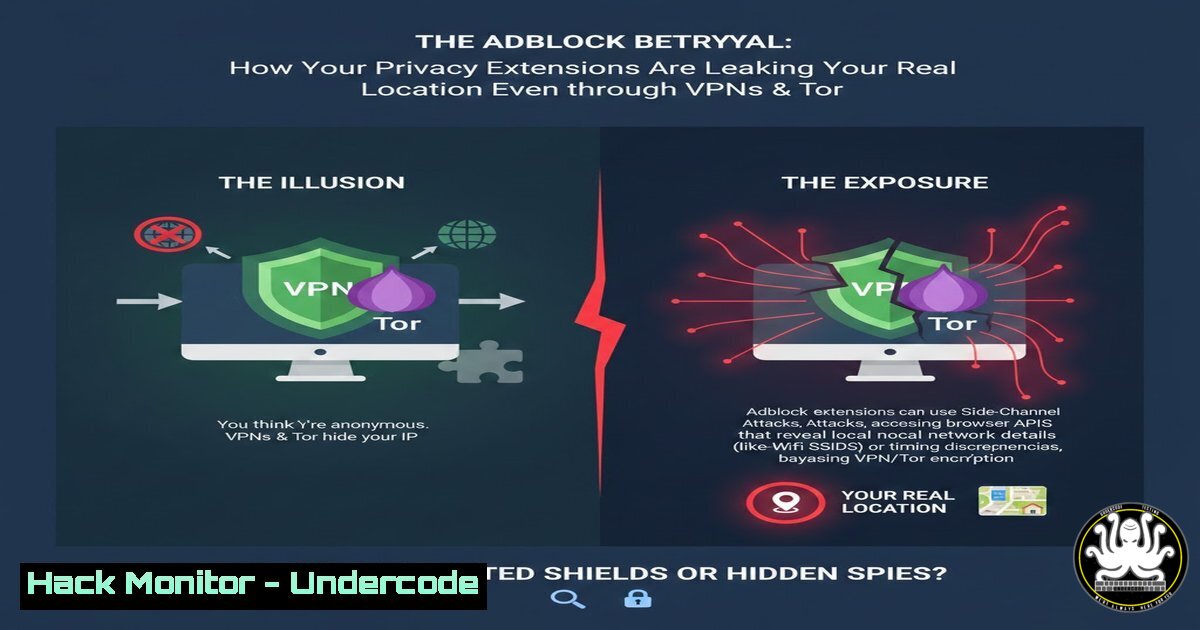
In an era where VPNs and Tor are standard privacy tools, a novel fingerprinting technique has emerged that bypasses these protections. Researchers have discovered that the very adblock and privacy filter lists you subscribe to can silently reveal your geographical location, creating a unique and detectable signature based on your linguistic and regional filtering choices.
Learning Objectives:
- Understand the mechanism of “Adbleed” fingerprinting through filter list enumeration.
- Learn to audit your own browser for this leakage and configure defensive settings.
- Implement advanced privacy configurations to mitigate filter list-based tracking.
You Should Know:
1. The Mechanics of Filter List Fingerprinting
Your browser’s content blocker (e.g., uBlock Origin, AdGuard) downloads filter lists to block ads and trackers. These lists are often curated for specific languages or regions (e.g., “EasyList Germany,” “RU AdList”). By probing which filter lists are active in your browser, a website can infer your linguistic preferences and likely country of residence. This detection works at the JavaScript level, independent of your IP address, making VPNs and proxies ineffective against it.
Step-by-Step Guide to Understanding the Detection:
A malicious site can use a script to check for the presence of thousands of known filter list rules. The specific combination of rules that trigger a “block” action reveals the unique set of lists you have enabled.
Example Probing Code Snippet (Conceptual):
// Simplified example of checking for a specific filter rule
const testUrl = 'https://example.com/ads/pixel.gif';
const ruleCheck = async (url) => {
// Attempt to fetch a resource that would be blocked by a specific list
const controller = new AbortController();
const timeoutId = setTimeout(() => controller.abort(), 500);
try {
await fetch(url, { mode: 'no-cors', signal: controller.signal });
return false; // Request succeeded, rule not present
} catch (e) {
return true; // Request blocked or failed, rule likely present
} finally {
clearTimeout(timeoutId);
}
};
// Testing for a rule common in a German-language list
if (await ruleCheck('https://adservice.google.de/')) {
console.log('German filter list likely active');
}
2. Instantly Testing Your Own Browser’s Exposure
The researcher provides a public tool to check your own setup’s vulnerability.
Step-by-Step Guide:
- Ensure your VPN or Tor connection is active.
- Navigate to the testing site: `https://adbleed.eu`.
- The page will automatically run a series of checks. Within seconds, it will display its confidence level about your detected country or language region based solely on your active filter lists.
- Note the result. If it correctly identifies your region, your privacy setup has a significant leak.
3. Hardening uBlock Origin on Desktop (Firefox/Chrome)
Manual configuration of your adblocker is the primary defense.
Step-by-Step Configuration Guide:
- Click on your uBlock Origin (uBO) extension icon.
2. Click the dashboard (gear) icon.
3. Navigate to the “Filter lists” tab.
- Critical Action: Under the “Built-in” section, deselect all regional/language-specific lists that do not match your intended privacy persona. For example, if you wish to appear as a generic English speaker, keep only “EasyList” and “EasyPrivacy,” and deselect “EasyList Germany,” “EasyList Dutch,” “RU AdList,” etc.
- Under the “Custom” section, be wary of adding niche regional lists.
6. Click “Apply changes” and “Update now.”
4. Advanced Privacy Configuration with Arkenfox (Firefox)
The Arkenfox user.js project hardens Firefox against fingerprinting. It includes a key setting to resist this attack.
Step-by-Step Guide:
1. Install Firefox and access `about:config`.
- Set `privacy.resistFingerprinting` to
true. This enables Firefox’s Tor Browser-level fingerprinting resistance. - More Specific Defense: To specifically combat filter list probing, ensure the following setting is configured. This limits the information leakage from CSS-based probes.
In about:config, search for and set:
layout.css.visited_links_enabled = false
- Consider deploying the entire Arkenfox user.js template for a comprehensive defense.
5. Mitigation via Containerization and Browser Isolation
Compartmentalize your browsing to contain the fingerprint.
Step-by-Step Guide Using Firefox Multi-Account Containers:
1. Install the “Firefox Multi-Account Containers” extension.
2. Create a dedicated container named “Privacy.”
- Configure this container to always use your VPN proxy (if applicable in your setup).
4. Install uBlock Origin only within this container.
- Configure uBO in this container with only the generic, non-regional filter lists (as per Section 3).
- Use only this container for all privacy-sensitive browsing. Use default containers for routine, non-sensitive browsing.
6. Command-Line Verification of Network Leaks (Linux/macOS)
Use command-line tools to ensure your system proxy/VPN configuration is not leaking DNS requests, which could corroborate filter list data.
Step-by-Step Verification:
 Check your apparent public IP address
curl https://icanhazip.com

Perform a DNS leak test to see which DNS servers resolve your queries
 Install dig if needed (sudo apt install dnsutils / brew install bind)
dig +short myip.opendns.com @resolver1.opendns.com

Use a dedicated DNS leak test tool
nslookup whoami.akamai.net
 If the result shows your ISP's DNS or your real location, you have a DNS leak alongside the filter list leak.
- The Nuclear Option: Using the Tor Browser Bundle
The Tor Browser is explicitly engineered to defeat fingerprinting, making all users appear identical.
Step-by-Step Guide:
- Download the Tor Browser from the official project website (`https://www.torproject.org`).
- Run it and connect. Its core defense is that it does not support browser extensions like uBlock Origin at all.
- It uses a modified version of Firefox with a universal, standardized set of blocking rules (based on NoScript and other built-in protections).
- Because no user-installed filter lists are possible, the “Adbleed” fingerprinting method fails entirely. All Tor Browser users present the same fingerprint.
What Undercode Say:
- Privacy is a Holistic System: A single tool like a VPN is insufficient. Privacy requires a correctly configured stack encompassing browser, extensions, DNS, and user behavior.
- The Paradox of Defense: The tools we add for protection (adblockers) can become new vectors for attack if not meticulously configured. Default settings are often privacy-hostile.
Prediction:
This “Adbleed” technique marks a shift towards application-layer fingerprinting that circumvents network anonymization. We predict its rapid adoption by analytics companies, ad-tech platforms, and even government surveillance actors seeking to deanonymize Tor and VPN users. In response, mainstream privacy tools like Brave Browser, Tor Browser, and adblockers will likely develop new countermeasures, such as randomized filter list subscriptions or spoofed responses to list probes, leading to an arms race in browser-level fingerprinting warfare. Compliance frameworks like GDPR may eventually need to address this form of inferred location data collection.
▶️ Related Video (74% Match):
🎯Let’s Practice For Free:
IT/Security Reporter URL:
Reported By: Https: – Hackers Feeds
Extra Hub: Undercode MoN
Basic Verification: Pass ✅


