Listen to this Post
Introduction:
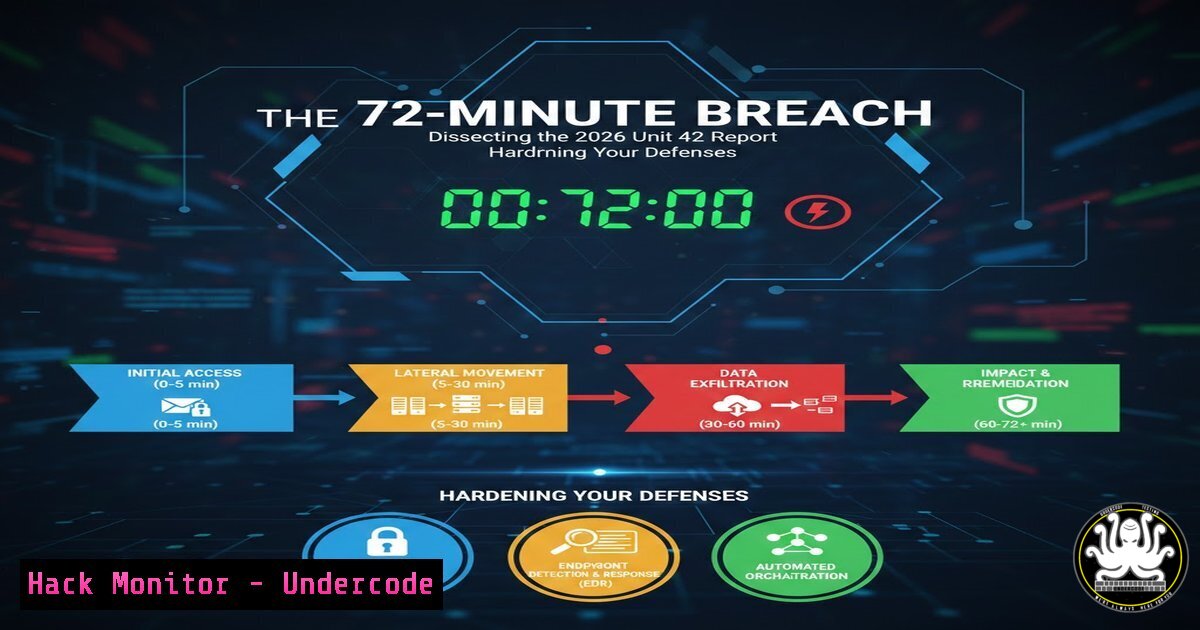
In the high-stakes arena of cybersecurity, speed is the new currency of compromise. According to the 2026 Unit 42 Global Incident Response Report, the “dwell time”—the window between an attacker gaining initial access and successfully exfiltrating data—has collapsed to a staggering 72 minutes. This accelerated timeline means that security teams no longer have the luxury of days or weeks to detect an intrusion; they have hours. This article extracts the core findings of that report and provides a technical deep dive into the commands, tools, and configurations necessary to detect, respond to, and mitigate these fast-moving threats across Linux, Windows, and cloud environments.
Learning Objectives:
- Understand the technical implications of a 62-minute dwell time on incident response workflows.
- Learn to implement rapid triage commands for live forensics on Windows and Linux.
- Master the configuration of Endpoint Detection and Response (EDR) tools to catch early indicators of exfiltration.
- Identify cloud misconfigurations that facilitate rapid data theft.
- Develop a proactive hardening checklist derived from the 2026 attack trends.
You Should Know:
- The Reality of 72 Minutes: Initial Access and Persistence
The clock starts the moment an attacker gains a foothold. In 2026, initial access vectors remain dominated by exploited public-facing applications, spear-phishing, and the abuse of valid accounts. Once inside, attackers establish persistence almost immediately to ensure they don’t lose access during the exfiltration phase.
Step‑by‑step guide: Detecting rapid persistence mechanisms.
To catch an attacker before they move laterally, you must check for newly created services or scheduled tasks within the last hour.
– On Windows (PowerShell): This command identifies scheduled tasks created or modified in the last 60 minutes.
Get-ScheduledTask | Where-Object {$_.Date -gt (Get-Date).AddMinutes(-60)} | Select-Object TaskName, State, Actions
– On Linux: Check the systemd timers and cron directories for recently added entries.
 Find recently modified cron files
find /etc/cron -type f -mmin -60 -exec ls -la {} \;

List all systemd timers and check their activation times
systemctl list-timers --all --no-pager | grep -E "$(date -d '-60 minutes' '+%b %d %H:%M')"
What this does: These commands bypass high-level logs and look directly at the file system and task schedulers. If an attacker created a service to download Cobalt Strike or a script to stage data, these commands will reveal the “new” artifacts that traditional monitoring might miss in the initial flurry of alerts.
2. The Exfiltration Pipeline: Network Egress Detection
The report highlights that exfiltration happens within the same window as the breach. Attackers are compressing data on the fly and tunneling it out via HTTPS, DNS, or cloud storage APIs.
Step‑by‑step guide: Capturing and analyzing egress traffic.
You cannot rely on log analysis alone; you need to inspect network flows.
– Using tcpdump for immediate capture (Linux): If you suspect a host is compromised, capture traffic to identify large outbound transfers.
 Capture traffic on eth0, write to a file, focusing on high-volume outbound connections (port 443 for HTTPS)
sudo tcpdump -i eth0 -s 0 -w /tmp/egress_capture.pcap "tcp and dst port 443 and (tcp[((tcp[12:1] & 0xf0) >> 2):4] = 0x47455420 or tcp[((tcp[12:1] & 0xf0) >> 2):4] = 0x504f5354)"
– Analyzing for Data Staging (Windows): Attackers often stage data in a single archive. Use PowerShell to find recently created zip/rar/7z files.
Get-ChildItem -Path C:\ -Recurse -Include .zip, .rar, .7z -ErrorAction SilentlyContinue | Where-Object {$_.CreationTime -gt (Get-Date).AddMinutes(-90)}
What this does: The tcpdump filter looks for HTTP POST and GET requests which are common data transfer methods. The PowerShell script hunts for archives created during the “dwell window,” which could be the packaged data waiting to be stolen.
- Cloud Hardening: Preventing the “Keys to the Kingdom”
The 2026 Unit 42 report likely emphasizes that misconfigured cloud environments are a primary accelerator for exfiltration. Attackers love Identity and Access Management (IAM) keys with excessive privileges.
Step‑by‑step guide: Auditing IAM for over-privileged roles.
Use the AWS CLI to identify roles that have been used recently and could be abused for data theft.
– AWS CLI Command:
 List all users and their attached policies to find overly permissive "Action: " statements
aws iam list-users --query 'Users[].UserName' --output text | xargs -n1 aws iam list-attached-user-policies --user-name

Check for unused access keys (potential backdoors)
aws iam list-access-keys --user-name [bash] --query 'AccessKeyMetadata[].AccessKeyId' --output text | xargs -n1 aws iam get-access-key-last-used --access-key-id
– Azure equivalent using AzCLI:
 List all role assignments that grant 'Contributor' or 'Owner' rights (high-risk)
az role assignment list --query "[?roleDefinitionName=='Contributor' || roleDefinitionName=='Owner'].{principalName:principalName, role:roleDefinitionName}"
What this does: These commands surface the “over-privileged” accounts. If an attacker compromises a VM with a managed identity that has Contributor rights to a storage account, they can exfiltrate data in minutes using az storage blob download-batch.
4. Memory Forensics: Catching Fileless Payloads
With only 72 minutes, attackers favor fileless malware that lives in memory to avoid disk-based detection.
Step‑by‑step guide: Capturing and analyzing memory on Linux.
You need to capture the system’s RAM before the attacker clears their tracks.
– Capturing Memory with LiME (Linux):
 Load the LiME module to dump memory to disk (requires compilation against your kernel)
sudo insmod lime.ko "path=/mnt/evidence/mem.lime format=lime"
– Rapid String Analysis: Immediately scan for network connections or process names.
 Extract strings from the memory dump and grep for common C2 frameworks
strings /mnt/evidence/mem.lime | grep -E "(cobaltstrike|beacon|meterpreter|powershell -e)"
What this does: This bypasses the live system’s rootkits. By analyzing the raw memory dump, you can see injected code, hidden processes, and active network sockets that the compromised OS is actively trying to hide.
5. Windows Event Log Triage: The 60-Minute Retrospective
If you suspect a breach occurred hours ago, you need to retro-hunt in the Windows Event Logs for the “smoking gun” activity that happened in that 72-minute window.
Step‑by‑step guide: Filtering Event Logs by Time and Event ID.
– PowerShell (Wevtutil):
 Query Security log for Event ID 4625 (Failed Logons) or 4624 (Successful Logons) from a specific time range
$startTime = (Get-Date).AddHours(-2).ToString("yyyy-MM-ddTHH:mm:ss")
$endTime = (Get-Date).ToString("yyyy-MM-ddTHH:mm:ss")

wevtutil qe Security "/q:[System[TimeCreated[@SystemTime>='$startTime' and @SystemTime<='$endTime']] and (EventID=4624 or EventID=4625)]" /f:text /e:100
– Checking for Service Installations (Event ID 7045):
wevtutil qe System "/q:[System[TimeCreated[@SystemTime>='$startTime' and @SystemTime<='$endTime']] and (EventID=7045)]" /f:text /e:100
What this does: This provides a timeline of authentication and service creation events. If an attacker brute-forced an RDP port and then installed a service, these two queries will place them on the timeline, helping you pinpoint ground zero.
What Undercode Say:
- Speed Requires Automation: The 72-minute dwell time renders manual, ticket-based incident response obsolete. Organizations must invest in SOAR (Security Orchestration, Automation, and Response) to automatically isolate endpoints the moment data transfer thresholds are met. The analysis shows that every second counts; if you are not automating containment, you are already too late.
- Logs are Not Enough: The report underscores the shift from log-centric security to runtime and memory-centric defense. Attackers are operating in memory and leveraging legitimate credentials, meaning SIEM alerts based solely on logins are insufficient. The inclusion of tcpdump and memory analysis in this guide highlights the necessity of deep packet inspection and forensic readiness at the endpoint level. Ultimately, the “blast radius” is determined not by how fast you detect, but by how fast you can surgically amputate the compromised limb from the network.
Prediction:
As defensive technologies like EDR and XDR improve, attackers will continue to compress their attack timelines, potentially reducing dwell time to under 30 minutes by 2028. This will drive a shift toward “proactive cyber warfare,” where organizations will deploy honeypots and active defense measures not just to detect, but to delay the attacker, buying precious minutes for the blue team. The future of infosec will be less about building higher walls and more about building “sticky” networks that slow down data extraction, even after a breach.
▶️ Related Video (82% Match):
🎯Let’s Practice For Free:
IT/Security Reporter URL:
Reported By: Jas Sood – Hackers Feeds
Extra Hub: Undercode MoN
Basic Verification: Pass ✅


