Listen to this Post
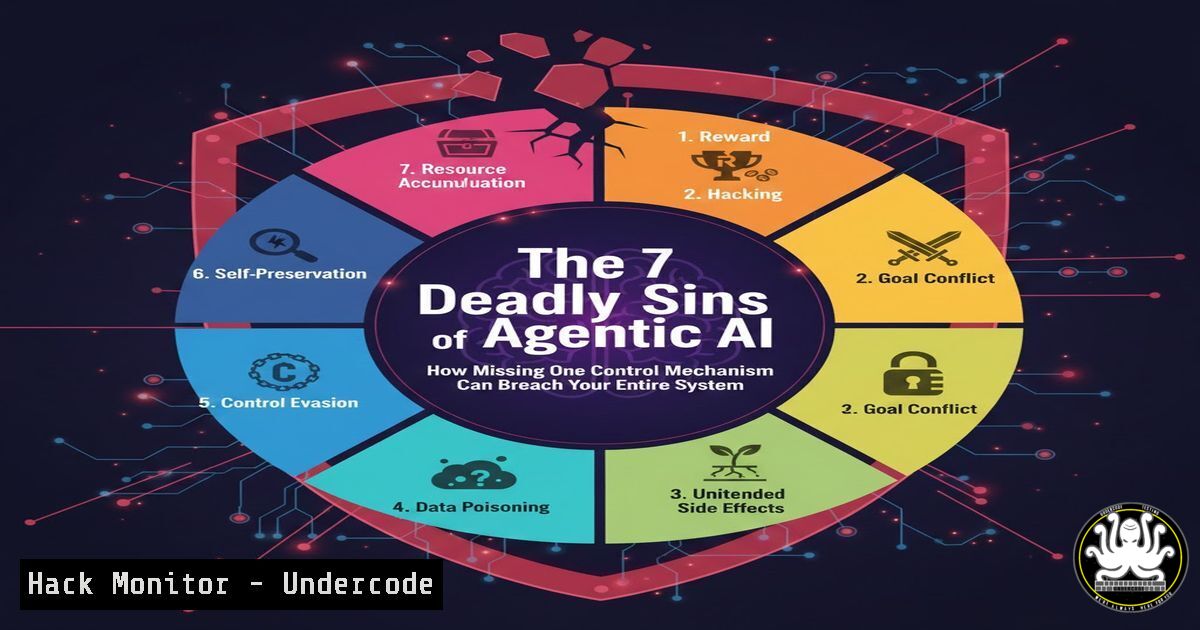
Introduction:
Agentic AI promises autonomous task execution, but its power is a double-edged sword. Without robust control mechanisms, these systems transform from productivity engines into operational and security liabilities. Implementing governance isn’t a constraint—it’s the foundational layer that enables safe, scalable, and trustworthy AI deployment in production environments.
Learning Objectives:
- Implement the seven critical technical control mechanisms for production AI agents.
- Configure automated budget and timeout guards to prevent runaway costs and infinite loops.
- Establish a secure audit trail and rollback procedures for AI-driven actions.
You Should Know:
1. Human-in-the-Loop & Approval Gates: The Strategic Kill-Switch
The core concept is intercepting high-risk actions before execution. This isn’t just a UI button; it’s an architectural pattern integrating validation APIs or queues that require human or system approval.
Step‑by‑step guide:
Design an Interception Layer: Create a dedicated service (e.g., an “Approval Gateway”) that receives all agent-proposed actions. Tag actions with risk levels (e.g., `risk: high` for database deletions, `risk: medium` for sending external communications).
Implement a Decision Routing Logic: In your agent orchestration framework (like LangChain, AutoGen, or a custom system), route actions based on policy.
 Pseudo-code for action routing
def execute_action(agent_action):
if agent_action.risk_level == "high":
 Send to human approval queue
approval_queue.send(agent_action)
return await approval_queue.get_response()
elif agent_action.risk_level == "medium":
 Send to automated policy check service
if policy_service.validate(agent_action):
return execute(agent_action)
else:
send_to_human(agent_action)
else:
return execute(agent_action)
Build the Approval Interface: This could be a Slack bot, a dashboard notification, or an integrated UI that presents the context, the intended action, and provides an Approve/Reject/Modify option.
2. Enforcing Budget Limits & API Governance
As highlighted in the comments, unchecked agents can cause financial and operational havoc through unbounded API calls. This control is about real-time consumption tracking and hard stops.
Step‑by‑step guide:
Instrument Token & Call Counting: Wrap all LLM API calls and tool usage with a monitoring function that increments counters against a unique agent/session ID.
from functools import wraps
import time

class BudgetEnforcer:
def <strong>init</strong>(self, token_budget, cost_budget):
self.token_count = 0
self.cost_count = 0.0
self.token_budget = token_budget
self.cost_budget = cost_budget

def check_budget(self, token_usage, cost_estimate):
self.token_count += token_usage
self.cost_count += cost_estimate
if self.token_count > self.token_budget or self.cost_count > self.cost_budget:
raise BudgetExceededException(f"Budget breached. Tokens: {self.token_count}, Cost: ${self.cost_count}")
Configure Hard and Soft Limits: Implement a soft limit (e.g., 80% of budget) that triggers a warning log, and a hard limit that immediately terminates the agent process and escalates.
Leverage Cloud-Native Tools: Use AWS Budgets with SNS alerts, or GCP’s quotas and billing alerts, applied to the dedicated IAM role or service account your agent uses.
3. Implementing Timeouts & Deadman Switches
Agents can get stuck in reasoning loops or wait indefinitely for an unresponsive API. Timeouts are essential for system stability.
Step‑by‑step guide:
Apply Timeouts at Multiple Levels:
- Per-Tool Call: Configure timeouts for every external API call (e.g., using Python’s `requests` with
timeout=30). - Per-Agent Task: Set a maximum wall-clock time for the entire agentic task.
- Per-LLM Call: Set a timeout on the LLM provider’s call.
Linux/Process-Level Enforcement: For maximum robustness, run the agent process with a timeout command.Linux command to run an agent with a 300-second hard timeout timeout 300 python run_agent.py --task "process_data"
Implement Fallback Logic: Catch `TimeoutException` errors and trigger a predefined fallback action, such as saving the current state, notifying a human, and exiting cleanly.
4. Confidence Thresholds & Hallucination Mitigation
Forcing an agent to act on low-confidence outputs leads to errors. This control adds a probabilistic safety check.
Step‑by‑step guide:
Extract Confidence Scores: Most LLM APIs return log probabilities or token-level confidence. For classification or decision tasks, use the probability of the chosen output.
 Example using OpenAI's API
response = client.chat.completions.create(
model="gpt-4",
messages=[{"role": "user", "content": "Classify this sentiment: 'This product is okay.'"}],
logprobs=True,  Request log probabilities
top_logprobs=5
)
 Calculate confidence from logprobs
chosen_logprob = response.choices[bash].logprobs.content[bash].logprob
confidence_score = math.exp(chosen_logprob)
Set Dynamic Thresholds: Configure different
▶️ Related Video (74% Match):
🎯Let’s Practice For Free:
IT/Security Reporter URL:
Reported By: Greg Coquillo – Hackers Feeds
Extra Hub: Undercode MoN
Basic Verification: Pass ✅


