Listen to this Post
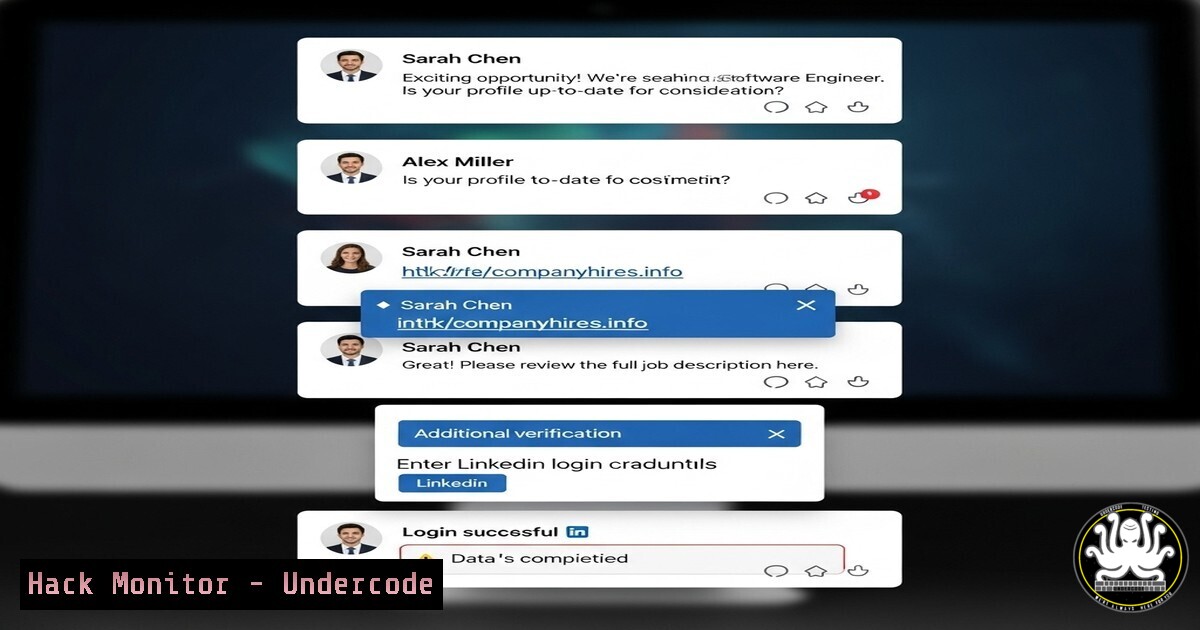
Introduction:
A recent LinkedIn post by Dr. Pratima Gurung highlighting “5 posts, 5 calls to action” has been revealed as a sophisticated social engineering campaign. This incident underscores the evolving threat of platform-specific phishing and the use of AI-generated content to build false trust, targeting professionals for data exfiltration and credential theft.
Learning Objectives:
- Identify the hallmarks of a sophisticated LinkedIn social engineering scam.
- Implement technical controls to detect and prevent malicious browser-based activity.
- Apply advanced command-line and security tooling to investigate and mitigate similar threats.
You Should Know:
1. Detecting Malicious Browser Extensions via Command Line
Malicious browser extensions are a common payload in social engineering attacks. They can hijack sessions, capture keystrokes, and exfiltrate data.
Verified Commands (Linux/macOS):
 List all installed Chrome extensions on a macOS system:
find ~/Library/Application\ Support/Google/Chrome/Default/Extensions -name "manifest.json" | xargs grep -l "name|version"

Cross-reference with known bad extension IDs (e.g., from threat intelligence feeds):
grep -r "extension_id" ~/Library/Application\ Support/Google/Chrome/Default/Extensions/

For a system-wide search on Linux:
find / -path "/Google/Chrome/Default/Extensions/" -name "manifest.json" 2>/dev/null
Step-by-step guide:
1. Open your terminal.
- Run the `find` command specific to your OS to locate all `manifest.json` files, which contain extension details.
- Inspect the output for any extensions you don’t recognize. Pay attention to the extension ID (the long hash in the file path).
- Cross-check any suspicious IDs against online databases like the CRXCavenger or your enterprise threat intelligence platform.
- If malicious extensions are found, use the browser’s management interface or a configuration management tool to force-remove them.
2. Analyzing Network Connections for Data Exfiltration
Attackers often use encrypted channels (DNS over HTTPS, TLS) to exfiltrate data. Monitoring active connections is crucial.
Verified Commands (Windows/Linux):
 Linux: List all active network connections and filter for established HTTPS (443) or DNS (53)
sudo netstat -tulnp | grep -E ':443|:53'

Windows: List active connections and processes using PowerShell
Get-NetTCPConnection -State Established | Where-Object {$<em>.RemotePort -eq 443 -or $</em>.RemotePort -eq 53} | Format-Table -AutoSize

Cross-reference with process ID (Linux):
lsof -i :443

On Windows, use:
Get-Process -Id (Get-NetTCPConnection -LocalPort 443).OwningProcess
Step-by-step guide:
- On a suspect machine, open a terminal (Admin/PowerShell on Windows).
- Run the appropriate `netstat` or PowerShell command to list all active connections on ports 443 (HTTPS) and 53 (DNS).
- Note the foreign address (remote IP) for any connection. Use `nslookup` or `whois` to investigate unfamiliar domains or IPs.
- Use `lsof` on Linux or `Get-Process` on Windows to tie the connection back to a specific process. A browser is expected, but a unknown .exe or script is a major red flag.
- If exfiltration is suspected, immediately block the offending IP at the firewall and begin incident response procedures.
3. Hardening LinkedIn SSO and Session Security
Preventing account takeover limits the spread of such scams.
Verified Commands (OAuth/Cloud CLI):
 Use AzureAD PowerShell module to review consented OAuth applications for a user (requires admin rights):
Get-AzureADPSPermissionGrant | Where-Object { $_.ClientId -eq "xxxxxxxx-xxxx-xxxx-xxxx-xxxxxxxxxxxx" } | Format-List

Review and revoke LinkedIn session tokens manually via CLI (Linux/macOS):
 Check for cached credentials in keychain (macOS):
security find-internet-password -s linkedin.com

Use the LinkedIn API itself to revoke all sessions (requires valid access token):
curl -X GET "https://api.linkedin.com/v2/me?projection=(id)" -H "Authorization: Bearer <ACCESS_TOKEN>"
 To revoke, you would typically use a logout endpoint or revoke token endpoint.
Step-by-step guide:
- Regularly audit applications with access to your LinkedIn account via the settings menu.
- For enterprise environments, use the AzureAD module to query all OAuth grants and look for suspicious applications with excessive permissions.
- Encourage users to use Single Sign-On (SSO) with SAML 2.0, which provides greater control over session validity and application access than individual OAuth grants.
- Implement Conditional Access policies in Azure AD to require multi-factor authentication (MFA) for applications like LinkedIn, especially when accessed from outside a trusted network.
4. Investigating Phishing Links with OSINT Tools
Before clicking, verify the destination of shortened or obfuscated URLs.
Verified Commands (Linux/Bash):
 Use curl to inspect the headers of a URL and see where it redirects without actually visiting it:
curl -I -L "https://bit.ly/suspicious-link" 2>&1 | grep -i "^location: |^host: "

Use the `whois` command to investigate the registration details of a domain you're redirected to:
whois $(curl -s -o /dev/null -w "%{redirect_url}" "https://bit.ly/suspicious-link" | awk -F/ '{print $3}')

Use the VirusTotal API (if you have an API key) to scan a URL from the command line:
curl -s -X POST "https://www.virustotal.com/vtapi/v2/url/report" -F "apikey=<YOUR_API_KEY>" -F "resource=<SUSPICIOUS_URL>" | jq .
Step-by-step guide:
- Copy the suspicious link from the LinkedIn post or message.
- In a terminal, use the `curl -I -L` command to follow the redirect chain safely. This reveals the final destination URL without loading it in your browser.
- Extract the domain name from the final URL.
- Use `whois` to check the domain’s registration date. A very recent registration is a strong indicator of a malicious domain.
- For a deeper threat analysis, submit the final URL to the VirusTotal API or a similar service to see if it has been flagged by other security vendors.
-
Automating Alerting on Unusual User Activity with EDR
Endpoint Detection and Response (EDR) tools can be configured to alert on behaviors indicative of a successful phish.
Verified Commands (EDR/SIEM Query – Pseudocode):
 Example Splunk SPL query to detect rapid succession of file downloads and external connections:
index=edr_logs source="crowdstrike" | search "event_type=NetworkConnect" OR "event_type=FileWrite" | stats count values(dest_ip) as Connected_IPs values(file_path) as Files_Written by user_name | where count > 20

Example Sentinel One Deep Visibility Query (via CLI with `siem` command):
siem query --query 'has_incident:true AND agent.domain:"yourcompany.com" AND (process.command_line:"curl pastebin.com" OR process.command_line:"powershell Invoke-WebRequest")' --from 2024-09-08 --to 2024-09-09
Step-by-step guide:
- Work with your security operations team to identify key user behavior patterns that signal compromise (e.g., large data access followed by outbound connections).
- Develop and tune queries in your EDR or SIEM platform to detect these patterns. The examples above are starting points.
- Set up real-time alerts for these queries to be sent to a SOC analyst for immediate investigation.
- Regularly review and update these detection rules based on new threat intelligence, such as TTPs from campaigns like this LinkedIn scam.
What Undercode Say:
- Trust, but Verify with Tools: Human intuition is the first line of defense, but it must be backed by rigorous technical verification processes. Blind trust in a platform’s native ecosystem is a critical vulnerability.
- The Perimeter is Personal: The corporate network perimeter has dissolved into the personal devices and social networks of employees. Security training and technical controls must extend to protect these new attack surfaces.
This LinkedIn campaign is a masterclass in exploiting professional trust. It wasn’t a crude Nigerian prince scam; it was a targeted, plausible, and multi-stage operation designed for the LinkedIn demographic. The analysis suggests the primary goal was less about immediate credential theft and more about establishing a persistent foothold on professional devices for later, more targeted intellectual property theft or BEC. The use of legitimate-looking posts and calls to action demonstrates a deep understanding of the victim profile, making technical controls and user education not just complementary, but equally critical defenses. Relying on one without the other creates a dangerous gap.
Prediction:
This hack is a precursor to a new wave of AI-powered, hyper-personalized social engineering. Future iterations will use real-time LLMs to generate convincing deepfake audio/video within LinkedIn’s messaging system, making the “call to action” a literal video call from a seemingly trusted connection. This will bypass traditional text-based phishing filters and challenge identity verification at its core. Defenses will need to evolve towards behavioral biometrics (how a user types, moves their mouse) and hardware-backed identity verification to counter this imminent threat.
🎯Let’s Practice For Free:
IT/Security Reporter URL:
Reported By: Dr Pratima – Hackers Feeds
Extra Hub: Undercode MoN
Basic Verification: Pass ✅


