Listen to this Post
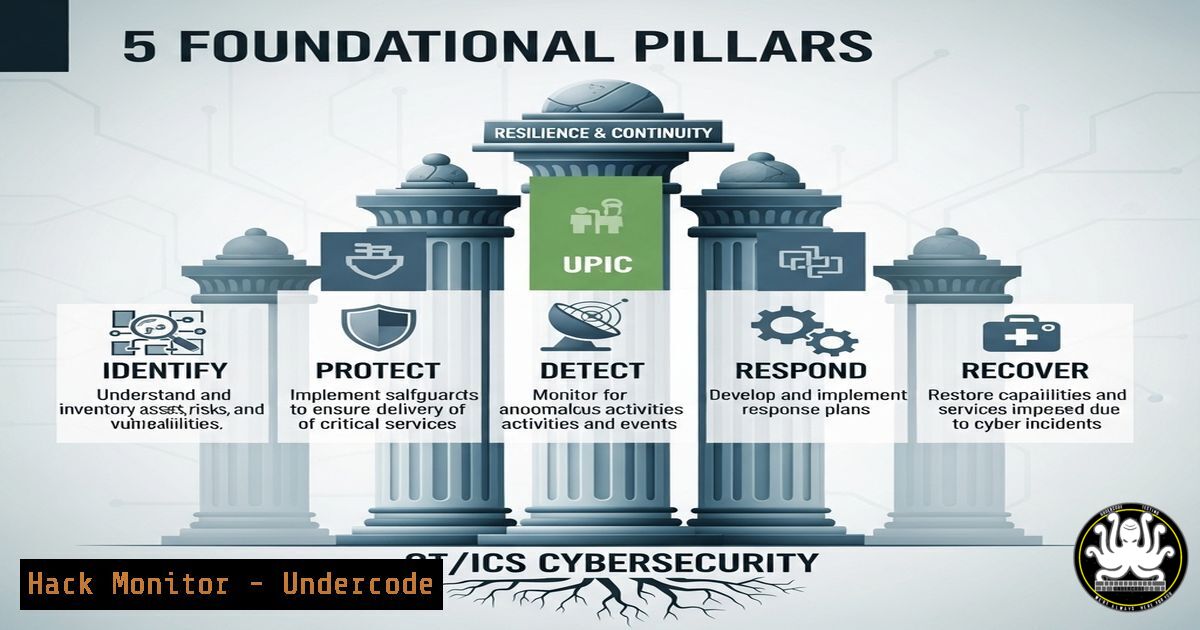
Introduction:
Operational Technology (OT) and Industrial Control Systems (ICS) cybersecurity is a critical frontier in protecting national infrastructure. Unlike traditional IT, OT/ICS security merges digital protocols with physical processes, requiring a unique blend of networking, engineering, and risk management expertise. Mastering these fundamentals is non-negotiable for anyone serious about defending power grids, water treatment plants, and manufacturing systems.
Learning Objectives:
- Understand the core technical and conceptual differences between IT and OT/ICS environments.
- Identify the key skill sets required to assess and secure industrial control systems.
- Learn practical commands and methodologies for initial reconnaissance and hardening of OT assets.
You Should Know:
1. IT Networking for OT Environments
OT networks, while often using standard Ethernet, have specialized protocols and strict latency requirements. Understanding network segmentation is the first step to securing them.
` Display all network interfaces and their details (Linux)`
`ip addr show`
` Show active connections and listening ports (Windows)`
`netstat -ano`
` Capture network traffic on a specific interface (Linux)`
`tcpdump -i eth0 -w ot_traffic.pcap`
Step‑by‑step guide:
First, identify all network interfaces on a potential engineering workstation or HMI using `ip addr show` (Linux) or `ipconfig /all` (Windows). This reveals all potential entry points. Use `netstat -ano` to list all active connections and ports, paying close attention to ports common in OT, like 502 (Modbus), 20000 (DNP3), or 44818 (EtherNet/IP). Finally, use a packet capture tool like `tcpdump` or Wireshark to analyze traffic patterns and identify unauthorized communications. Always perform captures in a test environment first to avoid disrupting live processes.
2. Enumerating Windows-Based OT Assets
Many HMIs, Historians, and engineering workstations run on Windows. Identifying these systems and their vulnerabilities is crucial.
` PowerShell command to get system information`
`Get-WmiObject -Class Win32_ComputerSystem`
` Enumerate installed software`
`Get-WmiObject -Class Win32_Product | Select-Object Name, Version`
` Check for patch levels`
`Get-HotFix | Sort-Object InstalledOn -Descending | Select-Object -First 10`
Step‑by‑step guide:
On a Windows-based OT asset, open PowerShell with administrative privileges. Run `Get-WmiObject -Class Win32_ComputerSystem` to gather basic system data. To assess the attack surface, enumerate all installed software with Get-WmiObject -Class Win32_Product. This often reveals outdated and vulnerable industrial applications. Finally, check the patch status with Get-HotFix. Unpatched systems are a primary attack vector in OT environments and must be documented meticulously.
3. Passive PLC Identification and Interrogation
Programmable Logic Controllers (PLCs) are the brains of many ICS. Identifying them without disrupting operation is a key skill.
` Use nmap for passive OS and device fingerprinting`
`nmap -O -sS -T4 `
` Script scan for common ICS protocols (requires nse scripts)`
`nmap –script modbus-discover,enip-enumerate -p 502,44818 `
` Use a dedicated tool like PLCscan (Python)`
`python plcscan.py -d `
Step‑by‑step guide:
Warning: Only perform these actions on a test network or with explicit authorization. Active scanning can disrupt delicate processes. Begin with a passive-oriented TCP SYN scan (-sS) with OS detection (-O) to guess the device type. For deeper analysis, use Nmap’s scripting engine (NSE) with scripts like `modbus-discover` to query a PLC on port 502 and extract its slave ID, or `enip-enumerate` for EtherNet/IP devices on 44818. Dedicated tools like PLCscan can provide more detailed information but carry a higher risk of disruption.
4. Implementing OT Network Segmentation with Firewalls
Segmenting the OT network from the IT network is the most critical security control. This is often done with firewalls.
` Example iptables rule to allow ONLY Modbus from a specific IT subnet to a PLC`
`iptables -A FORWARD -s 192.168.1.0/24 -d 192.168.10.50 -p tcp –dport 502 -j ACCEPT`
`iptables -A FORWARD -d 192.168.10.50 -j DROP`
` Windows Firewall rule to block all but necessary traffic on an HMI`
`New-NetFirewallRule -DisplayName “Block All Inbound Except Vendor App” -Direction Inbound -Action Block`
`New-NetFirewallRule -DisplayName “Allow Vendor App Port” -Direction Inbound -Action Allow -Protocol TCP -LocalPort 1234`
Step‑by‑step guide:
On a Linux-based firewall/router between zones, use `iptables` to create explicit allow rules. The example above only allows Modbus TCP traffic from the IT network segment (192.168.1.0/24) to a specific PLC (192.168.10.50) and explicitly drops all other traffic destined for it. On Windows HMIs, use PowerShell to manage the built-in firewall. First, create a default block rule for all inbound traffic, then create a specific allow rule for the port the industrial application requires. This “deny all, allow by exception” policy is the cornerstone of OT network security.
5. Mastering Risk Assessment and Management
OT cybersecurity is fundamentally about managing risk to physical processes. Technical commands must inform risk decisions.
` Command to list all running processes (Linux)`
`ps aux`
` Command to list all scheduled tasks (Windows)`
`Get-ScheduledTask | Where-Object {$_.State -eq “Ready”}`
` Using systemctl to check the status of a critical service`
`systemctl status isc-dhcp-server`
Step‑by‑step guide:
Risk management starts with understanding what is running on your assets. Use `ps aux` on Linux or `Get-Process` in PowerShell on Windows to list all running processes. Identify any unknown or unnecessary applications that could introduce risk. Check scheduled tasks with `Get-ScheduledTask` as these can be used for persistence by attackers. For critical infrastructure services (e.g., a DHCP server handing out IPs to PLCs), use `systemctl status
What Undercode Say:
- The Physics is the Payload: In IT, an attack targets data; in OT, the payload is a physical consequence—a turbine overspeeding, a valve closing—making risk assessment inherently different and more severe.
- IT Tools, OT Rules: While the underlying commands (ip, netstat, nmap) are from the IT world, their use in OT environments requires extreme caution, deep process knowledge, and an understanding that availability always trumps confidentiality.
The analysis from Undercode highlights the critical paradigm shift from IT to OT security. The tools may be familiar, but the context is entirely different. A simple vulnerability scan that would be routine in an IT server farm could cause a programmable logic controller (PLC) to fault, halting a production line or worse. Therefore, the professional must not only be technically proficient with the command line but also philosophically aligned with the core tenet of OT: ensuring the safety and availability of the physical process. This means every action, even enumeration, must be weighed against its potential for disruption.
Prediction:
The convergence of IT and OT networks will accelerate, driven by Industry 4.0 and IoT. This will create a larger attack surface, making foundational skills more valuable than ever. We predict a surge in targeted ransomware campaigns designed specifically to disrupt physical operations, forcing utilities and manufacturers to pay ransoms quickly. This will lead to increased regulatory scrutiny and a mandatory certification requirement for OT/ICS cybersecurity professionals, formalizing the path that experts like Mike Holcomb are now championing.
🎯Let’s Practice For Free:
IT/Security Reporter URL:
Reported By: Mikeholcomb Anyone – Hackers Feeds
Extra Hub: Undercode MoN
Basic Verification: Pass ✅


