Listen to this Post
Introduction:
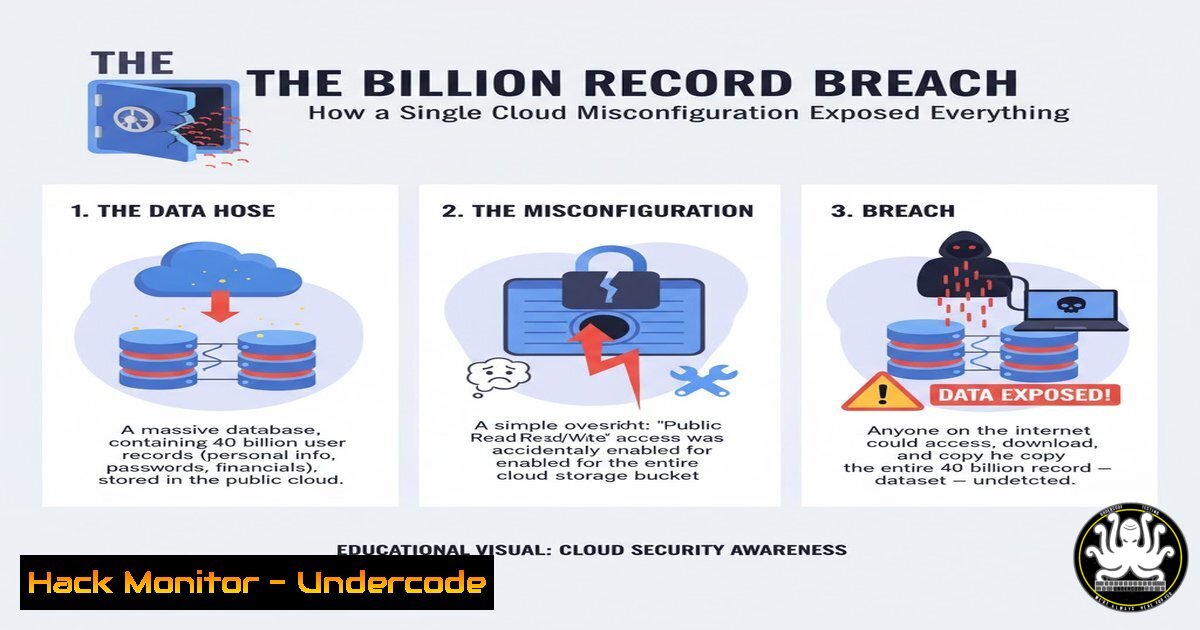
A staggering security lapse at Netcore Cloud, an email marketing provider, left an estimated 40 billion sensitive records, including personal identifiable information (PII) and financial data, publicly accessible on the internet. This incident, stemming from a fundamental cloud misconfiguration, serves as a critical case study in the catastrophic consequences of inadequate cloud security posture management and underscores the urgent need for robust data protection protocols.
Learning Objectives:
- Understand the primary causes and devastating impact of cloud storage misconfigurations.
- Learn essential commands and techniques to audit and harden cloud environments against similar breaches.
- Develop a proactive strategy for continuous security monitoring and incident response.
You Should Know:
1. Identifying Publicly Exposed S3 Buckets
The breach likely involved an unsecured cloud storage bucket, similar to Amazon S3. Verifying the access permissions of your storage is the first line of defense.
`aws s3api get-bucket-acl –bucket YOUR-BUCKET-NAME –profile your-profile`
Step-by-step guide:
This AWS CLI command retrieves the Access Control List (ACL) for a specified S3 bucket. The output will detail the grants and permissions, showing if ‘AllUsers’ (the public) has any access rights (e.g., READ, WRITE). To use it, first ensure the AWS CLI is installed and configured with credentials that have the necessary `s3:GetBucketAcl` permission. Replace `YOUR-BUCKET-NAME` with the actual bucket name and `–profile` with your named CLI profile if used. If the output includes a `Grantee` with `URI` equal to `http://acs.amazonaws.com/groups/global/AllUsers`, your bucket is publicly accessible and requires immediate remediation.
2. Scanning for Public Cloud Assets with Shodan
Attackers and security professionals use internet-wide scanners like Shodan to discover exposed services. You can use it defensively to find your own assets.
`shodan search hostname:s3.amazonaws.com “X-Amz-Bucket-Region” “200”`
Step-by-step guide:
This query, run on the Shodan search engine, looks for publicly accessible Amazon S3 buckets that are returning a successful HTTP 200 status code. To use this, create a Shodan account and access the web interface or use the Shodan CLI. By searching for specific banners and headers unique to S3, you can identify buckets, including potentially misconfigured ones that belong to your organization. Regularly monitoring for your own infrastructure on Shodan is a crucial external attack surface management practice.
3. Hardening S3 Bucket Policies with Terraform
Infrastructure as Code (IaC) ensures consistent and secure configurations. Use Terraform to enforce a strict, non-public bucket policy.
resource "aws_s3_bucket_public_access_block" "example" {
bucket = aws_s3_bucket.example.id

block_public_acls = true
block_public_policy = true
ignore_public_acls = true
restrict_public_buckets = true
}
Step-by-step guide:
This Terraform configuration uses the `aws_s3_bucket_public_access_block` resource to comprehensively block all public access to an S3 bucket. Apply this code to all your S3 buckets by default. After writing this in a `.tf` file, run `terraform plan` to review the changes and `terraform apply` to enact them. This provides a guardrail that prevents accidental public exposure, even if other permissive policies are applied later.
4. Detecting Data Exfiltration with AWS CloudTrail
Once a bucket is exposed, monitoring for unauthorized access is critical. AWS CloudTrail logs API activity, including S3 access.
`aws cloudtrail lookup-events –lookup-attributes AttributeKey=EventName,AttributeValue=GetObject –start-time 2023-10-27T00:00:00Z –end-time 2023-10-28T00:00:00Z –region us-east-1`
Step-by-step guide:
This command searches CloudTrail logs for all `GetObject` API calls (which download objects from S3) within a specific 24-hour window. To use it, ensure CloudTrail is enabled and logging to an S3 bucket. Analyze the results, paying close attention to the `sourceIPAddress` field for accesses from unexpected geographical locations or unknown IPs, which could indicate ongoing data exfiltration.
5. Implementing Network-Level Controls with VPC Endpoints
To further reduce the attack surface, you can ensure S3 buckets are only accessible from within your Virtual Private Cloud (VPC) using a Gateway VPC Endpoint.
`aws ec2 create-vpc-endpoint –vpc-id vpc-123abc –service-name com.amazonaws.us-east-1.s3 –route-table-ids rtb-123abc`
Step-by-step guide:
This command creates a VPC endpoint for S3, allowing resources within your VPC (like EC2 instances) to access S3 without traversing the public internet. Replace `vpc-123abc` with your VPC ID and `rtb-123abc` with the ID of the route table associated with your subnets. Once created, you can pair this with a S3 bucket policy that explicitly denies access unless the request comes from this VPC Endpoint.
6. Automated Scanning with Nmap for Open Services
While cloud-native, it’s vital to scan your own external IP ranges for accidentally exposed services.
`nmap -p 80,443,22 –script http-title,ssl-cert -iL target_ips.txt -oA netcore_style_scan`
Step-by-step guide:
This Nmap command scans a list of IP addresses (from target_ips.txt) for common web and SSH ports. The `http-title` script fetches the title of the webpage, and `ssl-cert` retrieves the SSL certificate, helping to identify the service. Run this from a security-audited external host to get an “attacker’s view” of your network. Regularly scheduled external scans can catch misconfigurations before malicious actors do.
7. Proactive Secret Detection with Gitleaks
Developers might accidentally hardcode cloud credentials in code repositories, leading to breaches. Use secret detection tools in your CI/CD pipeline.
`gitleaks detect –source /path/to/your/repo –verbose –report gitleaks_report.json`
Step-by-step guide:
Gitleaks is a SAST tool that scans git repositories for secrets and keys. Install Gitleaks and run this command against your local or cloned repository. It will parse the commit history and flag any hardcoded AWS access keys, API tokens, or other sensitive data. Integrate this into your pre-commit hooks or CI pipeline (e.g., GitHub Actions) to prevent secrets from ever being merged into your codebase.
What Undercode Say:
- The scale of this breach was not due to a sophisticated zero-day exploit, but a preventable human error in cloud configuration.
- Proactive, automated security hardening through IaC is no longer optional; it is a fundamental requirement for any organization using cloud services.
- The Netcore Cloud incident is a stark reminder that the most significant threats often lie in the simplest oversights. While organizations race to implement advanced AI-driven security, they are simultaneously being compromised by basic misconfigurations that have well-understood mitigations. The focus must shift from purely reactive threat hunting to ensuring immutable, secure baselines for all cloud infrastructure. This involves a cultural and technical pivot where security is the default state, enforced by code, rather than a checklist item. The 40 billion exposed records are a direct result of a gap between policy and practice.
Prediction:
The frequency and scale of cloud misconfiguration breaches will continue to escalate, pushing regulatory bodies to enact stricter data sovereignty and security laws with severe financial penalties. This will catalyze the mass adoption of automated Security as Code (SaC) platforms and AI-powered compliance auditing tools that continuously enforce security policies, making “secure by default” the new norm for cloud provisioning. Companies failing to integrate these practices will face existential reputational and financial damage.
🎯Let’s Practice For Free:
IT/Security Reporter URL:
Reported By: Vincent L – Hackers Feeds
Extra Hub: Undercode MoN
Basic Verification: Pass ✅


