Listen to this Post
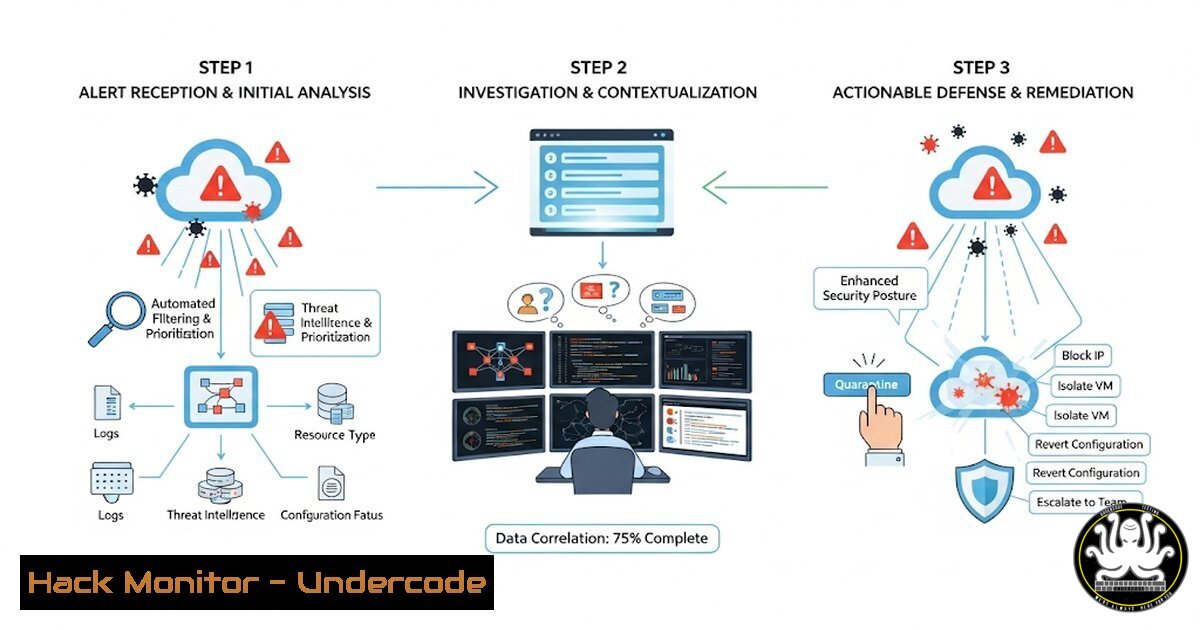
Introduction:
Cloud security platforms often present a deluge of vulnerabilities and misconfigurations, creating alert fatigue and paralysis for security teams. This protocol, championed by industry experts, provides a strategic framework to cut through the noise, prioritize effectively, and transition from reactive patching to proactive, automated defense.
Learning Objectives:
- Master the methodology for categorizing and responding to “leaky bucket” incidents to immediately contain active threats.
- Learn to cluster individual vulnerabilities into classes to design systemic, one-to-many fixes.
- Develop a strategy for implementing preventative automation to stop issues from recurring.
You Should Know:
- Containing the Leaky Bucket: Identifying and Securing Public S3 Buckets
A critical first step is identifying publicly accessible cloud storage that shouldn’t be, a common “leaky bucket.”`aws s3api list-buckets –query “Buckets[].Name” –output text | xargs -I {} aws s3api get-bucket-acl –bucket {} –query “Grants[?Grantee.URI==’http://acs.amazonaws.com/groups/global/AllUsers’].Grantee.URI” –output text`
Step-by-step guide:
This command sequence first lists all S3 buckets in your AWS account. It then pipes each bucket name to check its Access Control List (ACL) for a grant that gives permission to the `AllUsers` group (represented by a specific URI), which effectively makes it public. If the command returns a URI, that bucket is publicly accessible. Immediately investigate and use the AWS console or `put-bucket-acl` command to restrict access to authorized principals only.
- Vulnerability Class Clustering: Finding All Publicly Exposed EC2 Security Groups
Instead of reviewing thousands of individual EC2 instances, group the issue by the misconfigured security group firewall rule that affects them all.`aws ec2 describe-security-groups –filters Name=ip-permission.cidr,Values=’0.0.0.0/0′ –query “SecurityGroups[?IpPermissions[?ToPort==22 && contains(IpProtocol, ‘TCP’)]].GroupId” –output text`
Step-by-step guide:
This AWS CLI command queries all security groups with an inbound rule that allows traffic from anywhere (0.0.0.0/0). It further filters for rules that specifically allow TCP traffic on port 22 (SSH). The output is a list of security group IDs that have this overly permissive rule. This allows you to fix one security group and protect every associated instance, rather than fixing each instance individually.
- Preventative Automation with AWS Config: A Rule to Detect Public S3 Buckets
Automate the detection of future leaks by deploying a managed AWS Config rule. This is a foundational step in preventative control.
`aws config put-config-rule –config-rule ‘{
“ConfigRuleName”: “s3-bucket-public-read-prohibited”,
“Source”: {
“Owner”: “AWS”,
“SourceIdentifier”: “S3_BUCKET_PUBLIC_READ_PROHIBITED”
},
“InputParameters”: “{}”,
“Scope”: {
“ComplianceResourceTypes”: [“AWS::S3::Bucket”]
}
}’`
Step-by-step guide:
This command deploys the AWS-managed rule `S3_BUCKET_PUBLIC_READ_PROHIBITED` to your account. Once active, AWS Config will continuously evaluate all your S3 buckets against this rule. It will flag any bucket that has a policy or ACL that allows public read access, providing near real-time detection and integrating findings into your Security Hub dashboard for automated ticketing.
4. Kubernetes Hardening: Auditing for Privileged Pods
In a cloud-native environment, a common vulnerability class is containers running with excessive privileges. This command audits your clusters.
`kubectl get pods –all-namespaces -o jsonpath=”{.items[?(@.spec.containers[].securityContext.privileged==true)].metadata.name}”`
Step-by-step guide:
This `kubectl` command queries all pods across all namespaces. It uses a JSONPath filter to find any pod where the `securityContext.privileged` field is set to true. Running a container in privileged mode gives it all capabilities on the host, a significant security risk. This command helps you cluster all such pods so you can systematically remediate their security contexts to drop unnecessary privileges.
- Infrastructure as Code (IaC) Prevention: Scanning Terraform for Misconfigurations
Shift security left by preventing misconfigurations from being deployed. Use a static analysis tool like `tfsec` to scan Terraform code.
`tfsec /path/to/your/terraform/code –force-all-dirs –format csv > tfsec_results.csv`
Step-by-step guide:
`tfsec` is an open-source tool that scans Terraform templates for security misconfigurations before they are even applied. This command recursively scans a directory of Terraform code, outputs the results in CSV format, and saves them to a file. By integrating this into your CI/CD pipeline, you can automatically fail builds that introduce known vulnerabilities, such as public S3 buckets or open security groups, preventing them from ever reaching production.
- Cloud Asset Inventory with Steampipe: Unified SQL Queries Across AWS, Azure, GCP
To effectively group issues, you need a unified view of your entire multi-cloud estate. Steampipe enables this with SQL.
`select name, bucket_policy_is_public, block_public_acls, block_public_policy from aws_s3_bucket;`
Step-by-step guide:
Steampipe maps cloud APIs to dynamic SQL tables. This simple SQL query runs against the `aws_s3_bucket` table to return a consolidated list of all S3 buckets and their public exposure settings. You can join data across AWS, Azure, and GCP in a single query to find vulnerability classes that span your entire infrastructure, enabling a centralized and consistent remediation strategy.
- Automated Response with AWS Lambda: Auto-Remediate Public Snapshots
For critical, well-understood issues, build automation that fixes them automatically. This Python Lambda function code detects and remediates public EBS snapshots.
`import boto3
def lambda_handler(event, context):
ec2 = boto3.client(‘ec2’)
public_snapshots = ec2.describe_snapshots(OwnerIds=[‘self’], RestorableByUserIds=[‘all’])[‘Snapshots’]
for snapshot in public_snapshots:
ec2.modify_snapshot_attribute(Attribute=’createVolumePermission’, OperationType=’remove’, GroupNames=[‘all’], SnapshotId=snapshot[‘SnapshotId’])
print(f”Removed public access for snapshot: {snapshot[‘SnapshotId’]}”)`
Step-by-step guide:
This Python code for an AWS Lambda function uses the Boto3 library. It first describes all EBS snapshots owned by the account that are restorable by the public. It then iterates through each public snapshot and calls `modify_snapshot_attribute` to remove the `all` group permission, making it private. This function can be triggered on a schedule or by a CloudWatch event for fully automated remediation of this specific issue class.
What Undercode Say:
- Triage is a Force Multiplier: The core value of this framework is not in the individual commands but in the operational shift from a one-to-one to a one-to-many response model. It transforms a team’s workflow from being overwhelmed to being strategically effective.
- Automation is the End Goal: The ultimate maturity is moving from manual CLI commands for detection to embedded, automated controls for prevention and self-healing. The CLI is for discovery and initial response; code and platform-native automation are for permanent defense.
This protocol is less about technical novelty and more about applied operational discipline. The most advanced security tools are worthless without a clear strategy to action their findings. By systematically categorizing issues into these three buckets—stop the bleeding, fix by class, prevent recurrence—teams can demystify complex cloud environments and build a security posture that scales with innovation. The provided commands are the tactical entry points to executing this superior strategy.
Prediction:
The future of cloud security will be defined by autonomous remediation. The manual triage and response protocols of today will be consumed by AI-driven security platforms that don’t just identify vulnerability classes but automatically write, test, and deploy the code to fix them across entire fleets. Human analysts will shift from first responders to orchestrators and validators of these autonomous systems, focusing exclusively on novel attack patterns that lie beyond the current training data of AI models. The “wall of issues” will be replaced by a “dashboard of resolved incidents,” with human intervention required only for escalation and strategic oversight.
🎯Let’s Practice For Free:
IT/Security Reporter URL:
Reported By: Danielgrzelak When – Hackers Feeds
Extra Hub: Undercode MoN
Basic Verification: Pass ✅


