Listen to this Post
Introduction
A single misconfigured web server can hand over your entire source code, commit history, and hardcoded credentials to anyone who knows where to look. The `.git` directory—a folder every developer knows but many forget to secure—has become one of the most widespread and preventable vulnerabilities on the internet today, with nearly 5 million public web servers currently exposing Git metadata to the open web.
Learning Objectives
- Understand how exposed `.git` directories enable attackers to reconstruct full source code repositories and extract sensitive credentials
- Learn to identify `.git` exposure on your own infrastructure using manual checks and automated tools
- Implement multi-layered protection strategies across web servers, CI/CD pipelines, and development workflows
- What Is a `.git` Directory Exposure and Why Does It Matter?
When a web application is deployed by copying the entire working directory—rather than performing a proper build or export—the hidden `.git` folder often comes along for the ride. This folder contains the complete history of every file ever committed to the repository, including configuration files, environment variables, and—critically—any secrets that were ever hardcoded and later “removed.”
The risk is not theoretical. A 2026 study by the Mysterium VPN research team found that over 250,000 exposed `.git/config` files contained active deployment credentials—usable secrets that grant attackers direct access to cloud infrastructure, databases, and third-party services. These misconfigurations enable source code theft, credential abuse, supply-chain attacks, and lateral movement into cloud environments, often escalating a simple oversight into a major breach.
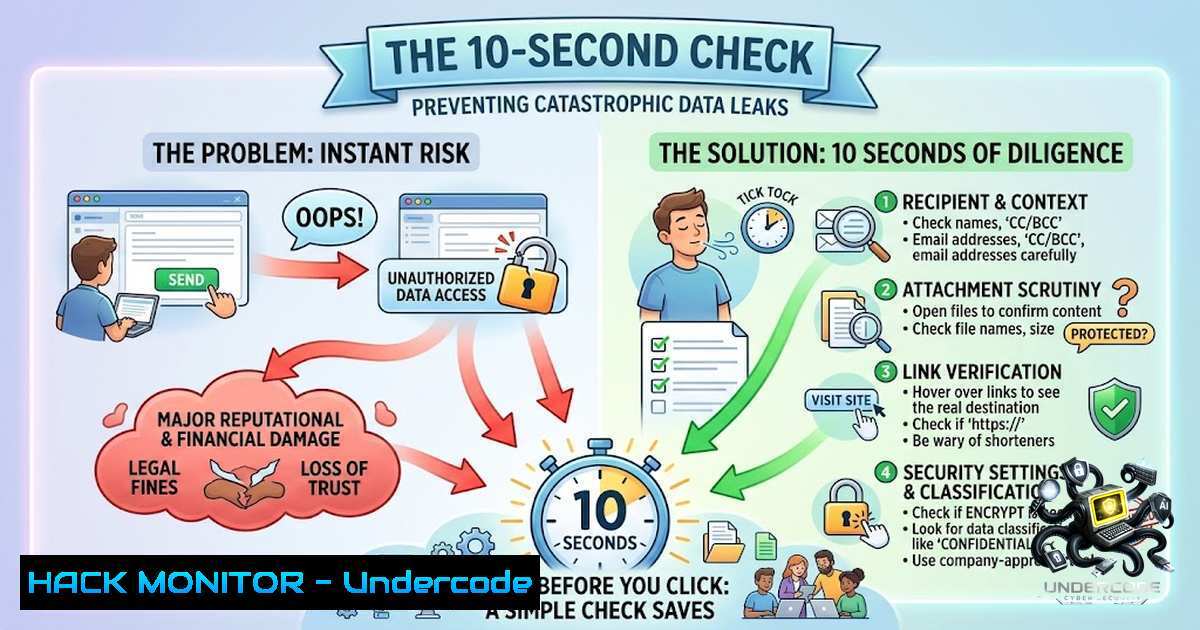
The 10-Second Check
Anyone can test their own site with a single curl command:
curl -I https://yourdomain.com/.git/HEAD
If the response returns a `200 OK` with readable content instead of a `403 Forbidden` or 404 Not Found, your repository is exposed. The `HEAD` file alone confirms the presence of a Git repository; from there, attackers can enumerate the entire `.git` directory structure.
- What Attackers Can Extract From an Exposed `.git` Directory
A publicly accessible `.git` folder is a goldmine of intelligence for malicious actors. Here is what they can retrieve:
Full Source Code and Architecture
Using tools like `git-dumper` or lfi-git-dumper, attackers can reconstruct every tracked file in the repository, preserving the original folder structure. This reveals application logic, proprietary algorithms, internal APIs, and system architecture—information that enables precise targeting of every endpoint in the application.
Hardcoded Secrets in Commit History
Secrets committed to Git become permanently embedded in the repository history. Even if deleted from the latest commit, they remain accessible from past commits. Attackers can extract:
– Database credentials (usernames, passwords, connection strings)
– API keys and tokens for third-party services
– JWT secrets and encryption keys
– Cloud provider access credentials
– Internal service authentication tokens
Developer Intelligence
The `.git/logs/HEAD` file reveals commit timestamps, author names and email addresses, and the sequence of changes. This information helps attackers map the development team, identify who works on what, and understand the organization’s internal structure.
Deployment Configuration
The `.git/config` file exposes remote repository URLs, often revealing internal Git hosting infrastructure, deployment pipelines, and sometimes even embedded credentials for CI/CD systems.
- How to Check for `.git` Exposure: A Practical Guide
Manual Verification
Linux / macOS (curl):
 Check if .git/HEAD is accessible
curl -s -o /dev/null -w "%{http_code}" https://target.com/.git/HEAD

Attempt to read the config file
curl https://target.com/.git/config

List available refs
curl https://target.com/.git/refs/heads/main
Windows (PowerShell):
 Check HTTP status
(Invoke-WebRequest -Uri "https://target.com/.git/HEAD" -Method Head).StatusCode

Read the file content
Invoke-WebRequest -Uri "https://target.com/.git/config" | Select-Object -ExpandProperty Content
Automated Tools
DotGit Browser Extension (Chrome/Firefox): Automatically checks every site you visit for exposed .git, .svn, .hg, and `.env` files. It can download the entire `.git` folder as a ZIP even when directory listing is disabled.
GitPwn Extension: A security-research browser extension that passively scans visited websites for exposed source-control directories and sensitive artifacts, with one-click deep scanning via Ctrl+Shift+G.
XGiF (Exposed Git Finder): A Go-based tool designed to find `.git` folders exposed due to server misconfiguration across multiple targets.
Automated Repository Dumping
For authorized penetration testing, tools like `git-dumper` can reconstruct the full repository:
 Install git-dumper
pip install git-dumper

Dump exposed repository
git-dumper https://target.com/.git/ ./output/
The `lfi_repo_dumper` tool extends this capability to scenarios where direct access is blocked but Local File Inclusion (LFI) vulnerabilities exist:
 Basic usage with LFI vector
python3 lfiGitDumper.py --url 'https://target.com/view.php?file=$b64prefixlfi$' --prefix "../../" --output dump

Automatic prefix discovery
python3 lfiGitDumper.py --url 'https://target.com/view.php?file=$b64prefixlfi$' --auto --output dump
4. Web Server Hardening: Blocking `.git` Access
Nginx Configuration
Add the following to your `nginx.conf` or site-specific configuration file:
 Block all dot-files and dot-directories
location ~ /. {
deny all;
access_log off;
log_not_found off;
}

Specific block for .git with 404 response
location ~ /.git {
deny all;
return 404;
}

Block other sensitive files
location ~ /.(env|htaccess|htpasswd|aws|ssh) {
deny all;
return 404;
}
For applications using SPA catch-all routing (e.g., try_files $uri $uri/ /index.html), ensure the `.git` location block appears before the catch-all rule.
Apache Configuration
In `httpd.conf` or virtual host configuration:
 Block all dot-files
<DirectoryMatch "^\.|/\.">
Require all denied
</DirectoryMatch>

Block .git specifically
<DirectoryMatch "/\.git">
Require all denied
</DirectoryMatch>

Using FilesMatch
<FilesMatch "/\.git">
Require all denied
</FilesMatch>

Block other sensitive files
<FilesMatch "\.(env|htaccess|htpasswd|pem|key)$">
Require all denied
</FilesMatch>
In `.htaccess` (if allowed):
RedirectMatch 404 /.git
RedirectMatch 404 /.(env|htaccess|htpasswd)
IIS Configuration (web.config)
<configuration>
<system.webServer>
<security>
<requestFiltering>
<hiddenSegments>
<add segment=".git" />
</hiddenSegments>
</requestFiltering>
</security>
</system.webServer>
</configuration>
Caddy
Caddy denies dot-directories by default since v2.0. To explicitly assert:
example.com {
@dot path /.git/ /.env /.aws/ /.ssh/ /.svn/
respond @dot 404
file_server
}
Cloudflare WAF
Add a custom rule blocking `http.request.uri.path` matching `”/\\.(git|env|aws|ssh|svn|hg|bzr)”` with Action: Block.
AWS ALB / WAF
{
"Name": "BlockDotPaths",
"Statement": {
"RegexMatchStatement": {
"FieldToMatch": {"UriPath": {}},
"RegexString": "/\.(git|env|aws|ssh|svn|hg|bzr|idea|vscode)(\b|/)",
"TextTransformations": [{"Priority": 0, "Type": "LOWERCASE"}]
}
},
"Action": {"Block": {}}
}
- Secrets Management: What to Do If Secrets Were Exposed
If you discover that secrets were ever committed to a repository—even if subsequently deleted—immediate action is required.
Step 1: Identify All Potentially Exposed Secrets
Scan the entire commit history for secrets:
 Search entire history for common secret patterns
git log -p | grep -i -E "(password|secret|key|token|api_key|auth|credential)"

Use truffleHog for comprehensive secret scanning
trufflehog git file://.git

Use gitleaks
gitleaks detect --source . --verbose
Step 2: Rotate Every Exposed Credential
This is non-1egotiable. Any secret that ever appeared in the repository must be considered compromised:
- Database passwords → change immediately
- API keys → regenerate and revoke old keys
- JWT secrets → rotate and invalidate existing tokens
- Cloud access keys → revoke and replace
- Service account credentials → rotate
Step 3: Remove Secrets From Git History
Simply deleting the file from the latest commit is insufficient—the secret remains in the history. Use `git filter-repo` to permanently scrub sensitive data:
 Install git-filter-repo
pip install git-filter-repo

Remove a file from history
git filter-repo --path path/to/secret.env --invert-paths

Remove a specific string pattern
git filter-repo --replace-text <(echo "OLD_SECRET==>REDACTED")
Warning: This rewrites repository history. All collaborators must rebase their work, and any existing clones will become incompatible.
Step 4: Implement Pre-Commit Prevention
Install pre-commit hooks to block secrets before they reach the repository:
 Install pre-commit
pip install pre-commit

Create .pre-commit-config.yaml
cat > .pre-commit-config.yaml << EOF
repos:
- repo: https://github.com/gitleaks/gitleaks
rev: v8.18.0
hooks:
- id: gitleaks
- repo: https://github.com/Yelp/detect-secrets
rev: v1.4.0
hooks:
- id: detect-secrets
args: ['--baseline', '.secrets.baseline']
EOF

Install the hook
pre-commit install
6. CI/CD Pipeline Integration: Preventing Deployment of `.git`
The most effective fix is to ensure `.git` never reaches production in the first place.
Option 1: Use `git archive` Instead of Copying
 Create a deployment artifact without .git metadata
git archive --format=zip --output=deploy.zip HEAD

Or extract directly
git archive HEAD | tar -x -C /var/www/html/
Option 2: Add a CI/CD Check
GitHub Actions:
name: Check for .git exposure
on: [push, deployment]

jobs:
check-git:
runs-on: ubuntu-latest
steps:
- uses: actions/checkout@v4
- name: Verify .git not in build artifact
run: |
if [ -d "build/.git" ]; then
echo "ERROR: .git directory found in build artifact!"
exit 1
fi
GitLab CI:
check-git:
stage: test
script:
- if [ -d "public/.git" ]; then echo "ERROR: .git detected in web root" && exit 1; fi
Option 3: Use .dockerignore / .deploymentignore
 .dockerignore
.git/
.gitignore
.git
Option 4: Automated Scanning in CI/CD
Integrate automated secret scanning into every build:
 Scan for secrets before deployment
gitleaks detect --source . --report-format json --report-path gitleaks-report.json

If secrets found, fail the build
if [ $? -1e 0 ]; then
echo "Secrets detected in repository! Build failed."
exit 1
fi
- The Scale of the Problem: 5 Million Servers at Risk
A 2026 study revealed that 4.96 million IP addresses were found with publicly accessible `.git` directories. Of these, 252,733 `.git/config` files contained active deployment credentials—representing a 5% credential exposure rate among vulnerable servers.
The United States, Germany, and France topped the list of affected regions, with exposed Git servers concentrated in major hosting hubs. Even a 5% credential exposure rate translates to hundreds of thousands of usable secrets at internet scale. Attackers automate the discovery of these misconfigurations, scanning vast IP ranges continuously.
This is not a niche issue. It is a widespread, internet-scale vulnerability affecting organizations of all sizes, from startups to Fortune 500 companies.
What Undercode Say
- Key Takeaway 1: Exposed `.git` directories are not just a source code leak—they are a credential theft vector. The 250,000+ servers leaking deployment credentials represent hundreds of thousands of direct paths into internal infrastructure. Rotating secrets is not optional; it is mandatory.
-
Key Takeaway 2: Prevention is simpler than remediation. A few lines of web server configuration, a proper deployment process using
git archive, and a CI/CD check can eliminate this vulnerability entirely. Yet, millions of servers remain exposed because these basic safeguards are overlooked.
The findings highlight a widespread issue caused by deployment practices, inconsistent server configuration, and misplaced assumptions about safety. The presence of exposed Git metadata alone is dangerous, but the inclusion of credentials dramatically increases risk, enabling repository takeover, supply chain attacks, and access to cloud infrastructure. Organizations must treat this as a critical security priority—not a minor configuration oversight.
Prediction
+1 As awareness of `.git` exposure grows through security research and media coverage, we will see a significant decline in these misconfigurations over the next 12–18 months. Major cloud providers and CDN services will likely introduce automated scanning and blocking of `.git` paths as default security features.
-1 The increasing automation of credential scanning tools means attackers will continue to exploit newly exposed repositories within minutes of deployment. Organizations that fail to implement preventive measures in their CI/CD pipelines will remain vulnerable, and the window between exposure and exploitation will shrink to near-zero.
+1 The cybersecurity training and bug bounty community—exemplified by initiatives like Avigdor CyberTech’s hands-on ethical hacking programs—will play a crucial role in educating developers and system administrators about this vulnerability, turning a generation of practitioners into proactive defenders rather than reactive responders.
-1 However, the sheer scale of the problem—nearly 5 million exposed servers—means that even with improved awareness, the long tail of legacy systems and neglected infrastructure will continue to leak credentials for years to come. The most dangerous exposures are often found on forgotten subdomains, staging environments, and archived projects that no one remembers to secure.
For hands-on training in ethical hacking, vulnerability discovery, and security research, explore programs at Avigdor CyberTech. Learn more: https://lnkd.in/dXKmaUQW | +91-9880537423
▶️ Related Video (82% Match):
🎯Let’s Practice For Free:
🎓 Live Courses & Certifications:
Join Undercode Academy for Verified Certifications
🚀 Request a Custom Project:
Secure, high-velocity infrastructure and disruptive technological engineering. Contact our engineering team for high-tier development and proprietary systems:
[email protected]
💎 Smart Architecture | 🛡️ Secure by Design | ⭐ Trusted by Thousands
IT/Security Reporter URL:
Reported By: Partha Sarathi – Hackers Feeds
Extra Hub: Undercode MoN
Basic Verification: Pass ✅


