Listen to this Post
Introduction:
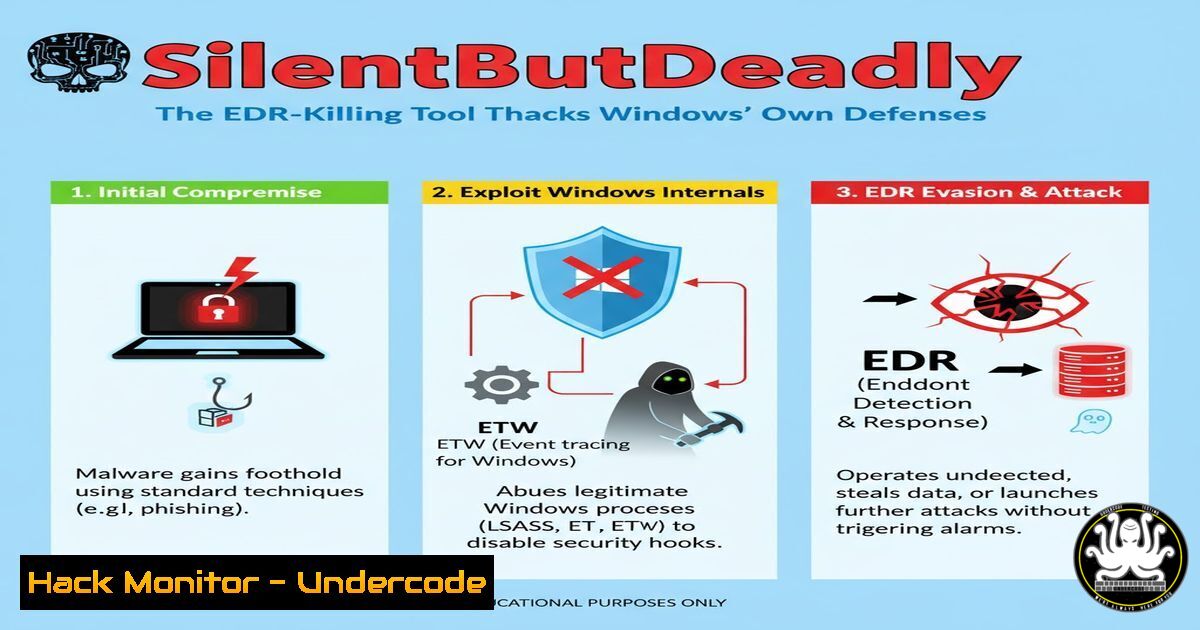
A new open-source tool named SilentButDeadly is demonstrating a potent technique for bypassing Enterprise Detection and Response (EDR) solutions by weaponizing the Windows Filtering Platform (WFP). This approach moves beyond traditional process termination or firewall rule manipulation, instead leveraging legitimate, kernel-mode APIs to surgically isolate security software from its cloud infrastructure, effectively blinding it without triggering common tamper alerts.
Learning Objectives:
- Understand the fundamental principles of the Windows Filtering Platform (WFP) and how it can be exploited for defensive evasion.
- Learn to analyze and replicate the network isolation techniques used by the SilentButDeadly tool.
- Develop mitigation strategies and detection methodologies to identify WFP abuse within an enterprise environment.
You Should Know:
1. The Core Principle: WFP vs. Windows Firewall
The Windows Filtering Platform is a set of system-level APIs and services that provide the foundation for Windows Firewall and other third-party security products. Unlike modifying the Windows Firewall via netsh, which is heavily monitored, interacting directly with the WFP API allows for more granular, lower-level control with fewer obvious artifacts.
2. Enumerating Existing WFP Filters and Callouts
Before making changes, it’s critical to understand the existing WFP configuration. The following PowerShell commands utilize the `netsh` utility to audit the current state.
Verified Commands:
 View all WFP filters
netsh wfp show filters

Display WFP callouts (custom network processing functions)
netsh wfp show callouts

Export WFP state to an XML file for offline analysis
netsh wfp show state file=C:\wfp_state.xml
Step-by-step guide:
The `netsh wfp show` commands are the primary method for auditing the Windows Filtering Platform from the command line. By exporting the state to an XML file, blue teams can create a baseline of normal WFP configuration. Any unauthorized tool attempting to add filters will create new entries that can be compared against this baseline. Red teams can use these commands to understand the environment before deploying their own filters.
3. The Anatomy of a SilentButDeadly-Style Block
SilentButDeadly operates by adding a session-based filter that blocks outbound traffic for specific Process IDs (PIDs). The filter is tied to the current user session and is removed upon system reboot, leaving minimal persistent evidence.
Verified Code Snippet (Conceptual C):
// Pseudo-code illustrating the WFP API calls
FWPM_SESSION0 session = new FWPM_SESSION0();
session.sessionKey = Guid.NewGuid();
session.flags = FWPM_SESSION_FLAG.DYNAMIC; // Session-based, non-persistent

// Create a condition based on the target process ID
FWPM_FILTER_CONDITION0 condition = new FWPM_FILTER_CONDITION0();
condition.fieldKey = FWPM_CONDITION_ALE_PACKAGE_ID; // Identifies the application
condition.matchType = FWP_MATCH_EQUAL;
condition.conditionValue.type = FWP_UINT64;
condition.conditionValue.uint64 = (UInt64)targetProcessId;

// Build and add the filter to the engine
FwpmFilterAdd0(engineHandle, filter, null, null);
Step-by-step guide:
This conceptual code shows the key steps. The tool first establishes a dynamic WFP session, meaning any filters added are temporary. It then creates a filter condition that targets the ALE_PACKAGE_ID, which is a unique identifier for a specific process. When this filter is added to the WFP engine, all outbound network packets originating from that PID are dropped, effectively creating a network quarantine for the EDR process.
4. Detecting WFP Filter Tampering with PowerShell
Security teams must be able to detect the creation of unauthorized WFP filters. PowerShell can be used to continuously monitor for suspicious filter additions.
Verified PowerShell Script:
 PowerShell script to monitor for new WFP filters with a specific provider (like a fake one used by an attacker)
$baselineFilters = netsh wfp show filters file=C:\baseline.xml
 ... After a time interval ...
$currentFilters = netsh wfp show filters file=C:\current.xml

Use Compare-Object or a similar tool to diff baseline.xml and current.xml
Compare-Object -ReferenceObject (Get-Content C:\baseline.xml) -DifferenceObject (Get-Content C:\current.xml)

Look for filters with suspicious provider names or those that are session-based (non-persistent)
Get-WinEvent -LogName "Microsoft-Windows-Windows Firewall With Advanced Security/Firewall" | Where-Object {$_.Id -eq 2004}  2004 is a rule addition event
Step-by-step guide:
This detection strategy involves creating a known-good baseline of WFP filters and periodically comparing the current state against it. Any new filters, especially those that are session-based (non-persistent) and not associated with a known, trusted security product, should be investigated. Correlating this with Windows Event Log ID 2004 can provide real-time alerting on rule additions.
5. Mitigation: Hardening Systems Against WFP Abuse
Preventing this technique requires a defense-in-depth approach, combining system hardening and application control.
Verified Commands & Configurations:
 Audit and restrict WFP management permissions using icacls on the relevant DLLs
icacls %SystemRoot%\System32\wfapigp.dll /deny S-1-1-0:(W,RX)

Implement Application Control Policies (Windows Defender Application Control) to block unsigned binaries
 Configure a Code Integrity policy that allows only Microsoft-signed and your corporate-signed drivers/executables.

Use Sysmon to monitor for process creation that matches known offensive tool names or hashes.
 Example Sysmon Configuration Snippet:
<ProcessCreate onmatch="include">
<Image condition="contains">SilentButDeadly</Image>
<Hashes condition="contains">MD5=BADHASH123456789</Hashes>
</ProcessCreate>
Step-by-step guide:
Denying write and execute permissions on the core WFP DLL (wfapigp.dll) to untrusted users (S-1-1-0 which represents “Everyone”) can prevent non-admin users from leveraging these APIs. The most robust mitigation is Application Control, which prevents any unauthorized tool, including SilentButDeadly, from executing in the first place. Finally, Sysmon should be configured to generate alerts if a process with a known-bad name or hash is ever spawned.
6. Forensic Artifact Hunting: Finding the Evidence
While designed to be stealthy, WFP operations do leave traces that can be hunted for during an incident investigation.
Verified Commands:
 Check for WFP transaction logs which may record filter additions
wevtutil qe "Microsoft-Windows-Windows Firewall With Advanced Security/Firewall" /f:text

Analyze the WFP state file for any anomalies or known-bad provider GUIDs
netsh wfp show state file=C:\forensic_state.xml

Use PowerShell to search for event logs related to the WFP service
Get-WinEvent -FilterHashtable @{LogName='System'; ProviderName='Service Control Manager'; ID=7036} | Where-Object {$_.Message -like "Base Filtering Engine"}
Step-by-step guide:
Forensic analysts should export the complete WFP state immediately upon beginning an investigation. This XML file is a rich source of evidence, containing all active filters and callouts. The Windows Event Logs for the Windows Firewall, while not always comprehensive for direct API calls, can still show service control events and some rule modifications. Correlating timestamps from these logs with other suspicious activity on the host is key.
- The Bigger Picture: API Security and Zero Trust
The abuse of WFP underscores a broader trend: attackers are increasingly targeting the trusted APIs that underpin modern operating systems and applications.
Verified Security Principle:
Principle of Least Privilege: No user or application should be granted permissions beyond what is strictly necessary. This limits the blast radius of a compromised account.
Zero Trust for Endpoints: Assume breach. Do not inherently trust any process on an endpoint, even those interacting with core OS components. Validate and log these interactions.
Step-by-step guide:
Moving beyond specific WFP commands, this is about strategy. Implement a Zero Trust architecture where device health and identity are constantly verified. Use security tools that themselves are hardened against tampering and run at a higher integrity level than potential attacker code. The goal is to create an environment where abusing a legitimate API like WFP becomes exponentially more difficult due to layered controls and continuous monitoring.
What Undercode Say:
- EDR Evolution is an Arms Race: Offensive tools like SilentButDeadly are not just exploits; they are deep dives into legitimate system architecture, forcing the security community to improve detection at a fundamental level.
- The Perimeter is the Process: The new battleground is not the network firewall, but the internal API calls and process interactions on every endpoint. Visibility into these low-level OS activities is no longer optional.
The release of SilentButDeadly is a significant contribution to red team tradecraft, demonstrating a clean, efficient method of neutralizing EDR that is difficult to attribute to malicious activity. It highlights a critical gap in many security monitoring strategies: a lack of sufficient telemetry around the Windows Filtering Platform. While the tool itself is not malware, its techniques will undoubtedly be incorporated into real-world attack chains, making it a powerful case study for both attackers and defenders. The onus is now on EDR vendors and enterprise security teams to enhance their sensors to detect such surgical API abuse, moving beyond simple process and network monitoring.
Prediction:
The sophistication demonstrated by SilentButDeadly will catalyze a two-fold evolution in the cybersecurity landscape. In the short term, we will see a spike in malware and post-exploitation frameworks incorporating WFP-based network isolation to hamper security controls. In response, EDR solutions will be forced to implement kernel-level self-protection mechanisms that monitor and validate their own WFP filters, and potentially shift more telemetry analysis to the endpoint itself, reducing reliance on cloud channels that can be cut. This will accelerate the trend towards “local-only” EDR features and more robust integrity checks within operating system components, fundamentally changing how security products are architecturally designed to protect themselves.
🎯Let’s Practice For Free:
IT/Security Reporter URL:
Reported By: Ryan Frami%C3%B1%C3%A1n – Hackers Feeds
Extra Hub: Undercode MoN
Basic Verification: Pass ✅


