Listen to this Post
Introduction:
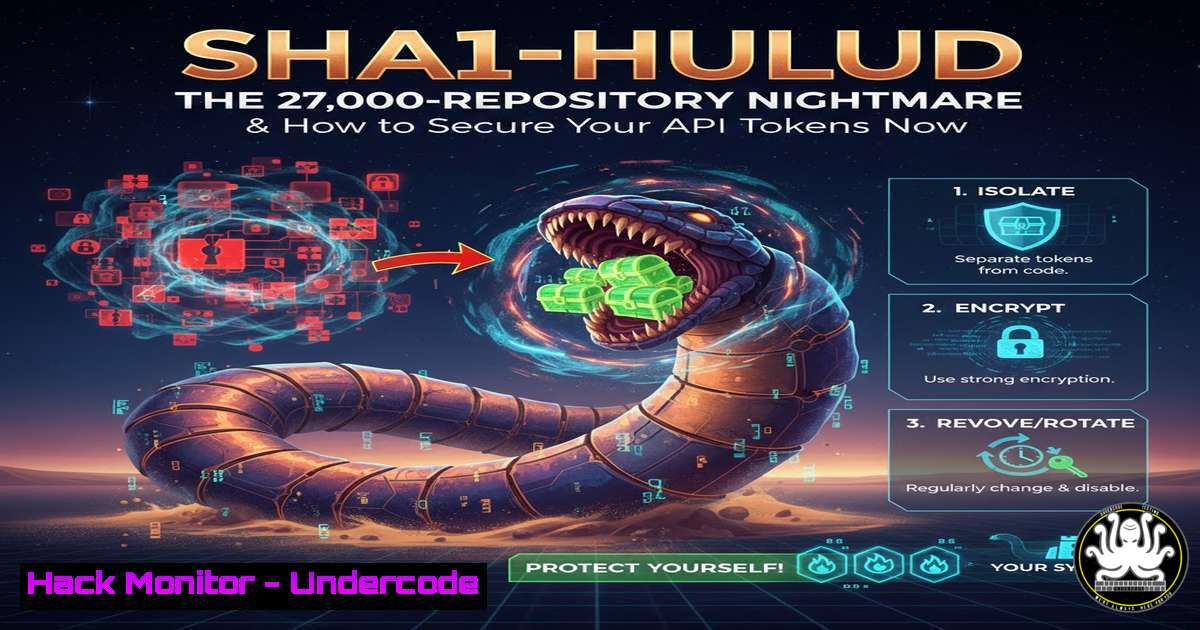
A new, self-replicating worm dubbed “Sha1-Hulud” is actively compromising software development ecosystems by exploiting leaked authentication tokens in GitHub repositories. This attack, reminiscent of a previous September incident, has already scanned and potentially infected over 27,000 repositories, targeting major API and low-code platforms like Zapier, Postman, and Posthog. The worm leverages these stolen tokens to gain unauthorized access and propagate itself, creating a sprawling chain of security breaches that every developer and DevOps team must urgently address.
Learning Objectives:
- Understand the mechanics of the Sha1-Hulud worm and its attack vector through exposed API tokens.
- Learn how to audit your GitHub repositories and systems for compromised secrets and infected dependencies.
- Implement proactive measures to harden your development environment against secret leakage and automated exploitation.
You Should Know:
1. The Anatomy of the Sha1-Hulud Attack
The Sha1-Hulud worm operates by automatically scanning public GitHub repositories for hardcoded authentication tokens. These tokens, often for services like Zapier, Postman, and Posthog, provide direct access to user accounts and data. Once the worm discovers a valid token, it uses it not only to exfiltrate data or perform unauthorized actions but also to clone, infect, and push code to other repositories, thereby self-replicating. This creates an automated, cascading security incident.
Step-by-step guide explaining what this does and how to use it:
Step 1: Initial Reconnaissance. The worm uses scripts to query GitHub’s public API or scrape repository contents looking for files containing strings that match the pattern of API keys and tokens.
Step 2: Token Validation and Exploitation. Upon finding a potential token, it tests it against the target service’s API (e.g., Zapier’s API) to confirm its validity.
Step 3: Self-Replication. The core worm payload is executed. This often involves cloning a target repository, injecting malicious code or dependencies, and then committing and pushing the changes back to GitHub, often from a new, malicious branch, thereby spreading the infection.
2. Immediate Audit: Checking Your Repositories for Compromise
The first critical step is to determine if your projects are already victims. This involves checking your repository’s commit history, branches, and dependencies for unauthorized changes.
Step-by-step guide explaining what this does and how to use it:
Step 1: Audit Git History and Branches. In your local repository clone, run these commands to look for suspicious commits or branches you don’t recognize.
`git log –oneline –graph –all` Visually inspect the commit history for strange merge points or commits.
`git branch -a` List all local and remote branches. Look for branches you didn’t create.
Step 2: Scan for Exposed Secrets. Use a dedicated secret-scanning tool like TruffleHog or Gitleaks.
Using Gitleaks:
` Install Gitleaks`
`brew install gitleaks`
` Scan your repository`
`gitleaks detect –source . -v`
This tool will scan your entire git history and report any confirmed secrets it finds, such as API keys and passwords.
- The Critical Task of Token Revocation and Rotation
If you discover a leaked token, it must be considered fully compromised. Simply removing it from the code is insufficient, as the worm may already possess it.
Step-by-step guide explaining what this does and how to use it:
Step 1: Identify the Service. Determine which service the token belongs to (e.g., Postman, Zapier, AWS, GitHub itself).
Step 2: Immediate Revocation. Log into the respective service’s security or account settings and revoke the specific token. For GitHub, this is under Settings > Developer settings > Personal access tokens > Tokens (classic).
Step 3: Generate a New Token. Create a new token with the minimum required permissions (Principle of Least Privilege).
Step 4: Secure Integration. Store the new token using a secrets manager (e.g., HashiCorp Vault, AWS Secrets Manager) or GitHub Actions secrets for CI/CD pipelines—never hardcode it in your source code.
4. Hardening Your Development Lifecycle Against Secret Leakage
Prevention is paramount. Integrate automated scanning into your development workflow to catch secrets before they reach a remote repository.
Step-by-step guide explaining what this does and how to use it:
Step 1: Implement Pre-commit Hooks. Use a tool like `pre-commit` with hooks that scan for secrets before a commit is allowed.
Create a `.pre-commit-config.yaml` file:
repos:
- repo: https://github.com/gitleaks/gitleaks
rev: v8.18.0
hooks:
- id: gitleaks
Install and run: `pre-commit install`
Step 2: Integrate Scanning into CI/CD. Add a secret scanning step to your GitHub Actions, GitLab CI, or Jenkins pipeline.
Example GitHub Action:
jobs:
gitleaks:
runs-on: ubuntu-latest
steps:
- uses: actions/checkout@v4
- name: Run Gitleaks
uses: gitleaks/gitleaks-action@v2
env:
GITHUB_TOKEN: ${{ secrets.GITHUB_TOKEN }}
5. Dependency Vigilance: Scanning for Infected Packages
The Sha1-Hulud worm can inject malicious code into packages. You must audit your project’s dependencies.
Step-by-step guide explaining what this does and how to use it:
Step 1: List Your Dependencies. Generate a list of all dependencies.
For Node.js: `npm list`
For Python: `pip freeze`
For Maven (Java): `mvn dependency:tree`
Step 2: Cross-Reference with Threat Intelligence. Check your dependencies against the list of over 400 known infected packages mentioned in the heise report and other sources like GitHub Security Advisories or OSV (Open Source Vulnerabilities) database.
Step 3: Use Software Composition Analysis (SCA) Tools. Implement tools like Snyk, GitHub’s Dependabot, or OWASP Dependency-Check to automatically detect vulnerable or malicious dependencies.
` Example with OWASP Dependency-Check`
`dependency-check.sh –project “My Project” –scan ./path/to/your/code –format HTML`
6. System-Level Security for Development Machines
The worm’s activity might originate from a compromised developer system. Hardening endpoints is crucial.
Step-by-step guide explaining what this does and how to use it:
Step 1: Monitor for Unauthorized Access. On Linux/macOS, review bash history for suspicious Git or API commands.
`history | grep -E “(git push|git commit|curl.token|npm publish)”`
Step 2: Harden Git Configuration. Use Git Hooks to audit pushes and commits. On Windows, you can use PowerShell scripts to achieve similar monitoring of process creation events related to Git and package managers.
What Undercode Say:
- The Supply Chain is the New Battlefield. This attack is not a targeted breach but a widespread, automated exploitation of poor secret hygiene. It turns development infrastructure into a weapon against itself.
- Automation is Non-Negotiable for Defense. Manual checks are futile against automated worms. The only effective defense is an equally automated, integrated security posture that scans code pre-commit, in CI/CD, and within dependencies.
The Sha1-Hulud incident underscores a brutal truth: the open nature of development platforms makes them fertile ground for automated threats. This isn’t about sophisticated zero-days; it’s about exploiting fundamental security oversights—hardcoded secrets—at an industrial scale. The worm’s success demonstrates that many organizations still lack the basic automated guards to prevent such a simple yet devastating attack vector. It represents a systemic failure in applying DevSecOps principles, where security is treated as an afterthought rather than an integrated part of the development lifecycle.
Prediction:
The success of Sha1-Hulud will inevitably spawn more sophisticated and aggressive variants. We will see worms that not only replicate but also deploy ransomware on connected cloud infrastructure, silently mine cryptocurrency using compromised CI/CD runners, or subtly introduce backdoors into widely used open-source libraries. The line between traditional malware and supply chain attacks will blur completely, forcing a industry-wide reckoning. Organizations that fail to adopt a “zero-trust” approach for their development pipelines—verifying every commit, dependency, and token—will face continuous, automated attacks that can cripple their software delivery and integrity.
🎯Let’s Practice For Free:
IT/Security Reporter URL:
Reported By: Christopherkunz Sha1 – Hackers Feeds
Extra Hub: Undercode MoN
Basic Verification: Pass ✅


