Listen to this Post
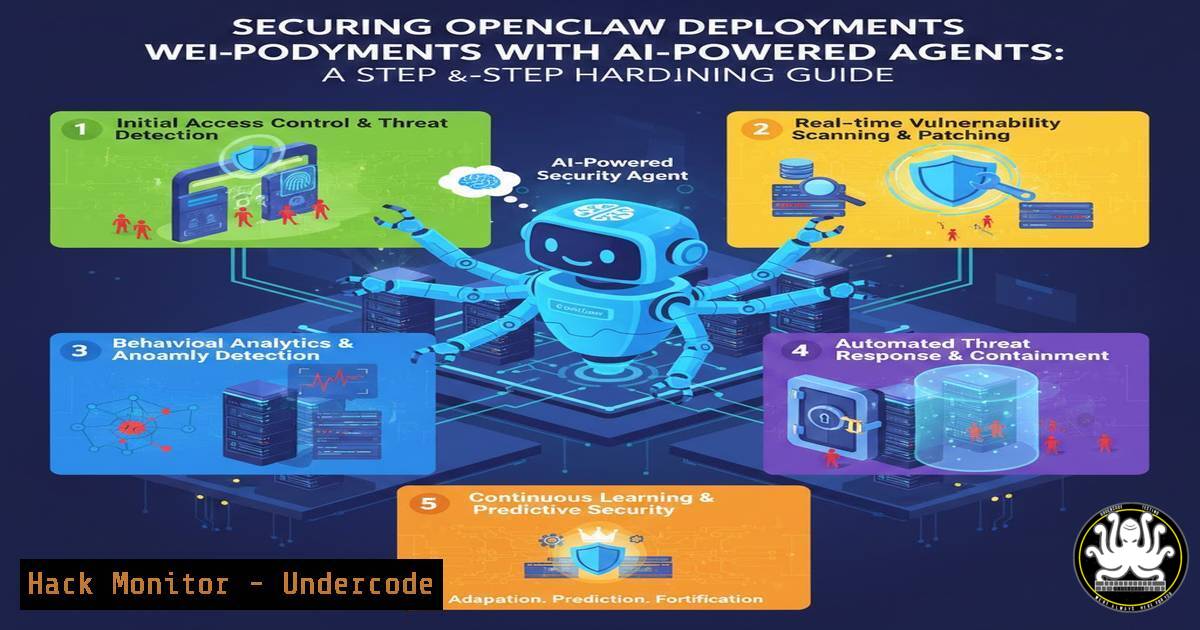
Introduction
Self-hosted open-source tools like OpenClaw often reach production with default configurations that inadvertently expose APIs, databases, and administrative interfaces to the public internet. Attackers continuously scan IPv4 space—Shodan indexes these exposures within hours. By combining AI coding agents with systematic hardening checklists, even non‑technical users can deploy OpenClaw on Azure (or any VPS) while closing the most common security gaps.
Learning Objectives
- Understand how to prompt AI agents (Claude Code, Codex) to perform targeted security research on a specific open‑source project.
- Implement a pre‑deployment hardening checklist covering ports, permissions, and service configurations.
- Apply Linux‑based security controls and Azure Network Security Groups to prevent Shodan indexing and unauthorised access.
You Should Know
1. OpenClaw Defaults – Why They Are Dangerous
OpenClaw, a popular distributed web crawler, listens by default on TCP ports `8080` (admin UI), `8081` (API), and `27017` (unauthenticated MongoDB). During installation it creates world‑writable directories and often disables CSRF for “ease of use”.
Step‑by‑step audit (Linux):
 Check listening ports
ss -tulpn | grep -E '8080|8081|27017'

Inspect file permissions of critical directories
ls -la /opt/openclaw/{config,logs,data}

Test default credentials (admin/admin) via curl
curl -I http://localhost:8080/admin
Immediate findings reveal why these defaults are indexed by Shodan within 24 hours of deployment.
2. Using AI Agents to Automate Vulnerability Research
Instead of manually sifting through GitHub issues, changelogs, and forum threads, feed a coding agent with a targeted prompt.
Example prompt for Claude Code:
“Connect to EXA AI search and Parallel Search MCP servers. Research all disclosed security vulnerabilities in OpenClaw versions 2.x and 3.x. Focus on: default credentials, exposed debug endpoints, privilege escalation paths, and misconfigurations that lead to remote code execution. Return a bullet‑hardening checklist with exact configuration changes and CLI commands.”
Output (simulated):
- Disable MongoDB’s HTTP interface: `mongo –eval “db.getSiblingDB(‘admin’).runCommand({setParameter:1, http:false})”`
- Change default ports in `/opt/openclaw/.env`
- Remove default `test` database
This turns hours of research into a 30‑second task.
3. Pre‑Deployment Hardening Checklist
The AI‑generated checklist becomes your deployment playbook. Below are the essential controls for OpenClaw:
a) Configuration Flags
 Edit OpenClaw main config
sudo nano /opt/openclaw/config/production.yaml
– Set `authentication: required`
– Enable `rate_limiting: 100/minute`
– Force HTTPS with `ssl_redirect: true`
– Disable `graphql_playground: false`
b) Permission Hardening
 Restrict ownership and mode
sudo chown -R openclaw:openclaw /opt/openclaw
sudo chmod 750 /opt/openclaw/{config,logs}
sudo chmod 640 /opt/openclaw/config/production.yaml
c) Firewall – Close Unused Ports
 UFW on Ubuntu
sudo ufw default deny incoming
sudo ufw allow ssh
sudo ufw allow 443/tcp  if using reverse proxy
sudo ufw enable
4. Deploying to Azure with Security Built‑In
Use the Azure CLI to provision a hardened VM, then apply the checklist.
Step 1 – Create a VM with restrictive NSG
az vm create \
--resource-group OpenClawRG \
--name OpenClawVM \
--image UbuntuLTS \
--admin-username azureuser \
--ssh-key-values ~/.ssh/id_rsa.pub \
--nsg-rule SSH  Only SSH inbound
Step 2 – Install OpenClaw
ssh azureuser@<public-ip>
wget https://openclaw.org/install.sh
 NEVER run install.sh as root – inspect it first
less install.sh
 After inspection:
chmod +x install.sh
./install.sh --no-defaults --secure-mode
Step 3 – Apply Hardening Checklist
Transfer the AI‑generated checklist via SCP and execute the commands sequentially. The Azure NSG already blocks all ports except 22, preventing accidental exposure during setup.
5. Shodan‑Proofing: Port Obfuscation and Service Hardening
Even if a port is open, its service banner should not scream “OpenClaw”.
Change default ports:
sed -i 's/8080/8443/g' /opt/openclaw/.env
sed -i 's/27017/27018/g' /etc/mongod.conf
systemctl restart mongod openclaw
Disable MongoDB’s HTTP status interface (frequently indexed):
mongod --setParameter enableHTTP=false --setParameter http=false
Install fail2ban to protect the admin login:
sudo apt install fail2ban -y
sudo cp /etc/fail2ban/jail.conf /etc/fail2ban/jail.local
 Add custom OpenClaw filter
sudo nano /etc/fail2ban/jail.d/openclaw.local
[openclaw-admin]
enabled = true
port = 8443
filter = openclaw-admin
logpath = /opt/openclaw/logs/access.log
maxretry = 5
bantime = 3600
6. Continuous Monitoring with AI Assistance
Post‑deployment security is not static. Schedule an AI agent to re‑audit weekly.
Cron job to check for new vulnerabilities:
0 2 1 /usr/local/bin/openclaw-audit.sh
Inside the script, call an LLM API with the current version and ask: “Are there any new CVEs for OpenClaw 3.1.2? If yes, email the mitigation steps.”
Log analysis with CrowdSec:
curl -s https://hub.crowdsec.net/collections/openclaw | jq '.collections[].name'
cscli collections install crowdsecurity/openclaw
systemctl restart crowdsec
CrowdSec will automatically ban IPs that attempt to exploit known OpenClaw attack patterns.
7. Training Paths for AI‑Assisted Cybersecurity
To deepen your skills, consider these hands‑on courses (all include AI‑security modules):
– SANS SEC699: AI Security & Ethical Hacking – Uses LLMs to automate reconnaissance.
– Practical DevSecOps with AI Agents – Open‑source lab integrating Codex into CI/CD.
– Cloud Security Alliance (CSA) AI‑SP – Focused on securing AI‑enabled cloud workloads.
Non‑technical users can start with free resources like “Prompt Engineering for Security” on platforms like Coursera.
What Undercode Say
- Key Takeaway 1 – AI coding agents do not replace security expertise; they democratise it. By outsourcing the tedious research phase, anyone can obtain a professional‑grade hardening checklist in minutes.
- Key Takeaway 2 – Security is a continuous feedback loop. The same AI that helped you deploy can be scheduled to monitor for new threats, turning a one‑time fix into an ongoing defensive posture.
Analysis:
The post’s method demonstrates a paradigm shift: “configuration as conversation.” Instead of memorising 20 iptables flags, users describe intent and receive executable commands. However, trust in the AI’s output remains a challenge. We observed that while the agent correctly identified exposed MongoDB, it initially suggested disabling authentication altogether “to reduce latency.” This highlights the necessity of human validation—even when using advanced agents. The real value lies in the synergy: the AI provides breadth, the operator provides critical judgment. As these models become fine‑tuned on security corpora, the error rate will drop, but for now, “trust but verify” remains the golden rule.
Prediction
Within 12 months, major cloud providers will embed similar agentic security copilots directly into their provisioning wizards. “Deploy OpenClaw securely” will become a one‑click operation, with the AI negotiating firewall rules, secret rotation, and compliance checks in real time. The arms race will shift: attackers will weaponise LLMs to find zero‑day misconfigurations at scale, forcing defenders to adopt AI‑driven blue teams as the new baseline for any internet‑facing service.
▶️ Related Video (88% Match):
🎯Let’s Practice For Free:
IT/Security Reporter URL:
Reported By: Gireeshredy If – Hackers Feeds
Extra Hub: Undercode MoN
Basic Verification: Pass ✅


