Listen to this Post
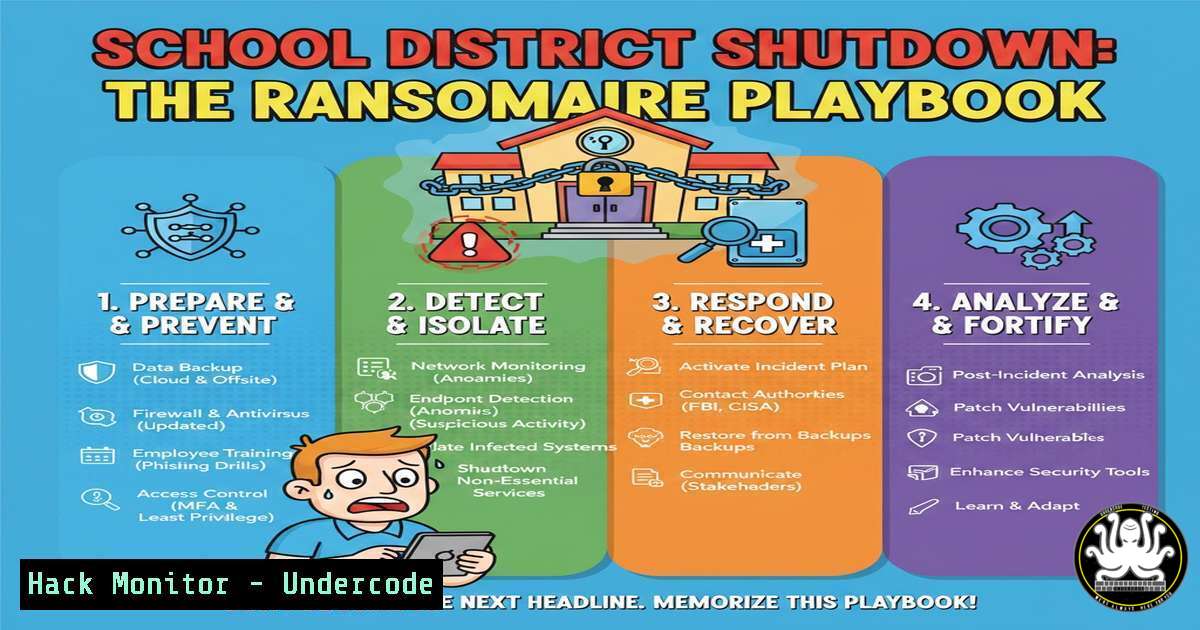
Introduction:
A recent cyber security incident forced Zion Elementary School District 6 to close its doors for multiple days, disrupting education and compromising sensitive data. This event is not an isolated case but part of a dangerous trend targeting the vulnerable IT infrastructure of public education. Understanding the attacker’s methodology and implementing proactive defense-in-depth strategies is no longer optional for educational institutions.
Learning Objectives:
- Decrypt the typical attack chain used against school districts, from initial breach to ransomware deployment.
- Implement immediate hardening techniques for both cloud and on-premises educational IT environments.
- Develop an incident response playbook specific to the K-12 sector’s unique constraints and requirements.
You Should Know:
1. The Initial Breach: Phishing & Vulnerability Exploitation
Attackers rarely break in; they log in. For schools, the primary vector is often phishing emails targeting faculty or exploitation of unpatched vulnerabilities in internet-facing systems like VPN gateways or student information portals.
Step-by-step guide:
Reconnaissance: Attackers use tools like `theHarvester` to gather employee emails from the district’s domain.
theHarvester -d zionschools.org -b all
Weaponization: A crafted email with a malicious macro-enabled document or link to a credential-harvesting page is sent.
Exploitation: If a user enables macros or enters credentials, the attacker gains a foothold. Alternatively, scanners like `Nmap` probe for outdated services.
nmap -sV --script vuln district-website.org
Mitigation: Enforce mandatory phishing training with simulated campaigns. Implement strict application whitelisting and patch management cycles. Use command-line tools to audit patches on Windows systems:
Get-HotFix | Sort-Object InstalledOn -Descending | Select-Object -First 20
2. Lateral Movement & Privilege Escalation
Once inside, attackers use legitimate admin tools and stolen credentials to move sideways across the network, seeking domain administrator rights to deploy ransomware district-wide.
Step-by-step guide:
Credential Dumping: Using tools like Mimikatz or built-in Windows features to harvest credentials from memory.
Pass-the-Hash Attacks: Using captured NTLM hashes to authenticate to other systems without needing the plaintext password.
Mitigation: Implement Zero Trust principles. Segment the network, placing student records, financial systems, and operational technology on separate VLANs. Use PowerShell to disable unnecessary legacy protocols like LLMNR which aid attacker movement:
Set-ItemProperty -Path "HKLM:\SOFTWARE\Policies\Microsoft\Windows NT\DNSClient" -Name "EnableMulticast" -Value 0
3. Data Exfiltration & Ransomware Deployment
Before encrypting files, attackers now routinely exfiltrate data to use as double-extortion leverage. They then deploy ransomware like Ryuk or LockBit across all accessible systems.
Step-by-step guide:
Data Staging: Attackers use `robocopy` or `rclone` to collect files to a staging server before exfiltration.
Encryption: Ransomware is executed via group policy or PSExec, encrypting files with a unique key.
Mitigation: Deploy robust, offline backups following the 3-2-1 rule. Use File Server Resource Manager (FSRM) on Windows to detect and block ransomware patterns by setting up screens for known ransomware extensions.
4. Hardening Critical Cloud Services (Office 365/G Suite)
School districts heavily rely on cloud productivity suites, which are prime targets. Misconfigurations here lead to massive data exposure.
Step-by-step guide:
Enable Multi-Factor Authentication (MFA): Non-negotiable for all administrative and staff accounts.
Audit Mailbox Rules: Attackers create inbox rules to hide sent emails. Regularly audit with PowerShell:
Get-Mailbox -ResultSize Unlimited | Get-InboxRule | Where-Object {$_.RedirectTo -ne $null} | Select-Object MailboxOwnerId,Name,RedirectTo
Restrict Global Admin Roles: Use role-based access control and review sign-in logs for impossible travel scenarios.
5. Securing IoT and Operational Technology in Schools
From HVAC systems to smartboards, unmanaged IoT devices provide easy entry points. They are often overlooked in security policies.
Step-by-step guide:
Network Segmentation: Isolate all IoT devices onto a dedicated network segment with firewall rules denying outgoing internet traffic except for necessary updates.
Inventory and Vulnerability Scanning: Use tools like `arp-scan` to discover unknown devices, then assess their risk.
sudo arp-scan --localnet
Change Default Credentials: Enforce a policy to change default usernames and passwords on all networked operational technology.
6. Building a K-12 Specific Incident Response Plan
A generic IR plan will fail. School districts need a plan that accounts for communication with parents, legal obligations for student data (FERPA), and continuity of education.
Step-by-step guide:
Pre-Designate Roles: Identify the Incident Commander, Legal liaison, IT lead, and Communications officer for parents/media.
Prepare Communication Templates: Draft holding statements for data breach notifications to comply with state laws.
Technical Containment: Have isolated, clean backup images for critical systems (e.g., grading software) ready for rapid restoration.
7. Proactive Threat Hunting with Open-Source Tools
Assume a breach and proactively search for indicators of compromise (IoCs) before they trigger a full-scale incident.
Step-by-step guide:
Deploy a SIEM: Use open-source solutions like Wazuh or Security Onion to aggregate logs from endpoints, servers, and firewalls.
Hunt for Anomalies: Query logs for signs of malicious activity, such as multiple failed logins followed by a success from the same IP.
Use YARA for Malware Detection: Create and run YARA rules to scan for known ransomware signatures on file shares.
yara -r ransomware.yar /mnt/fileserver/
What Undercode Say:
- Resilience is a Architecture, Not a Reaction: The Zion District closure underscores that recovery plans failed. Resilience must be engineered into the network design through segmentation, immutable backups, and practiced response.
- The Human Layer is the Primary Attack Surface: While technical hardening is critical, the root cause remains social engineering. Investing in continuous, engaging security awareness training for all staff yields the highest ROI.
The systemic targeting of schools represents a calculated bet by ransomware gangs on desperate victims with poor security and sensitive data. Until districts receive adequate funding and prioritize cybersecurity as a fundamental operational cost, these disruptive, demoralizing attacks will continue to escalate, putting our children’s education and privacy directly in the crosshairs.
🎯Let’s Practice For Free:
IT/Security Reporter URL:
Reported By: Danlohrmann North – Hackers Feeds
Extra Hub: Undercode MoN
Basic Verification: Pass ✅


