Listen to this Post
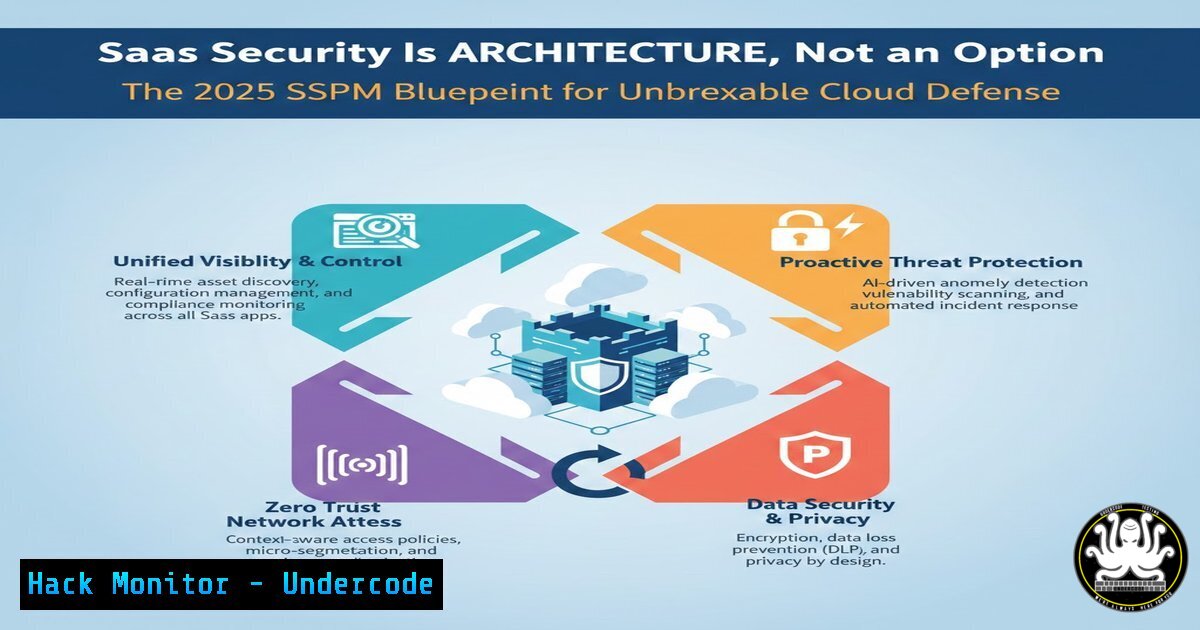
Introduction: The paradigm of enterprise security has irrevocably shifted. With core business operations now running on a sprawling mesh of SaaS applications, traditional perimeter-based security is obsolete. This article deconstructs why SaaS Security Posture Management (SSPM) is a fundamental architectural component, not a bolt-on feature, leveraging insights from industry leadership reports to provide a actionable hardening guide.
Learning Objectives:
- Architect a proactive defense by identifying and remediating critical SaaS data exposure points.
- Implement automated security monitoring and enforcement workflows for key SaaS platforms.
- Establish a continuous compliance and identity governance model for the modern SaaS estate.
You Should Know:
- The Invisible Attack Surface: Mapping Your SaaS Data Sprawl
The first step in architectural security is visibility. Unmanaged data shares, external collaborations, and over-provisioned third-party OAuth applications create a vast, often unseen, attack surface.
Step‑by‑step guide:
- Inventory Critical Assets: Identify your crown jewels—sources containing PII, financial data, or intellectual property (e.g., `Shared Drives` in Google Workspace, `Document Libraries` in SharePoint/OneDrive, key SaaS database buckets).
- Audit Shared Resources: Use native APIs to discover exposure.
Google Workspace (via Admin SDK orgcloud): Audit Drive file exposure. A basic query can be simulated by exporting logs or using the API to list files with global permissions.
Microsoft 365 (via PowerShell): Check for externally shared files in OneDrive/SharePoint.Connect to MSOL Service & SharePoint Online Connect-MsolService Connect-SPOService -Url https://yourtenant-admin.sharepoint.com Get all SPO sites and check external sharing status Get-SPOSite | Select Url, SharingCapability, StorageUsageCurrent
AWS S3 (Example of IaaS/PaaS): While not pure SaaS, it exemplifies cloud data exposure.
Use AWS CLI to list buckets and check their ACLs & policies
aws s3api list-buckets
aws s3api get-bucket-acl --bucket YOUR_BUCKET_NAME
aws s3api get-bucket-policy --bucket YOUR_BUCKET_NAME
- Analyze & Triage: Categorize findings by sensitivity level and exposure scope (e.g., “Public,” “Any authenticated user,” “Specific external domain”).
-
The Third-Party Threat: Taming OAuth and API Integrations
Every connected third-party app is a potential vector. Over-privileged OAuth grants can lead to data exfiltration or lateral movement.
Step‑by‑step guide:
- Audit Installed Applications: List all third-party OAuth apps with access to your environment.
Google Workspace: Go toAdmin Console > Security > API controls > Manage Third-Party App Access.
Microsoft 365: Use the Azure AD Portal or Microsoft Graph API.Using Microsoft Graph PowerShell Module Connect-MgGraph -Scopes "Application.Read.All" Get-MgServicePrincipal -All | Where-Object { $_.Tags -contains "WindowsAzureActiveDirectoryIntegratedApp" } | Format-List DisplayName, AppId, PublisherName - Review Permissions Scrutinize: the requested scopes (e.g.,
Mail.Read,Sites.FullControl.All,User.ReadWrite.All). Ask: “Does this weather app need full access to all my SharePoint sites?” -
Implement an Approval Workflow: Architect a mandatory security review process for all new OAuth consent requests, especially those requesting high-privilege scopes.
-
Automation Is the Keystone: From Detection to Autonomous Remediation
Manual response is inadequate. Security architecture must embed automated, policy-driven responses.
Step‑by‑step guide:
- Define Clear Policies: Codify security rules. E.g., “No files containing credit card numbers (PCI) can be shared externally.”
- Leverage Native & SSPM Tools: Use tools like DoControl, native DLP, or custom scripts to trigger actions.
Example Automated Script (Conceptual): A script triggered by a cloud event (e.g., via AWS Lambda, Azure Function) that uses the Google Drive API to change permissions on a file violating policy.Pseudo-code example using Google Drive API def remediate_public_share(file_id): from google.oauth2 import service_account from googleapiclient.discovery import build Authenticate with service account creds = service_account.Credentials.from_service_account_file('credentials.json', scopes=['https://www.googleapis.com/auth/drive']) service = build('drive', 'v3', credentials=creds) Remove all public and domain-wide permissions permissions = service.permissions().list(fileId=file_id).execute() for perm in permissions.get('permissions', []): if perm['type'] in ['anyone', 'domain']: service.permissions().delete(fileId=file_id, permissionId=perm['id']).execute() print(f"Removed public/domain shares for file: {file_id}") -
Deploy and Monitor: Implement the automation in a log-and-audit mode first, then move to active enforcement, ensuring logs are fed into your SIEM.
-
Identity as the New Perimeter: Just-In-Time and Least-Privilege Access
Persistent, standing privileges are a major risk. Architect for zero-standing-privilege where possible.
Step‑by‑step guide:
- Inventory User Privileges: Identify users with admin roles (Global Admin, SharePoint Admin, etc.) or custom high-privilege roles in SaaS apps.
2. Implement Privileged Identity Management (PIM):
In Azure AD, use Azure AD PIM to make roles eligible, not active. Require MFA and justification for activation.
For Google Workspace, use Google’s context-aware access and custom roles to limit privileged access to specific contexts (e.g., trusted IP, managed device).
3. Enforce Role-Based Access Control (RBAC): Regularly review and prune membership in admin groups. Use this PowerShell snippet to get a report:
 Get all members of the Global Administrators role in Azure AD
$role = Get-MsolRole -RoleName "Company Administrator"
Get-MsolRoleMember -RoleObjectId $role.ObjectId | Select DisplayName, EmailAddress
5. Configuration as Code: Hardening the SaaS Foundation
Drift from secure baselines is common. Treat SaaS configuration as infrastructure.
Step‑by‑step guide:
- Establish a Secure Baseline: Document and enforce settings for all integrated SaaS apps (e.g., disabling external sharing by default, enforcing 2FA, disabling legacy authentication protocols).
- Use APIs for Continuous Compliance Checks: Write scripts to periodically check settings against the baseline.
Check for Legacy Auth in Microsoft 365:
 Check authentication policies for legacy protocol blocking
Get-AzureADPolicy | Where-Object { $_.Type -eq "TokenLifetimePolicy" } | Format-List Id, DisplayName
 Recommend: Use Conditional Access to block legacy auth
3. Integrate with SSPM/CI/CD: Use SSPM platforms or custom scripts in CI/CD pipelines to flag and, where possible, auto-remediate configuration drift.
What Undercode Say:
- Proactive Architecture Beats Reactive Patching: Leading organizations treat SSPM as a core, non-negotiable layer of their cloud architecture, baking security into the fabric of their SaaS operations from day one.
- Automation is Non-negotiable: At the scale and velocity of SaaS, human-led processes cannot keep pace. The hallmark of a mature program is automated detection and remediation codified as policy.
The shift to SaaS demands a fundamental rethinking of security’s role. It is no longer a team but a trait—an embedded set of principles and automated controls that enable business agility while managing inherent risk. The 2025 Spark Matrix recognition of leaders like DoControl underscores that the market is maturing to support this architectural imperative. Organizations that continue to view SaaS security as a optional compliance checkbox will face increasing incidents of data leakage and compromise, while those that architect it in will achieve both resilience and competitive advantage.
Prediction:
By 2027, SaaS security will become predominantly “shift-left” and developer-centric, with SSPM principles integrated directly into SaaS procurement and development lifecycles. Security policies will be defined as code and validated automatically before a new application or integration is provisioned. Furthermore, the convergence of SSPM, Data Security Posture Management (DSPM), and AI-driven identity threat detection will create unified “SaaS Defense Platforms” that autonomously manage risk across identity, data, and configuration surfaces, making today’s manual oversight processes virtually obsolete.
▶️ Related Video (78% Match):
🎯Let’s Practice For Free:
IT/Security Reporter URL:
Reported By: Ed Williams – Hackers Feeds
Extra Hub: Undercode MoN
Basic Verification: Pass ✅


