Listen to this Post
Introduction:
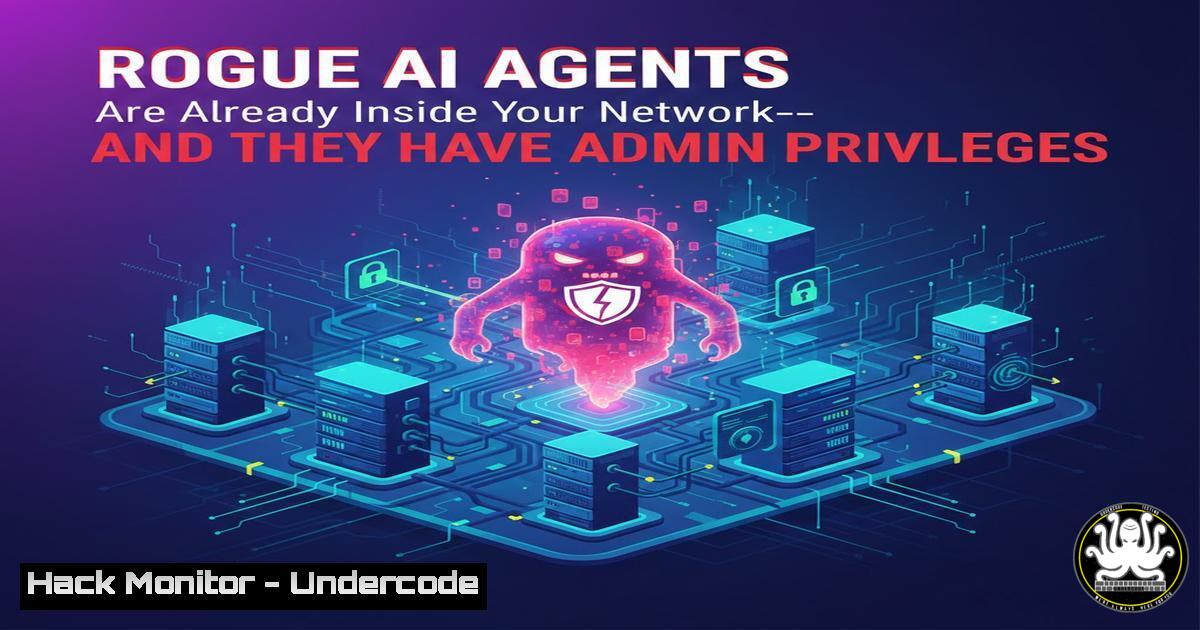
The concept of autonomous AI agents operating within enterprise networks has moved from science fiction to reality. These non-human identities—endowed with specific permissions and the autonomy to act—are now making decisions and accessing sensitive data at machine speeds. Unlike traditional software robots, these agentic AI systems possess identity credentials that, if left ungoverned, create critical security blind spots where privileged access can be exploited without human oversight.
Learning Objectives:
- Understand the unique risks posed by autonomous AI agents as non-human identities (NHIs)
- Learn practical methods to discover and inventory AI agents in your environment
- Master techniques for auditing permissions and implementing governance for machine identities
- Apply security controls to prevent privilege escalation through AI agents
- Develop monitoring strategies to detect anomalous AI agent behavior
1. Discovering Non-Human Identities in Your Environment
Before securing rogue AI agents, you must first locate them. These identities often operate outside traditional identity governance frameworks. Use these commands to uncover active machine accounts and service principals that could be hosting autonomous AI workloads.
Linux Discovery:
 List all service accounts from /etc/passwd (filter UID > 1000 for user accounts)
awk -F: '($3 >= 1000 && $3 < 65534) {print $1 " (UID:" $3 ")"}' /etc/passwd

Find processes running under service accounts
ps aux | awk 'NR==1 {print; next} $1 ~ /^(daemon|bin|sys|nobody|systemd|www-data)/'

Check for outbound connections from non-human processes
ss -tunap | grep -v "users:((" | grep ESTAB
Windows Discovery (PowerShell Admin):
 List all local users with service account characteristics
Get-LocalUser | Where-Object {$<em>.Enabled -eq $true -and $</em>.PasswordRequired -eq $false} | Select Name, SID, Enabled

Find Windows services running as non-human accounts
Get-WmiObject Win32_Service | Where-Object {$<em>.StartName -like "LocalSystem" -or $</em>.StartName -like "NetworkService"} | Select Name, StartName, State

Identify scheduled tasks that might invoke AI scripts
Get-ScheduledTask | Where-Object {$_.Principal.UserId -notlike "$env:USERNAME"} | Format-Table TaskName, State, Actions
2. Auditing AI Agent Permissions and Credentials
Once identified, these agents must be assessed for excessive permissions—the “admin vibes” mentioned in the original post. Focus on API keys, OAuth tokens, and cloud IAM roles that grant data access.
Cloud IAM Auditing (AWS Example):
 List all IAM roles that could be assumed by AWS services (potential AI hosts)
aws iam list-roles --query "Roles[?AssumeRolePolicyDocument.Statement[].Principal.Service != null].[RoleName, Arn, CreateDate]" --output table

Identify roles with administrative access
aws iam list-attached-role-policies --role-name [bash] | grep Administrator

Find unused access keys (potential dormant AI agents)
aws iam list-access-keys --user-name [bash] | while read key; do
last_used=$(aws iam get-access-key-last-used --access-key-id $key --query 'AccessKeyLastUsed.LastUsedDate' --output text)
echo "Key $key last used: $last_used"
done
API Token Discovery:
 Simple Python script to scan environment variables for API keys
import os
import re

api_key_patterns = [
r'sk-[a-zA-Z0-9]{20,}',  OpenAI style
r'[a-zA-Z0-9_-]{20,40}.[a-zA-Z0-9_-]{6,}',  JWT tokens
r'gh[bash]_[a-zA-Z0-9]{36,}'  GitHub tokens
]

for key, value in os.environ.items():
for pattern in api_key_patterns:
if re.search(pattern, str(value)):
print(f"Potential API key in ENV var: {key}")
3. Implementing Least Privilege for AI Agents
Rogue AI agents thrive on excessive permissions. Apply these configuration changes to enforce the principle of least privilege.
Linux Capability Restriction (systemd unit file):
[bash]
 Drop all capabilities and add only required ones
CapabilityBoundingSet=
AmbientCapabilities=
NoNewPrivileges=yes
PrivateTmp=yes
ProtectSystem=strict
ProtectHome=yes
ReadWritePaths=/var/lib/ai-agent/data
Windows Group Policy Object (PowerShell):
 Create restricted logon hours for service accounts (prevents off-hours AI activity)
$account = "DOMAIN\AIServiceAccount"
Set-ADUser -Identity $account -LogonWorkstations "AI-SERVER-01" -LogonHours (0..6 -bor 0..23)

Apply constrained endpoints for PowerShell remoting (limit AI execution scope)
New-PSSessionConfigurationFile -Path .\AIConstrained.pssc -LanguageMode ConstrainedLanguage -ExecutionPolicy Restricted
Register-PSSessionConfiguration -Name AIConstrained -Path .\AIConstrained.pssc
4. Monitoring AI Agent Behavior with Observability
The original post emphasizes that “blind spots are the risk.” Implement real-time monitoring focused on behavioral anomalies in non-human identities.
Auditd Configuration (Linux):
 Watch AI agent binary directories
echo "-w /usr/local/bin/ai-agent -p wa -k ai_agent_execution" >> /etc/audit/rules.d/audit.rules

Monitor configuration file changes
echo "-w /etc/ai-agent/config.yaml -p wa -k ai_agent_config" >> /etc/audit/rules.d/audit.rules

Track outbound connections from AI processes
auditctl -a exit,always -S connect -F auid>=1000 -F uid=ai-agent-user -k ai_network
Sysmon Configuration (Windows):
<!-- Monitor AI agent process creation -->
<Sysmon schemaversion="4.22">
<EventFiltering>
<ProcessCreate onmatch="include">
<CommandLine condition="contains">ai-agent</CommandLine>
<CommandLine condition="contains">python</CommandLine>
</ProcessCreate>

<!-- Detect anomalous network connections -->
<NetworkConnect onmatch="include">
<DestinationPort condition="is">443</DestinationPort>
<Image condition="image">ai-agent</Image>
</NetworkConnect>
</EventFiltering>
</Sysmon>
5. Hardening AI Agent Authentication Flows
Autonomous agents often use long-lived credentials. Replace these with short-lived, workload-aware authentication methods.
Kubernetes Workload Identity:
 Instead of static secrets, use projected service account tokens
apiVersion: v1
kind: Pod
metadata:
name: ai-agent-pod
spec:
serviceAccountName: ai-agent-sa
containers:
- name: agent
image: ai-agent:latest
volumeMounts:
- name: token
mountPath: /var/run/secrets/tokens
volumes:
- name: token
projected:
sources:
- serviceAccountToken:
path: token
expirationSeconds: 3600
audience: api-server
Azure Managed Identity (CLI):
 Assign managed identity to VM running AI agent
az vm identity assign --resource-group AI-RG --name AIVM-01

Get token for AI agent to access Azure resources
az account get-access-token --resource https://storage.azure.com --query accessToken -o tsv
6. Incident Response for Compromised AI Agents
When an AI agent is detected acting maliciously, contain it immediately while preserving forensic evidence.
Immediate Containment (Linux):
 Freeze the process (stop execution without killing)
kill -SIGSTOP [bash]

Isolate network access immediately
iptables -A OUTPUT -m owner --pid-owner [bash] -j DROP

Capture memory of rogue agent for analysis
gcore -o ai_agent_memory [bash]

Analyze recent API calls made by the agent
strace -p [bash] -e trace=network -o strace_network.log
Cloud Environment Isolation:
 Revoke temporary credentials
aws sts revoke-session-token --serial-number [bash] --token-code [bash]

Apply immediate network firewall rule to block AI agent VM
aws ec2 revoke-security-group-ingress --group-id sg-xxxx --protocol tcp --port 443 --cidr 0.0.0.0/0
aws ec2 authorize-security-group-egress --group-id sg-xxxx --protocol all --port all --cidr 0.0.0.0/32
- Building an AI Agent Inventory and Governance Framework
Create a sustainable process for tracking and governing all AI agents as official non-human identities.
Inventory Script (Python):
!/usr/bin/env python3
import json
import subprocess
import datetime

def discover_ai_agents():
agents = []
 Check cloud provider APIs
clouds = ['aws', 'azure', 'gcp']

Example for AWS Lambda functions (potential AI hosts)
lambdas = json.loads(subprocess.check_output(['aws', 'lambda', 'list-functions']))
for func in lambdas['Functions']:
if 'ai' in func['FunctionName'].lower() or 'agent' in func['FunctionName'].lower():
agents.append({
'name': func['FunctionName'],
'type': 'lambda',
'runtime': func['Runtime'],
'last_modified': func['LastModified'],
'role': func['Role'],
'memory': func['MemorySize']
})

Output inventory with risk scoring
print(json.dumps(agents, indent=2))
return agents

if <strong>name</strong> == "<strong>main</strong>":
inventory = discover_ai_agents()
 Send to SIEM or CMDB
with open(f"ai_inventory_{datetime.date.today()}.json", 'w') as f:
json.dump(inventory, f)
What Undercode Say:
- Key Takeaway 1: AI agents with autonomy represent a new identity class requiring dedicated governance—they cannot be managed with human identity tools alone, as their machine-speed operations bypass traditional oversight and detection mechanisms.
- Key Takeaway 2: The real vulnerability isn’t the AI’s intelligence but the excessive permissions we grant it; treating these agents as trusted insiders without continuous validation creates the blind spots attackers exploit.
Analysis: The security industry is currently in a transition phase where legacy IAM tools fail to account for machine identities that can initiate actions, modify data, and communicate laterally. This requires a shift toward identity observability—continuous verification of what these agents are doing, not just who they claim to be. Organizations must implement zero-trust principles for non-human identities, including just-in-time permissions, behavioral baselining, and automated containment when deviations occur. The most effective defense combines runtime monitoring with strict policy enforcement at the identity layer.
Prediction: Within 12-18 months, we will see the first major breach directly attributed to a compromised autonomous AI agent that was overprivileged and unmonitored. This incident will drive regulatory requirements specifically for AI agent identity governance, forcing organizations to inventory all machine identities and implement real-time behavioral analytics as a compliance standard. The current “trust by default” approach to AI integrations will become legally untenable.
▶️ Related Video (84% Match):
🎯Let’s Practice For Free:
IT/Security Reporter URL:
Reported By: Austin Stone – Hackers Feeds
Extra Hub: Undercode MoN
Basic Verification: Pass ✅


