Listen to this Post
Introduction:
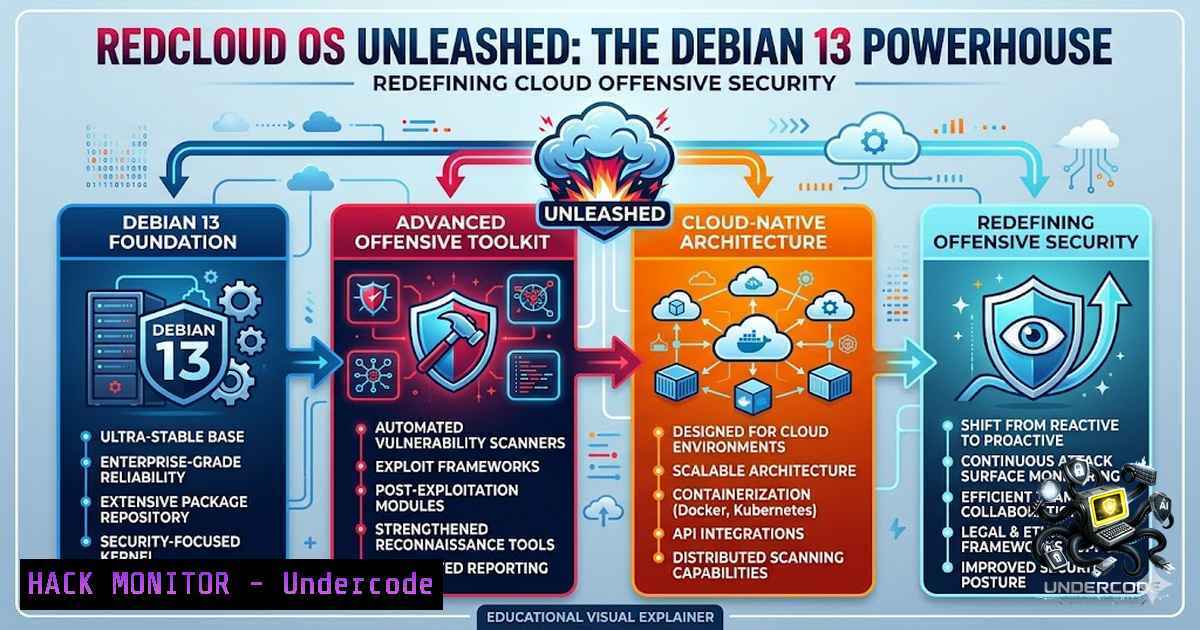
The cloud has become the new battlefield, and offensive security professionals are constantly seeking distributions that can keep pace with the evolving threat landscape. RedCloud OS, a Debian 13 (“Trixie”)-based adversary simulation operating system, has emerged as a game-changer, consolidating a vast arsenal of cloud-focused tools into a single, hardened platform. Designed for red teams and security researchers, this distribution is engineered to assess the security of leading Cloud Service Providers (CSPs) like AWS, Azure, and GCP, offering a production-grade environment for real-world attack simulations.
Learning Objectives:
- Understand the architecture and unique value proposition of RedCloud OS for cloud adversary simulation.
- Master the deployment and configuration of cloud-specific offensive security tools pre-installed in the distribution.
- Learn to execute practical attack simulations against AWS, Azure, GCP, and Kubernetes environments using a unified platform.
You Should Know:
- RedCloud OS: A Deep Dive into the Cloud Attacker’s Swiss Army Knife
RedCloud OS is not just another penetration testing Linux distribution; it is a specialized, Debian 13-based operating system meticulously crafted for cloud-first offensive security. Built on the stable Debian “Trixie” rolling release, it incorporates a modern kernel and drivers, ensuring compatibility with the latest cloud infrastructure. Its core philosophy is to provide a clean, no-gimmicks environment where every tool serves a specific purpose in the cloud adversary simulation lifecycle. The distribution comes with a Calamares-based graphical installer for ease of deployment, supports EFI, and is tested on major hypervisors like VMware, VirtualBox, and Hyper-V. What sets it apart is its hardened OS configuration, which applies strict security controls by default, making it suitable for both offensive operations and defensive research. This focus on hardening is a critical feature, as it ensures that the assessment platform itself does not become a vulnerability during an engagement. -
Setting Up Your Red Team Cloud Lab: Installation and First Boot
To begin your journey with RedCloud OS, you first need to obtain the latest ISO from the official website or the project’s GitHub repository. The installation process is streamlined through the Calamares installer, which provides a user-friendly graphical interface. Here is a step-by-step guide to get you started:
- Step 1: Download the ISO. Visit the official RedCloud OS website (https://redcloud.training/) or the GitHub organization (https://github.com/RedCloudOS) to download the latest release.
- Step 2: Create a Bootable USB. Use a tool like `dd` on Linux or Rufus on Windows to write the ISO to a USB drive.
- Linux Command: `sudo dd if=RedCloudOS.iso of=/dev/sdX bs=4M status=progress && sync` (Replace `/dev/sdX` with your USB device).
- Step 3: Boot and Install. Boot from the USB drive and select “Install RedCloud OS”. Follow the Calamares installer prompts to partition your disk, set up user accounts, and configure the system.
- Step 4: First Boot and Initial Setup. After installation, log in with the credentials you created. The system boots into a KDE (X11) desktop environment, providing a familiar and powerful interface for your operations.
- Step 5: Update the Tool Arsenal. Before starting any assessment, update the pre-installed tools to their latest versions. The distribution includes a custom updater script.
- Command:
sudo redcloud-updater --update-all.
3. AWS Attack Surface: Enumeration and Privilege Escalation
RedCloud OS comes pre-loaded with a suite of tools specifically designed for AWS security testing. Among them are Pacu, the AWS exploitation framework, and PMapper, a tool for quickly evaluating IAM permissions. A typical AWS assessment workflow involves enumeration, permission analysis, and privilege escalation.
- Step 1: Enumerate AWS Resources with Pacu. Pacu is a powerful framework that can automate many aspects of AWS exploitation.
- Command: `pacu` (to start the framework), then `import_keys` to load your AWS credentials, and `run –list` to see available modules.
- Step 2: Analyze IAM Permissions with PMapper. PMapper helps visualize and identify overly permissive IAM policies.
- Command: `pmapper –account
–profile graph` to build a graph of IAM relationships. - Step 3: Enumerate IAM Users. Use tools like `AWeSomeUserFinder` to enumerate IAM usernames and perform password spraying attacks.
- Command:
python3 AWeSomeUserFinder.py -u <USERNAME_LIST> -p <PASSWORD_LIST> --region us-east-1.
4. Azure and GCP Exploitation: Tools and Techniques
The offensive capabilities of RedCloud OS extend seamlessly to Azure and Google Cloud Platform. For Azure, the distribution includes AzureHound, a tool for exporting Azure AD data for BloodHound, enabling graph-based attack path analysis. For GCP, tools like `GCPBucketBrute` are available to enumerate and assess the security of Google Storage buckets.
- Step 1: Azure AD Reconnaissance with AzureHound. This tool collects data from Azure AD and Azure RM.
- Command: `AzureHound -o
` to start the collection process. The output can then be ingested into BloodHound for visualization. - Step 2: GCP Bucket Enumeration. Use `GCPBucketBrute` to find and assess publicly accessible or misconfigured Google Storage buckets.
- Command: `python3 GCPBucketBrute.py -b
-w ` to brute-force bucket names. - Step 3: Kubernetes Security Assessment. RedCloud OS also includes tooling for Kubernetes security testing, allowing you to assess the security of containerized environments. Tools like `kubectl` and `kube-hunter` can be used.
- Command: `kube-hunter –remote
` to scan a Kubernetes cluster for vulnerabilities.
5. Hardening and Defensive Measures with SysWarden
While RedCloud OS is an offensive tool, understanding the defensive mechanisms it incorporates is crucial. The creator of this distribution is also the author of SysWarden, an open-source Host Intrusion Prevention System (HIPS) designed for critical Linux infrastructure. SysWarden unifies network filtering (L2-L4) via nftables, application-level intrusion detection (L7), and automated CIS Level 2 hardening. This dual perspective—attack and defend—is what makes this ecosystem unique.
- Step 1: Install SysWarden on a Debian 13 Server. SysWarden is designed to protect Linux servers.
- Command:
git clone https://github.com/duggytuxy/syswarden.git && cd syswarden && sudo ./install.sh. - Step 2: Configure Network Filtering. SysWarden uses `nftables` to enforce network-level rules. You can view the current ruleset.
- Command:
sudo nft list ruleset. - Step 3: Harden the System. SysWarden automates CIS Level 2 hardening. You can trigger a hardening scan.
- Command:
sudo syswarden --hardening-scan.
- Linux and Windows Commands for Cloud Adversary Simulation
While RedCloud OS is Linux-based, effective cloud penetration testing often requires interaction with both Linux and Windows-based cloud resources. Here are some essential commands for both environments:
- Linux (Cloud VM Enumeration):
- Find Publicly Accessible S3 Buckets: `aws s3 ls s3:// –1o-sign-request` (Lists all publicly accessible buckets).
- Check IAM User Policies:
aws iam list-user-policies --user-1ame <USERNAME>. - Enumerate EC2 Instances:
aws ec2 describe-instances --query 'Reservations[].Instances[].[InstanceId,State.Name,PublicIpAddress]' --output table. - Retrieve Azure VM Metadata:
curl -H "Metadata:true" "http://169.254.169.254/metadata/instance?api-version=2017-08-01". - Windows (Cloud VM Enumeration):
- Query Azure Instance Metadata:
Invoke-RestMethod -Headers @{"Metadata"="true"} -Method GET -Uri "http://169.254.169.254/metadata/instance?api-version=2017-08-01" | ConvertTo-Json. - Enumerate AWS Instance Metadata:
Invoke-RestMethod -Uri "http://169.254.169.254/latest/meta-data/". - Check for Stored Credentials: `cmdkey /list` (Lists stored credentials in Windows Credential Manager).
- Enumerate Domain Users (Azure AD Joined):
net user /domain.
- API Security and Cloud Hardening with RedCloud OS
A significant portion of cloud attack surfaces involves APIs. RedCloud OS includes tools for API security testing, such as `gitleaks` for finding secrets in code repositories, which can lead to API key exposure. The distribution also emphasizes cloud hardening by providing a platform where defenders can simulate attacks to test their own cloud security posture.
- Step 1: Scan a Repository for Secrets. Use `gitleaks` to detect hardcoded secrets, API keys, and tokens in a Git repository.
- Command:
gitleaks detect -s <PATH_TO_REPO> -v. - Step 2: Assess Cloud Compliance. Use `prowler` to perform a comprehensive security assessment of your cloud environment.
- Command: `prowler aws –profile
` (for AWS). - Step 3: Simulate a Cloud Attack. Use the tools within RedCloud OS to simulate a real-world attack path, from initial reconnaissance to privilege escalation and data exfiltration.
What Undercode Say:
- Key Takeaway 1: RedCloud OS represents a significant evolution in offensive security tools, moving beyond traditional network penetration testing to address the unique challenges of multi-cloud environments.
- Key Takeaway 2: The integration of a hardened OS base with a curated set of cloud-specific tools provides a powerful, ready-to-use platform for red teams, significantly reducing setup time and operational friction.
Analysis:
The emergence of RedCloud OS highlights the growing specialization within the cybersecurity industry. As organizations rapidly adopt multi-cloud strategies, the attack surface expands exponentially, creating a demand for specialized tools that can navigate the complexities of AWS, Azure, and GCP. This distribution, by packaging and hardening these tools, not only empowers offensive security professionals but also provides a benchmark for defenders to understand and mitigate real-world cloud threats. The project’s move to a dedicated organization on GitHub and the establishment of a training website indicate a commitment to long-term development and community building. Furthermore, the creator’s involvement in both offensive (RedCloud OS) and defensive (SysWarden) projects offers a holistic view of the cybersecurity landscape, fostering a more complete understanding of attack and defense dynamics. This dual expertise is invaluable, as it ensures that the offensive tools are developed with a deep understanding of the defensive mechanisms they are designed to bypass, leading to more realistic and effective security assessments.
Prediction:
- +1 The continued development of specialized cloud adversary simulation platforms like RedCloud OS will drive a new wave of cloud security research, leading to more robust and resilient cloud infrastructures as organizations better understand their attack surfaces.
- +1 The integration of AI and machine learning into these platforms is likely to be the next major leap, enabling automated attack path discovery and more sophisticated simulation scenarios.
- -1 The increased accessibility of powerful, pre-configured offensive tools may lower the barrier to entry for malicious actors, potentially leading to a surge in cloud-based attacks by less sophisticated threat groups.
- -1 As cloud providers continuously evolve their security features, maintaining a distribution like RedCloud OS will become an ongoing challenge, requiring constant updates to keep pace with new services and security controls.
▶️ Related Video (86% Match):
🎯Let’s Practice For Free:
🎓 Live Courses & Certifications:
Join Undercode Academy for Verified Certifications
🚀 Request a Custom Project:
Secure, high-velocity infrastructure and disruptive technological engineering. Contact our engineering team for high-tier development and proprietary systems:
[email protected]
💎 Smart Architecture | 🛡️ Secure by Design | ⭐ Trusted by Thousands
IT/Security Reporter URL:
Reported By: Laurent Minne – Hackers Feeds
Extra Hub: Undercode MoN
Basic Verification: Pass ✅


