
Listen to this Post
Introduction:
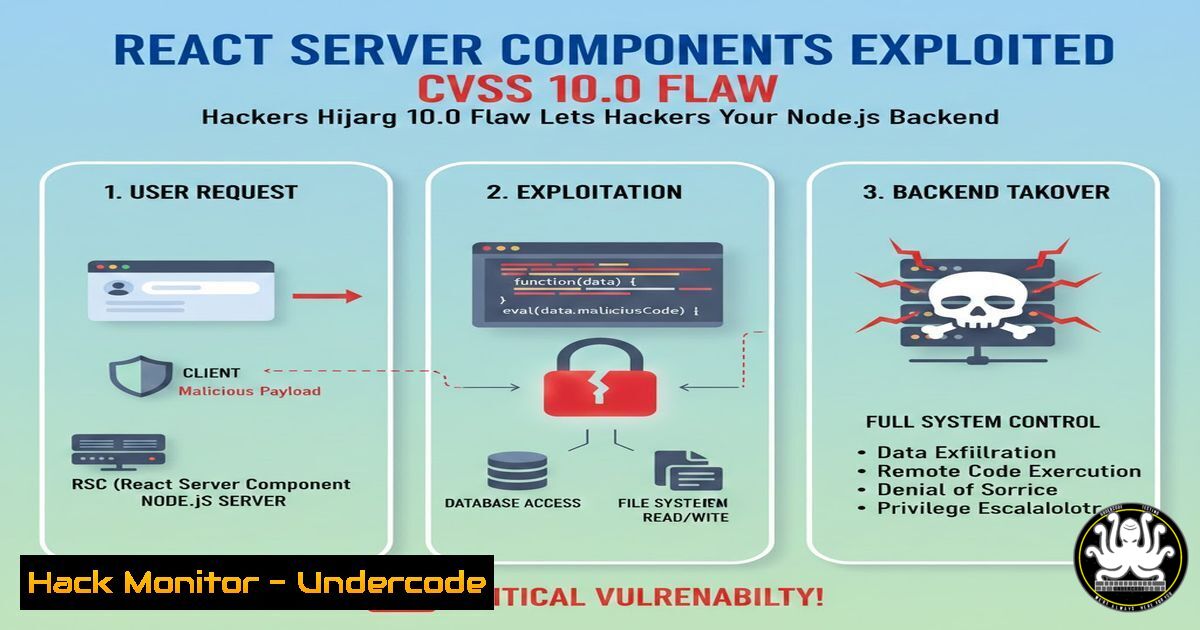
A critical, unauthenticated Remote Code Execution (RCE) vulnerability, rated a maximum 10.0 on the CVSS scale, has been discovered in React Server Components (RSC). Designated CVE-2025-55182, this flaw allows attackers to execute arbitrary code on servers using affected React and Next.js versions, potentially leading to full system compromise. The vulnerability was patched urgently, underscoring the severe risk posed to modern web applications built on these ubiquitous frameworks.
Learning Objectives:
- Understand the mechanism behind the prototype pollution vulnerability in React Server Components that leads to RCE.
- Learn to identify if your React or Next.js application is vulnerable and apply the immediate patch.
- Implement security hardening measures for Node.js and React applications to mitigate similar future vulnerabilities.
You Should Know:
- The Vulnerability Breakdown: From Prototype Pollution to RCE
The core issue resides in how React Server Components handle certain serialized data. Attackers can craft malicious payloads that pollute the prototype chain of objects on the server. In JavaScript, polluting the prototype of a base object can introduce or alter properties and methods across all objects, leading to unexpected behavior.
Step‑by‑step guide explaining what this does and how to use it.
Step 1: The Attack Vector
An attacker sends a specially crafted HTTP request to an endpoint handling RSC payloads. This payload is not standard user data but manipulated serialized data designed to interfere with the server’s object model.
Step 2: Prototype Pollution
The malicious payload exploits lax object creation checks, adding or modifying properties on the Object.prototype. For example, it might inject a property that influences the behavior of subsequent code execution paths.
Step 3: Gadget Chain to RCE
The polluted property acts as a “gadget.” When combined with other parts of the React server-side code (like certain utility functions that use eval-like behavior or child process execution), the pollution can trick the server into executing attacker-controlled code. This transforms a manipulation of data structures into full-blown arbitrary command execution.
2. Immediate Detection and Patching Commands
Your first action must be to determine your exposure and apply fixes.
Step‑by‑step guide explaining what this does and how to use it.
Step 1: Check Your Dependency Versions
In your project root, run these commands to see your installed React and Next.js versions.
 For React versions:
npm list react react-dom react-server-dom-webpack

For Next.js versions:
npm list next
Step 2: Identify Vulnerable Versions
This CVE affects specific version ranges. Consult the advisories immediately:
– React CVE-2025-55182 Advisory: `https://react.dev/`
– Next.js Implications: `https://nextjs.org/`
Step 3: Apply the Patch
Update to the patched versions immediately using npm or yarn.
 Using npm for a React project:
npm update react react-dom react-server-dom-webpack

Using npm for a Next.js project:
npm update next

Verify the updates:
npm list react
npm list next
3. Proof-of-Concept (PoC) Understanding and Blocking
Security teams need to test their defenses and understand the attack signature.
Step‑by‑step guide explaining what this does and how to use it.
Step 1: Simulate Malicious Payload Detection (Safe Test)
You can use `curl` to test if your WAF or middleware blocks malformed RSC payloads. WARNING: Do not test on production with active payloads.
 Example to test header-based blocking for RSC content-types
curl -v -X POST -H "Content-Type: text/x-component" http://your-test-server/api/path
Step 2: Analyze Logs for Attack Patterns
Check server logs for unusual POST requests to RSC endpoints (/_next/action, RSC stream endpoints) with high entropy or binary-looking data.
 On Linux, tail your application logs looking for relevant paths:
tail -f /var/log/your-app.log | grep -E "(/_next/action|.action\b|react-server)"
Step 3: Implement Input Validation Middleware
Add strict validation for RSC payloads before React processes them.
// Example Express.js middleware snippet
app.use('/_next/action', (req, res, next) => {
// Validate content-type
if (req.headers['content-type'] !== 'text/x-component') {
return res.status(400).send('Invalid content type');
}
// Consider rate-limiting and payload size limits here
next();
});
4. System-Level Hardening for Node.js Servers
Patching the library is not enough; harden the environment.
Step‑by‑step guide explaining what this does and how to use it.
Step 1: Run Node.js with Least Privilege
Never run your Node process as root. Create a dedicated user.
 Linux commands to create and use a low-privilege user
sudo useradd -m -s /bin/bash appuser
sudo chown -R appuser:appuser /path/to/your/app
sudo -u appuser node server.js
Step 2: Utilize Process Sandboxing
Leverage the Node.js `worker_threads` with limited permissions or containerization (Docker) to isolate the React server component logic.
// Example using worker_threads for isolation (conceptual)
const { Worker, isMainThread } = require('worker_threads');
if (isMainThread) {
// Spawn worker for risky operations
const worker = new Worker('./rsc-processor.js');
}
Step 3: Apply Linux Security Modules (LSM)
Use AppArmor or SELinux to restrict the Node.js process’s capabilities.
 Example AppArmor command to generate a profile for your Node app
sudo aa-genprof /usr/bin/node
5. Long-Term Security Posture: API and Cloud Hardening
Shift security left in your development and deployment pipeline.
Step‑by‑step guide explaining what this does and how to use it.
Step 1: Implement Robust API Security Gates
Use an API Gateway (e.g., AWS WAF, Cloudflare) to enforce schema validation, rate limiting, and block known malicious patterns before traffic reaches your Next.js/React app.
Step 2: Secret Management for Cloud Deployments
Ensure API keys or secrets exposed by an RCE are not accessible. Use managed secret stores.
 Example for AWS Secrets Manager (CLI)
aws secretsmanager get-secret-value --secret-id production/DBPassword --query SecretString --output text
Step 3: Immutable Infrastructure and Regular Audits
Deploy using container images that are rebuilt and redeployed with every patch. Integrate `npm audit` or `yarn audit` into your CI/CD pipeline.
 Example GitHub Actions step
- name: Audit dependencies
run: npm audit --audit-level=critical
What Undercode Say:
- The Meta-Framework Attack Surface is Expanding: This RCE highlights a dangerous trend: vulnerabilities are moving up the stack into high-level meta-frameworks like Next.js and React Server Components. The complexity of these abstractions can hide critical server-side execution paths from developers, creating a false sense of security. The attack surface is no longer just your custom code; it’s the framework’s own rendering engine.
- Prototype Pollution Remains a Critical JavaScript Threat: This vulnerability is a stark reminder that prototype pollution is not a theoretical concern but a direct gateway to RCE, especially in server-side JavaScript environments. Development and security teams must prioritize static and dynamic analysis tools capable of detecting prototype pollution gadgets in both first-party and third-party code.
Prediction:
This CVSS 10.0 vulnerability in a library as pervasive as React will act as a watershed moment for full-stack JavaScript security. Expect a surge in security research focused on server-side rendering (SSR) and server component paradigms across all meta-frameworks (SvelteKit, Nuxt). Organizations will increasingly mandate runtime application self-protection (RASP) agents within Node.js deployments to provide a last line of defense against exploited vulnerabilities. Furthermore, the industry will see a push for more “zero-trust” principles applied to internal framework processes, such as mandatory sandboxing for component rendering, fundamentally changing how these frameworks are architected for security.
🎯Let’s Practice For Free:
IT/Security Reporter URL:
Reported By: Carapace Nz – Hackers Feeds
Extra Hub: Undercode MoN
Basic Verification: Pass ✅


