
Listen to this Post
Introduction:
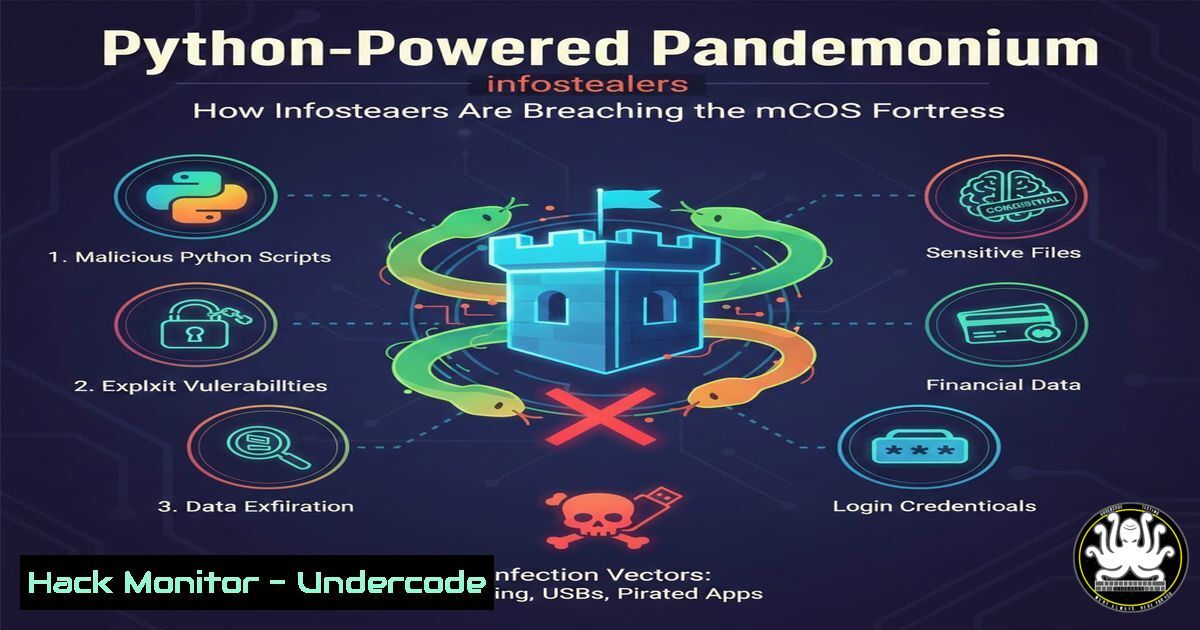
Microsoft’s cybersecurity teams have issued a stark warning: the threat landscape is undergoing a significant shift. Information-stealing malware (infostealers), once predominantly a Windows problem, is now rapidly targeting Apple’s macOS ecosystem. This new wave of attacks is characterized by the use of cross-platform languages like Python and the sophisticated abuse of trusted platforms and deceptive ads for distribution, posing a serious risk to individuals and businesses who perceived macOS as a safe haven.
Learning Objectives:
- Understand the technical shift enabling infostealers to target macOS, specifically the abuse of Python and its packaging ecosystem (PyPI).
- Learn to identify the common distribution vectors for these threats, including fake software ads, trojanized installers, and poisoned search engine results.
- Acquire practical skills for detection, analysis, and mitigation of Python-based infostealers on macOS systems.
You Should Know:
1. The Anatomy of a Cross-Platform Python Infostealer
Modern infostealers are ditching OS-specific compiled code in favor of scripting languages like Python, which run natively on multiple operating systems. This allows threat actors to maintain a single codebase. They package malicious logic into `.py` files or compiled Python bytecode (.pyc), often using tools like PyInstaller or Nuitka to create standalone executables that are harder to inspect. The core functions typically involve:
Credential Harvesting: Using libraries like keyring, subprocess, or `sqlite3` to dump browser-stored passwords, cookies, and auto-fill data from `~/Library/Application Support/` directories (Chrome, Safari, Firefox).
System Reconnaissance: Executing shell commands via `os.system` or `subprocess.Popen` to gather system info, running processes, and network configurations.
File Exfiltration: Scanning for and archiving sensitive documents (.pdf, .docx), cryptocurrency wallets, and SSH keys, then transmitting them to a Command & Control (C2) server using `requests` or ftplib.
Step-by-Step Guide: Basic Static Analysis of a Suspicious Python Executable
1. Identify the File: Use the `file` command on macOS to determine if it’s a Python script or a PyInstaller bundle. `file suspicious_app`
2. Inspect Strings: Extract human-readable text to find URLs, file paths, or function names. `strings suspicious_app | less`
3. For PyInstaller Bundles: Use a tool like `pyinstxtractor` to unpack the archive and reveal the underlying Python bytecode. `python3 pyinstxtractor.py suspicious_app`
4. Decompile Bytecode: Use `uncompyle6` or `decompyle3` to attempt to convert the extracted `.pyc` files back to readable Python source code for analysis. `uncompyle6 extracted_file.pyc`
2. The Supply Chain Attack: Malware Hidden in Fake Packages and Ads
Attackers are exploiting trust in official-looking sources. A primary vector is the Python Package Index (PyPI), where they upload malicious packages with names similar to popular libraries (pytorch, tensorflow, requests). They also run Google/Bing ads for popular software (like “Final Cut Pro,” “Adobe Photoshop”) that appear above legitimate search results, linking to malicious download sites hosting trojanized installers.
Step-by-Step Guide: Investigating a Suspicious PyPI Package
- Check Package Metadata: Use the official PyPI JSON API to review details. `curl -s https://pypi.org/pypi/
/json | jq .`
2. Look for Anomalies: Check theinfo.author,info.author_email, and `info.home_page` for gibberish or recently created domains. Review the `releases` list for an unusually low version number (e.g., v0.0.1) as a sign of a testing/ malicious upload. - Analyze the Distribution Files: Download the source distribution (
.tar.gz) or wheel (.whl) and extract it. Manually inspect any `.py` files in the setup script or the main module for obfuscated code or calls toeval(),exec(), or suspicious URLs. - Scan with Security Tools: Use `safety` or `bandit` to scan the package for known vulnerabilities and malicious patterns. `bandit -r extracted_package/`
3. Hardening the macOS Environment Against Script-Based Threats
The default macOS security posture (Gatekeeper, Notarization) is effective against unsigned binaries but can be bypassed by scripts or user-granted permissions. System hardening is crucial.
Step-by-Step Guide: Implementing Application Allowlisting & Network Controls
- Enable and Configure macOS Privacy Controls: System Settings > Privacy & Security. Ensure
Full Disk Access,Accessibility, and `Automation` are granted only to verified applications. Review `Files and Folders` permissions. - Implement Application Allowlisting (For Advanced Users/IT): Use a Mobile Device Management (MDM) solution or the command line to manage an allowed applications list, blocking execution from `~/Downloads` or
/tmp. This can be enforced via configuration profiles. - Deploy a Host-Based Firewall: Use the built-in `pf` (Packet Filter) firewall or a third-party solution to block outbound connections from unauthorized applications, potentially catching the exfiltration attempt. A basic `pf` rule to block all non-essential outbound traffic (to be refined) would be added to
/etc/pf.conf:block out all. After editing, load it with `sudo pfctl -f /etc/pf.conf` and enable it withsudo pfctl -e. - Restrict Python Execution (Enterprise): Use an MDM to deploy Privacy Preferences Policy Control (PPPC) payloads that can deny the `sysctl.allow` right for the `python` or `python3` binaries, preventing their execution unless explicitly allowed.
4. Proactive Detection: Hunting for Infostealer Activity
Beyond prevention, you must assume a breach and look for indicators of compromise (IOCs).
Step-by-Step Guide: Hunting with OSQuery and EDR
- Baseline with OSQuery: Use OSQuery to query system state. Check for unusual Python processes or network connections. `osqueryi` then run: `SELECT pid, name, path, cmdline FROM processes WHERE name LIKE ‘%python%’;`
2. Analyze Launch Agents/Daemons: Infostealers often persist via LaunchAgents. Search for suspicious plist files. `sudo find /Library/LaunchAgents /Library/LaunchDaemons ~/Library/LaunchAgents -name “.plist” -exec plutil -p {} \; | grep -A5 -B5 “ProgramArguments”`
3. Check for Unusual Network Connections: Use `netstat` or `lsof` to find Python processes calling home. `sudo lsof -i -P | grep -i “python”` orsudo netstat -antvp | grep -i "python". - Monitor File Integrity: Use tools like `fs_usage` or an EDR platform to monitor for access to sensitive browser databases (like `Login Data` or `Cookies` files) by non-browser processes. `sudo fs_usage -w -f filesys python | grep -i “chromium\|chrome\|safari”`
5. The Fallback: Manual Triage and Incident Response
If you suspect an infection, immediate action is required.
Step-by-Step Guide: Initial Incident Response on a Mac
- Isolate the System: Disconnect from all networks (Wi-Fi/Ethernet) to prevent data exfiltration and C2 communication.
- Preserve Volatile Evidence (If Possible): Before shutting down, quickly capture running processes and network connections:
sudo ps aux > ~/Desktop/processes.txt; sudo lsof -i > ~/Desktop/network.txt. - Identify and Kill Malicious Processes: Using the collected data, identify the PID of the malicious Python process and terminate it:
sudo kill -9 <PID>. - Locate and Delete Persistence Artifacts: Search for and remove the associated LaunchAgent/Daemon plist file and the main malware executable. `sudo rm -f /path/to/malicious.plist` and
sudo rm -rf /path/to/malicious_bundle/. - Credential Rotation: This is critical. Change all passwords stored in browsers, email clients, and other applications on the compromised machine, from a known-clean device. Consider API keys and session tokens compromised.
What Undercode Say:
- The Illusion of Safety is the Greatest Vulnerability. macOS’s reputation for security has bred user complacency. This attack vector exploits that exact trust—in the OS, in search engine results, and in open-source repositories. The technical barrier to cross-platform attacks has now collapsed.
- Offense Informs Defense. Understanding the attacker’s methodology—abusing Python, PyPI, and ads—provides the precise blueprint for defense. Detection rules must now focus on Python child processes of browsers, outbound calls from PyInstaller bundles, and network traffic to newly registered domains from developer tools.
Prediction:
The success of Python-based infostealers against macOS will catalyze a broader offensive shift. We predict a rise in “polyglot malware” using runtime-agnostic languages (Go, Rust) to attack Linux workstations and servers, particularly in DevOps and cloud environments. Furthermore, attackers will increasingly weaponize AI tool ecosystems (e.g., poisoned PyTorch extensions or VS Code plugins), leveraging the immense trust and automatic update mechanisms within developer communities. This will blur the lines between software supply chain attacks and endpoint compromise, forcing a consolidation of security monitoring across development and production environments. The era of assuming safety based on operating system choice is definitively over.
▶️ Related Video (90% Match):
🎯Let’s Practice For Free:
IT/Security Reporter URL:
Reported By: Ccoloff Microsoft – Hackers Feeds
Extra Hub: Undercode MoN
Basic Verification: Pass ✅


