Listen to this Post
Introduction:
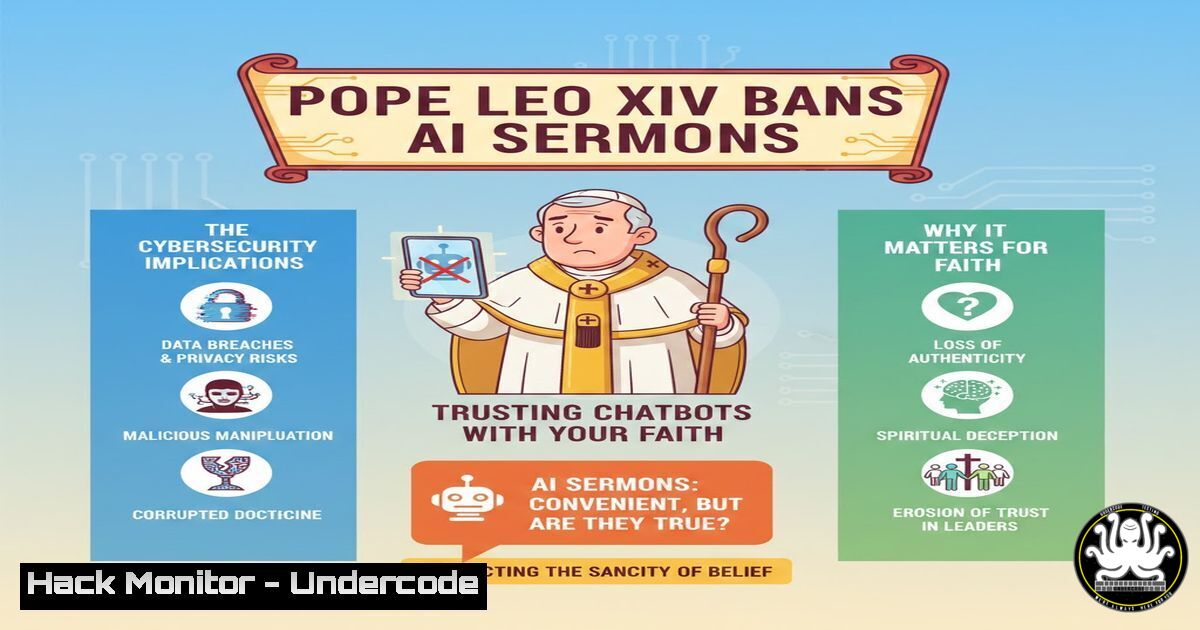
In a landmark move that merges theology with technology, Pope Leo XIV has explicitly forbidden priests from using AI, such as ChatGPT, to write homilies, emphasizing that a machine cannot replicate the human act of sharing faith. While this directive addresses spiritual authenticity, it opens a critical dialogue about the cybersecurity, data privacy, and ethical hacking implications of integrating AI into sensitive human communications. This article dissects the technical vulnerabilities of AI-generated content, the risks of model manipulation, and how IT professionals can secure ecclesiastical—or any sensitive—networks against automated threats.
Learning Objectives:
- Understand the security risks associated with AI-generated text, including prompt injection and data leakage.
- Learn to implement network monitoring to detect AI tool usage within restricted environments.
- Analyze the difference between AI-assisted translation and AI-generated content from a data sovereignty perspective.
- The Technical Risks of AI-Generated Sermons: Prompt Injection and Data Exfiltration
The Pope’s concern is pastoral, but from a cybersecurity standpoint, using a public AI like ChatGPT to draft sermons poses significant risks. Priests, like any users, might inadvertently paste confidential parish information, internal church disputes, or personal data into a prompt. This data is then sent to external servers, often stored, and used for model training, creating a massive data leakage vulnerability.
Step‑by‑step guide: Simulating and Preventing Data Exfiltration via Web Application Firewalls (WAF)
To protect an organization (like a diocese) from employees leaking sensitive data to AI platforms, you must implement outbound filtering.
Linux Command (using iptables to block outgoing traffic to specific AI domains):
 Block outgoing HTTPS traffic to OpenAI API and ChatGPT domains
sudo iptables -A OUTPUT -d api.openai.com -j DROP
sudo iptables -A OUTPUT -d chat.openai.com -j DROP
sudo iptables -A OUTPUT -d openai.com -j DROP

Log attempts for auditing (create a log rule before the drop)
sudo iptables -A OUTPUT -d api.openai.com -j LOG --log-prefix "AI_BLOCKED: "
Windows Command (using PowerShell to add a hosts file entry to block resolution):
 Run as Administrator
Add-Content -Path C:\Windows\System32\drivers\etc\hosts -Value "<code>n0.0.0.0 chat.openai.com"
Add-Content -Path C:\Windows\System32\drivers\etc\hosts -Value "</code>n0.0.0.0 api.openai.com"
 Flush DNS cache to apply changes
ipconfig /flushdns
Explanation: This prevents the system from resolving these domains, effectively cutting off access to the AI tool at the network level, thereby preventing accidental data paste events.
- The “Homily Hallucination” Attack: Exploiting AI for Malicious Sermons
If a priest were to use AI, an attacker could theoretically manipulate the output through “Prompt Injection.” By poisoning the data the AI might reference or by intercepting the connection, a malicious actor could replace a benign homily about love with incitement or radical content. This is a variant of a supply chain attack.
Step‑by‑step guide: Verifying TLS/SSL Integrity for AI Services
Users must ensure they are communicating with the legitimate AI endpoint and not a Man-in-the-Middle (MITM) proxy. While the Vatican might use an internal AI, the principle remains.
Linux Command (checking SSL certificate chain of an AI service):
 Check the full certificate chain of the AI service
openssl s_client -connect api.openai.com:443 -showcerts

Use curl to verify the connection and view headers
curl -I https://chat.openai.com
 Look for HTTP Strict Transport Security (HSTS) headers to ensure encrypted communication
Windows Command (using Test-NetConnection and certificate check):
 Check if the connection is encrypted and get the remote port
Test-NetConnection -ComputerName chat.openai.com -Port 443

Use .NET to grab the SSL certificate
$webRequest = [Net.HttpWebRequest]::Create("https://chat.openai.com")
$webRequest.Method = "HEAD"
try {
$response = $webRequest.GetResponse()
$cert = $webRequest.ServicePoint.Certificate
$cert.Subject
$cert.GetCertHashString()
$response.Close()
} catch {
Write-Host "Certificate error or connection blocked."
}
Explanation: This ensures you are actually connected to the real service. If the certificate subject is wrong or the hash doesn’t match known values, you may be under attack.
- AI Translation vs. AI Generation: The Vatican’s Own System
The post highlights the Vatican’s simultaneous development of an AI translation system for liturgical texts. This presents a different threat model: a high-volume, real-time translation system handling sacred texts in up to 60 languages is a prime target for data poisoning or Denial of Service (DoS).
Step‑by‑step guide: Hardening an API Endpoint for AI Translation Services
If you were securing the Vatican’s translation API, you would implement strict rate limiting and input validation to prevent abuse.
Conceptual API Security (using a hypothetical NGINX config for rate limiting):
 In the http block of nginx.conf
limit_req_zone $binary_remote_addr zone=translation_api:10m rate=10r/s;

In the server/location block for the translation endpoint
location /api/v1/translate {
limit_req zone=translation_api burst=20 nodelay;
 Validate input length to prevent buffer overflows
if ($request_body ~  "text=[^&]{500,}") {
return 400 "Text too long";
}
proxy_pass http://translation_backend;
}
Explanation: This limits each IP address to 10 requests per second, preventing automated scripts from flooding the service. It also checks for excessively long input that could indicate an attempted buffer overflow or injection attack.
- Securing the Digital Pulpit: Endpoint Hardening for Clergy
Whether drafting a sermon or accessing the Vatican’s internal network, a priest’s device is an endpoint. If a priest uses an insecure device, malware could capture keystrokes (including prompts) or use the microphone to record private meetings.
Step‑by‑step guide: Basic Linux Endpoint Hardening (for a secure workstation)
 Update the system to patch known vulnerabilities
sudo apt update && sudo apt upgrade -y

Enable and configure the Uncomplicated Firewall (UFW)
sudo ufw default deny incoming
sudo ufw default allow outgoing
sudo ufw allow ssh  Only if remote management is needed
sudo ufw enable

Check for listening ports (attack surface)
sudo netstat -tulpn | grep LISTEN

Install and run a rootkit hunter
sudo apt install rkhunter
sudo rkhunter --check --skip-keypress
Step‑by‑step guide: Windows Endpoint Hardening (Group Policy for secure parish workstations)
 Run PowerShell as Administrator
 Enforce AppLocker to block unauthorized applications (including unauthorized AI tools)
 This is a complex policy, but we can start by enabling the Application Identity service
Set-Service -Name AppIDSvc -StartupType Automatic
Start-Service -Name AppIDSvc

Enable BitLocker for data-at-rest protection (if TPM is present)
 (Command requires specific volume names, conceptual)
 manage-bde -on C: -used -rp -recoverypassword
Write-Host "Enable BitLocker via Control Panel or 'manage-bde' for full disk encryption."

Check Windows Defender status
Get-MpComputerStatus | Select-Object RealTimeProtectionEnabled, AntivirusEnabled
Explanation: These steps minimize the attack surface by closing unnecessary ports, ensuring encryption, and enforcing strict application policies to prevent unauthorized software execution.
- The Vulnerability of “Soul” in Code: Why AI Lacks Context
From a penetration testing perspective, AI models lack the “human context” that the Pope describes. They cannot discern the nuanced emotional state of a congregation. This is not a technical vulnerability in the code, but a functional vulnerability in the output. An AI-generated sermon might be theologically sound but completely tone-deaf to a grieving community, causing unintended emotional distress.
- Training Courses: The New Curriculum for Digital Theologians
The post indirectly highlights a need for new training courses. The “57 Certifications” mentioned for Tony Moukbel show the breadth of required knowledge. For clergy and church IT admins, recommended courses now include:
– Certified AI Security Professional (CAISP): To understand AI-specific threats.
– SANS SEC511: Continuous Monitoring and Security Operations: To monitor networks for unauthorized AI traffic.
– Data Privacy for Religious Organizations (IAPP certified): To handle sensitive parishioner data that might be fed into AI tools.
What Undercode Say:
- Authenticity is a Security Feature: The Pope’s insistence on human authorship mirrors the cybersecurity principle of “non-repudiation.” An AI-generated sermon cannot be truly attributed to the priest’s soul, just as a spoofed email cannot be attributed to a real sender.
- The Attack Surface is Expanding: Every AI interaction is a potential data breach. The Vatican’s stance is a reminder to treat all AI tools as third-party vendors and audit them rigorously before use.
Analysis:
The Pope’s warning, while spiritual, aligns perfectly with modern cybersecurity doctrine: never outsource core functions to an uncontrollable third party without verifying the supply chain. The Vatican is effectively implementing a Zero Trust model for the pulpit—”never trust, always verify” the source of your content. This decision protects not only the sanctity of the mass but also the sensitive data of millions of parishioners. As AI becomes ubiquitous, every industry, from finance to faith, must define its immutable “core functions” that cannot be automated, not just for quality, but for security and sovereignty. The move to build a dedicated, controlled translation AI, rather than relying on public APIs, demonstrates a mature understanding of data governance and risk management.
Prediction:
We will see a rise in “Air-Gapped AI”—custom, on-premise Large Language Models (LLMs) used by sensitive institutions (Vaticans, militaries, hospitals) that never touch the public internet. This will create a booming market for secure, offline AI hardware appliances and force cloud providers to offer more robust on-prem deployment options. The conflict between the convenience of public AI and the security of private data will define the next wave of enterprise IT architecture.
▶️ Related Video (78% Match):
🎯Let’s Practice For Free:
IT/Security Reporter URL:
Reported By: Michael Tchuindjang – Hackers Feeds
Extra Hub: Undercode MoN
Basic Verification: Pass ✅


