
Listen to this Post
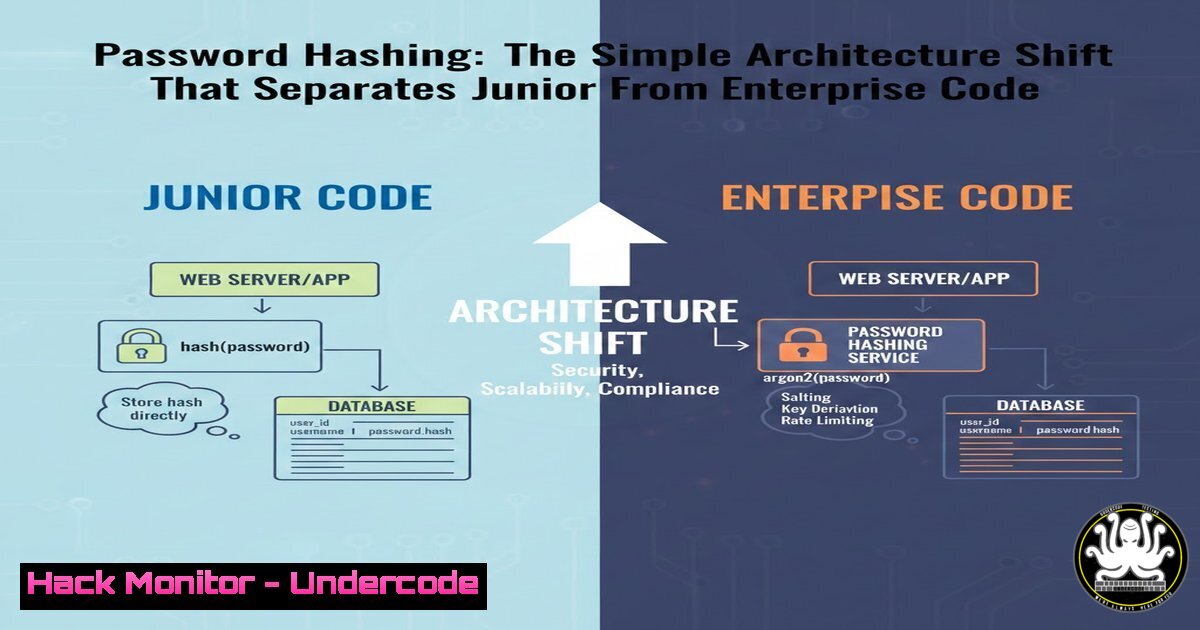
Introduction:
In the rush to ship authentication features, many developers implement password hashing directly inside their API controllers. While this approach works initially, it creates a fragile security posture that cannot scale. Enterprise-grade applications enforce security at the data layer, ensuring that plaintext passwords never touch the database regardless of which developer writes the next feature or which API endpoint is added.
Learning Objectives:
- Understand why model-level password hashing provides superior security guarantees over controller-level implementations
- Learn to implement pre-save hooks in Node.js using Mongoose and bcrypt
- Identify common pitfalls in authentication logic across user update and password reset flows
You Should Know:
- The Controller-Level Trap: Why It Fails in Production
When password hashing lives inside controller functions, security becomes a matter of developer memory. A typical vulnerable implementation looks like this:
// INSECURE PATTERN - Controller-level hashing
app.post('/api/register', async (req, res) => {
const { email, password } = req.body;

// Developer remembers to hash here
const hashedPassword = await bcrypt.hash(password, 10);

const user = new User({ email, password: hashedPassword });
await user.save();
});

app.put('/api/user/:id', async (req, res) => {
const { password } = req.body;

// But what about this update endpoint?
// Easy to forget hashing here!
const user = await User.findByIdAndUpdate(req.params.id, {
password // ⚠️ Plaintext saved if developer forgets
});
});
This pattern creates a security gap every time a new developer joins the team or a new endpoint is added. The probability of accidentally storing plaintext passwords increases with each code modification.
2. Model-Level Hashing with Pre-Save Hooks
Enterprise codebases leverage the data layer to enforce security invariants. Using Mongoose (MongoDB ODM for Node.js), a pre-save hook intercepts every save operation:
const mongoose = require('mongoose');
const bcrypt = require('bcrypt');

const userSchema = new mongoose.Schema({
email: { type: String, required: true, unique: true },
password: { type: String, required: true },
resetPasswordToken: String,
resetPasswordExpires: Date
});

// Pre-save middleware - runs before every .save()
userSchema.pre('save', async function(next) {
// 'this' refers to the document being saved
const user = this;

// Only hash if password was modified (not on every update)
if (!user.isModified('password')) return next();

try {
const salt = await bcrypt.genSalt(12); // Increased rounds
user.password = await bcrypt.hash(user.password, salt);
next();
} catch (error) {
next(error);
}
});

// Instance method for password verification
userSchema.methods.comparePassword = async function(candidatePassword) {
return bcrypt.compare(candidatePassword, this.password);
};

module.exports = mongoose.model('User', userSchema);
Now the controller becomes clean and secure by default:
// Any API that saves a user automatically hashes passwords
app.post('/api/register', async (req, res) => {
const user = new User(req.body); // Plain password received
await user.save(); // ⚠️ Automatically hashed by pre-save hook
});

app.put('/api/user/:id', async (req, res) => {
const user = await User.findById(req.params.id);
user.password = req.body.password; // Modified field
await user.save(); // pre-save hook hashes it
});
3. Verifying Password Updates and Reset Flows
The real test of architecture comes during password reset and update operations. With model-level hashing, these flows remain secure without additional logic:
// Password reset token generation
userSchema.methods.generateResetToken = function() {
this.resetPasswordToken = crypto.randomBytes(20).toString('hex');
this.resetPasswordExpires = Date.now() + 3600000; // 1 hour
};

// Reset endpoint controller
app.post('/api/reset-password/:token', async (req, res) => {
const user = await User.findOne({
resetPasswordToken: req.params.token,
resetPasswordExpires: { $gt: Date.now() }
});

if (!user) return res.status(400).send('Invalid or expired token');

user.password = req.body.password; // New plaintext password
user.resetPasswordToken = undefined;
user.resetPasswordExpires = undefined;

await user.save(); // ✅ Pre-save hook handles hashing
});
4. Database-Level Verification Commands
For PostgreSQL or MySQL environments, similar triggers enforce security at the database level:
PostgreSQL trigger example:
CREATE OR REPLACE FUNCTION hash_password()
RETURNS TRIGGER AS $$
BEGIN
IF TG_OP = 'INSERT' OR NEW.password <> OLD.password THEN
NEW.password = crypt(NEW.password, gen_salt('bf', 10));
END IF;
RETURN NEW;
END;
$$ LANGUAGE plpgsql;

CREATE TRIGGER hash_user_password
BEFORE INSERT OR UPDATE ON users
FOR EACH ROW
EXECUTE FUNCTION hash_password();
MySQL trigger:
DELIMITER $$
CREATE TRIGGER hash_password_before_insert
BEFORE INSERT ON users
FOR EACH ROW
BEGIN
SET NEW.password = SHA2(NEW.password, 256);
END$$
DELIMITER ;
5. Linux/Unix Security Verification Commands
Security professionals can verify password hashing implementation using system commands:
 Check if application uses bcrypt rounds appropriately
grep -r "bcrypt.genSalt" /var/www/app

Monitor database for plaintext password exposures
sudo tail -f /var/log/mysql/mysql.log | grep -i "insert.users.password"

Hash verification testing
echo -n "TestPassword123" | sha256sum | awk '{print $1}'

Brute-force simulation warning
sudo apt install john
echo "hashed_password_from_db" > hash.txt
john --format=bcrypt hash.txt --wordlist=/usr/share/wordlists/rockyou.txt
6. Production Hardening Commands
Beyond implementation, production environments require additional hardening:
 Generate strong pepper key (32 random bytes)
openssl rand -base64 32 > /etc/app/pepper.key
chmod 600 /etc/app/pepper.key

Set proper file permissions for application secrets
sudo chown root:appuser /etc/app/pepper.key
sudo chmod 640 /etc/app/pepper.key

Audit running processes for plaintext exposure
sudo ps aux | grep node
sudo lsof -p $(pgrep node) | grep mem

Check for password exposure in logs
sudo grep -r -i "password" /var/log/app/ | grep -v "hashed"
What Undercode Say:
- Key Takeaway 1: Security must be enforced at the data layer, not the application layer. When hashing lives in pre-save hooks or database triggers, it becomes an invariant that cannot be bypassed by developer oversight or future code changes.
- Key Takeaway 2: The true test of authentication architecture is not the registration endpoint but the update and reset flows. Model-level hooks automatically secure all operations, eliminating the possibility of accidentally storing plaintext during password changes.
The shift from controller-level to model-level hashing represents a fundamental understanding of where security boundaries belong. Controllers orchestrate HTTP requests; models manage data integrity. By moving password hashing to the model layer, developers create self-documenting, self-enforcing security that persists across the application’s entire lifecycle. This architectural decision, while small, demonstrates the difference between code that works and code that withstands production scrutiny.
Prediction:
As application security shifts left and DevOps practices mature, we will see increasing automation of security invariants directly in data layers. Future frameworks may enforce password hashing by default, with linting tools that flag controller-level hashing as anti-patterns. The industry will move toward zero-trust authentication architectures where plaintext passwords never exist beyond the initial request boundary, eventually incorporating hardware security modules (HSM) and secure enclaves for password verification without ever decrypting in application memory.
▶️ Related Video (84% Match):
🎯Let’s Practice For Free:
IT/Security Reporter URL:
Reported By: Sidramm Backend – Hackers Feeds
Extra Hub: Undercode MoN
Basic Verification: Pass ✅


