
Listen to this Post
Introduction:
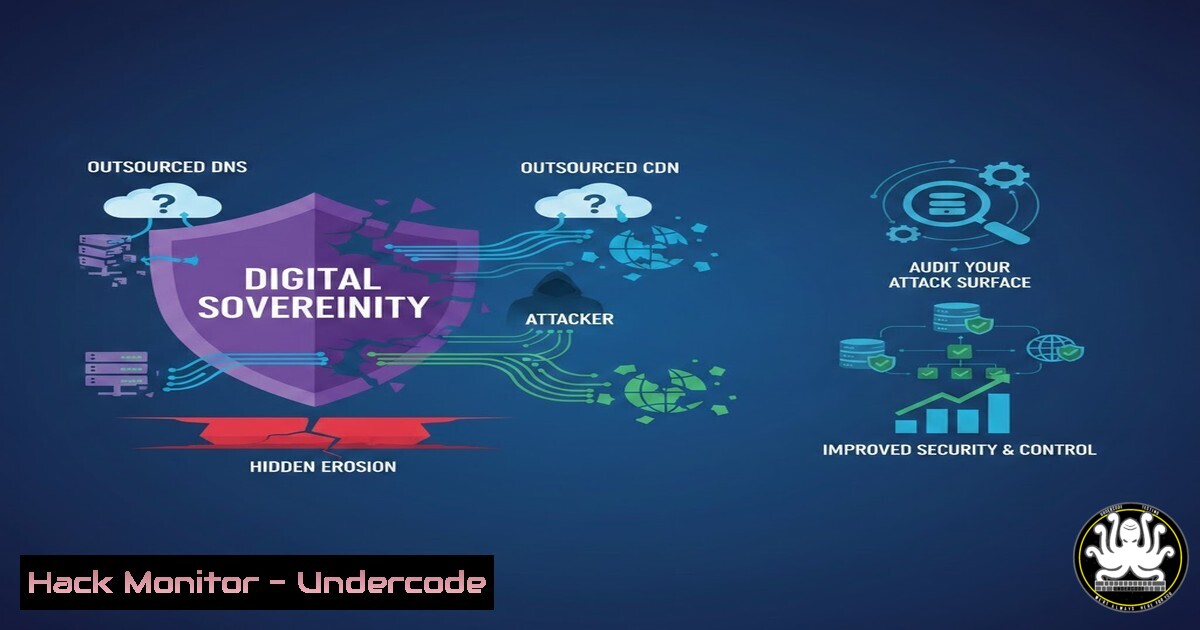
In the modern rush to adopt third-party services for performance and reliability, organizations often outsource critical infrastructure like DNS and Content Delivery Networks (CDNs) without implementing rigorous oversight. This creates a dangerous paradox: security responsibilities are transferred, but accountability is not. The result is a fragmented attack surface where unknown exposures, misconfigurations, and shadow dependencies thrive outside the organization’s direct control. This article explores the technical ramifications of this “blind reliance” and provides a hands-on guide to auditing your infrastructure to reclaim visibility and enforce governance.
Learning Objectives:
- Understand the specific security risks associated with outsourcing DNS and CDN functions.
- Learn how to perform technical audits to identify unknown external dependencies.
- Gain practical skills in using command-line tools to verify DNS configurations, CDN origins, and certificate transparency logs.
- Implement strategies to mitigate risks and enforce security controls on third-party services.
You Should Know:
1. Auditing Your DNS Footprint for Unknown Exposures
When DNS management is delegated to a third party (like Cloudflare, AWS Route 53, or Akamai), the parent zone (e.g., the `.com` registry) holds NS records pointing to the provider. However, organizations often lose track of all subdomains or misconfigure delegation, leading to “orphaned” DNS records.
Step‑by‑step guide to auditing your DNS infrastructure using Linux/Unix tools:
This process helps you discover what DNS servers are authoritative for your domain and identify any that are not sanctioned by your IT policy.
- Query Authoritative Nameservers: Use the `dig` command to see which nameservers your domain officially uses.
dig NS example.com +short
This lists the nameservers (e.g.,
ns1.cloudflare.com). Compare this list against your official vendor list. -
Check for Zone Transfer Vulnerabilities (AXFR): Misconfigured DNS servers may allow anyone to copy the entire zone file, revealing all subdomains.
dig AXFR example.com @ns1.cloudflare.com
If this returns a list of records, the server is critically misconfigured. (Note: Most public providers block this, but internal or legacy servers might not.)
-
Enumerate Subdomains to Find Shadow IT: Use `dnsrecon` or `nmap` to brute-force common subdomains and see which resolve, potentially revealing unmanaged test or dev sites.
dnsrecon -d example.com -D /usr/share/wordlists/dnsmap.txt -t brt
Analyze the results. Any subdomain pointing to an IP address you don’t recognize or a cloud provider you don’t use could indicate a rogue asset.
-
Verify SOA (Start of Authority) for Internal Consistency: Ensure the master server listed is correct.
dig SOA example.com +short
2. Mapping Your CDN and Origin Server Relationships
A common risk is that the CDN protects the production website, but the origin server’s IP address is leaked, allowing attackers to bypass the CDN’s Web Application Firewall (WAF) and DDoS protection.
Step‑by‑step guide to discovering your true origin and CDN configuration:
- Identify the CDN Provider: Use `curl` to examine HTTP headers. CDNs often leave fingerprints.
curl -I https://example.com | grep -i "server|cf-ray|x-akamai"
Headers like `CF-Ray` (Cloudflare),
X-Akamai-, or `Server: CloudFront` reveal the provider. -
Find the Historical Origin IP (a common leakage point): Use services like SecurityTrails (or the `dig` command against historical datasets) or simply check `crt.sh` for old SSL certificates. Sometimes the origin IP is embedded in old certificate logs.
curl -s https://crt.sh/?q=example.com | grep -oE '[0-9]+.[0-9]+.[0-9]+.[0-9]+' | sort -u
If you see an IP that is not owned by your CDN provider, that is your likely origin server.
-
Verify Direct Origin Access: Once you have a candidate origin IP, attempt to connect directly, bypassing the CDN. Use `curl` with the `Host` header to simulate a normal request.
curl -H "Host: example.com" https://<ORIGIN_IP>
If you get a valid response, your origin is exposed and vulnerable to direct attacks.
-
Traceroute Analysis: Perform a traceroute to your domain and to the suspected origin IP to see if the paths diverge.
traceroute example.com
traceroute <ORIGIN_IP>
3. Auditing Certificate Transparency and Expired Assets
Expired or forgotten digital certificates can be used for domain validation attacks or can indicate that an old server (pointed to by a stale DNS record) is still online and unpatched.
Step‑by‑step guide to using Certificate Transparency (CT) logs:
- Query CT Logs with `openssl` or
curl: Fetch all certificates issued for your domain.curl -s "https://crt.sh/?q=%.example.com&output=json" | jq '.[].name_value' | sort -u
This reveals every subdomain that has ever had a public SSL certificate. Look for names like
dev.example.com,test.example.com, orexpired.example.com. -
Check for Expired Certificates: Note the expiry date on any found certificates. An expired certificate on a live server suggests the server is neglected.
-
Correlate with DNS: Take a suspicious subdomain from the CT logs and resolve its IP.
dig dev.example.com +short
If this IP is different from your production environment, it’s likely a forgotten asset that needs to be inventoried and secured or decommissioned.
4. Enforcing Security Headers and CDN Configuration
Outsourcing does not mean relinquishing security policy. You must verify that your CDN is enforcing your desired security posture.
Step‑by‑step guide to testing your CDN’s security implementation:
- Check for Security Headers: Use `curl` to inspect the headers implemented by the CDN.
curl -s -I https://example.com | grep -E "Strict-Transport-Security|Content-Security-Policy|X-Frame-Options|X-Content-Type-Options"
Missing headers indicate the CDN is not configured to add them, leaving your users vulnerable to common web attacks.
-
Verify TLS Configuration: Use `testssl.sh` or `nmap` to ensure the CDN is using strong TLS versions and ciphers, not just forwarding traffic as-is.
nmap --script ssl-enum-ciphers -p 443 example.com
-
Test for CDN Caching Misconfigurations: See if sensitive data is being cached.
curl -s -I https://example.com/profile | grep "CF-Cache-Status"
If a dynamic page (like a user profile) shows a `HIT` status, it’s being cached, which could lead to data leakage.
5. Cloud Storage and “Bucket” Dependency Audits
Often, CDNs pull content from cloud storage buckets (e.g., AWS S3, Azure Blob). If these buckets are misconfigured as “public,” they become a direct data leak, even if the CDN is secure.
Step‑by‑step guide to checking cloud storage dependencies:
- Find the Origin Bucket: Sometimes the bucket name is in the CNAME of your CDN. Check the DNS.
dig CNAME images.example.com +short
If it points to
my-bucket.s3-website-us-east-1.amazonaws.com, you’ve found the origin. -
Test Bucket Permissions: Use a tool like `awscli` or
nmap‘s `http-enum` to check if the bucket allows public listing.For AWS S3 aws s3 ls s3://my-bucket --no-sign-request
If this command lists files, the bucket is publicly readable—a critical data exposure.
What Undercode Say:
- Sovereignty is a Technical State, Not a Legal One: You cannot outsource responsibility. If a third-party DNS provider suffers a BGP hijack or a misconfiguration, your organization bears the reputational and operational damage.
- Visibility is the First Control: The core issue raised in the original post is the accumulation of “unknown security exposure.” The commands and techniques provided here are designed to turn that unknown into known. Regular audits using CT logs, DNS enumeration, and origin scanning are non-negotiable hygiene.
- The “Shared Responsibility Model” Fails Without Auditing: Cloud and CDN providers have their own security, but the configuration of that security is on you. The analysis of the LinkedIn discussion highlights that “manual verification is always necessary.” Automation is key for scale, but manual verification and governance frameworks ensure that automation isn’t blindly trusting misconfigurations. Ultimately, blind reliance is not a strategy; it is a gamble where the house always wins.
Prediction:
As digital infrastructure becomes increasingly complex and interconnected, we will see a rise in “Supply Chain DNS Attacks.” Attackers will no longer target the main corporate website, but will instead compromise the smaller, less-secure, third-party DNS or CDN providers that manage DNS for thousands of companies. This will force regulators to mandate “Sovereign DNS” requirements for critical national infrastructure (CNI), pushing organizations to either bring DNS in-house or enforce auditable, cryptographically verified governance layers on top of outsourced services to ensure that a compromise at the provider level does not cascade to the tenant. The era of trusting a third-party “because they are the expert” is ending; the era of “trust, but verify through continuous, automated technical auditing” has begun.
🎯Let’s Practice For Free:
IT/Security Reporter URL:
Reported By: Andy Jenkinson – Hackers Feeds
Extra Hub: Undercode MoN
Basic Verification: Pass ✅


