Listen to this Post
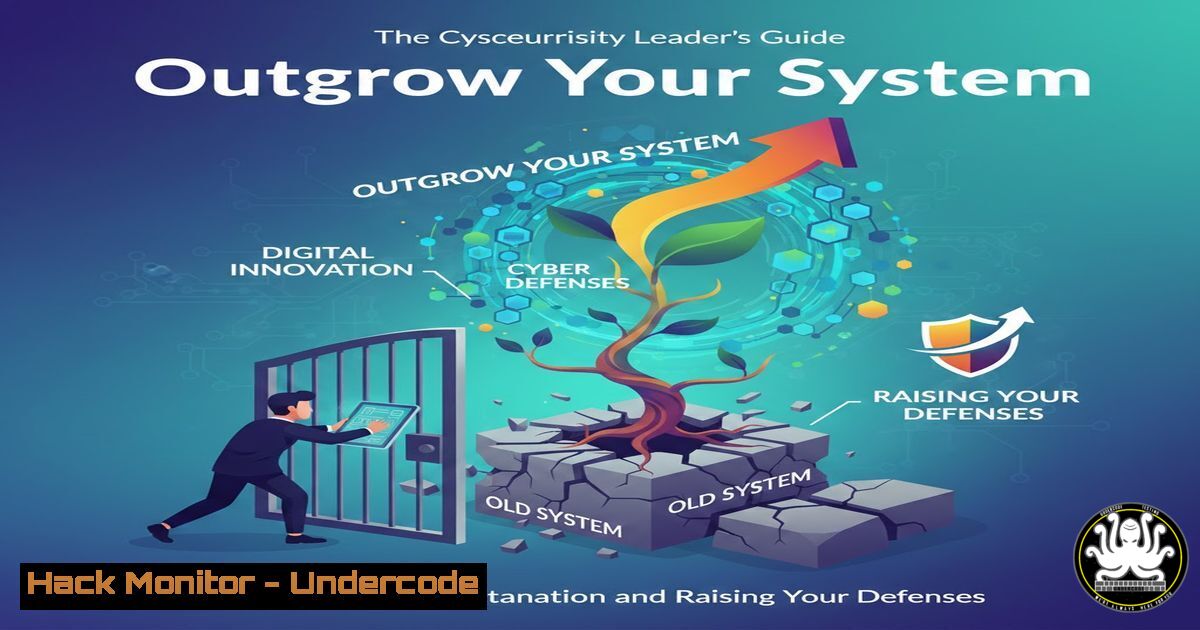
Introduction:
In the relentless evolution of digital threats, a cybersecurity program or system that once felt robust can quickly become a constraining ceiling. This is the technical equivalent of the entrepreneurial growth dilemma: staying within the comfortable confines of an outdated security model while your organization’s attack surface and your own capabilities expand. This article reframes that leadership tension into a practical technical roadmap, moving from recognizing digital stagnation to executing the bold steps of hardening, migration, and automation that define modern cyber resilience.
Learning Objectives:
- Diagnose the technical symptoms of an outgrown security architecture or toolset.
- Execute specific hardening commands for legacy systems while planning a strategic migration.
- Implement automation and proactive threat hunting to create a “challenging room” for your security posture.
You Should Know:
1. Diagnosing Your Security Ceiling: Recognizing Technical Stagnation
The feeling of “crouching” in cybersecurity is often a signal from your own systems. It’s not just a vague discomfort; it’s quantifiable. Symptoms include SIEM alerts dominated by known-benign traffic, security tools that cannot ingest modern telemetry (like EDR logs or cloud audit trails), and a compliance checklist that has become the primary security driver. The work isn’t harder, but the ceiling is lower because your tools are no longer speaking the language of today’s threats, such as API-based attacks, living-off-the-land binaries (LOLBins), and cloud identity compromises.
Step-by-Step Guide:
- Audit Alert Efficacy: In your SIEM (e.g., Splunk, Elastic), run a query to categorize alerts from the last 90 days. Filter for alerts that resulted in a investigation ticket (true positive) versus those that were dismissed as noise (false positive).
Splunk SPL Example: `index=alerts earliest=-90d | stats count by alert_name, severity | eval efficacy=if(searchmatch(“status=closed”), “investigated”, “dismissed”) | table alert_name, severity, count, efficacy`
2. Inventory End-of-Life Software: Use a combination of network scanning and agent-based inventory to find systems running unsupported software, which is a primary indicator of a stagnant environment.
Linux Command (usingnmap): `sudo nmap -O -sV 192.168.1.0/24` (Scans the network for OS and service versions).
Windows PowerShell: `Get-WmiObject -Class Win32_Product | Select-Object Name, Version, Vendor` (Lists installed software. For a more modern approach, useGet-Package). - Analyze the results. A high false-positive rate (>70%) and the presence of unsupported software are clear metrics that your security “room” has been outgrown.
2. Raising the Standards: Hardening Your Current Environment
Before you can build a new room, you must secure the one you’re in. This step is about raising internal standards through configuration hardening, reducing your attack surface, and buying time for strategic evolution. It addresses the “excessive caution” of delaying patches by systematizing it.
Step-by-Step Guide:
- Implement CIS Benchmarks: Download the relevant Center for Internet Security (CIS) Benchmarks for your operating systems (Windows Server, RHEL, Ubuntu) and core applications. Treat these as your new minimum standard.
2. Automate Baseline Hardening:
Linux (Ansible Playbook snippet for SSH hardening):
- name: Harden SSH configuration
hosts: all
become: yes
tasks:
- name: Set SSH protocol to 2
lineinfile:
path: /etc/ssh/sshd_config
regexp: '^Protocol'
line: 'Protocol 2'
- name: Disable root login
lineinfile:
path: /etc/ssh/sshd_config
regexp: '^PermitRootLogin'
line: 'PermitRootLogin no'
- name: Restart sshd
service:
name: sshd
state: restarted
Windows (PowerShell to disable SMBv1):
Set-SmbServerConfiguration -EnableSMB1Protocol $false -Force
Disable-WindowsOptionalFeature -Online -FeatureName SMB1Protocol -NoRestart
3. Deploy a Patch Management Rhythm: Use WSUS for Windows or configure `unattended-upgrades` for Debian/Ubuntu Linux (sudo dpkg-reconfigure --priority=low unattended-upgrades). Schedule mandatory maintenance windows.
- Stepping into a New Architecture: Planning the Migration
When hardening is no longer enough, you must step into a new architectural paradigm. This often means moving from on-premise, perimeter-based security to a zero-trust or cloud-native model. This transition is your “bold decision” to avoid long-term resistance from an indefensible position.
Step-by-Step Guide:
- Map Critical Data Flows: Document how your most sensitive data (e.g., customer PII, source code) moves. Identify all ingress/egress points. Tools like `tcpdump` or Wireshark can help.
Linux Command: `sudo tcpdump -i any -w dataflow.pcap host` (Capture traffic to/from a key server). - Design a Zero-Trust Pilot: Select one application or user group for a zero-trust proof-of-concept. Implement:
Multi-Factor Authentication (MFA): Enforce via Conditional Access policies (Azure AD) or similar.
Micro-segmentation: Use native cloud security groups or firewalls (e.g., AWS Security Groups, NSGs in Azure) to allow only necessary communication.
Example AWS CLI command to create a restrictive security group: `aws ec2 create-security-group –group-name “ZeroTrust-App” –description “Micro-segmented group for pilot app”`
3. Establish a Cloud Security Posture Management (CSPM) tool: Use tools like AWS Security Hub, Azure Defender for Cloud, or third-party CSPM to continuously detect misconfigurations in your new environment.
4. Automating Vigilance: From Reactive to Proactive Operations
A true leader doesn’t just monitor; they anticipate. Automation is the force multiplier that allows your evolved security team to focus on hunting rather than hand-cranking. This elevates your work from constant alert response to strategic threat intelligence.
Step-by-Step Guide:
- Automate Threat Intelligence Ingestion: Use a SOAR platform or custom scripts to ingest feeds from sources like AlienVault OTX or emerging CVE lists.
Python Script Snippet (using requests & OTX API):import requests otx_api_key = 'YOUR_KEY' pulse_id = 'example_pulse_id' url = f'https://otx.alienvault.com/api/v1/pulses/{pulse_id}/indicators' headers = {'X-OTX-API-KEY': otx_api_key} response = requests.get(url, headers=headers) iocs = response.json() Parse and add IOCs to your blocklists or SIEM - Create Playbooks for Common Attacks: Document and then automate response to incidents like phishing payload delivery or brute-force attacks.
Example Playbook Trigger: Upon a “high-confidence phishing email” alert, automatically: quarantine the email across all mailboxes, search and isolate the payload hash on endpoints via EDR API, and update the email gateway blocklist. -
Continuous Validation: Penetration Testing as a Growth Metric
The final step to ensure your new “room” challenges you is to invite ethical attackers in. Continuous penetration testing and red teaming validate your controls and expose the next ceiling before attackers do.
Step-by-Step Guide:
- Scope an Internal Test: Define a clear scope (e.g., “Gain domain admin from a standard user context” or “Exfiltrate a specific data set from the cloud environment”).
2. Use Methodical Tools:
Reconnaissance: `Amass` or `subfinder` for external attack surface mapping.
Vulnerability Scanning: `Nessus` or `OpenVAS` for automated scanning.
Exploitation Framework: `Metasploit` or `Cobalt Strike` for controlled exploitation.
3. Example Internal Enumeration Command (using PowerView in a Windows AD test):
 Discover domain users with interesting descriptions (potential for finding service accounts)
Get-DomainUser | Where-Object {$_.Description -ne $null} | Select-Object samaccountname, description
4. Remediate and Re-test: Treat every finding as a growth opportunity. Fix the vulnerabilities and re-test to confirm mitigation.
What Undercode Say:
- Key Takeaway 1: Technical stagnation is measurable. Metrics like false-positive alert ratios, presence of EOL software, and inability to monitor modern architectures are the digital equivalent of “crouching” and demand a structured response, not just awareness.
- Key Takeaway 2: Evolution requires both fortress-building and bridge-building. You must simultaneously harden your legacy systems with CIS benchmarks and automated patching (raising the standard) while deliberately architecting and migrating to a more defensible, cloud-native or zero-trust model (stepping into a new room).
The core analysis here is that leadership in cybersecurity is not passive stewardship. The “discomfort” of an outgrown system—be it a sluggish SIEM, an unsegmentable network, or a manual response process—is a critical vulnerability signal. The most secure organizations are those where the security leadership actively diagnoses these ceiling points, makes the technically bold decision to migrate or rebuild, and uses automation not just for efficiency but to create the intellectual space for proactive threat hunting. Staying in a comfortable, outdated architecture is ultimately a greater risk than the temporary disruption of evolving beyond it.
Prediction:
The future impact of ignoring this “growth hack” will be catastrophic for slow-moving organizations. As AI-driven attacks automate reconnaissance, exploitation, and lateral movement at machine speed, human-led, perimeter-bound security teams will be rendered obsolete. The organizations that will thrive are those whose security leaders treat their infrastructure as a living system, constantly outgrowing and shedding legacy paradigms in favor of agile, API-driven, and intrinsically secure architectures. The divide will no longer be between attacked and not-attacked, but between those who can evolve their defenses in real-time and those who are permanently compromised.
▶️ Related Video (78% Match):
🎯Let’s Practice For Free:
IT/Security Reporter URL:
Reported By: Divakar Dvs – Hackers Feeds
Extra Hub: Undercode MoN
Basic Verification: Pass ✅


