Listen to this Post
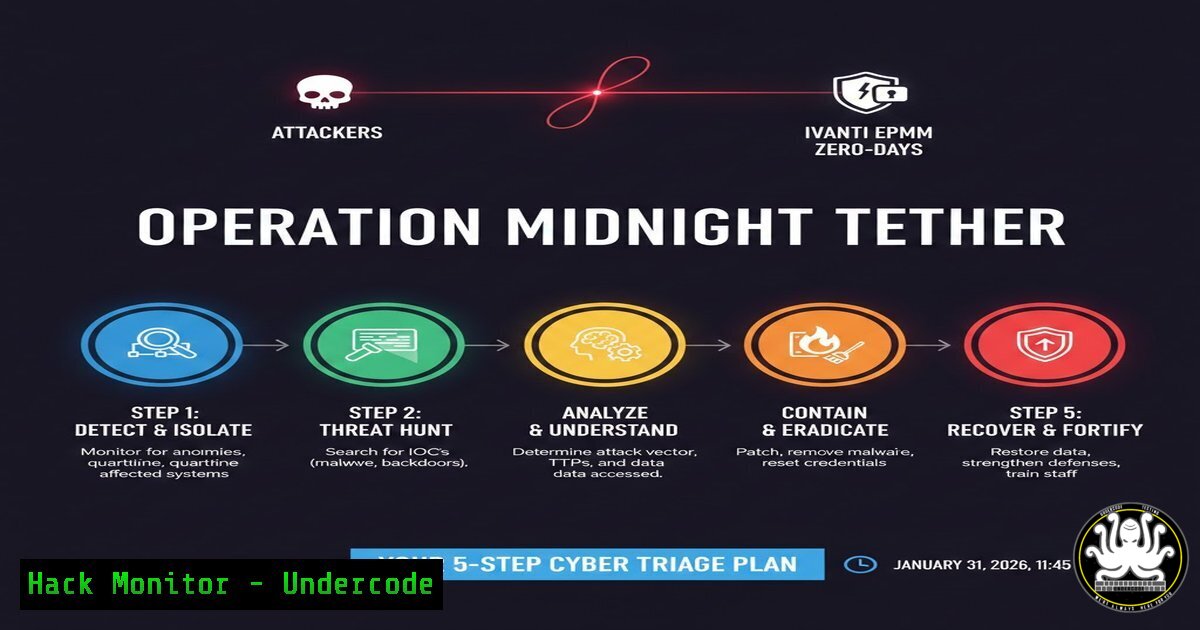
Introduction:
Two critical, unauthenticated remote code execution (RCE) vulnerabilities in Ivanti Endpoint Manager Mobile (EPMM), tracked as CVE-2026-1281 and CVE-2026-1340, are under active exploitation. With a maximum CVSS score of 9.8, these flaws in versions 12.5.0.0, 12.6.0.0, and 12.7.0.0 grant attackers a direct, unprivileged path to complete system compromise, turning a cornerstone of enterprise mobile device management into a potent weapon for initial access and lateral movement.
Learning Objectives:
- Understand the technical mechanism and critical risk posed by the Ivanti EPMM zero-day vulnerabilities.
- Execute immediate detection and containment steps for potentially compromised EPMM servers.
- Implement the official patch and apply layered hardening measures to mitigate future exploit attempts.
You Should Know:
- Immediate Detection: Scanning for Indicators of Compromise (IoC)
Your first action must be to determine if your Ivanti EPMM server has already been targeted. Attackers are leveraging these flaws to deploy web shells and establish persistence. Focus on anomalous network connections and unexpected file system changes.
Step‑by‑step guide:
- Analyze Outbound Connections: On the EPMM server, use netstat to identify suspicious processes calling out to unknown external IPs.
Linux/Windows Command:
 Linux (EPMM servers are often Linux-based)
sudo netstat -tunap | grep ESTABLISHED
 Look for connections from java processes (EPMM runs on Java) to unusual IPs/ports.

Windows
netstat -ano | findstr ESTABLISHED
2. Check for New or Modified Web Files: Exploits often drop JSP or other web shells in the web application directories.
Linux Command:
 Find recently modified (.jsp, .war, .jar) files in the typical web directory
find /path/to/epmm/webapps -type f ( -name ".jsp" -o -name ".war" -o -name ".jar" ) -mtime -3 -ls
3. Review EPMM Application Logs for Injection Patterns: Scour logs for signs of malicious HTTP requests containing command injection patterns.
Linux Command:
sudo grep -r "pattern|curl|wget|bash|powershell" /var/log/epmm/ --include=".log"
 Adjust 'pattern' based on early IoCs from threat intel feeds.
2. Crisis Containment: Isolating the Compromised System
If you detect anomalous activity, assume full compromise. The EPMM server manages device certificates and policies, making it a crown jewel.
Step‑by‑step guide:
- Network Segmentation: Immediately update firewall rules to block all inbound and outbound traffic to/from the EPMM server except from a dedicated, secure administrative jump host. This contains the threat while allowing for forensic investigation.
Example Linux Firewall Rule (iptables):
 BLOCK ALL, then only allow jump host (192.168.1.100)
sudo iptables -A INPUT -s 192.168.1.100 -j ACCEPT
sudo iptables -A INPUT -j DROP
sudo iptables -A OUTPUT -d 192.168.1.100 -j ACCEPT
sudo iptables -A OUTPUT -j DROP
2. Credential Rotation: From a secure workstation, initiate an emergency rotation of all credentials stored in or used by the EPMM system, including service accounts, API keys, and device enrollment passwords.
3. Backup Forensics Image: Before making any changes, create a forensic disk image for later analysis. Use `dd` or a dedicated forensic tool.
sudo dd if=/dev/sdX of=/secure_location/epmm_forensic_image.dd bs=4M status=progress
3. Remediation Patching: Applying the Ivanti Security Update
Ivanti has released patches. Patching is non-negotiable but must be done on an isolated system or after containment.
Step‑by‑step guide:
- Download the Patch: From an uncompromised system, download the official patch for your specific EPMM version (12.5.0.0, 12.6.0.0, 12.7.0.0) directly from Ivanti’s security portal.
- Validate Checksum: Verify the integrity of the patch file to ensure it hasn’t been tampered with.
Linux Command:
sha256sum Ivanti_EPMM_Patch_12.7.0.1.bin
 Compare against the checksum provided by Ivanti.
3. Apply the Patch: Follow Ivanti’s official documentation to apply the hotfix or upgrade path. This typically involves placing the patch file in a specific directory and running an upgrade command via the administrative CLI or console.
4. Post-Compromise Forensic Analysis
Given Ivanti’s confirmation of prior compromises, you must hunt for backdoors.
Step‑by‑step guide:
- Timeline Analysis: Use tools like `mactime` (from The Sleuth Kit) on your forensic image to build a detailed timeline of file system activity around the exploit period.
- Memory Dump Analysis: If possible, analyze a memory dump from the live server for evidence of malicious processes or code injection. Use Volatility or Rekall.
- Hunt for Persistence: Check for cron jobs, systemd services, or registry run keys added by the attacker.
Linux Command:
 Check for unusual cron jobs
sudo cat /etc/crontab
sudo ls -la /etc/cron./
systemctl list-unit-files --type=service | grep enabled
5. Proactive Hardening: Beyond the Patch
Patching closes the door, but you must lock the windows. Harden the EPMM environment.
Step‑by‑step guide:
- Implement Strict Network Access Control (NAC): In your firewall, configure rules so the EPMM server’s administrative interface is only accessible from a strict set of management VLANs or IPs, never from the internet.
- Enable Enhanced Logging and SIEM Integration: Ensure all EPMM audit logs, system logs, and web server logs are forwarded to a centralized SIEM (Security Information and Event Management) system where correlation rules can detect future attack patterns.
- Apply the Principle of Least Privilege: Re-evaluate the OS and service account permissions for the EPMM application. It should run with the minimum privileges required to function.
What Undercode Say:
- The Patching Window is Closed at Disclosure: When a vendor confirms active exploitation concurrent with a patch release, the standard 30/60/90-day remediation clock is irrelevant. Your incident response plan must activate within hours, not days.
- Endpoint Management is the New Crown Jewel: Attackers are strategically targeting systems that manage trust (like MDM solutions) because compromising one provides leverage over thousands of endpoints. These platforms must be defended with the same rigor as domain controllers.
Prediction:
This incident will accelerate the strategic targeting of enterprise system management tools (MDM, RMM, patching systems) by sophisticated threat actors, including state-sponsored groups. The future battleground will be the software supply chain within the network—the trusted administrative platforms. We predict a surge in security investment around “managed device trust” solutions, such as continuous validation of MDM integrity and zero-trust models for device enrollment, moving beyond simple perimeter defense for these critical systems. Vendors will be forced to adopt more transparent, real-time vulnerability disclosure programs and integrate mandatory exploit prevention features like memory-safe languages and stricter input validation at the core of their products.
▶️ Related Video (76% Match):
🎯Let’s Practice For Free:
IT/Security Reporter URL:
Reported By: Gurubaran Cybersecuritynews – Hackers Feeds
Extra Hub: Undercode MoN
Basic Verification: Pass ✅


