
Listen to this Post
Introduction:
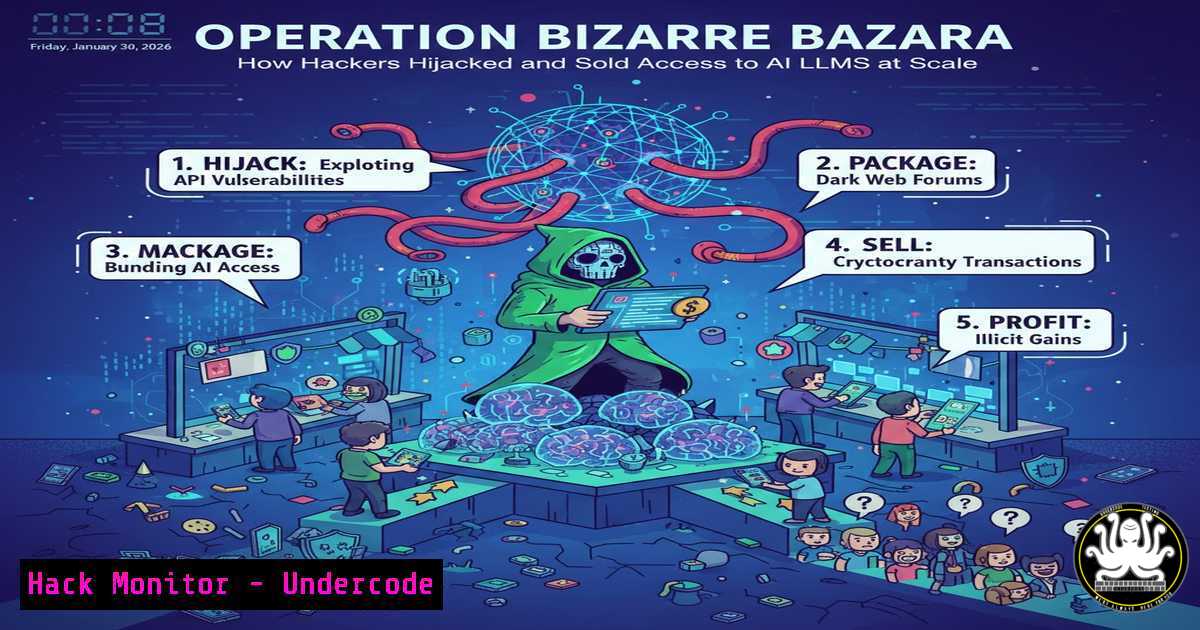
The cybersecurity landscape has been rocked by the revelation of “Operation Bizarre Bazaar,” a large-scale campaign where threat actors systematically compromised Large Language Models (LLMs) and their Model Context Protocols (MCPs). This operation didn’t just steal data; it weaponized access, selling unauthorized entry to these AI systems as a commodity on the dark web, turning cutting-edge technology into a hacker’s marketplace.
Learning Objectives:
- Understand the attack vectors used to compromise LLM endpoints and MCP servers.
- Learn to audit and harden your AI/LLM deployments against similar supply-chain and configuration-based attacks.
- Implement monitoring and detection strategies specific to AI model inference APIs and supporting infrastructure.
You Should Know:
- Reconnaissance and Initial Access: Scanning for Exposed LLM Endpoints
The first phase of Operation Bizarre Bazaar involved identifying publicly exposed and vulnerable LLM API endpoints. Attackers used automated scanners to find instances with default credentials, missing authentication, or outdated versions with known exploits.
Step‑by‑step guide explaining what this does and how to use it.
Security teams must proactively scan their own external attack surface. Using tools like Nmap, you can check for open ports commonly used by LLM servers (e.g., 8000, 8080, 5000).
Command Example (Linux):
 Scan your external IP range for open ports associated with common development/API servers
nmap -sS -p 8000,8080,5000,7860 -oA llm_scan <your_public_ip_range>

Check if an open endpoint is running a vulnerable version of a common LLM inference server (like Ollama)
curl -s http://<target_ip>:11434/api/tags | jq .  If this returns model info without auth, it's exposed.
This scan identifies services that should not be internet-facing or require immediate hardening.
2. Exploiting MCP Server Vulnerabilities
Model Context Protocol (MCP) servers, which provide LLMs with access to tools and data, were a primary target. Attackers exploited misconfigurations and weak authentication on these servers to gain a foothold, then moved laterally to the LLM itself.
Step‑by‑step guide explaining what this does and how to use it.
MCP servers often run on localhost but can be inadvertently exposed. Use `netstat` or `ss` to audit local and network listeners.
Command Example (Linux/Windows):
 Linux: List all TCP listening ports and the process owning them
sudo netstat -tlnp | grep -E ':(8000|8080|5000)'
 Or using ss:
sudo ss -tlnp | grep -E ':(8000|8080|5000)'

Windows: List listening ports
netstat -ano | findstr :8000
If an MCP server is bound to `0.0.0.0` (all interfaces) instead of 127.0.0.1, it’s network-accessible and needs correction in its configuration file (e.g., `server.py` or config.yaml).
3. Weaponizing Access: From Compromise to Commodity
Once access was gained, attackers installed persistent backdoors and beaconing agents. They then bundled this access—including credentials, API keys, and network pathways—into “access packages” sold on illicit forums.
Step‑by‑step guide explaining what this does and how to use it.
Monitor for unusual processes and network connections from your LLM server hosts. Use process auditing and egress filtering.
Command Example (Linux – using auditd):
 Monitor for execution of bash/sh/python from web server user (e.g., www-data, ollama)
sudo auditctl -a always,exit -F arch=b64 -S execve -F uid=33  Adjust UID for your service user

Check for unexpected outbound connections from the host
sudo ss -tunp state established | grep <process_name_of_llm_server>
Configure your firewall (e.g., iptables, ufw) or cloud security groups to allow only necessary egress traffic from LLM servers, blocking calls to unknown external IPs.
4. Hardening LLM and MCP Server Configurations
The core mitigation is secure configuration. This involves enforcing authentication, using TLS, and applying the principle of least privilege.
Step‑by‑step guide explaining what this does and how to use it.
For Ollama (a common LLM inference server), always enable authentication and TLS.
Command Example (Ollama Configuration):
 1. Generate a self-signed certificate for development (use proper CA for production)
openssl req -x509 -newkey rsa:4096 -keyout key.pem -out cert.pem -days 365 -nodes -subj "/C=US/ST=State/L=City/O=Org/CN=localhost"

<ol>
<li>Edit or create the Ollama systemd service file to start with TLS and basic auth
Edit /etc/systemd/system/ollama.service
In the ExecStart line, add environment variables:
OLLAMA_HOST="0.0.0.0:11434"
OLLAMA_CERT="/path/to/cert.pem"
OLLAMA_KEY="/path/to/key.pem"
Then, set a password via the OLLAMA_BASIC_AUTH environment variable or the `ollama serve` command.</p></li>
<li><p>Restart and verify
sudo systemctl daemon-reload
sudo systemctl restart ollama
curl --cacert cert.pem -u user:pass https://localhost:11434/api/tags  Should now require auth.
5. Implementing API Security and Rate Limiting
Unprotected APIs are low-hanging fruit. Implement API gateways, strict rate limiting, and anomaly detection to prevent credential stuffing and abuse.
Step‑by‑step guide explaining what this does and how to use it.
Use a reverse proxy like Nginx in front of your LLM API to add rate limiting and basic WAF capabilities.
Configuration Example (Nginx):
http {
limit_req_zone $binary_remote_addr zone=llm_api:10m rate=10r/s;

server {
listen 443 ssl;
server_name llm.yourcompany.com;

ssl_certificate /path/to/cert.pem;
ssl_certificate_key /path/to/key.pem;

location /api/ {
limit_req zone=llm_api burst=20 nodelay;
proxy_pass http://localhost:11434;
proxy_set_header Host $host;

Basic auth (additional layer)
auth_basic "Restricted Access";
auth_basic_user_file /etc/nginx/.htpasswd;
}
}
}
Generate the `.htpasswd` file using htpasswd -c /etc/nginx/.htpasswd username.
6. Monitoring and Threat Detection for AI Workloads
Establish a security telemetry pipeline focused on AI infrastructure. Log all API calls, monitor token usage for anomalies, and set alerts for configuration changes.
Step‑by‑step guide explaining what this does and how to use it.
Use a combination of process monitoring and log aggregation. For Linux hosts, ship critical logs to a SIEM.
Command Example (Linux Audit & Logging):
 Monitor changes to critical LLM configuration files
sudo auditctl -w /etc/ollama/ -p wa -k ollama_config
sudo auditctl -w /usr/local/bin/ollama -p x -k ollama_binary

Tail authentication logs for failed attempts to the service account
sudo tail -f /var/log/auth.log | grep "www-data|ollama"  Adjust for your distro and user
Integrate these logs with a SIEM and create alerts for: multiple failed authentication attempts, new listener ports, or processes spawned from the LLM server user.
7. Incident Response Playbook for LLM Compromise
If you suspect an LLM is compromised, you need a clear, contained response to evict the attacker, assess damage, and restore secure operations.
Step‑by‑step guide explaining what this does and how to use it.
1. Containment: Immediately isolate the network of the affected host.
 Linux: Block all inbound/outbound traffic (if using iptables)
sudo iptables -A INPUT -s 0.0.0.0/0 -j DROP
sudo iptables -A OUTPUT -d 0.0.0.0/0 -j DROP
2. Evidence Gathering: Before shutting down, capture volatile data.
sudo netstat -tunap > /tmp/netstat_snapshot.txt
sudo ps aux > /tmp/process_snapshot.txt
sudo lsof -p <ollama_pid> > /tmp/open_files.txt
3. Eradication & Recovery: Terminate the service, rotate all credentials and API keys, review and patch configurations, and redeploy from a known clean image or installation.
What Undercode Say:
- AI Infrastructure is Now Critical Infrastructure. The targeting of LLMs and MCPs moves AI systems from experimental to essential, demanding the same rigorous security lifecycle applied to databases and core applications.
- The Attack Expands Beyond Data Theft. The monetization of access itself represents a dangerous evolution. It creates a persistent, resalable threat that can be leveraged for downstream attacks like data poisoning, model theft, or using your LLM as a proxy for malicious activities.
The analysis of Operation Bizarre Bazaar reveals a mature cybercriminal ecosystem rapidly adapting to new technology. Attackers are no longer just after the data in your systems but are seeking to own and weaponize the intelligence of your systems. This campaign highlights a significant gap: many organizations rushed to deploy AI capabilities without integrating them into their existing security frameworks. MCP servers, designed for functionality and connectivity, became the weak link. Defending against this requires a shift from viewing LLMs as mere software to treating them as high-value, networked assets requiring dedicated identity management, network segmentation, and continuous threat hunting. The time for “shadow AI” is over; formal governance is imperative.
Prediction:
Operation Bizarre Bazaar is merely the precursor. We predict a near-future where compromised LLMs will be used not just for access, but as autonomous attack vectors. Hackers will weaponize hijacked models to generate sophisticated phishing content, write exploit code tailored to a victim’s tech stack (discovered via the MCP), or manipulate business processes they are integrated with. Furthermore, we will see the rise of “AI worm” payloads designed to spread from one LLM instance to another via their MCP connections, potentially creating self-propagating breaches across hybrid cloud AI deployments. The defense will necessitate AI-specific security tooling that can monitor prompt/Jailbreak attempts, detect data exfiltration via model output, and validate the integrity of the model itself against tampering.
▶️ Related Video (80% Match):
🎯Let’s Practice For Free:
IT/Security Reporter URL:
Reported By: Llms Hijacked – Hackers Feeds
Extra Hub: Undercode MoN
Basic Verification: Pass ✅


