
Listen to this Post
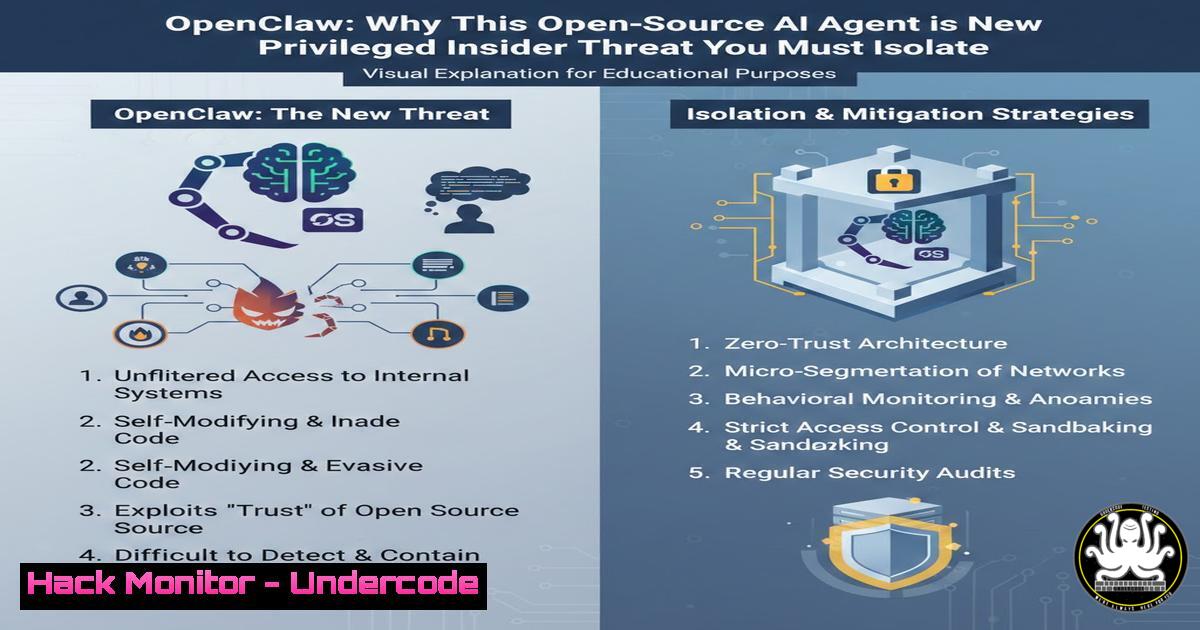
Introduction:
The emergence of OpenClaw, an open-source autonomous AI agent, signals a pivotal shift in the cybersecurity landscape. While these agents offer unprecedented automation capabilities, they introduce a critical attack surface; they operate with high-level permissions, interact with external data, and execute tasks based on Large Language Model (LLM) reasoning, making them vulnerable to unique exploitation methods like prompt injection. As organizations rush to integrate such agents, they must be reclassified not just as software, but as privileged insiders requiring zero-trust isolation and rigorous governance.
Learning Objectives:
- Understand the specific threat model of autonomous AI agents, including prompt injection and data leakage vectors.
- Learn to implement network isolation and least-privilege containment for AI agent runtimes.
- Master the configuration of runtime security policies to monitor and control agent file system and API access.
You Should Know:
- Treating OpenClaw as a Privileged Insider: The Isolation Imperative
Autonomous agents like OpenClaw require access to execute commands, read files, and interact with APIs to function. This level of access, if compromised, allows an attacker to pivot directly into your infrastructure. The first line of defense is treating the agent’s runtime environment as a high-risk asset.
Step‑by‑step guide: Isolating the Agent Runtime with Linux Namespaces and seccomp
Instead of running OpenClaw on a bare-metal system or a standard user account, deploy it within a restricted container environment without the overhead of a full orchestration platform.
- Create a chroot Jail: Isolate the filesystem view.
Create a minimal root filesystem for the agent mkdir -p ~/openclaw-jail/{bin,lib64,etc,tmp,proc} Copy necessary binaries (e.g., bash, ls, python) and their dependencies into the jail This requires careful mapping of libraries using 'ldd' on the binaries. - Apply seccomp Profiles: Restrict the system calls the agent can make. Block dangerous syscalls like
mount,ptrace, orkexec_load.
Create a seccomp profile JSON file that whitelists only necessary syscalls (e.g.,read,write,openat,exit).
Launch the agent with a tool like `firejail` or directly withminijail0:sudo minijail0 --seccomp-filter=./openclaw-seccomp.policy --chroot=~/openclaw-jail /usr/bin/python3 /path/to/openclaw/main.py
- Network Micro-segmentation: Use iptables or nftables to restrict the agent’s network traffic to specific, approved IPs and ports only, blocking any lateral movement attempts.
Allow outbound HTTPS only to a specific API gateway
iptables -A OUTPUT -m owner --uid-owner openclaw-user -p tcp --dport 443 -d [bash] -j ACCEPT
iptables -A OUTPUT -m owner --uid-owner openclaw-user -j DROP
2. Defending Against Prompt Injection in OpenClaw
Prompt injection occurs when an attacker crafts external input (e.g., a retrieved web page or an email) that manipulates the AI agent into executing unintended commands. This is the equivalent of remote code execution for LLMs.
Step‑by‑step guide: Implementing Input Sanitization and Command Verification
To mitigate this, you must implement a constraint layer between the LLM’s reasoning and the actual execution of system commands.
- Implement a Constraint Wrapper: In the OpenClaw agent code, before any system call or API request is executed, pass the proposed action through a validation function.
- Command Whitelisting: Create a strict list of allowed commands and arguments. Reject anything outside this list.
Python snippet for agent command validation
ALLOWED_COMMANDS = {
"ls": ["-l", "-la", "/safe/directory"],
"grep": ["-i", "-n"],
"curl": ["-X", "GET", "https://trusted-api.internal"]
}</li>
</ol>

def validate_action(command, args):
if command not in ALLOWED_COMMANDS:
return False
 Basic check for obvious injection (highly simplified)
if any(";" in arg or "&&" in arg for arg in args):
return False
 Further checks on arguments against allowed patterns
return True
3. Human-in-the-Loop for High-Risk Actions: For actions that modify data, delete files, or incur financial cost, force the agent to pause and request manual approval via a Slack bot or email confirmation before proceeding.
- Preventing Data Leakage via Agent Memory and Tool Calls
Autonomous agents process sensitive data. If an agent is compromised, its internal “memory” (conversation history, retrieved context) can be exfiltrated. Furthermore, agents often use “tools” (like a calculator or a search engine) that can be weaponized.
Step‑by‑step guide: Sanitizing Agent Memory and Hardening Tool Use
1. Ephemeral Memory with Audit Logging: Configure OpenClaw to use in-memory databases (like Redis with a `maxmemory` policy) for short-term context, ensuring data is flushed frequently. Log all interactions to a centralized, immutable SIEM (like Wazuh or Splunk) for forensic analysis.
2. Tool Function Hardening: If OpenClaw uses a “read file” tool, ensure that tool has its own access control list (ACL) that overrides the agent’s requests.
On Windows, if the agent calls a PowerShell script to read a file, run that script under a managed service account with read-only access to a specific directory.Example of constrained PowerShell execution for an agent $action = New-ScheduledTaskAction -Execute "powershell.exe" -Argument "-File C:\AgentTools\ReadSafeLogs.ps1" $principal = New-ScheduledTaskPrincipal -UserID "DOMAIN\LowPrivAgentSvc" -LogonType ServiceAccount Register-ScheduledTask -TaskName "AgentSafeFileRead" -Action $action -Principal $principal
- Securing API Keys and Credentials Used by the Agent
OpenClaw needs API keys to function. Hardcoding them in the configuration or environment variables is a critical risk, as a prompt injection attack could lead to their immediate exfiltration.
Step‑by‑step guide: Dynamic Credential Injection with HashiCorp Vault
- Install and Configure Vault: Set up a Vault server with an authentication method (e.g., AppRole).
- Store Secrets: Store the OpenAI API key, internal database credentials, etc., in Vault’s KV store.
- Agent Sidecar for Auth: Modify the OpenClaw startup script to first authenticate to Vault and retrieve a temporary, short-lived token.
!/bin/bash
Retrieve a Vault token using the RoleID and SecretID stored securely (e.g., mounted tmpfs)
VAULT_TOKEN=$(vault write -field=token auth/approle/login role_id="$ROLE_ID" secret_id="$SECRET_ID")

Fetch the API key using the token and set it as an environment variable for the agent process
export OPENAI_API_KEY=$(vault kv get -field=key secret/openai)

Start the agent process with the environment variable
python3 /opt/openclaw/main.py
This ensures the key is only present in memory for the lifetime of the agent process, reducing the blast radius of a compromise.
What Undercode Say:
- Key Takeaway 1: The primary vulnerability of autonomous agents is not the AI model itself, but the privileged access it holds. Isolate the agent’s runtime using the same—or stricter—security controls applied to a domain administrator account.
- Key Takeaway 2: Traditional endpoint security is blind to prompt injection. Security teams must develop new detection rules focused on anomalous “tool usage” patterns, such as an agent suddenly reading files it never accessed before or attempting to connect to unknown external IPs.
The OpenClaw release is a stark reminder that we are entering an era where “software” can be socially engineered. Treating AI agents as programmable code is a mistake; they are interactive entities that require behavioral monitoring. The organizations that succeed in deploying these agents safely will be those that implement proactive controls today—wrapping them in layers of strict policy enforcement, credential hygiene, and network segmentation—rather than reacting to the inevitable first major breach where an agent is tricked into leaking its own key or deleting a production database. This isn’t just about securing a tool; it’s about securing a new class of digital entity that operates with intent, however simulated.
Prediction:
Within the next 12-18 months, we will see the emergence of “AI Security Posture Management” (AI-SPM) as a distinct category. This will involve specialized firewalls that sit between the agent and the LLM to inspect prompts for injection, alongside runtime protection agents that monitor the sequence of actions an AI takes to detect behavioral anomalies, effectively creating a “SOC for bots.”
▶️ Related Video (78% Match):
🎯Let’s Practice For Free:
IT/Security Reporter URL:
Reported By: James Knight – Hackers Feeds
Extra Hub: Undercode MoN
Basic Verification: Pass ✅🔐JOIN OUR CYBER WORLD [ CVE News • HackMonitor • UndercodeNews ]
📢 Follow UndercodeTesting & Stay Tuned:
- Preventing Data Leakage via Agent Memory and Tool Calls


