Listen to this Post
Introduction:
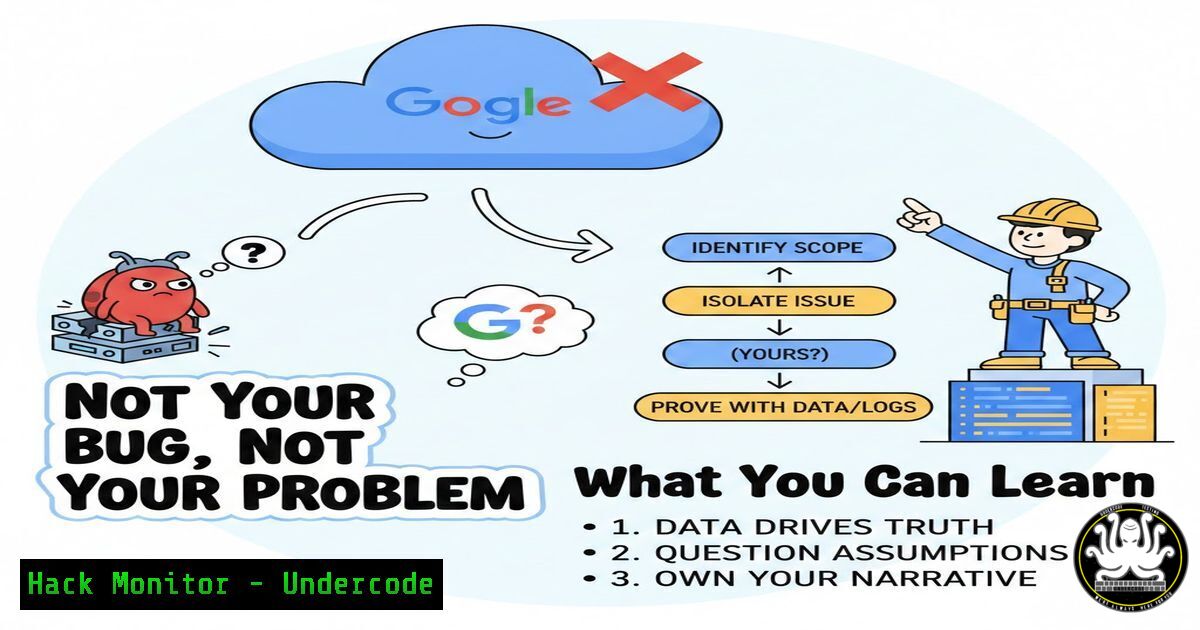
When “Internal Error” messages plague your cloud infrastructure, the immediate assumption is often a misconfiguration or coding error on your part. However, a recent, detailed case from a Senior Cloud & DevOps Engineer demonstrates that the fault can sometimes lie within the cloud provider’s own complex systems. This incident, involving a hash ID collision in Google Cloud SQL’s observability layer, serves as a masterclass in systematic problem-solving, forensic documentation, and effective escalation, providing critical lessons for every engineer operating in a cloud environment.
Learning Objectives:
- Learn a systematic, evidence-based methodology for troubleshooting cloud services to distinguish user error from platform bugs.
- Understand how to create bulletproof documentation and reproducible test cases to effectively escalate issues to vendor support.
- Discover tools and commands for investigating similar observability and database performance issues in GCP and other clouds.
You Should Know:
1. The Anatomy of a Platform Bug Hunt
The engineer’s journey began with ambiguous errors in Google Cloud SQL Query Insights, such as “Internal error encountered” and mismatched query plans. Instead of accepting the surface-level diagnosis, they employed a rigorous, multi-stage investigative process.
Step-by-step guide explaining what this does and how to use it.
Step 1: Isolate the Variable. The issue was tested across different Google Cloud domains (e.g., us-central1, europe-west1) and separate service accounts or projects. This critical step rules out regional anomalies and local Identity and Access Management (IAM) misconfigurations. You can list your SQL instances across regions to begin comparison:
`gcloud sql instances list –format=”table(name, location, state)”`
Step 2: Gather Forensic Evidence. Every error message, missing trace, and illogical query plan was recorded. The engineer used Loom to create a screen-recording video that visually demonstrated the reproducible bug, leaving no room for ambiguity about the steps or the erroneous outcome.
Step 3: Form a Hypothesis. By proving the error persisted identically across isolated environments, the hypothesis shifted from “What did we break?” to “The platform’s internal tracing system is corrupting data.” The specific theory became a duplicate span ID for the same trace ID—a hash collision in Google’s backend.
2. Mastering the Art of Escalation
Having proof is one thing; getting a vendor engineering team to acknowledge it is another. The transition from standard support to Product Engineering requires strategic communication.
Step-by-step guide explaining what this does and how to use it.
Step 1: Structure Your Report. Create a single document or ticket that includes: (1) Executive the impact, (2) Detailed Steps to Reproduce (with your Loom link), (3) Evidence Logs (command outputs, error screenshots), and (4) Your Hypothesis. This demonstrates professionalism and saves the support team investigative time.
Step 2: Understand Severity Levels. The engineer initially filed a P2 (high priority) ticket but noted it was moved to a P3 (medium). Know your provider’s incident severity definitions. A P2 often requires daily updates and is for services “highly impaired.” A reproducible bug in a non-critical observability feature often lands as a P3, which has a longer resolution cycle but is the correct channel for engineering fixes.
Step 3: Persist with Precision. When asked for more data, provide clear, additional tests. Avoid emotional language; stick to the technical discrepancies. Your goal is to make it easier for the support engineer to write their escalation ticket to the product team.
3. Command-Line Forensics for Cloud SQL & Observability
While GUI tools fail, command-line interfaces and APIs can reveal deeper truths. Here’s how to probe Cloud SQL and its telemetry.
Step-by-step guide explaining what this does and how to use it.
Step 1: Bypass the Insights Dashboard. Query performance data directly via the Cloud Monitoring API or gcloud. To list recent query operations from a specific instance, you can try:
`gcloud monitoring time-series list –filter=’metric.type=”cloudsql.googleapis.com/database/postgresql/queries” AND resource.labels.instance_id=”YOUR_INSTANCE”‘ –limit=5`
Step 2: Check Internal Operations. Use audit logs to see if the control plane itself is generating errors during trace collection. This can indicate backend problems.
`gcloud logging read ‘resource.type=”cloudsql_database” AND severity>=ERROR’ –project=YOUR_PROJECT –limit=10`
Step 3: Validate IAM (to Rule It Out). Systematically check if the default service account or your user has the necessary permissions for Query Insights, such as `cloudsqlinstances.getQueryInsights` or cloudtrace.spanNames.list.
`gcloud projects get-iam-policy YOUR_PROJECT –flatten=”bindings[].members” –format=”table(bindings.role, bindings.members)” | grep -i sql`
4. Leveraging AI & Automation to Prevent and Detect
Platforms like Infracodebase (referenced in the discussion) highlight a trend towards AI-assisted infrastructure management. These tools can act as a “second pair of eyes” to detect anomalies.
Step-by-step guide explaining what this does and how to use it.
Step 1: Integrate Security & Observability Rules. Tools like Infracodebase allow you to codify rules, such as “Query Insights must be enabled and returning data for all production SQL instances.” An AI agent can continuously monitor compliance and flag deviations—like persistent internal errors—instantly.
Step 2: Automate Baseline Creation. After resolving an issue, document the fix and the healthy state. Use Infrastructure as Code (IaC) tools like Terraform to enforce the correct configuration (e.g., ensuring the `database_flags` for query insights are set) across all environments, preventing regression.
Step 3: Context-Aware Investigation. An AI agent with integrated context from your cloud provider, security tools, and ticketing system can correlate a spike in “Internal Error” logs with recent deployment changes or provider health advisories, accelerating root cause analysis.
5. Building a Resilient, Skeptical Mindset
The technical skills are underpinned by a crucial professional mindset: trust your data, not the platform’s assumed infallibility.
Step-by-step guide explaining what this does and how to use it.
Step 1: Adopt SRE Principles. Site Reliability Engineering (SRE) emphasizes blameless postmortems and measuring everything. Instrument your applications and infrastructure to generate your own observability data, creating an independent source of truth to cross-reference provider tools.
Step 2: Practice “Proof-Based” Debugging. Never stop at the first error message. Ask: “What evidence do I have that my configuration is wrong? What test can I run to prove the platform is behaving unexpectedly?” The engineer proved it by showing identical failures in a clean, new project.
Step 3: Document for the Future. The Loom video and test cases are now valuable organizational knowledge. Store them in a runbook or wiki tagged with keywords like GCP_CloudSQL_Bug_2025. This turns a frustrating incident into a resource that can save your team weeks of future effort.
What Undercode Say:
- The Burden of Proof Shifts to the Engineer. In the cloud shared responsibility model, the line between user error and platform bug is fuzzy. The onus is on you to collect irrefutable, reproducible evidence before a provider will seriously investigate an internal failure. Your logs and tests are your primary evidence.
- Modern Cloud Debugging is a Multi-Tool Discipline. Effective resolution no longer relies solely on a provider’s console. It requires proficiency in CLI tools, API calls, external screen recording, and potentially AI-augmented platforms to monitor and enforce system health, creating a defensive toolkit against opaque failures.
Analysis: This case is a microcosm of modern cloud engineering’s complexity. As services become more layered and abstracted, failures become more subtle and systemic. The engineer’s victory was not just in finding a bug, but in navigating the socio-technical process of proving its existence to the platform vendor. This skill—blending deep technical investigation with clear communication and process knowledge—is what separates senior engineers from the rest. It also underscores the growing value of AI and automation tools that provide independent verification of platform behavior, potentially flagging such anomalies faster than human operators.
Prediction:
This incident foreshadows a future where cloud reliability will increasingly depend on independent observability and AI co-pilots. As cloud stacks grow more complex, traditional support channels will struggle with unique, deep-seated bugs. Engineers will rely more on tools that use AI to baseline normal behavior across their multi-cloud estate, automatically detect deviations that match known platform bug patterns, and even draft initial evidence packs for escalation. The “hash ID collision” will become a class of known anomalies, with automated agents trained to spot its signatures, reducing diagnostic time from days to minutes. The role of the cloud engineer will evolve from first-line troubleshooters to orchestrators of AI-assisted investigative systems and auditors of platform reliability.
▶️ Related Video (70% Match):
🎯Let’s Practice For Free:
IT/Security Reporter URL:
Reported By: Oseremeokojie Gcp – Hackers Feeds
Extra Hub: Undercode MoN
Basic Verification: Pass ✅


