
Listen to this Post
Introduction
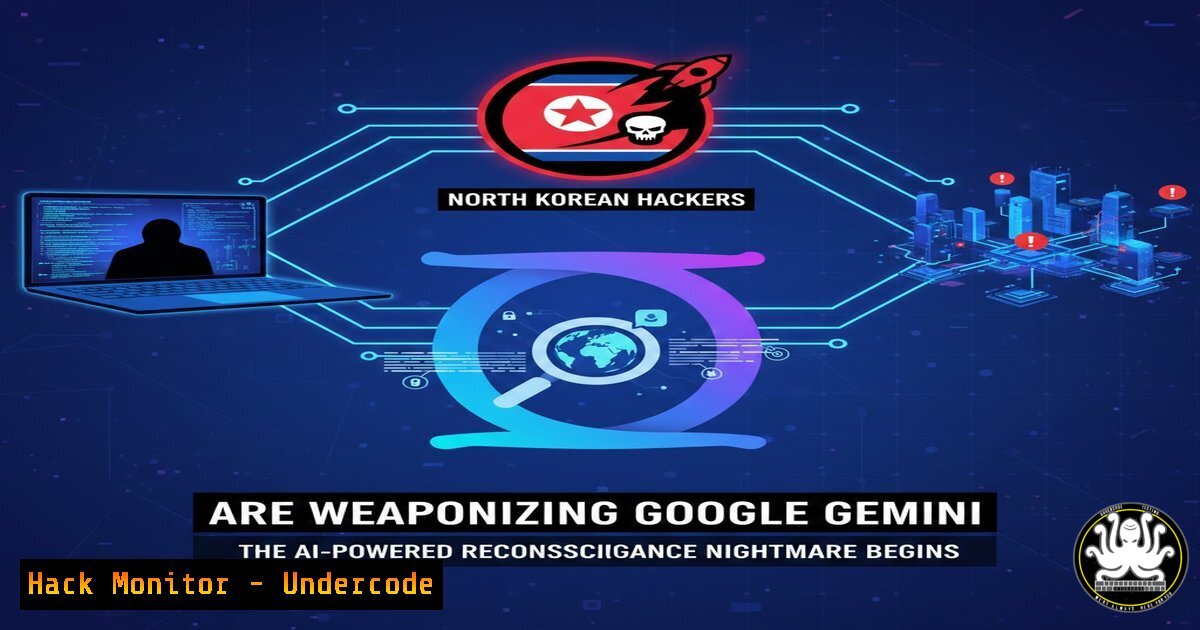
In a chilling evolution of cyber warfare, state-backed hacking groups linked to North Korea have been observed weaponizing Google’s Gemini AI to automate and enhance their target reconnaissance operations. According to recent reports by HackerNews and Google’s own threat intelligence, these advanced persistent threat (APT) actors are now prompting large language models to scope out potential victims, gather intelligence, and streamline their attack preparation phases. This marks a significant escalation in how adversaries leverage artificial intelligence—transforming Gemini from a productivity tool into a force multiplier for cyber espionage and offensive operations.
Learning Objectives
- Understand how threat actors are exploiting generative AI platforms like Google Gemini for automated reconnaissance and target mapping
- Identify the indicators of compromise (IoCs) and detection methods for AI-assisted cyber attacks
- Implement enterprise-grade controls to monitor, restrict, and secure AI platform usage within corporate environments
You Should Know
- How Hackers Are Weaponizing Gemini for Reconnaissance Operations
State-sponsored groups, particularly those operating under the Democratic People’s Republic of Korea (DPRK) banner such as Lazarus Group and Kimsuky, have shifted from manual open-source intelligence (OSINT) gathering to AI-assisted reconnaissance. By feeding Gemini carefully crafted prompts, these actors can rapidly synthesize publicly available data, identify high-value targets, map organizational structures, and discover technical vulnerabilities—all while reducing their operational footprint.
Extended analysis from the post: The HackerNews report referenced by Jack Mason highlights that these threat actors are using Gemini to “scope out targets and gather as much information as possible.” This means the AI is being prompted to analyze corporate websites, technical documentation, employee LinkedIn profiles, GitHub repositories, and even conference presentation slides to build comprehensive attack surfaces.
Linux-based reconnaissance detection command:
 Monitor outbound connections to Google Gemini API endpoints
sudo tcpdump -i any -n host api.google.com and port 443 -A | grep -i "gemini|bard|prompt"

Check for unusual DNS queries related to AI platforms
sudo tcpdump -i any -n port 53 | grep -E "googleapis.com|generativelanguage.google"

Analyze Apache/Nginx logs for automated scraping
tail -f /var/log/nginx/access.log | grep -E "gemini|bard|ai.google" | awk '{print $1}' | sort | uniq -c | sort -nr
Windows PowerShell detection script:
 Monitor network connections to AI platforms
Get-NetTCPConnection | Where-Object {$<em>.RemoteAddress -like "googleapis.com" -or $</em>.RemoteAddress -like "generativelanguage.googleapis.com"}

Check for automated browser sessions
Get-Process | Where-Object {$<em>.ProcessName -like "chrome" -or $</em>.ProcessName -like "edge" -or $_.ProcessName -like "firefox"} | Select-Object Name, CPU, WorkingSet

Audit scheduled tasks that might be running reconnaissance
Get-ScheduledTask | Where-Object {$<em>.TaskName -like "update" -or $</em>.TaskName -like "check"} | Format-Table TaskName, State, Actions
2. The Anatomy of an AI-Powered Reconnaissance Attack
Understanding the methodology behind AI-assisted reconnaissance is crucial for defenders. The attack typically unfolds in five distinct phases, each leveraging Gemini’s capabilities differently.
Phase 1: Target Selection and Validation
Attackers prompt Gemini with queries such as: “List the top 50 defense contractors in South Korea with their executive leadership teams and recent cybersecurity investments.”
Phase 2: Technical Infrastructure Mapping
Gemini is asked to analyze Shodan results, Censys data, and public DNS records to identify exposed services, outdated software versions, and misconfigured cloud instances belonging to the target.
Phase 3: Social Engineering Intelligence
The AI synthesizes information from LinkedIn, corporate blogs, and news articles to craft convincing spear-phishing lures targeting specific individuals within the organization.
Phase 4: Vulnerability Correlation
Gemini cross-references discovered software versions with public vulnerability databases (CVEs) to prioritize exploitation attempts.
Phase 5: Attack Planning
The AI generates step-by-step exploitation guides, command syntax, and payload suggestions based on the gathered intelligence.
Linux defense command to identify reconnaissance patterns:
 Detect mass data exfiltration attempts
sudo grep -r "linkedin.com|github.com|shodan.io" /var/log/

Monitor for automated scraping tools
sudo ps aux | grep -E "scrapy|selenium|puppeteer|phantomjs"

Check for unusual curl/wget activities
sudo cat /home//.bash_history | grep -E "curl|wget" | grep -E "api.google|generativelanguage"

Implement rate limiting with iptables
sudo iptables -A INPUT -p tcp --dport 443 -m connlimit --connlimit-above 50 -j DROP
3. Detecting Shadow AI Usage Within Your Organization
Jack Mason’s post emphasizes that “Visibility of this is your first step to locking down the data being put into these engines.” Organizations must implement comprehensive monitoring to detect unauthorized or malicious use of AI platforms by both external attackers and internal employees.
Cloud Access Security Broker (CASB) configuration example:
 Example CASB policy for AI platform monitoring
policies:
- name: "AI Usage Monitoring"
severity: HIGH
conditions:
- application: "Google Gemini"
- action: "DOCUMENT_UPLOAD"
- data_size: "> 1MB"
actions:
- alert_security_team
- quarantine_file
- block_further_uploads

<ul>
<li>name: "Sensitive Data Detection"
conditions:</li>
<li>content_regex: "(?i)password|secret|api[_-]key|confidential"</li>
<li>destination: ".generativelanguage.googleapis.com"
actions:</li>
<li>block_connection</li>
<li>user_notification
Linux syslog configuration for AI traffic monitoring:
 Configure rsyslog to capture AI platform access
echo 'if $msg contains "generativelanguage.googleapis.com" then /var/log/ai_access.log' >> /etc/rsyslog.conf
sudo systemctl restart rsyslog

Create a real-time monitoring script
cat > /usr/local/bin/ai_monitor.sh << 'EOF'
!/bin/bash
tail -F /var/log/ai_access.log | while read line; do
echo "$(date): AI access detected - $line" >> /var/log/ai_alert.log
if echo "$line" | grep -qi "upload|document|file"; then
echo "URGENT: Document upload to AI detected!" | wall
fi
done
EOF
chmod +x /usr/local/bin/ai_monitor.sh
nohup /usr/local/bin/ai_monitor.sh &
- Implementing AI Platform Access Controls and Data Loss Prevention
The post mentions TrustLayer’s combined Web and CAS offering that provides “in-depth reporting on AI usage, including documents uploaded and prompts given, and the ability to lock down functions.” Here’s how to implement similar controls using open-source and enterprise tools.
NGFW configuration for AI platform restriction:
 Palo Alto Networks CLI example
configure
set rulebase security rules "Block-AI-Uploads" application "google-gemini"
set rulebase security rules "Block-AI-Uploads" action deny
set rulebase security rules "Block-AI-Uploads" log-end yes
commit

iptables-based blocking for smaller environments
sudo iptables -A OUTPUT -d generativelanguage.googleapis.com -p tcp --dport 443 -m string --string "upload" --algo bm -j DROP
sudo iptables -A OUTPUT -d api.google.com -p tcp --dport 443 -m string --string "file" --algo bm -j DROP
Microsoft Defender for Cloud Apps policy:
 PowerShell script to create AI governance policy
Connect-MsolService
Connect-SccService

$policy = New-DlpCompliancePolicy -Name "AI Data Protection" `
-Comment "Blocks sensitive data upload to AI platforms" `
-ExchangeLocation All -SharePointLocation All -OneDriveLocation All

New-DlpComplianceRule -Name "No Sensitive Data to Gemini" `
-Policy $policy.Name `
-ContentContainsSensitiveInformation @{Name="Credentials"; minCount=1} `
-BlockAccess $true `
-AccessScope "Outbound" `
-BlockAccessScope "PerUser"
5. Hardening Against AI-Enhanced Social Engineering
The intelligence gathered by Gemini enables highly personalized social engineering attacks. Defenders must implement technical and procedural controls to mitigate this threat.
Email security gateway configuration:
 Postfix configuration to add warning headers
cat >> /etc/postfix/main.cf << 'EOF'
header_checks = regexp:/etc/postfix/header_checks
EOF

echo "/^Subject:/ WARNING: External message - Verify before clicking" >> /etc/postfix/header_checks
sudo systemctl restart postfix

Implement DMARC with strict policy
 Add to DNS zone file:
_dmarc.example.com. TXT "v=DMARC1; p=reject; rua=mailto:[email protected]; fo=1"
Windows Group Policy for browser security:
 Disable autofill and password saving in Chrome via registry
New-Item -Path "HKLM:\Software\Policies\Google\Chrome" -Force
Set-ItemProperty -Path "HKLM:\Software\Policies\Google\Chrome" -Name "PasswordManagerEnabled" -Value 0
Set-ItemProperty -Path "HKLM:\Software\Policies\Google\Chrome" -Name "AutoFillEnabled" -Value 0

Force Edge to use SmartScreen
Set-ItemProperty -Path "HKLM:\Software\Policies\Microsoft\Edge" -Name "SmartScreenEnabled" -Value 1
Set-ItemProperty -Path "HKLM:\Software\Policies\Microsoft\Edge" -Name "PreventSmartScreenPromptOverride" -Value 1
- API Security and Monitoring for AI Platform Abuse
Attackers may directly interact with Gemini APIs using stolen credentials or through compromised accounts. Implementing robust API security measures is essential.
API gateway rate limiting configuration:
 Kong API Gateway configuration
services:
- name: gemini-proxy
url: https://generativelanguage.googleapis.com
routes:
- name: gemini-route
paths:
- /gemini
plugins:
- name: rate-limiting
config:
minute: 10
policy: local
- name: key-auth
config:
key_names:
- X-API-Key
- name: file-log
config:
path: /var/log/kong/gemini_access.log
Nginx reverse proxy with logging and filtering:
server {
listen 443 ssl;
server_name ai-proxy.example.com;

ssl_certificate /etc/nginx/ssl/example.crt;
ssl_certificate_key /etc/nginx/ssl/example.key;

location / {
 Log all requests
access_log /var/log/nginx/ai_proxy.log detailed;

Filter sensitive patterns
if ($request_body ~ "(password|secret|token|api_key)") {
return 403;
}

Rate limiting
limit_req zone=ai_limit burst=20 nodelay;

proxy_pass https://generativelanguage.googleapis.com;
proxy_set_header Host $host;
proxy_set_header X-Real-IP $remote_addr;

Log request bodies
lua_need_request_body on;
set $req_body $request_body;
}
}
7. Forensic Analysis of AI-Assisted Attacks
When investigating potential AI-assisted attacks, security teams need specialized techniques to identify patterns indicative of LLM use in reconnaissance.
Linux forensic analysis commands:
 Extract all Gemini-related queries from browser history
sqlite3 ~/.config/google-chrome/Default/History "SELECT url, title, visit_count, last_visit_time FROM urls WHERE url LIKE '%googleapis.com%' OR url LIKE '%generativelanguage%' ORDER BY last_visit_time DESC;"

Check for automated script execution
sudo grep -r "python.requests|curl.google" /var/log/auth.log

Analyze DNS cache for AI platform queries
sudo cat /var/lib/NetworkManager/dnsmasq.log | grep -E "generativelanguage|googleapis"

Extract prompts from memory dumps
sudo strings /dev/mem | grep -E "prompt\":|Generate a list of" | tee /tmp/ai_prompts.txt
Windows forensic PowerShell:
 Extract Edge browsing history
Get-Content "$env:LOCALAPPDATA\Microsoft\Edge\User Data\Default\History" | Select-String "generativelanguage"

Check for API key storage
Get-ChildItem -Path C:\Users -Recurse -File | Select-String -Pattern "AIza[A-Za-z0-9_-]{35}" | Select-Object Filename, Line

Analyze Windows Event Logs for suspicious process creation
Get-WinEvent -FilterHashtable @{LogName='Security'; ID=4688} | Where-Object {$<em>.Message -like "curl" -or $</em>.Message -like "python"} | Select-Object TimeCreated, Message
What Undercode Say
- The democratization of cyber warfare is accelerating: When nation-state actors weaponize commercially available AI tools, the barrier to entry for sophisticated cyber operations plummets. Organizations that once feared only APT groups must now contend with AI-augmented threats that operate at machine speed with human-like reasoning capabilities.
-
Visibility is the new perimeter: Traditional network security focused on blocking bad actors at the border. Today, the greatest risk lies in authorized users—or compromised credentials—interacting with external AI platforms. Security strategies must evolve to monitor, control, and audit every interaction with generative AI services, treating them as potential data exfiltration channels and reconnaissance vectors.
The integration of AI into adversarial tradecraft represents a paradigm shift that demands immediate organizational response. Security teams must implement granular controls over AI platform usage, develop detection capabilities for AI-assisted reconnaissance patterns, and educate users about the risks of sharing sensitive information with LLMs. The arms race has entered a new phase where both attackers and defenders wield artificial intelligence—victory will belong to those who adapt fastest and implement the most robust visibility and control mechanisms.
Prediction
Within the next 12-18 months, we will witness the emergence of AI-to-AI attacks where compromised LLM instances are used to probe and exploit vulnerabilities in defensive AI systems. This will trigger a regulatory response forcing AI providers to implement mandatory API security standards, real-time threat intelligence sharing, and government-mandated kill switches for AI platforms during active cyber warfare scenarios. The concept of “AI arms control treaties” will move from academic discussion to urgent diplomatic priority as the destructive potential of weaponized LLMs becomes fully realized.
▶️ Related Video (84% Match):
🎯Let’s Practice For Free:
IT/Security Reporter URL:
Reported By: Jack Mason – Hackers Feeds
Extra Hub: Undercode MoN
Basic Verification: Pass ✅


