
Listen to this Post
Introduction:
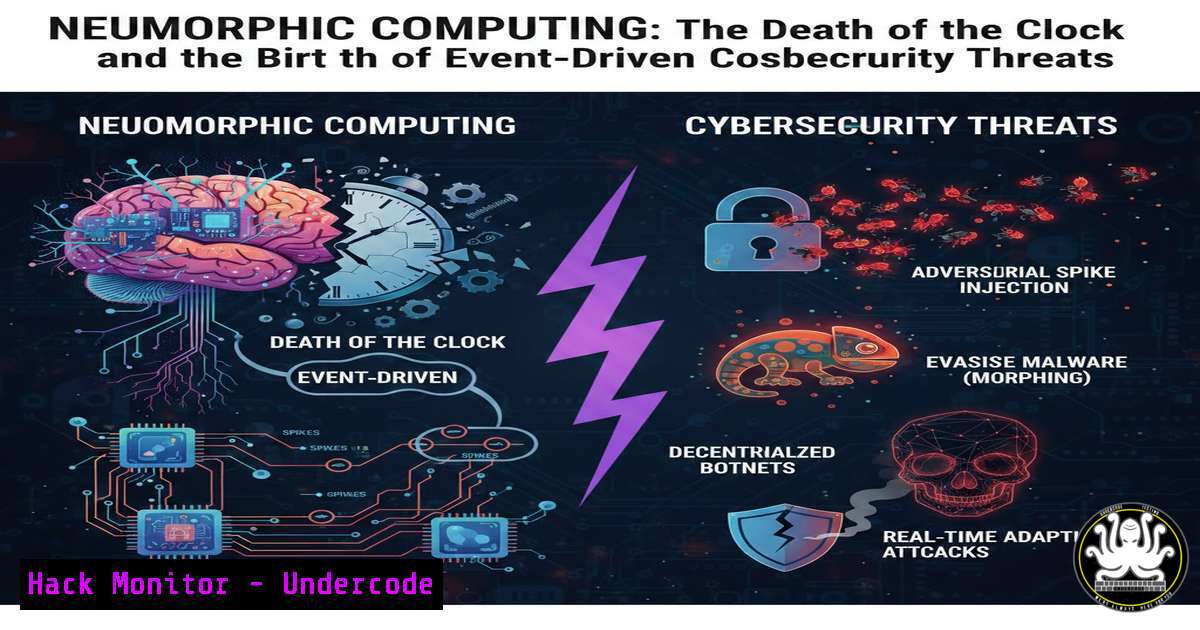
For decades, cybersecurity has been defined by the predictable rhythm of the von Neumann architecture—a world governed by clock cycles where power consumption and processing are constant, regardless of activity. However, the emergence of neuromorphic engineering, which mimics the event-driven spiking of biological neurons, is poised to dismantle this paradigm. By shifting from synchronous clocks to asynchronous, event-driven processing, chips like Intel’s Loihi and BrainChip’s Akida introduce a new frontier for edge AI and, consequently, a new attack surface. This article explores the technical foundations of Spiking Neural Networks (SNNs) via the Nengo Python package and analyzes how this “death of the clock” will redefine penetration testing, hardware security, and threat intelligence.
Learning Objectives:
- Understand the fundamental differences between von Neumann (clocked) and neuromorphic (event-driven) architectures.
- Learn to simulate Spiking Neural Networks (SNNs) using the Nengo Python package for edge detection and memory tasks.
- Analyze the cybersecurity implications of asynchronous processing and zero-power idle states on vulnerability research.
- Identify potential attack vectors against neuromorphic hardware, including side-channel and fault injection techniques.
- Explore how bug bounty methodologies (e.g., SpaceX Starlink recon) must adapt to AI-driven, event-driven hardware.
You Should Know:
- Simulating the Brain: Setting Up Nengo for Neuromorphic Security Research
The first step to understanding neuromorphic vulnerabilities is simulating the environment. The author used Nengo within Termux on a phone, but for robust security testing, a Linux environment is preferred.
Nengo is a Python library for building and simulating large-scale neural models. It allows researchers to prototype SNNs that can later be deployed on actual neuromorphic chips.
Step‑by‑step guide to installing Nengo on Ubuntu 22.04:
 Update system and install Python3 and pip if not already present
sudo apt update && sudo apt upgrade -y
sudo apt install python3 python3-pip python3-venv git -y

Create a virtual environment to avoid dependency conflicts
python3 -m venv nengo_env
source nengo_env/bin/activate

Install Nengo core and the Nengo GUI for visualization
pip install nengo nengo-gui

Verify installation
python3 -c "import nengo; print(nengo.<strong>version</strong>)"
Why this matters for cybersecurity:
Simulating SNNs allows researchers to map data flows that are not governed by a clock. In traditional penetration testing, we rely on predictable timing to conduct side-channel attacks (e.g., timing attacks on AES). In an asynchronous system, these traditional methods become obsolete, requiring new tooling.
- Building a “Retinal” Edge Detector: Event-Driven Data Processing
The post describes a “Retinal” setup where neurons ignore static backgrounds and fire only on edges. This sparse coding is incredibly efficient but also creates a unique data signature.
Below is a minimal Nengo script to simulate an edge detection network using a 2D input (simulating an image).
Step‑by‑step guide to coding an SNN edge detector:
import nengo
import numpy as np
import matplotlib.pyplot as plt

Create a model
model = nengo.Network(label="Edge Detection")
with model:
 Stimulus: A simple 10x10 image with a dark-to-light edge
def edge_stimulus(t):
image = np.zeros((10, 10))
 Create an edge: left half dark (0), right half light (1)
image[:, 5:] = 1.0
return image.reshape(-1)  Flatten to 1D for input node

Input node representing the "retina"
stim = nengo.Node(output=edge_stimulus)

Ensemble of neurons (LIF neurons) to detect the edge
 200 neurons, representing a 2D population (100x2 dimensions)
ens = nengo.Ensemble(n_neurons=200, dimensions=100, neuron_type=nengo.LIF())

Connect the stimulus to the ensemble
nengo.Connection(stim, ens)

Probe the spike activity
spike_probe = nengo.Probe(ens.neurons, 'spikes')
 Probe the decoded output (population rate)
output_probe = nengo.Probe(ens, 'decoded_output', synapse=0.01)

Run the simulation
sim = nengo.Simulator(model)
sim.run(1.0)  Run for 1 second

Plot spikes
plt.figure(figsize=(12, 4))
plt.subplot(1, 2, 1)
plt.imshow(sim.data[bash].T, cmap='gray', aspect='auto')
plt.title("Neuron Spikes Over Time")
plt.xlabel("Time (s)")
plt.ylabel("Neuron")

plt.subplot(1, 2, 2)
 Reconstruct the output to see the edge detection
 For visualization, we need to map the 100-dim output back to 10x10
decoded = sim.data[bash]
reconstructed = decoded[-1].reshape(10, 10)  Take last timestep
plt.imshow(reconstructed, cmap='viridis')
plt.title("Decoded Output (Edge Detected)")
plt.colorbar()
plt.show()
What this reveals:
The neurons fire sparsely, only where the edge exists. For a security researcher, this means that data is not processed continuously. An attacker cannot simply monitor a continuous power draw or a clock signal to extract secrets; they must detect individual “spikes,” which requires a fundamentally different approach to hardware reverse engineering.
- The “Ghost Cat” Memory: One-Shot Learning and Data Persistence
The author mentions a “Neural Integrator” that remembered an image via recurrent electrical loops. This mimics working memory in the brain and is critical for edge AI applications where data retention is necessary without cloud connectivity.
Step‑by‑step guide to building a memory integrator in Nengo:
import nengo
import numpy as np

model = nengo.Network(label="One-Shot Memory")
with model:
 Input: A brief pulse (simulating a "cat" image)
def pulse_input(t):
if 0.1 < t < 0.3:  Short pulse
return 1.0
else:
return 0.0

stim = nengo.Node(output=pulse_input)

Memory ensemble: Recurrently connected neurons to maintain activity
memory = nengo.Ensemble(n_neurons=100, dimensions=1, label="Memory")

Connection from stimulus to memory
nengo.Connection(stim, memory)

Recurrent connection to maintain the value (integrator)
 Using a synapse of 0.1s to create a leaky integrator
nengo.Connection(memory, memory, synapse=0.1, transform=1.0)

Probe the memory value
memory_probe = nengo.Probe(memory, 'decoded_output', synapse=0.01)

sim = nengo.Simulator(model)
sim.run(1.0)

Plot the memory retention
import matplotlib.pyplot as plt
plt.plot(sim.trange(), sim.data[bash])
plt.xlabel("Time (s)")
plt.ylabel("Memory Value")
plt.title("One-Shot Learning: Memory Persists After Input Stops")
plt.grid(True)
plt.show()
Cybersecurity Analysis:
This “memory” is analog and persistent. In a traditional CPU, a memory leak might involve dumping RAM. In an SNN, the “memory” is distributed across the firing rates of neurons. A hardware Trojan or a fault injection attack could potentially corrupt this recurrent loop, causing the AI to misclassify or forget critical data—a critical consideration for autonomous systems (e.g., Starlink collision avoidance).
- Reconciling Two Worlds: 8-Bit Computing vs. Neuromorphic Hacking
The author contrasts their 8-bit breadboard computer (a classic von Neumann machine) with neuromorphic simulation. For bug bounty hunters targeting systems like Starlink, understanding this duality is key. Starlink user terminals are essentially embedded systems with both traditional CPUs and potentially AI accelerators for signal processing.
Practical Recon Command for SpaceX Starlink (Hardware Phase):
When you gain physical access to a dish (as the author intends), standard recon involves identifying UART or JTAG interfaces.
 Using a Raspberry Pi and Flashrom to dump firmware from a SPI chip (common in embedded systems)
 First, identify the chip on the PCB
 Connect clip to chip, then run:
sudo flashrom -p linux_spi:dev=/dev/spidev0.0,spispeed=1000 -r starlink_firmware_dump.bin

Analyze the dump for strings
strings starlink_firmware_dump.bin | grep -i "debug|password|key|neuromorphic"

Check for AI/ML libraries (if they are using TensorFlow Lite or custom SNN runtimes)
strings starlink_firmware_dump.bin | grep -i "nengo|spinnaker|lava"
The Shift:
If Starlink employs neuromorphic chips for beamforming or interference cancellation, the firmware analysis changes. You are no longer looking for register-level code, but for network topology definitions and spike-timing-dependent plasticity (STDP) rules.
- Side-Channel Attacks in an Asynchronous World: The Death of the Clock
Traditional side-channel analysis (SCA) relies on correlating power consumption or EM emissions with clock cycles. In an event-driven chip, power is only consumed when a neuron spikes.
Mitigation Research for Neuromorphic Security:
To test a chip for vulnerabilities, one must trigger specific neural firing patterns. Using a ChipWhisperer or similar SCA tool, a researcher would:
1. Identify the event: Instead of triggering on a clock edge, trigger on a power spike above a threshold.
2. Statistical analysis: Use CEMA (Correlation Electromagnetic Analysis) not on rounds of a cipher, but on neuron firing rates.
Conceptual Command for triggering SNN events (using hypothetical chip interface):
 Pseudocode for interacting with an Akida chip via SPI
import spidev
import numpy as np

spi = spidev.SpiDev()
spi.open(0, 0)
spi.max_speed_hz = 1000000

Send a spike pattern to input neurons
input_spikes = [1, 0, 0, 1, 1, 0, 1, 0]  Binary spike train
resp = spi.xfer2(input_spikes)

Monitor power rail for spikes (requires oscilloscope/ADC)
 In a real attack, you'd use a trigger line from the chip's "spike event" pin.
- Windows Subsystem for Linux (WSL) for Neuromorphic Dev
While Termux on Android is impressive, most security professionals use Windows. Nengo runs perfectly on WSL2.
Step‑by‑step setup on Windows 11:
 In PowerShell (Admin)
wsl --install -d Ubuntu
 Restart, then in WSL terminal:
sudo apt update && sudo apt upgrade -y
sudo apt install python3-pip python3-venv -y
python3 -m venv nengo_win
source nengo_win/bin/activate
pip install nengo nengo-gui matplotlib

To run the GUI, you need an X server on Windows.
 Install VcXsrv (Windows X Server) and run it with "Disable access control".
 Then in WSL:
export DISPLAY=$(cat /etc/resolv.conf | grep nameserver | awk '{print $2}'):0
nengo
 The GUI will open on your Windows desktop.
- The Bug Bounty Mindset: Recon for Neuromorphic Systems
The author mentions “theoretical progress” on Starlink. For bug bounty hunters, the recon phase must now include looking for mentions of neuromorphic chips in FCC filings, teardowns, and job postings.
Linux Recon Commands for OSINT:
 Use theHarvester to find emails associated with "BrainChip" or "Akida" at SpaceX
theHarvester -d spacex.com -b linkedin -l 500

Use Amass to enumerate subdomains that might host dev docs
amass enum -d spacex.com | grep -i "ai|ml|neural"

Search GitHub for leaked code related to Nengo or Lava (Intel's neuromorphic framework)
gh search code "nengo starlink" --limit 100
gh search code "lava-dlx spacex" --limit 100
What Undercode Say:
- The Attack Surface is Redefined: Neuromorphic computing eliminates the global clock, rendering traditional timing attacks obsolete. However, it introduces “spike timing” as a new side-channel, which could be more powerful but requires nanosecond-precision measurement tools.
- Sparse Data, Dense Vulnerabilities: The “zero-power idle” state means an attacker must actively stimulate the network to force it to spike and leak information, making passive sniffing ineffective. This raises the bar for hardware exploitation but also makes fault injection (glitching) more detectable.
- Convergence of AI and Hardware Hacking: The days of separating software security (web apps) from hardware security are over. Bug bounty hunters targeting SpaceX or other defense contractors must now be fluent in neural network topologies and analog circuit design to find flaws in event-driven systems.
Prediction:
Within the next three years, the first major exploit against a neuromorphic chip will surface, likely targeting a high-profile edge-AI device (automotive sensors or satellite communication modules). This exploit will not be a buffer overflow, but a “neuron saturation attack,” where an adversary floods the input with specific patterns to cause a denial of service (DoS) in the spike processing fabric, effectively blinding the AI. Consequently, the security community will see a surge in demand for “Neuromorphic Security Engineers”—professionals who can fuse neuroscience, electrical engineering, and penetration testing to audit these brain-inspired architectures.
▶️ Related Video (80% Match):
🎯Let’s Practice For Free:
IT/Security Reporter URL:
Reported By: James Doll – Hackers Feeds
Extra Hub: Undercode MoN
Basic Verification: Pass ✅


