Listen to this Post
Introduction:
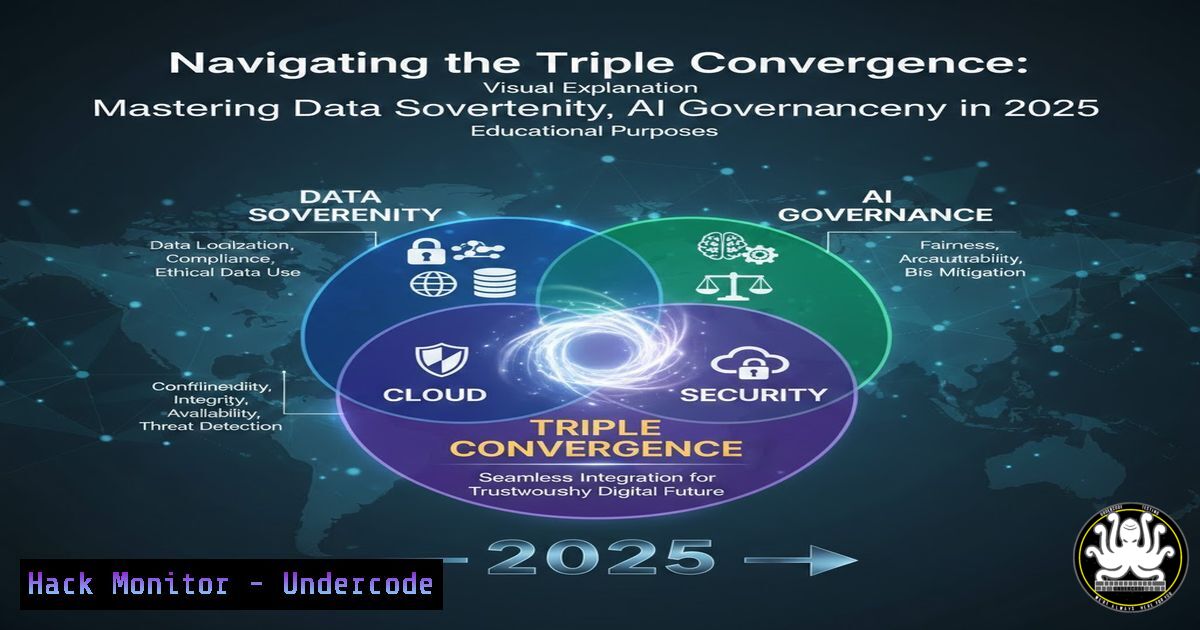
The digital landscape of 2025 is defined by the convergence of artificial intelligence (AI), ubiquitous cloud adoption, and escalating data privacy regulations. This triad presents unprecedented challenges for cybersecurity professionals, who must now architect defenses that ensure data sovereignty, govern AI interactions, and harden complex cloud environments simultaneously. As highlighted in recent high-level forums like INCYBER FIC in Montreal, the dialogue has shifted from siloed concerns to an integrated strategy for holistic data protection.
Learning Objectives:
- Understand the interdependent pillars of modern data protection: Sovereignty, AI Governance, and Cloud Security.
- Learn practical technical controls and configurations for Microsoft Purview, Defender, and Entra to enforce data governance.
- Develop a step-by-step approach for implementing a unified Data Loss Prevention (DLP) strategy in a GenAI-enabled cloud ecosystem.
You Should Know:
1. Architecting for Data Sovereignty in Multi-Cloud Environments
Data sovereignty mandates that data is subject to the laws of the country where it is located. In cloud architectures, this translates to strict control over data residency, access, and movement.
Step‑by‑step guide explaining what this does and how to use it.
- Define Data Classifications: Use Microsoft Purview to discover and label sensitive data. Begin by scanning your data estates.
PowerShell (Purview):
 Connect to Purview account
Connect-PurviewAccount -Endpoint https://yourpurview.purview.azure.com
 Start a scan on your Azure SQL Data Source
Start-PurviewScan -DataSourceName 'AzureSqlDb' -ScanName 'ResidencyScan'
2. Configure Data Residency Policies: In the Microsoft 365 Defender portal, create DLP policies that block data transfer outside a designated geographic boundary.
Navigation: Microsoft 365 Defender Portal > Data Loss Prevention > Policies > Create Policy. Choose “Custom” and set conditions for “Location” is “Not” allowed regions.
3. Enforce with Encryption: Use customer-managed keys (CMK) in Azure Key Vault with geo-placement restrictions to ensure data at rest is encrypted and keys reside in the correct jurisdiction.
2. Implementing Guardrails for Generative AI Data Interactions
Generative AI tools pose novel data exfiltration risks. Employees may inadvertently submit sensitive data to public AI models.
Step‑by‑step guide explaining what this does and how to use it.
- Monitor and Control AI Endpoints: Use Microsoft Defender for Cloud Apps to sanction or unsanction AI applications and monitor traffic.
Navigation: Defender for Cloud Apps portal > Discovered apps > Search for “ChatGPT”, “Copilot”, etc. > Set app status to “Sanctioned” or “Unsanctioned”. - Create Specific DLP Policies for AI: Build policies that detect and block the pasting of sensitive data into web-based AI tools.
Policy Tip: In the DLP policy creation wizard, under “Activities”, select “Service domains” and add domains like.openai.com. Set conditions to detect when sensitive info types (e.g., credit card numbers) are attempted for upload. - Provide Secure Alternatives: Deploy and promote sanctioned, internal Azure OpenAI Service instances where data remains within your tenant and compliance boundary.
3. Hardening Cloud Identity Perimeter with Microsoft Entra
The identity layer is the new primary attack surface. Securing it is non-negotiable.
Step‑by‑step guide explaining what this does and how to use it.
1. Enforce Phishing-Resistant Authentication: Move beyond basic MFA.
Command Line (Entra/Microsoft Graph): Configure authentication strength policies via Microsoft Graph.
Graph API Call (Conceptual):
POST https://graph.microsoft.com/beta/policies/authenticationStrengthPolicies
Authorization: Bearer {token}
Content-Type: application/json
{
"displayName": "Require FIDO2 or Windows Hello",
"description": "Policy for admins",
"allowedCombinations": ["fido2", "windowsHelloForBusiness"]
}
2. Implement Conditional Access with Continuous Evaluation: Create a Zero-Trust baseline policy.
Navigation: Microsoft Entra Admin Center > Protection > Conditional Access > Create New Policy.
Configure: Target “All users”, select “All cloud apps”. Under Conditions, set device filter to require “Hybrid Azure AD joined” or “Compliant” device. Set grant control to “Require multifactor authentication”.
4. Unifying Visibility with Microsoft Purview Data Map
You cannot protect what you cannot see. A unified data map is the foundation.
Step‑by‑step guide explaining what this does and how to use it.
- Onboard Data Sources: Connect all Azure, AWS, GCP, and on-premises SQL sources to Purview.
Azure CLI: Register and scan an Azure Storage account.az purview account create --name "MyPurview" --resource-group "MyRG" --location eastus az purview data-source create --account-name "MyPurview" --resource-group "MyRG" --name "StorageSource" --kind "AzureStorage" --properties '{"endpoint":"https://mystorage.blob.core.windows.net/"}' - Classify Data Automatically: Leverage Purview’s built-in classifiers and sensitive information types to automatically tag data like passports or credit cards.
- Propagate Labels to Microsoft 365: Enable automatic sensitivity label inheritance from Purview to files in SharePoint and Teams, ensuring protection follows the data.
5. Proactive Threat Hunting with Advanced KQL Queries
Shift from alert response to proactive hunting in your Microsoft 365 and Azure logs.
Step‑by‑step guide explaining what this does and how to use it.
- Access Advanced Hunting: Go to Microsoft 365 Defender portal > Hunting > Advanced Hunting.
- Run a Query to Detect Suspicious Power Automate Flows: GenAI can be used to create malicious automation. Hunt for flows exporting data.
Kusto Query Language (KQL):
CloudAppEvents
| where ActionType == "CreateFlow"
| where Timestamp > ago(7d)
| join (CloudAppEvents | where ActionType == "LaunchFlow") on $left.AccountObjectId == $right.AccountObjectId
| summarize FlowCreations = count() by AccountObjectId, AccountDisplayName, IPAddress
| where FlowCreations > 5 // Threshold for anomalous creation
3. Bookmark and escalate findings to generate a new custom detection rule, moving from a one-time hunt to automated monitoring.
What Undercode Say:
The Perimeter is Now the Data Itself: The era of defending a network boundary is over. Effective security must be intrinsically tied to the data, enforcing policy based on its sensitivity and context, regardless of where it resides or travels.
AI is Both the Greatest Weapon and the Greatest Vulnerability: Organizations must operate under the assumption that public GenAI will be used to leak data and craft hyper-effective phishing campaigns, while simultaneously deploying governed AI to strengthen their own defensive posture.
The insights from the INCYBER FIC panel underscore a strategic pivot. The roles of CISO and Cloud Architect are merging. Technical proficiency in platforms like Microsoft Purview and Entra is no longer a specialty but a core competency for security leaders. The technical steps outlined—from KQL hunting to DLP policy creation—are the tangible executions of the high-level principles debated at forums. The integration point is key: Purview labels inform Entra Conditional Access policies, which are monitored by Defender alerts, creating a closed-loop, intelligent defense system.
Prediction:
By 2026, regulatory bodies will begin mandating “AI Interaction Logs” as part of standard compliance audits, similar to SOX or GDPR requirements. This will force the widespread adoption of tools like Defender for Cloud Apps and Purview for real-time monitoring of human-AI data exchanges. Furthermore, we will see the rise of “Sovereignty-as-Code,” where data residency and governance rules are defined in declarative templates (like Terraform or Bicep) and automatically enforced across cloud pipelines, making compliance a built-in feature of DevOps, not a security afterthought. The fusion of AI governance, cloud security, and data sovereignty will define the next generation of cybersecurity architecture.
▶️ Related Video (80% Match):
🎯Let’s Practice For Free:
IT/Security Reporter URL:
Reported By: Seyfallahtagrerout Dlp – Hackers Feeds
Extra Hub: Undercode MoN
Basic Verification: Pass ✅


