Listen to this Post
Introduction:
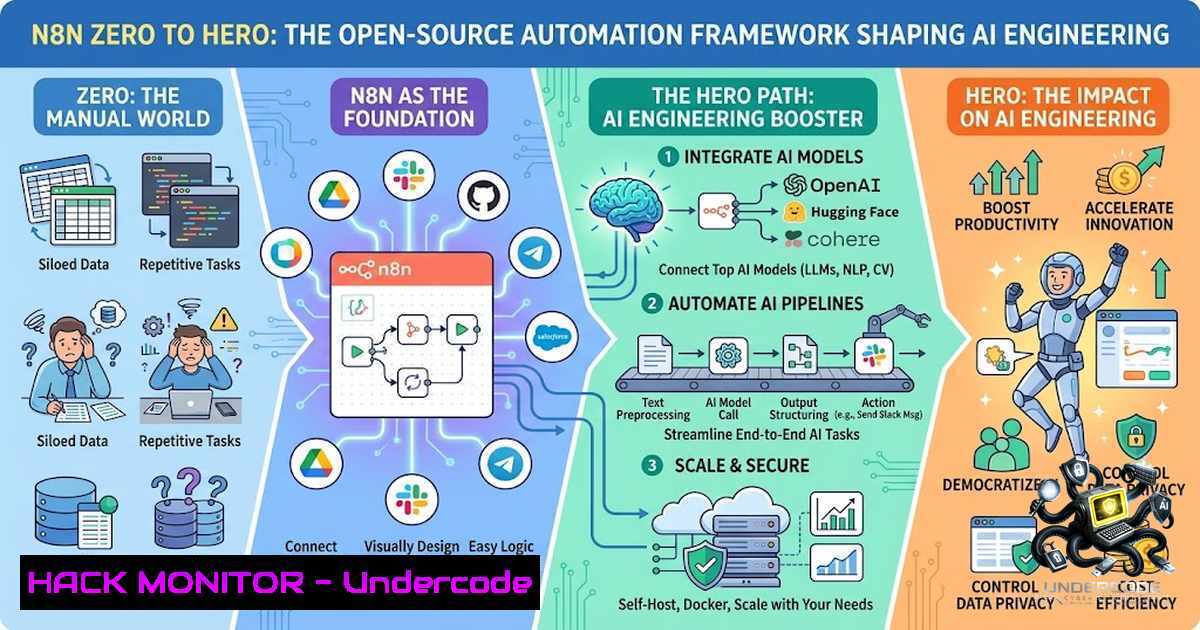
Workflow automation has transcended the realm of simple task scheduling to become the backbone of modern AI infrastructure. n8n, a fair-code licensed workflow automation platform, is emerging as the connective tissue between deterministic business logic and agentic AI systems, enabling engineers to build production-grade automations without sacrificing control or security. As organizations race to operationalize AI, understanding n8n’s architecture—from node-based pipelines to AI agent orchestration—has become an essential competency for developers, security engineers, and AI practitioners alike.
Learning Objectives:
- Master n8n’s node-based workflow architecture and understand how to chain composable nodes into execution pipelines
- Implement AI-powered automations by integrating LLMs, agents, and tools within deterministic workflows
- Apply security hardening techniques including SSRF protection, credential encryption, and task runner isolation
- Build automated security auditing pipelines using n8n’s native audit API and custom code nodes
You Should Know:
- Installing and Deploying n8n: From Zero to Production
n8n offers multiple deployment paths, each with distinct security and operational trade-offs. For rapid prototyping, the npm global installation provides the quickest path to experimentation:
 Install n8n globally via npm (requires administrator rights)
sudo npm install -g n8n

Start n8n as a normal user
n8n start
For production deployments, Docker provides superior isolation and reproducibility:
 Create a dedicated workspace
mkdir ~/n8n-workspace && cd ~/n8n-workspace

Run n8n with Docker (mounting a local volume for persistence)
docker run -d \
--1ame n8n \
-p 5678:5678 \
-v ~/.n8n:/home/node/.n8n \
n8nio/n8n
What this does: The npm installation deploys n8n globally, making it accessible from any terminal session. The Docker approach containerizes the application, isolating it from the host system and simplifying dependency management. Both methods expose n8n’s web interface on port 5678 by default.
For enhanced security in production, deploy n8n behind a reverse proxy with TLS termination:
 Nginx reverse proxy configuration for n8n
server {
listen 443 ssl http2;
server_name n8n.yourdomain.com;

ssl_certificate /etc/letsencrypt/live/n8n.yourdomain.com/fullchain.pem;
ssl_certificate_key /etc/letsencrypt/live/n8n.yourdomain.com/privkey.pem;

location / {
proxy_pass http://localhost:5678;
proxy_set_header Host $host;
proxy_set_header X-Real-IP $remote_addr;
proxy_set_header X-Forwarded-For $proxy_add_x_forwarded_for;
proxy_set_header X-Forwarded-Proto $scheme;
}
}
This configuration ensures data is encrypted in transit and prevents direct exposure of the n8n instance to the internet.
- Building Your First Workflow: The NASA API Example
n8n’s visual workflow builder transforms complex automation into intuitive node-based pipelines. The platform’s quickstart guide demonstrates this by constructing a workflow that fetches real-time solar flare data from NASA’s public APIs.
Step-by-step workflow construction:
Step 1: Create a new workflow – When you open n8n, select “Start from Scratch” from the welcome screen or click “Create Workflow” from the Overview page.
Step 2: Add a trigger node – Triggers initiate workflow execution in response to external events or schedules. For scheduled automation, add a Schedule Trigger node: select “Add first step,” search for “Schedule,” and configure the trigger interval (e.g., weekly on Mondays at 9:00 AM).
Step 3: Add the NASA node and configure credentials – Connect the Schedule Trigger to a NASA node by selecting “Get a DONKI solar flare” operation. Credentials are private authentication tokens stored encrypted within n8n; they are injected at execution time and never exposed in workflow definitions. Obtain a free NASA API key from api.nasa.gov and paste it into the credential configuration.
Step 4: Add logic with the If node – Branch your workflow based on conditions. The If node evaluates incoming data and routes execution down different paths, enabling conditional logic without writing code.
What this does: This workflow automatically fetches NASA solar flare data on a scheduled basis, demonstrating n8n’s core pattern: trigger → API call → conditional logic → output. The visual canvas makes the automation transparent, auditable, and modifiable by non-technical stakeholders.
3. AI Integration: Building Agentic Workflows
n8n distinguishes itself through its native AI capabilities. Unlike platforms that treat AI as an afterthought, n8n embeds AI agents as first-class nodes within deterministic workflows.
Building an AI-powered API caller:
// Example Code node preprocessing for AI workflows
// This JavaScript runs inside n8n's Code node before sending data to an LLM
const items = $input.all();
const processed = items.map(item => {
// Clean and structure input data
const raw = item.json;
return {
json: {
query: raw.user_query,
timestamp: new Date().toISOString(),
context: raw.context || "No additional context provided"
}
};
});
return processed;
AI workflow architecture:
- Chat Trigger – Provides the chat interface for user interactions
- Agent Node – The core AI component that connects a model, memory, and tools
- Call n8n Workflow Tool – Enables the AI to invoke other workflows as custom tools
- Basic LLM Chain with Structured Output Parser – Processes user queries and extracts structured parameters for API calls
The AI Assistant (preview) can even generate entire workflows from natural language descriptions, reducing the time required to build functional automations. Workflows can prepare data before AI steps run and apply validation, routing, or logic afterward—ensuring AI outputs remain grounded in clean inputs and predictable system behavior.
4. Security Hardening: Protecting Your Automation Infrastructure
Self-hosted n8n instances present unique security challenges that require systematic hardening. The platform provides multiple layers of defense:
Enable SSRF protection to control which hosts and IP ranges workflow nodes can connect to. Configure blocked and allowed ranges through environment variables to prevent attackers from using your n8n instance as a proxy to access internal services.
Block risky nodes by excluding nodes like Execute Command, SSH, and Webhook from being available to users:
 Exclude dangerous nodes via environment variable
export NODES_EXCLUDE="n8n-1odes-base.executeCommand,n8n-1odes-base.ssh,n8n-1odes-base.webhook"
Encrypt data at rest by using encrypted partitions or hardware-level encryption, ensuring n8n and its database are written to encrypted storage.
Configure automatic execution data pruning to manage GDPR compliance and reduce storage overhead:
 Set execution data retention to 7 days
export EXECUTIONS_DATA_MAX_AGE=7
Harden task runners that execute Code node logic. For production environments, run task runners in external mode as sidecar containers, use the distroless Docker image variant to reduce attack surface, and configure the container to run as the unprivileged `nobody` user:
 Run n8n with external task runners using distroless image
docker run -d \
--1ame n8n \
-p 5678:5678 \
-e N8N_RUNNERS_ENABLED=true \
-e N8N_RUNNERS_MODE=external \
n8nio/n8n:2.4.6-distroless
Apply AppArmor profiles to prevent task runner containers from reading sensitive `/proc` files that expose environment variables and secrets.
5. Automated Security Auditing: Continuous Compliance
n8n’s native security audit capability, combined with custom Code node checks, enables continuous security monitoring without external tooling.
Run an audit via CLI:
n8n audit
Run an audit via API:
curl -X POST https://your-18n-instance/api/v1/audit \
-H "Authorization: Bearer YOUR_API_KEY"
Build an automated weekly audit workflow:
- Schedule Trigger – Starts the audit weekly at a configured time
- n8n Node – Generates the native security audit and lists every workflow via the n8n API
- Five Chained Code Nodes – Scan all workflows for:
– Hardcoded secrets (API keys, passwords, tokens)
– Unauthenticated webhooks
– Plain `http://` URLs (missing TLS)
– Missing error handling workflows
– Leftover pinned data from testing
4. Data Table Snapshot – Compares current findings against previous runs to identify new and resolved issues
5. Telegram/Email Node – Delivers a severity-scored report (0-100) to operations teams
The audit report covers five risk categories: credentials (unused or stale), database (SQL injection risks via expressions), file system (nodes accessing the filesystem), nodes (risky built-in and community nodes), and instance (unprotected webhooks, missing security settings, outdated versions).
6. API Security: Automating Vulnerability Detection
n8n workflows can actively test API security by automating JWT validation and endpoint scanning.
Build an API security testing workflow:
- Google Sheets Node – Reads API endpoints and JWT tokens from a spreadsheet
- HTTP Request Node – Tests each endpoint with multiple token scenarios (valid, expired, malformed, missing)
- If Node – Routes based on response status codes and error messages
- Google Sheets Node – Writes risk-scored security summary back to the spreadsheet
For AI-specific security, community nodes like AppOmni AgentGuard and Zscaler AI Guard enable runtime scanning of AI prompts and responses for threats including toxicity, PII leakage, secrets exposure, and prompt injection attacks.
7. Vulnerability Management: Staying Ahead of CVEs
n8n has faced several critical vulnerabilities that underscore the importance of prompt patching:
| CVE | Description | Fixed Versions | Mitigation |
|–|-|-||
| CVE-2026-21877 | Authenticated code execution via n8n service | 1.121.3+ | Immediate upgrade |
| CVE-2026-27495 | Sandbox escape via Python Code node | 2.10.1, 2.9.3, 1.123.22+ | Upgrade or limit Code node access |
| CVE-2026-33663 | Reflected XSS vulnerability | 1.123.27, 2.13.3, 2.14.1+ | Upgrade and implement CSP headers |
| CVE-2023-27564 | Authentication bypass | Multiple versions | Upgrade and enforce 2FA |
Temporary mitigations when upgrading is not immediately possible:
- Restrict or disable internet exposure of webhook/form endpoints
- Limit workflow creation and editing permissions to fully trusted users only
- Disable the Webhook node by adding `n8n-1odes-base.webhook` to `NODES_EXCLUDE`
Proactive defense: Implement weekly automated audits that check for outdated n8n versions and generate alerts when patches are available.
What Undercode Say:
- Automation is no longer optional — n8n represents a paradigm shift where workflow automation moves from IT departments to the core of AI engineering. The platform’s ability to blend deterministic logic with AI agents makes it indispensable for organizations operationalizing AI.
-
Security must be baked in, not bolted on — The proliferation of publicly exposed n8n instances (over 230,000 according to Shodan) running unpatched versions reveals a dangerous gap between adoption and security hygiene. Organizations must treat n8n deployments with the same rigor as any production application, implementing defense-in-depth through TLS, SSRF protection, task runner isolation, and continuous auditing.
Prediction:
- +1 n8n will become the de facto standard for AI workflow orchestration in enterprise environments, displacing proprietary alternatives due to its fair-code license, extensive integration ecosystem (500+ built-in nodes), and native AI capabilities.
- +1 The convergence of AI agents and workflow automation will accelerate the development of “agentic DevOps”—self-healing infrastructure where AI agents automatically remediate security findings detected by n8n’s audit pipelines.
- -1 The complexity of securing n8n deployments will create a new attack surface for organizations, with threat actors increasingly targeting misconfigured instances to pivot into internal networks.
- -1 Organizations that fail to implement automated security auditing and patch management for n8n will face increased regulatory scrutiny and breach risk, particularly as AI workflows handle increasingly sensitive data.
- +1 The emergence of community security nodes (PromptLock, AgentGuard, AI Guard) signals a maturing ecosystem where security tooling for AI workflows becomes as sophisticated as traditional application security.
▶️ Related Video (82% Match):
https://www.youtube.com/watch?v=-m6RWXtiqxc
🎯Let’s Practice For Free:
🎓 Live Courses & Certifications:
Join Undercode Academy for Verified Certifications
🚀 Request a Custom Project:
Secure, high-velocity infrastructure and disruptive technological engineering. Contact our engineering team for high-tier development and proprietary systems:
[email protected]
💎 Smart Architecture | 🛡️ Secure by Design | ⭐ Trusted by Thousands
IT/Security Reporter URL:
Reported By: Kkurupitage N8n – Hackers Feeds
Extra Hub: Undercode MoN
Basic Verification: Pass ✅


