Listen to this Post
Introduction:
In an era where credential theft is industrialized and data breaches are daily headlines, Multi-Factor Authentication (MFA) stands as the critical gatekeeper between attackers and your crown jewels. Far from being mere inconvenience, MFA is the operationalization of a core security principle: reliable verification. This article deconstructs MFA’s role within the IAAA framework and provides a technical blueprint for its effective implementation and hardening.
Learning Objectives:
- Understand MFA’s foundational role within the Identification, Authentication, Authorization, and Accountability (IAAA) model.
- Deploy and configure robust MFA solutions, including hardware security keys and authenticator apps, across major platforms.
- Recognize and mitigate advanced attack vectors targeting MFA, such as phishing and MFA fatigue.
- Implement Conditional Access policies to enforce intelligent, risk-based authentication.
- Develop a practical incident response step for potential MFA bypass or compromise.
You Should Know:
1. IAAA: The Bedrock Where MFA Lives
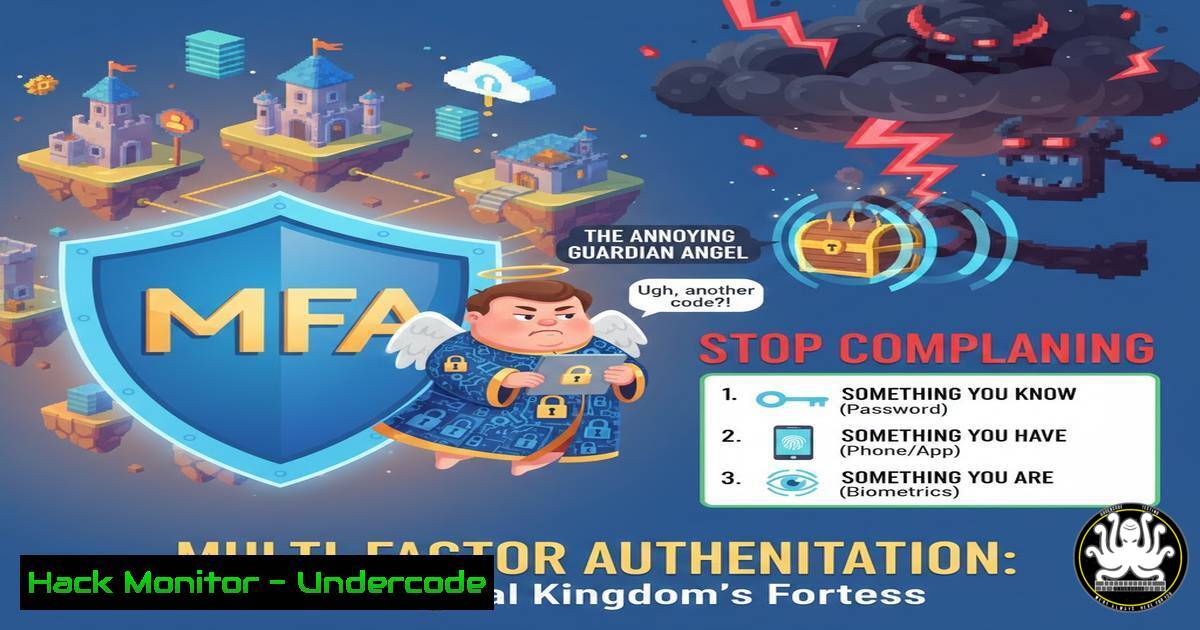
MFA isn’t a standalone widget; it’s the powerhouse for the “Authentication” component in the IAAA paradigm. If Identification is claiming an identity (“I am user123”), Authentication is proving it. MFA strengthens this proof by requiring evidence from multiple categories: something you know (password), something you have (security key/phone), and/or something you are (biometric). Without robust authentication, Authorization (what you’re allowed to do) and Accountability (auditing your actions) become meaningless, as you can’t reliably tie actions to a specific individual.
Step‑by‑step guide:
- Map your controls: Audit your systems. List how each fulfills IAAA.
Identification: Usernames, email addresses, User IDs.
Authentication: Current method (e.g., password-only). This is where you plan to add MFA.
Authorization: Role-Based Access Control (RBAC) lists, file permissions.
Accountability: Logging systems (e.g., Windows Event Log, Linux auditd).
2. Gap Analysis: For any system where Authentication relies solely on a password, flag it for MFA implementation. This is your project list.
2. Deploying Hardware Keys: The Gold Standard
Hardware security keys like YubiKeys use public-key cryptography (FIDO2/WebAuthn standards) to perform phishing-resistant authentication. The private key never leaves the key, and the service must present a cryptographically correct challenge for the signature.
Step‑by‑step guide (Linux/Mac & Windows):
- Purchase & Prepare: Acquire a FIDO2-compliant key like a YubiKey 5 Series.
- Register the Key: Navigate to a supporting service (e.g., GitHub, Google).
Go to Security Settings -> “Add Security Key.”
Insert the key, tap it when prompted, and optionally set a PIN. - Test Login: Log out and attempt to log in. Choose the “Security Key” option, tap, and authenticate.
3. Configuring Authenticator Apps as a Fallback
Time-based One-Time Passwords (TOTP) via apps like Microsoft Authenticator or Authy are a strong second factor, though susceptible to real-time phishing. They generate a code using a shared secret and the current time.
Step‑by‑step guide (Enabling on a Linux Server for SSH):
1. Install PAM Module: `sudo apt install libpam-google-authenticator` (Debian/Ubuntu) or `sudo yum install google-authenticator` (RHEL/CentOS).
2. Configure for a User: Run google-authenticator. Answer the prompts (use local time, disallow multiple uses, enable rate-limiting).
3. Configure SSH: Edit `/etc/pam.d/sshd` and add auth required pam_google_authenticator.so. Edit `/etc/ssh/sshd_config` to set ChallengeResponseAuthentication yes.
4. Restart SSH: sudo systemctl restart sshd. Now SSH requires password + TOTP code.
4. The Adversary’s Playbook: MFA Fatigue & Bypass
Attackers don’t just stop at stolen passwords. MFA Fatigue is a social engineering attack where they bombard the victim with push notifications until one is accidentally approved. Other methods include SIM-swapping to intercept SMS codes and exploiting legacy protocols that don’t enforce MFA.
Step‑by‑step guide (Simulating an MFA Fatigue Attack for Awareness):
1. Tool: Use a legal phishing framework like GoPhish to set up a credential harvesting page.
2. Scenario: After capturing credentials, an attacker with tools like `modlishka` (reverse proxy) can perform a real-time phishing attack, prompting the user for the TOTP code immediately.
3. Mitigation Training: Use this simulation to train users to never approve unexpected MFA requests and to report them immediately to IT.
5. Hardening with Conditional Access & Context
Modern Identity Providers (Azure AD, Okta) allow for Conditional Access (CA) policies. These move beyond “always-on MFA” to intelligent, risk-based authentication, improving both security and user experience.
Step‑by‑step guide (Azure AD Conditional Access Policy):
- Access: Navigate to Azure Portal > Azure Active Directory > Security > Conditional Access.
- Create New Policy: Name it “Require MFA for untrusted networks.”
3. Assignments:
Users: Select “All users” or a target group.
Cloud Apps: Select “All cloud apps.”
Conditions: Under “Locations,” configure and select “Any location” as Include and “Trusted IPs” (your corporate network) as Exclude.
4. Access Controls: Under “Grant,” select “Grant access,” check “Require multi-factor authentication,” and save.
5. Result: Users outside the office IP range will trigger MFA.
6. Incident Response: When MFA is Potentially Compromised
No control is perfect. Have a playbook for when an MFA factor (like a phone) is lost or suspected to be bypassed.
Step‑by‑step guide (Immediate Response Actions):
- Revoke Sessions: In your IDP (e.g., Azure AD, Google Workspace), immediately revoke all existing sessions for the affected user.
- Re-register MFA: Require the user to re-register all MFA methods, removing any potentially compromised devices or app instances.
- Audit Logs: Scrutinize sign-in and audit logs for the user account in the hours/days before the incident. Look for anomalies in location, device, or time. Use Azure AD’s command line:
Get-AzureADAuditSignInLogs -Filter "userPrincipalName eq '[email protected]'".
7. The Future: Moving Towards Passwordless
The logical conclusion of this evolution is the elimination of the password, the weakest link. Passwordless authentication uses a combination of hardware keys, biometrics on trusted devices, and certificate-based authentication to provide a more secure and user-friendly experience.
Step‑by‑step guide (Enabling Windows Hello for Business – Cloud Trust):
1. Prerequisites: Azure AD join or Hybrid Azure AD join, Windows 10/11 Pro/Enterprise.
2. Configure Policy: Via Intune or Group Policy, enable `Windows Hello for Business` settings under Computer Configuration > Administrative Templates > Windows Components > Windows Hello for Business.
3. User Experience: On next login or lock, the user will be prompted to set up a PIN or biometric, which is tied to the device’s TPM. This becomes their primary authentication method.
What Undercode Say:
- MFA is a Non-Negotiable Control, Not a Nuisance. Framing MFA as an inconvenience ignores the catastrophic cost and inconvenience of a breach it is designed to prevent. Its implementation is a baseline measure of security maturity.
- Technical Implementation Determines Efficacy. Not all MFA is created equal. Phishable methods like SMS are weak; hardware keys and carefully configured CA policies represent modern, resilient authentication architecture. The choice of factor directly impacts your risk posture.
Prediction:
The friction around MFA will catalyze its own evolution, accelerating the adoption of truly passwordless and phishing-resistant authentication as the default standard. We will see a rapid decline in SMS and voice-based MFA due to regulatory pressure and inherent vulnerabilities. Furthermore, Authentication will increasingly converge with continuous, adaptive risk assessment. Systems will silently evaluate dozens of signals—device posture, network context, behavioral biometrics—to dynamically adjust authentication requirements, making security both stronger and less intrusive for the legitimate user. The future isn’t just more MFA; it’s smarter, contextual, and ultimately invisible authentication.
▶️ Related Video (76% Match):
🎯Let’s Practice For Free:
IT/Security Reporter URL:
Reported By: Jordon Darling – Hackers Feeds
Extra Hub: Undercode MoN
Basic Verification: Pass ✅


