Listen to this Post
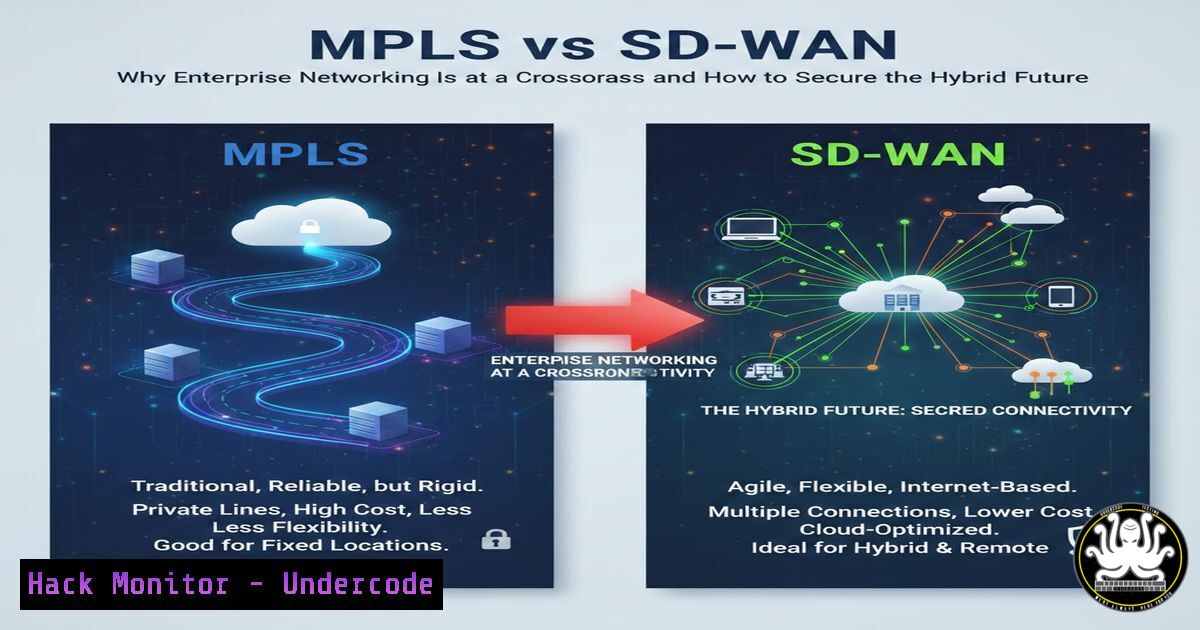
Introduction:
The debate between Multiprotocol Label Switching (MPLS) and Software-Defined Wide Area Networking (SD-WAN) is no longer just about cost or performance—it is a fundamental shift in how enterprises architect, secure, and manage their networks. As organizations adopt cloud-first strategies, traditional MPLS, with its guaranteed Quality of Service (QoS) but rigid infrastructure, is being challenged by SD-WAN’s agility, transport independence, and built-in encryption. However, the reality is a hybrid model where both technologies coexist, demanding new skills in network automation, IPSec configuration, and dynamic routing to balance security with operational efficiency.
Learning Objectives:
- Compare the architectural, performance, and security differences between MPLS and SD-WAN.
- Learn how to configure a basic IPSec tunnel for an SD-WAN deployment.
- Understand the command-line tools used to diagnose hybrid WAN performance and path selection.
You Should Know:
- MPLS Deep Dive: The Legacy of Predictable Performance
MPLS operates by directing data based on short path labels rather than long network addresses, avoiding complex lookups in routing tables. This creates a virtual private network that is logically separate from the public internet, offering inherent privacy and predictable latency. Enterprises rely on it for real-time applications like VoIP and financial transactions because of its strict Service Level Agreements (SLAs).
To verify an MPLS circuit’s health from a customer edge router, network administrators often use these commands:
– Linux (on a connected CPE): `mtr –report-wide
– Windows: `pathping
– Juniper/Junos: `show mpls lsp name
– Cisco IOS: `show mpls forwarding-table` to see which labels are being used for which prefixes.
2. SD-WAN Core: Dynamic Path Control and Encryption
SD-WAN decouples the control plane from the data plane, allowing centralized policy management. It can use broadband, LTE, or MPLS links, and directs traffic over the most suitable path based on application type, cost, or security requirements. A critical feature is the automatic establishment of encrypted tunnels, typically using IPSec, to secure data across untrusted links.
Step-by-Step Guide: Configuring a Basic IPSec Tunnel for SD-WAN (Conceptual)
This guide simulates setting up a secure tunnel between two SD-WAN edges using strongSwan on Linux, a common open-source implementation.
1. Install strongSwan:
- Ubuntu/Debian: `sudo apt update && sudo apt install strongswan strongswan-pki libcharon-extra-plugins libcharon-extauth-plugins libstrongswan-extra-plugins`
– CentOS/RHEL: `sudo yum install strongswan`
2. Generate Certificates (or Pre-Shared Key):
For simplicity, generate a pre-shared key (PSK). Note: For production, use certificates.
`sudo nano /etc/ipsec.secrets`
Add the line: ` : PSK “YourVeryStrongSharedSecretKey”`
3. Configure the Connection:
Edit the main configuration file: `sudo nano /etc/ipsec.conf`
Add a connection block:
conn sdwan-tunnel
auto=start
type=tunnel
keyexchange=ikev2
authby=secret
left=<Local_Public_IP>
leftsubnet=<Local_LAN_Subnet>/24
right=<Remote_Public_IP>
rightsubnet=<Remote_LAN_Subnet>/24
ike=aes256-sha256-modp2048!
esp=aes256-sha256!
dpddelay=30s
dpdtimeout=120s
dpdaction=restart
4. Restart the Service and Establish the Tunnel:
`sudo ipsec restart`
`sudo ipsec up sdwan-tunnel`
Check the status with `sudo ipsec statusall`.
This creates the encrypted overlay that is fundamental to SD-WAN security.
3. Hybrid WAN: Integrating MPLS and SD-WAN
The hybrid model uses SD-WAN to intelligently route traffic across an MPLS link and a low-cost broadband link. Mission-critical traffic (e.g., SAP) is pinned to the reliable MPLS path, while less sensitive data (e.g., software updates) can traverse the internet link. The SD-WAN controller monitors both paths in real-time.
To test path performance in a hybrid setup, you can use:
– Linux: `tcptraceroute
– Windows: `Test-NetConnection
4. Security Hardening in SD-WAN Environments
While SD-WAN provides encryption, the control plane itself becomes a new attack vector. Protecting the SD-WAN orchestrator and ensuring secure bootstrap of edge devices is critical.
Key Security Practices:
- Zero-Touch Provisioning (ZTP) Security: Ensure that the initial authentication of a new edge device uses hardware roots of trust (e.g., Trusted Platform Module).
- Control Plane Policing: Use Access Control Lists (ACLs) on the WAN interfaces to limit management traffic to known orchestrator IPs.
- Linux Hardening for vEdges: If using virtual SD-WAN edges, apply standard Linux security measures.
– `sudo ufw enable` (enable the firewall)
– `sudo chkconfig –list | grep 3:on` (audit running services)
– `sudo auditctl -w /etc/ipsec.conf -p wa -k ipsec_changes` (monitor config changes)
5. Application-Aware Routing: The SD-WAN Advantage
SD-WAN can identify traffic using Deep Packet Inspection (DPI) and apply policies. For instance, voice traffic might require jitter < 10ms and packet loss < 1%. If the primary link fails to meet these thresholds, the SD-WAN edge automatically fails over to a secondary path without tearing down the session.
Simulating Path Failure for Testing:
- Linux (on the edge): `sudo tc qdisc add dev eth0 root netem loss 20%` (artificially introduce 20% packet loss on an interface to trigger failover).
- Windows (on the edge): Use Clumsy (open-source tool) to simulate lag, drop, or throttle on the network adapter.
6. Monitoring the Hybrid WAN
Effective monitoring requires visibility into both the underlay (physical links) and the overlay (tunnels).
Essential Commands for Diagnostics:
- Check active IPSec tunnels: `sudo ipsec status` or on Windows, `Get-VpnConnection` (PowerShell).
- Analyze routing table for path selection: `netstat -rn` (Linux/Windows) or `route print` (Windows).
- Continuous path monitoring: `ping -i 0.2
` (Linux) to flood-ping and detect micro-bursts of packet loss. - Bandwidth utilization per tunnel: `nload` or `iftop` (Linux) to see real-time traffic on specific interfaces.
What Undercode Say:
- The Hybrid Model is Inevitable: MPLS will not disappear overnight. The winning strategy is to use SD-WAN as the “brain” that orchestrates traffic across a mix of MPLS and internet links, extracting maximum value from legacy investments while gaining cloud agility.
- Security is Now a Dynamic Function: SD-WAN transforms security from a static perimeter (the MPLS cloud) to a dynamic, policy-driven overlay. The administrator’s role is shifting from maintaining circuits to managing encryption, authentication, and application-level policies. Mastering tools like IPSec, strongSwan, and ZTP security is now as fundamental as routing protocols. The biggest risk is not the data in transit, but the compromise of the SD-WAN controller itself, which would give an attacker control over the entire WAN.
Prediction:
Within the next three years, the convergence of SD-WAN with Secure Access Service Edge (SASE) will render standalone MPLS obsolete for most new branch deployments. The market will see a sharp decline in new MPLS circuit orders as enterprises demand integrated security stacks (FWaaS, CASB) directly from their WAN fabric. Legacy MPLS will be relegated to a niche role—perhaps as a highly secure transport layer for specific regulated industries, but only as one link managed by a dominant SD-WAN/SASE controller. The future of networking lies in cloud-delivered security and software-driven path control.
Extracted URLs
- https://t.me/cybersecuritynetworktelecom
▶️ Related Video (74% Match):
🎯Let’s Practice For Free:
IT/Security Reporter URL:
Reported By: Mohamed Abdelgadr – Hackers Feeds
Extra Hub: Undercode MoN
Basic Verification: Pass ✅


