Listen to this Post
Introduction:
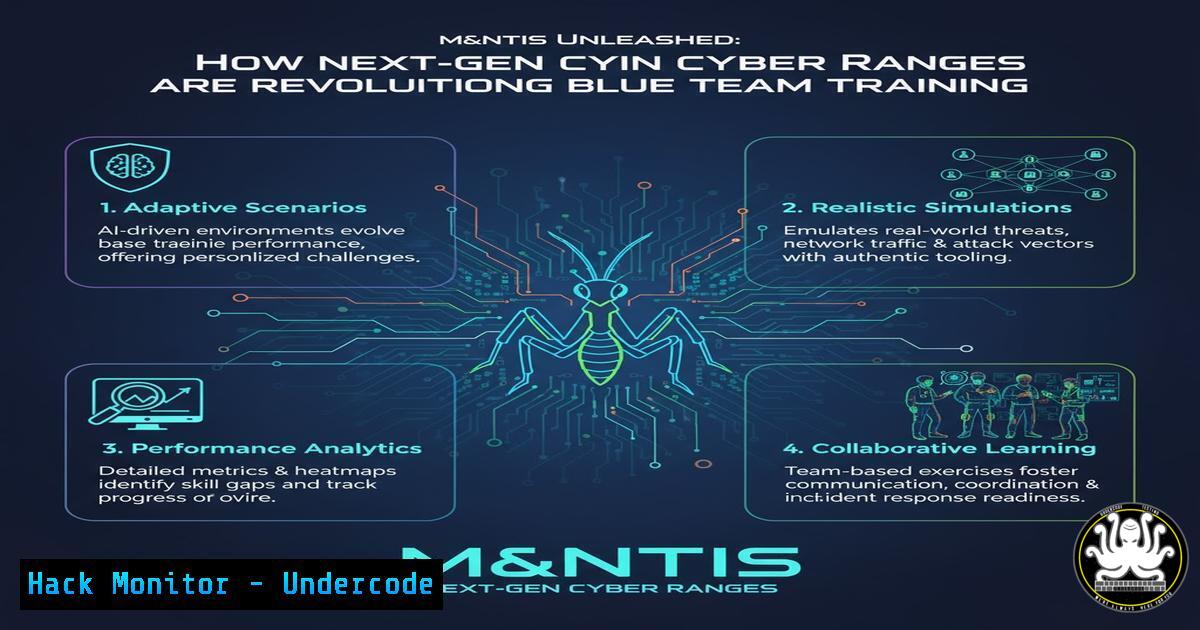
The escalating sophistication of cyber threats demands equally advanced defensive training methodologies. The latest release of the M&NTIS Attack Defense Platform represents a significant leap forward in blue team preparedness, integrating interactive self-assessment and detailed forensic visibility to bridge the critical gap between theoretical knowledge and practical incident response skills.
Learning Objectives:
- Understand the components and benefits of an interactive quiz interface within a cyber range.
- Learn to utilize an IOC (Indicators of Compromise) view for effective attack analysis and detection engineering.
- Explore the “Certifombre” attack scenario and its implications for Active Directory Certificate Services (ADCS) security.
You Should Know:
1. Mastering the Interactive Quiz for Knowledge Reinforcement
The new interactive quiz feature transforms passive learning into an active engagement loop. After completing a simulated attack scenario, blue teamers are immediately presented with targeted questions that challenge their understanding of the TTPs (Tactics, Techniques, and Procedures) they just witnessed. This solidifies learning and identifies knowledge gaps in real-time.
Step‑by‑step guide explaining what this does and how to use it:
Step 1: Complete a Lab Scenario. Engage with a full attack simulation, such as a lateral movement sequence, within the M&NTIS platform.
Step 2: Trigger the Quiz. Upon scenario completion, the platform automatically prompts the user to begin the quiz. This is integrated directly into the lab environment.
Step 3: Answer Scenario-Specific Questions. Questions may include: “Which specific technique was used for credential dumping?” or “What was the persistence mechanism established by the attacker?”
Step 4: Receive Instant Feedback. The platform provides correct answers and explanations, linking back to the exact events in the lab. This creates a closed feedback loop that reinforces the correct mental model for attack analysis.
2. Leveraging the IOC View for Precision Hunting
A dedicated IOC view provides a forensic ledger of an attack, cataloging artifacts like malicious IP addresses, created file hashes, altered registry keys, and spawned processes. This allows defenders to compare their manual findings during the lab with the ground truth of what the emulation engine actually executed, directly refining their detection logic.
Step‑by‑step guide explaining what this does and how to use it:
Step 1: Conduct Your Investigation. During the lab, use your standard toolkit (e.g., EDR console, SIEM, command-line utilities) to hunt for IOCs.
Step 2: Access the IOC Dashboard. After the exercise, navigate to the dedicated “IOC View” within the lab interface. This reveals a comprehensive, timestamped list of all attack-related artifacts.
Step 3: Compare and Contrast. Analyze the discrepancies. Did you miss a particular registry key? Was a specific network connection to a C2 server overlooked?
Step 4: Refine Detection Rules. Use this intelligence to write or tune detection rules. For example, if the attack used `certutil.exe` to decode a payload, a detection rule could be crafted.
Example Sigma Rule Snippet:
title: Certutil Used for Downloading Files
logsource:
category: process_creation
detection:
selection:
Image|endswith: '\certutil.exe'
CommandLine|contains:
- 'urlcache'
- 'decode'
condition: selection
Windows Command for Hunting: `Get-WinEvent -Path C:\Windows\System32\winevt\Logs\Security.evtx | Where-Object { $_.Message -like “certutil” }`
3. Deconstructing the Certifombre ADCS Attack Scenario
The “Certifombre” scenario immerses defenders in a complex attack targeting Active Directory Certificate Services, a prime target for modern adversaries. This scenario likely involves techniques like credential theft via NTLM relay to ADCS and subsequent malicious certificate enrollment for persistent domain privilege escalation.
Step‑by‑step guide explaining what this does and how to use it:
Step 1: Environment Familiarization. The lab provides a Windows domain environment with a Domain Controller and an ADCS server.
Step 2: Attack Emulation. The M&NTIS engine executes an emulated attack, potentially using tools like `PetitPotam` to coerce authentication from the ADCS server and `Impacket’s ntlmrelayx` to relay those credentials to enroll a domain computer certificate.
Step 3: Defensive Actions. As a blue teamer, you must detect this anomalous activity. Hunt for events related to machine account certificate enrollment and unsolicited authentication attempts.
Relevant Windows Security Event IDs: 4768 (Kerberos authentication ticket requested), 4624 (An account was successfully logged on), and specific ADCS audit logs.
PowerShell Command to Check Certificate Templates: `Get-CATemplate | Format-List Name, Permissions`
Step 4: Mitigation Implementation. Post-incident, learn to implement mitigations such as disabling NTLM, enabling EPA (Extended Protection for Authentication) on ADCS, and modifying vulnerable certificate template permissions.
4. Integrating Platform Insights into Your SIEM
The true power of M&NTIS is realized when its lessons are operationalized. The IOCs and TTPs discovered should be used to create high-fidelity alerts in your production Security Information and Event Management (SIEM) system.
Step‑by‑step guide explaining what this does and how to use it:
Step 1: Extract IOCs. From the IOC View, export the list of malicious hashes, IPs, and commands.
Step 2: Develop Correlation Rules. In your SIEM (e.g., Splunk, Elasticsearch), create rules that look for these IOCs or the behavioral patterns you observed.
Example Splunk SPL Query:
index=windows (EventCode=4688) (CommandLine="certutil -urlcache" OR CommandLine="whoami")
| stats count by host, CommandLine, User
Step 3: Test and Deploy. Run the rules in a monitoring mode initially to validate their efficacy and avoid false positives before fully enabling them.
5. Building a Continuous Training Regimen
A single training session is not enough. The platform’s features are designed for continuous improvement. Use the quiz results to identify team-wide weak spots and schedule recurring labs focused on those areas, such as persistence or defense evasion.
Step‑by‑step guide explaining what this does and how to use it:
Step 1: Establish a Baseline. Have all team members complete the same initial scenario and quiz.
Step 2: Analyze Group Performance. Identify common incorrect answers or missed IOCs across the team. This points to a systemic training gap.
Step 3: Schedule Focused Labs. Dedicate subsequent training sessions to the identified weak areas, using the platform’s library of scenarios.
Step 4: Measure Progress. Track quiz scores and investigation accuracy over time to measure the ROI of your training program and demonstrate improved readiness to stakeholders.
What Undercode Say:
- The integration of immediate, scenario-based quizzes represents a paradigm shift in cyber training, moving from simple simulation to validated comprehension, ensuring skills are not just practiced but mastered.
- The forensic-grade IOC transparency turns abstract attack scenarios into concrete learning opportunities, allowing defenders to calibrate their tools and intuition against a known-good source of truth.
The M&NTIS update is less about new features and more about closing the feedback loop in cybersecurity training. Traditional cyber ranges tell you what happened; this platform shows you what you missed and why you missed it. The “Certifombre” scenario is particularly timely, addressing the critical ADCS attack vector that groups like FIN8 have weaponized. By forcing defenders to confront the exact artifacts of a complex attack and then immediately testing their comprehension, M&NTIS is building a more resilient and analytically precise generation of blue teamers. This approach is essential for keeping pace with adversaries who constantly refine their tradecraft.
Prediction:
The features showcased in this M&NTIS release will become standard expectations for all serious security training platforms within two years. We will see a broader industry shift towards “explainable attacks” in cyber ranges, where every action taken by an emulation engine is transparently documented and mapped to frameworks like MITRE ATT&CK. This will empower defenders to not only respond to attacks but to also precisely engineer automated detections, fundamentally strengthening organizational security postures by transforming training from a periodic event into a continuous, data-driven feedback system for the entire security program.
🎯Let’s Practice For Free:
IT/Security Reporter URL:
Reported By: Activity 7394468187947368448 – Hackers Feeds
Extra Hub: Undercode MoN
Basic Verification: Pass ✅


