Listen to this Post
Introduction:
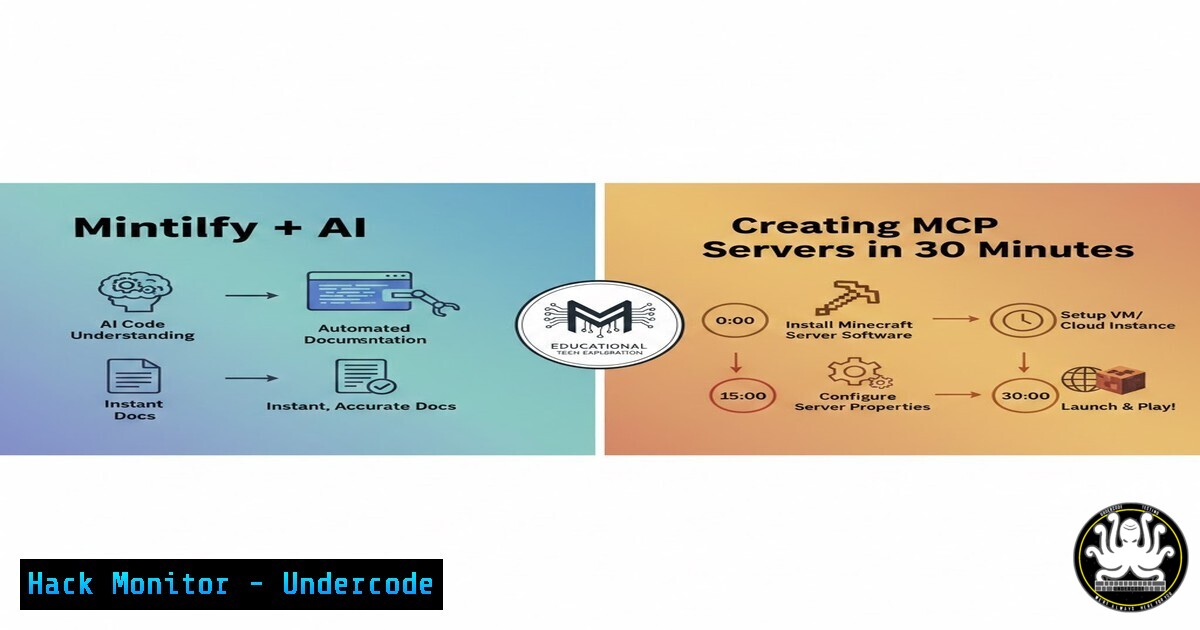
Documentation is often the most dreaded task in software development, yet it remains critical for security, maintainability, and collaboration. Recent advances in AI and automation tools like Mintlify have revolutionized this space by not only generating comprehensive documentation from codebases but also creating Machine-Readable Protocol (MCP) servers that allow Large Language Models (LLMs) to interact with your code. This article explores how to leverage Mintlify, GitHub Actions, and AI to auto-document repositories, extract technical assets, and build a secure, automated documentation pipeline relevant to cybersecurity and IT engineering.
Learning Objectives:
- Understand how Mintlify automates documentation generation from GitHub repositories.
- Learn to configure GitHub Actions for continuous documentation updates.
- Explore the creation of MCP servers for LLM integration.
- Identify security considerations when automating documentation pipelines.
- Implement commands and configurations across Linux, Windows, and cloud environments.
1. Mintlify: Transforming GitHub Repositories into Beautiful Documentation
Mintlify is a documentation platform that converts your codebase into clean, interactive documentation by simply replacing `github.com` with `mintlify.com` in your repository URL. It parses your code, extracts comments, functions, and API endpoints, and generates a styled site ready for deployment.
Step‑by‑Step Guide:
- Navigate to your GitHub repository (e.g., `https://github.com/yourusername/your-repo`).
- Replace `github.com` with `mintlify.com` in the browser address bar and press Enter.
Example: `https://mintlify.com/yourusername/your-repo` - Mintlify scans the repo and generates a documentation site within minutes.
- Customize the output by adding a `mint.json` configuration file to your repo root:
{ "name": "Your Project", "logo": "/logo.png", "colors": { "primary": "0070f3" }, "navigation": [ { "group": "Getting Started", "pages": ["introduction", "quickstart"] } ] } - Deploy the documentation to Mintlify’s cloud or self-host using their CLI:
npm i -g mintlify
mintlify dev  local preview
mintlify deploy
Linux/Windows Commands:
- Linux/macOS: `curl -fsSL https://mintlify.com/install.sh | sh`
– Windows (PowerShell): `iwr -useb https://mintlify.com/install.ps1 | iex`Security Note: Ensure your repository does not contain secrets (API keys, passwords) before exposing it to Mintlify. Use `.gitignore` and environment variables for sensitive data.
2. Auto-Documentation Pipeline with GitHub Actions and AI
The LinkedIn post mentions a previous article on building an auto-documentation flow using GitHub Actions and . This pipeline triggers documentation generation on every push, ensuring docs stay in sync with code.
Step‑by‑Step Guide:
1. Create a GitHub Actions workflow file: `.github/workflows/docs.yml`
name: Auto-Documentation
on:
push:
branches: [ main ]
jobs:
build-docs:
runs-on: ubuntu-latest
steps:
- uses: actions/checkout@v3
- name: Setup Node.js
uses: actions/setup-node@v3
with:
node-version: '18'
- name: Install Mintlify
run: npm install -g mintlify
- name: Generate Documentation
run: mintlify build --output ./docs-site
- name: Deploy to Mintlify
run: mintlify deploy --token ${{ secrets.MINTLIFY_TOKEN }}
- Add AI for enhanced documentation (optional but powerful):
– Use API to generate human‑readable explanations from code comments.
– Create a Python script (generate_docs_with_.py):
import os
import requests
from pathlib import Path

CLAUDE_API_KEY = os.getenv("CLAUDE_API_KEY")
HEADERS = {"x-api-key": CLAUDE_API_KEY, "anthropic-version": "2023-06-01"}

def explain_code(file_path):
with open(file_path, 'r') as f:
code = f.read()
prompt = f"Explain this code in simple terms, highlighting security implications:\n\n{code}"
data = {
"prompt": f"\n\nHuman: {prompt}\n\nAssistant:",
"model": "-2",
"max_tokens_to_sample": 500
}
response = requests.post("https://api.anthropic.com/v1/complete", headers=HEADERS, json=data)
return response.json()['completion']

Iterate through code files and generate explanations
for py_file in Path("./src").rglob(".py"):
explanation = explain_code(py_file)
print(f" {py_file} \n{explanation}\n")
– Run this script in the GitHub Action to append AI‑generated insights to your Mintlify docs.
3. Commit and push; the workflow runs automatically.
Security Consideration: Store API tokens (Mintlify, ) as GitHub Secrets. Never hardcode them.
3. Creating an MCP Server for LLM Integration
Mintlify automatically generates an MCP (Machine‑Readable Protocol) server, allowing LLMs like to query your documentation and code structure. This enables AI assistants to answer questions about your project accurately.
Step‑by‑Step Guide:
- After deploying with Mintlify, note the generated MCP endpoint (usually
https://your-docs.mintlify.com/mcp`).curl`:
<h2 style="color: yellow;">2. Test the MCP server usingcurl -X POST https://your-docs.mintlify.com/mcp \ -H "Content-Type: application/json" \ -d '{"query": "What are the main API endpoints?"}'
3. Integrate with an LLM (e.g., ):
- Provide the MCP endpoint to the LLM as a tool.
- The LLM can then fetch real‑time documentation context during conversations.
Example Configuration for Custom MCP Server (Advanced):
If you prefer a self‑hosted MCP server:
from flask import Flask, request, jsonify
import requests

app = Flask(<strong>name</strong>)

@app.route('/mcp', methods=['POST'])
def mcp_query():
query = request.json.get('query')
 Fetch from Mintlify or your own knowledge base
response = requests.post("https://your-docs.mintlify.com/mcp", json={"query": query})
return jsonify(response.json())

if <strong>name</strong> == '<strong>main</strong>':
app.run(port=5000)
Windows Users: Install Python and Flask, then run the script in Command Prompt or PowerShell.
4. Security Hardening for Automated Documentation Pipelines
Automation introduces risks. Secure your pipeline with these steps:
1. Secrets Management:
- Use GitHub Secrets for all tokens.
- In GitHub Actions, reference secrets as
${{ secrets.MINTLIFY_TOKEN }}.
2. Code Scanning:
- Integrate tools like TruffleHog or GitLeaks to detect secrets before documentation is generated.
- Add a step to your workflow:
</li>
<li>name: Scan for secrets
uses: trufflesecurity/trufflehog@main
with:
path: ./
base: ${{ github.event.repository.default_branch }}
3. Access Control:
- Limit who can trigger documentation builds.
- Use branch protection rules to require reviews on changes to
.github/workflows/.
4. API Security:
- If your documentation includes API endpoints, ensure they are behind authentication.
- Use Mintlify’s built‑in authentication features (OAuth, API keys) if hosting internally.
5. Vulnerability Exploitation and Mitigation in Automated Docs
Automatically generated docs can inadvertently expose attack surfaces. Here’s how to mitigate:
Common Issues:
- Exposed Endpoints: Documentation might list all API routes, including admin panels.
- Code Snippets with Hardcoded Credentials: Even if removed from source, older commits might be scanned.
Mitigation Steps:
- Run a pre‑scan using `grep` or `ripgrep` for sensitive patterns:
rg 'password|secret|key|token' --ignore-case --hidden
- Use `.mintignore` (similar to
.gitignore) to exclude sensitive files from Mintlify. - Review documentation before deployment by setting up a staging environment.
Exploitation Scenario:
An attacker could scan Mintlify subdomains for common paths like /admin, /internal, or /v1/users. Always use obscure paths or authentication for sensitive sections.
6. Cloud Hardening for Deployed Documentation
If you host Mintlify documentation on your own infrastructure (e.g., AWS S3, Azure Storage), harden the setup:
AWS S3 Example:
 Block public access by default
aws s3api put-public-access-block --bucket your-docs-bucket --public-access-block-configuration BlockPublicAcls=true,IgnorePublicAcls=true,BlockPublicPolicy=true,RestrictPublicBuckets=true

Use CloudFront with OAI (Origin Access Identity) to serve content securely
aws cloudfront create-distribution --origin-domain-name your-docs-bucket.s3.amazonaws.com --default-root-object index.html
Azure Blob Storage:
 Set container to private
az storage container set-permission --name docs --public-access off --account-name youraccount
 Use Azure CDN with SAS tokens for temporary access
Linux Server (Nginx):
server {
listen 443 ssl;
server_name docs.yourdomain.com;
root /var/www/mintlify;
location / {
try_files $uri $uri/ =404;
auth_basic "Restricted";
auth_basic_user_file /etc/nginx/.htpasswd;
}
}
What Undercode Say:
- Automation is a double‑edged sword: Mintlify and AI dramatically cut documentation time but can expose sensitive data if not configured with security in mind. Always audit generated docs.
- MCP servers redefine AI integration: By making codebases queryable by LLMs, MCP servers enable smarter, context‑aware assistants, but they also introduce a new attack vector—ensure MCP endpoints are properly authenticated and rate‑limited.
- Pipeline security is non‑negotiable: CI/CD workflows for documentation must be treated like any other production pipeline. Secrets scanning, access controls, and regular audits are essential to prevent leaks.
Prediction:
Within two years, MCP servers will become standard in enterprise development, with AI agents autonomously maintaining documentation, updating code, and even patching vulnerabilities based on real‑time analysis. However, this will spur a new wave of attacks targeting MCP endpoints and the LLMs that consume them, forcing the industry to develop robust security frameworks for AI‑driven development ecosystems.
🎯Let’s Practice For Free:
IT/Security Reporter URL:
Reported By: Daniel Avila – Hackers Feeds
Extra Hub: Undercode MoN
Basic Verification: Pass ✅


