Listen to this Post
Introduction:
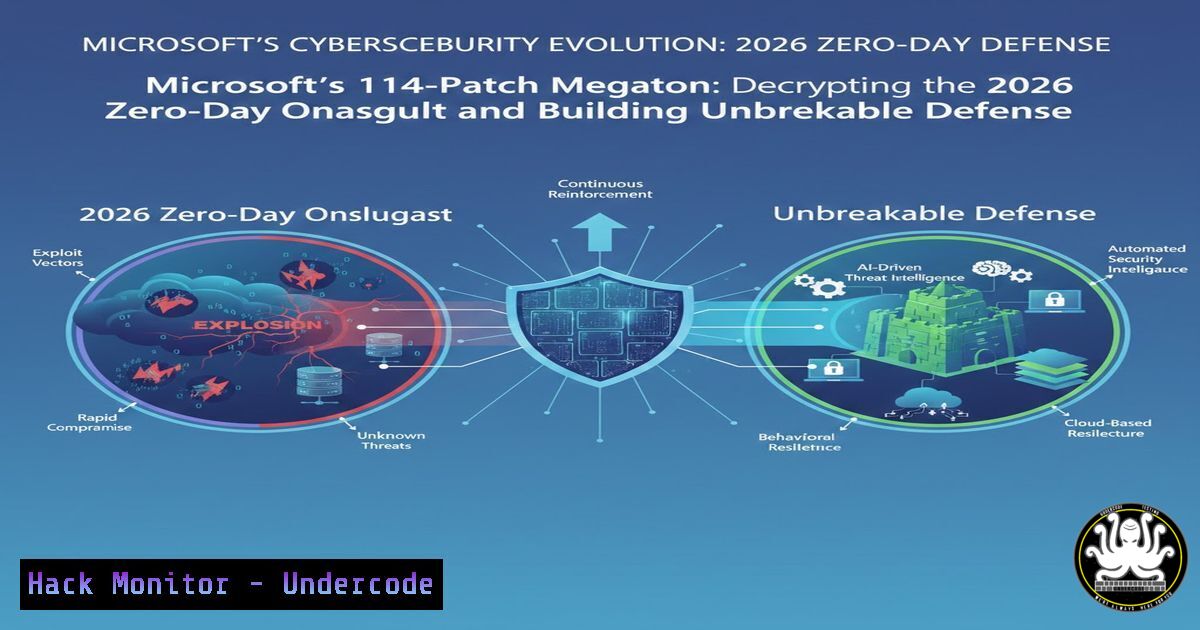
Microsoft’s January 2026 Patch Tuesday is a watershed moment, delivering a colossal update that patches 114 vulnerabilities, including three critical zero-days actively exploited in the wild. This event underscores an intensifying threat landscape where attackers are aggressively chaining common elevation-of-privilege (EoP) flaws with critical remote code execution (RCE) bugs to compromise systems, moving beyond the myth of the need for single, perfect zero-click exploits. The scale of this update, featuring 12 critical CVEs primarily targeting core Windows services and Office applications, demands an immediate and strategic response from every security team reliant on the Microsoft ecosystem.
Learning Objectives:
- Decode the technical breakdown of the January 2026 Patch Tuesday, understanding the exploit chains targeting LSASS, kernel drivers, and Office.
- Master the immediate patching procedures and mitigation steps for Windows and Linux-integrated environments to neutralize the published critical vulnerabilities.
- Develop and implement a proactive defense-in-depth strategy that goes beyond monthly patching to harden systems against the EoP and RCE techniques highlighted this cycle.
You Should Know:
- Dissecting the 2026 Patch Tuesday: A Technical Breakdown of the Attack Vectors
The January 2026 release isn’t just a large batch of fixes; it’s a map of current attacker methodologies. The three patched zero-days are the headline, but the over 90 “Important”-rated vulnerabilities, mostly Elevation of Privilege (EoP) flaws, are the true enablers. As noted in the LinkedIn discussion, “attackers don’t need 0-click bugs when EoP chains are everywhere.” These EoP bugs in Windows Kernel drivers and management services are typically leveraged after an initial foothold is gained, often via a critical RCE flaw like those patched in Office or the Windows Local Security Authority Subsystem Service (LSASS). An attacker might use a malicious document (exploiting an Office RCE) to gain execution, then use a kernel EoP flaw to escalate to SYSTEM privileges, achieving full control.
Step-by-step guide to audit your system’s exposure:
1. Identify Installed Software and Versions:
Windows (PowerShell): Use `Get-WmiObject -Class Win32_Product | Select-Object Name, Version` or, more efficiently for Windows updates, use `Get-HotFix | Sort-Object InstalledOn -Descending | Select-Object HotFixID, InstalledOn -First 20` to see recent patches.
Linux (Systems with Microsoft services): For hosts running Azure Hybrid services or SQL Server, check logs. Use `grep -i “security\|update” /var/log/apt/history.log` (on Debian/Ubuntu) to review recent security package installations.
2. Cross-Reference with Microsoft’s Official CVE List:
Visit the Microsoft Security Update Guide portal. Filter for the January 2026 release.
Focus first on CVEs tagged as Critical and Publicly Disclosed or Exploited. Key search terms: “LSASS,” “Windows Kernel,” “Microsoft Office Word,” “Remote Code Execution.”
3. Prioritize Patching Based on Exploit Chain Logic:
Immediate (Within 24 hours): All Critical RCE patches (especially for Office and LSASS) and the three patched zero-days.
High Priority (Within 72 hours): All Elevation of Privilege patches for Windows Kernel, Win32k, and key services. These directly enable the “lateral-movement risk” highlighted in the comments if left unpatched.
2. Neutralizing the Zero-Days: Mitigation Before Patching
While patching is the ultimate solution, mitigations can buy critical time for testing and deployment. The three exploited zero-days likely target common weak points: memory corruption in privileged processes or script engine manipulation.
Step-by-step guide for implementing common zero-day mitigations:
- Apply Microsoft’s Recommended Workarounds: For each zero-day, the security advisory will list specific registry key changes or configuration adjustments. Example: A common mitigation for Office-related exploits is to block specific file types or disable vulnerable controls via the Registry.
Windows Command (Run as Administrator): Always create a backup before editing the registry:reg export HKEY_LOCAL_MACHINE\SOFTWARE\Microsoft\Office test_backup.reg. Apply only the workarounds specified in the official advisory for the specific CVE.
2. Harden Microsoft Office:
Enable Protected View for files from the internet.
Use Attack Surface Reduction (ASR) rules in Microsoft Defender Exploit Guard. Enable rules like “Block all Office applications from creating child processes” and “Block Win32 API calls from Office macros.”
PowerShell Command to enable an ASR rule: `Set-MpPreference -AttackSurfaceReductionRules_Ids D4F940AB-401B-4EFC-AADC-AD5F3C50688A -AttackSurfaceReductionRules_Actions Enabled`
3. Restrict LSASS Access (Credential Guard): To protect the LSASS process (a prime target), ensure Credential Guard is enabled on supported systems. This isolates LSASS in a virtualized container.
Check Status via PowerShell: `Get-ComputerInfo -Property DeviceGuard`
Enable via Group Policy: Navigate to Computer Configuration > Administrative Templates > System > Device Guard. Turn on Virtualization Based Security.
3. Enterprise Patching at Scale: Automating the Response
For large organizations, manual patching is impossible. The sheer volume (114 CVEs) makes automation and intelligent prioritization mandatory.
Step-by-step guide for enterprise-scale deployment:
1. Leverage Your Existing Management Suite:
Microsoft Endpoint Configuration Manager (SCCM) / Windows Server Update Services (WSUS): Create a dedicated Patch Tuesday January 2026 device collection. Import all relevant updates, sort by severity (Critical first), and deploy using phased, automated deployment rings—starting with a pilot group of non-critical test machines.
2. Scripted Verification for Critical Servers:
Post-patch deployment, verify the installation of the most critical updates using remote PowerShell.
Example Verification Script (PowerShell):
 Define the specific KB article numbers for the critical RCE patches
$criticalKBs = @("KB5000001", "KB5000002", "KB5000003")
$computerName = "TARGET_SERVER"
$session = New-PSSession -ComputerName $computerName
foreach ($kb in $criticalKBs) {
$hotfix = Invoke-Command -Session $session -ScriptBlock { Get-HotFix | Where-Object { $_.HotFixID -eq $using:kb } }
if ($hotfix) { Write-Output "[+] $computerName has $kb installed." } else { Write-Output "[-] $computerName is MISSING $kb!" }
}
Remove-PSSession $session
- Integrate with Vulnerability Management Platforms: As highlighted by the Snapsec.co platform description, unified AppSec solutions can centralize this process. These platforms can automatically ingest the CVE list, correlate it with asset inventories to identify exposed systems, generate prioritized tickets, and track remediation—turning a list of 114 flaws into an actionable, accountable workflow.
4. The Linux-Adjacent Reality: Securing Hybrid Environments
The LinkedIn comment, “most companies heavily rely on Microsoft,” is accurate, but backend infrastructure often runs Linux. Attackers pivoting from a compromised Windows host will target Linux servers.
Step-by-step guide for hardening Linux in a compromised Windows network scenario:
1. Assume Breach and Audit Linux Authentication Logs:
Immediately audit for signs of lateral movement from Windows subnets. Use `sudo grep “Failed password\|Accepted password” /var/log/auth.log | grep -E “(192.168.1.|10.0.0.)”` to filter for authentication attempts from your internal Windows IP ranges.
2. Harden SSH and Privilege Access:
Enforce key-based authentication and disable password login for SSH (PasswordAuthentication no in /etc/ssh/sshd_config).
Implement network-level controls using `iptables` or `ufw` to restrict SSH access to only designated jump hosts or management subnets, not the entire Windows VLAN.
Example `ufw` command: `sudo ufw allow from 10.0.5.0/24 to any port 22 proto tcp`
3. Elevate Linux Endpoint Detection and Response (EDR): Deploy EDR agents on Linux servers to detect anomalous process trees, suspicious command-line arguments, and unexpected network connections that may originate from a Windows-based attacker.
5. Building a Post-Patch Resilience Strategy
Patching is reactive. The trends shown in this update demand a proactive, layered defense to mitigate future risk.
Step-by-step guide for building a resilient posture:
- Implement Application Allowlisting: Beyond patching, use tools like AppLocker (Windows) or a Mandatory Access Control system like AppArmor/SELinux (Linux) to block unauthorized executables. This can prevent the execution of malware payloads even if an RCE is successfully triggered.
Windows AppLocker (PowerShell – Test Rule): `Get-AppLockerPolicy -Effective | Test-AppLockerPolicy -Path “C:\temp\unknown.exe” -User Everyone` - Network Segmentation and Micro-Segmentation: As emphasized in the comments, unpatched systems create lateral movement risk. Segment your network to isolate critical servers (domain controllers, database servers) from general workstations. Use host-based firewalls (
Windows Firewall with Advanced Security,iptables) to enforce strict communication rules. -
Adopt a Formalized Patching SLA (Service Level Agreement): The volume of patches makes ad-hoc processes untenable. Define and enforce strict SLAs:
Critical/Exploited Patches: Apply within 24-48 hours.
Important Patches: Apply within 7-14 days.
Use your vulnerability management platform (like the unified dashboard shown by Snapsec) to measure and report on compliance with these SLAs across all business units.
What Undercode Say:
- Key Takeaway 1: The Attack Landscape Has Fundamentally Shifted. The critical lesson from 114 CVEs is not the zero-days themselves, but the overwhelming prevalence of weaponized EoP flaws. Modern attackers operate on a “patch gap” economy, efficiently chaining known, unpatched EoP vulnerabilities with RCEs to build reliable exploit chains, rendering the pursuit of a single magical zero-day less critical than defenders often assume.
- Key Takeaway 2: Human-Centric Patching Processes Are Now the Primary Vulnerability. The technical vulnerabilities are a symptom; the organizational vulnerability is slow, manual, and risk-averse patching cycles. In an era where proof-of-concepts (PoCs) for new patches are developed within hours (as hinted in the LinkedIn comments), a patching cycle measured in weeks is an open invitation to breach. Automation, measured SLAs, and integrated platform tools are no longer luxuries but core survival mechanisms.
Analysis: The discourse around this Patch Tuesday reveals a maturity in attacker tradecraft and a lag in defense mobilization. Security experts correctly point out that the real risk lies in the “known issues that stay unpatched.” This patch batch is a stark stress test for vulnerability management programs. The integration of AI, mentioned in the comments for offense, must be urgently harnessed for defense—using AI-driven tools to predict exploit chain probability, automate patch testing, and dynamically adjust security policies. Platforms like Snapsec, which promise unified vulnerability management and threat intelligence, point toward the necessary future: a consolidated, correlated, and automated security operations ecosystem that can translate 114 discrete CVEs into a coherent, prioritized, and closed-loop remediation workflow without overwhelming human analysts.
Prediction:
The January 2026 patch wave is a precursor to the new normal. We predict a continued exponential growth in the volume of discovered vulnerabilities, supercharged by AI-assisted code analysis on both the offensive and defensive sides. This will force a paradigm shift from discrete monthly patching to continuous, automated vulnerability management and mitigation. The future of enterprise defense will lie in unified platforms that seamlessly blend asset discovery, risk-based prioritization, automated patch deployment, and runtime threat prevention. Organizations that cling to manual, siloed processes will find their “patch gap” widening into an unbridgeable security chasm, while those that embrace automation and integration will turn the overwhelming flow of vulnerability data into a strategic advantage, achieving resilience at machine speed.
▶️ Related Video (84% Match):
🎯Let’s Practice For Free:
IT/Security Reporter URL:
Reported By: Kaaviya Balaji – Hackers Feeds
Extra Hub: Undercode MoN
Basic Verification: Pass ✅


