Listen to this Post
Introduction:
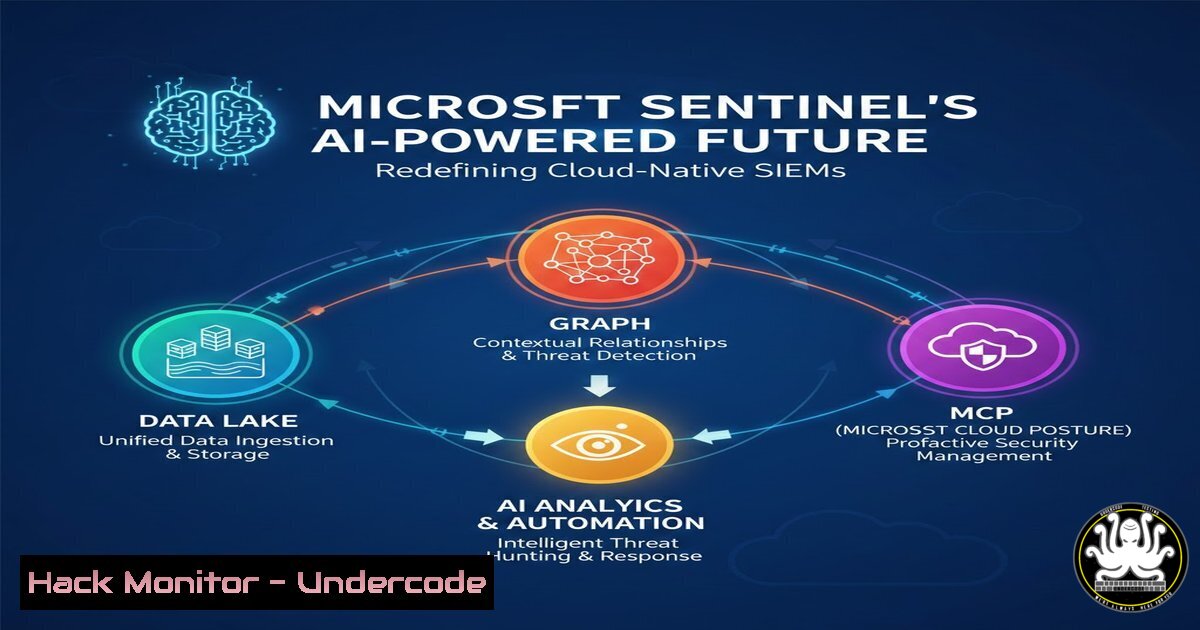
Microsoft Sentinel has evolved from a cloud-native SIEM into a comprehensive security platform, integrating advanced capabilities like the Sentinel Data Lake for cost-effective log retention, Sentinel Graph for visualizing attack relationships, and the Model Context Protocol (MCP) for powering agentic AI workflows. This evolution marks a shift from mere log aggregation to a data-centric, intelligence-driven defense system where automation and community collaboration are paramount. Understanding these components is critical for security teams aiming to modernize their operations and effectively counter sophisticated threats.
Learning Objectives:
- Understand the architectural role and economic benefit of the Sentinel Data Lake in modern log management.
- Learn how Sentinel Graph transforms raw alerts into actionable attack narratives for defenders.
- Explore the practical integration of Agentic AI through Sentinel’s MCP for autonomous security operations.
You Should Know:
- The Sentinel Data Lake: Architecting for Scale and Economics
The Sentinel Data Lake decouples log ingestion from analytics, sending raw data directly to a cost-optimized Azure Data Lake Storage Gen2 account while retaining the ability to query it from within Sentinel. This solves the core challenge of ballooning SIEM costs by providing a “hot” tier for active investigation and a “cold,” affordable tier for long-term retention and compliance.
Step-by-step guide explaining what this does and how to use it:
1. Concept: Instead of all logs being stored in the relatively expensive Sentinel workspace, they are routed to Azure Data Lake Storage (ADLS Gen2). Sentinel then creates an external table reference, allowing you to query this data seamlessly using the same Kusto Query Language (KQL) as your hot data.
2. Implementation: Configuration is primarily done via the Azure Portal or Infrastructure-as-Code.
Azure Portal: Navigate to your Microsoft Sentinel instance -> `Settings` -> Data Lake. Link to an existing ADLS Gen2 account or create a new one.
Infrastructure-as-Code (ARM Template): Deploy and link the storage account using an Azure Resource Manager template for consistent, repeatable deployment.
{
"$schema": "https://schema.management.azure.com/schemas/2019-04-01/deploymentTemplate.json",
"contentVersion": "1.0.0.0",
"resources": [
{
"type": "Microsoft.Storage/storageAccounts",
"apiVersion": "2023-01-01",
"name": "[variables('storageAccountName')]",
"location": "[parameters('location')]",
"kind": "StorageV2",
"sku": { "name": "Standard_LRS" },
"properties": { "isHnsEnabled": true }
},
{
"type": "Microsoft.SecurityInsights/dataConnectors",
"apiVersion": "2023-02-01-preview",
"name": "[concat(parameters('sentinelWorkspaceName'), '/', 'DataLakeConnector')]",
"location": "[parameters('location')]",
"dependsOn": [ "[resourceId('Microsoft.Storage/storageAccounts', variables('storageAccountName'))]" ],
"properties": {
"dataTypes": { "logs": { "state": "Enabled" } },
"destinationStorageAccountResourceId": "[resourceId('Microsoft.Storage/storageAccounts', variables('storageAccountName'))]"
}
}
]
}
3. Querying: Use KQL’s `externaldata` operator or the dedicated `Search-ASCStorage` function to query data in the lake directly from the Sentinel Logs page.
// Example KQL query to join hot security alert data with cold, historical log data from the Data Lake
SecurityAlert
| where TimeGenerated > ago(24h)
| join kind=inner (externaldata<| cluster("DataLakeCluster").database("AuditLogs").["SigninLogs"]) on $left.CompromisedEntity == $right.Identity
| project AlertName, CompromisedEntity, IPAddress, TimeGenerated, HistoricalSigninCount=count_
2. Sentinel Graph: Mapping the Attacker’s Footprint
Sentinel Graph moves beyond isolated alerts by modeling and visualizing the relationships between security entities (users, hosts, IPs, applications). It constructs a dynamic knowledge graph that reveals the full scope of an attack campaign, showing lateral movement, privilege escalation paths, and data exfiltration routes that are invisible in a flat log view.
Step-by-step guide explaining what this does and how to use it:
1. Concept: The graph is built automatically as data is ingested. Entities are nodes, and their interactions (e.g., “user logged onto host,” “process accessed file”) are edges. Security analytics rules and ML models constantly analyze this graph for anomalous paths.
2. Accessing the Graph: Within an incident in Sentinel, click the `Investigate` button. This opens the graphical investigation canvas. You can start with a compromised entity (like a user account) and expand the graph to see all connected assets and activities.
3. Proactive Hunting with KQL Graph Operators: Use new KQL operators designed for graph traversal to proactively hunt for complex threats.
// Example: Find potential lateral movement by looking for a user authenticating to multiple distinct hosts in a short timeframe.
let timeframe = 30m;
SigninLogs
| where TimeGenerated > ago(1d)
| where ResultType == 0 // Successful sign-ins
| project Timestamp=TimeGenerated, UserPrincipalName, SourceIPAddress, TargetDeviceName
| make-graph UserPrincipalName --> TargetDeviceName
| graph-match (user)-[signin2..5]->(host)
where signin.Timestamp between (datetime(2023-10-01) .. datetime(2023-10-02))
and count(distinct host.TargetDeviceName) > 3
| project user.UserPrincipalName, hostList = aggregate_array(host.TargetDeviceName)
3. MCP and the Agentic AI Workflow
The Model Context Protocol (MCP) is the backbone of Sentinel’s agentic AI strategy. It provides a standardized framework for AI agents (like a Security Copilot agent) to securely discover, connect to, and act upon the vast array of data and tools within the Sentinel ecosystem—from querying logs and triggering playbooks to updating incident tickets—without manual intervention.
Step-by-step guide explaining what this does and how to use it:
1. Concept: MCP acts as a “universal adapter” between large language models (LLMs) and security tools. It exposes a secure API that describes available data sources (Data Lake, Graph) and actions (run query, isolate device).
2. Enabling Agentic Actions: This is configured within the broader Microsoft Security Copilot or Sentinel automation settings. You define the scope and permissions for what an AI agent is allowed to do.
3. Example AI Agent Task Flow:
Step 1 (Discovery): An AI analyst agent, via MCP, discovers a KQL hunting query gallery and a SOAR playbook for credential theft.
Step 2 (Execution): The agent runs a relevant query from the gallery against the Data Lake.
Step 3 (Orchestration): Upon finding indicators, it executes the `Isolate-AzureVM` playbook via a Logic Apps or Azure Functions backend.
Step 4 (Reporting): It then updates the incident in Sentinel and generates a summary for the human analyst.
 Example backend Azure Function (PowerShell) that an MCP-enabled AI agent might call to isolate a VM.
 Note: The AI agent interacts with MCP, which calls this secured API.
using namespace System.Net
param($Request)
$VMName = $Request.Body.VMName
$ResourceGroup = $Request.Body.ResourceGroup
 Authenticate via Managed Identity
Connect-AzAccount -Identity
 Isolate VM by applying a 'DenyAll' NSG
$nsg = Get-AzNetworkSecurityGroup -Name "Isolation-NSG" -ResourceGroupName "SecurityResources"
$vnet = Get-AzVirtualNetwork -ResourceGroupName $ResourceGroup | Where-Object { $_.Subnets[bash].Id -like "$VMName" }
$vnet.NetworkSecurityGroup = $nsg
Set-AzVirtualNetwork -VirtualNetwork $vnet
Push-OutputBinding -Name Response -Value ([bash]@{
StatusCode = [bash]::OK
Body = "Isolation command initiated for VM: $VMName"
})
4. Implementing Detection as Code (DaC)
Detection as Code (DaC) treats security analytics rules, hunting queries, and automation playbooks as version-controlled code. This enables peer review, automated testing, CI/CD pipelines for deployment, and consistent management across dev, test, and production Sentinel workspaces, aligning security with modern DevOps practices.
Step-by-step guide explaining what this does and how to use it:
1. Tooling: Use the Sentinel as Code (azsentinel) Python CLI or Azure Resource Manager (ARM) templates/Terraform to define rules.
2. Workflow:
Author: Write a KQL analytic rule in a YAML file.
 sentinel_analytics_rule.yaml
id: a123b456-c789d012-e345f678-g901h234
name: "Potential Ransomware Activity - ShadowCopy Deletion"
description: "Detects mass deletion of Volume Shadow Copies, a common ransomware precursor."
severity: High
query: |
SecurityEvent
| where EventID == 5142
| where ObjectName contains "\Device\HarddiskVolumeShadowCopy"
| where Accesses has "Delete"
| summarize DeletionCount = count(), DeletedItems = make_set(ObjectName) by Account, Computer, _ResourceId
| where DeletionCount > 3
query_frequency: 1h
query_period: 1h
trigger_operator: gt
trigger_threshold: 0
Version Control: Store the YAML file in a Git repository (e.g., GitHub, Azure Repos).
Deploy: Use a pipeline (Azure DevOps, GitHub Actions) to validate and deploy the rule to your Sentinel instance using the chosen CLI tool.
 Example GitHub Actions step to deploy using azsentinel
- name: Deploy Analytics Rule
run: |
pip install azsentinel
azsentinel analytics create -f sentinel_analytics_rule.yaml -w <WorkspaceName> -g <ResourceGroup> --subscription <SubId>
env:
AZURE_CLIENT_ID: ${{ secrets.AZURE_CLIENT_ID }}
AZURE_TENANT_ID: ${{ secrets.AZURE_TENANT_ID }}
AZURE_CLIENT_SECRET: ${{ secrets.AZURE_CLIENT_SECRET }}
- Hardening the Sentinel Deployment: API and Access Security
The power of Sentinel and its MCP interface makes securing its management plane critical. This involves strict access control, API security, and network hardening to prevent the platform itself from becoming a target.
Step-by-step guide explaining what this does and how to use it:
1. Zero-Trust Access: Implement Azure Active Directory Conditional Access policies requiring multi-factor authentication (MFA) and compliant devices for all access to the Azure Portal and APIs managing Sentinel.
2. Role-Based Access Control (RBAC): Use the built-in Azure roles (Security Reader, Security Contributor, Security Admin) or create custom roles with least-privilege principles. Avoid using the broad `Contributor` role on the Sentinel workspace.
3. Secure API and Automation Access:
For automated scripts and CI/CD pipelines, use Azure Managed Identities instead of shared secrets or certificates.
If service principals must be used, grant them specific RBAC roles and regularly rotate their credentials.
 Example: Using Managed Identity from an Azure VM to run a Sentinel query via PowerShell
 The VM's system-assigned identity must be granted the 'Security Reader' role on the Sentinel workspace.
Connect-AzAccount -Identity
$workspaceId = "/subscriptions/<sub-id>/resourcegroups/<rg>/providers/microsoft.operationalinsights/workspaces/<workspace-name>"
$query = "SecurityAlert | take 10"
$results = Invoke-AzOperationalInsightsQuery -WorkspaceId $workspaceId -Query $query
$results.Results
4. Network Controls: If using Sentinel to monitor resources in a locked-down network, ensure the Microsoft Monitoring Agent (MMA) or Azure Monitor Agent (AMA) can communicate with the Log Analytics workspace endpoints, which may require configuring firewall allowances for specific service tags.
What Undercode Say:
- The Platform is Becoming the Analyst’s Co-pilot. The integration of Data Lake, Graph, and MCP is not just about adding features; it’s a philosophical shift towards a collaborative model where the SIEM platform handles data-heavy lifting and routine tasks, allowing human analysts to focus on high-level strategy, complex investigation, and decision-making. This symbiosis is the core of modern SecOps.
- Community is the Silent Feature. The discussion highlights that Sentinel’s trajectory is significantly shaped by user feedback. This creates a powerful flywheel: real-world defender needs drive product evolution, which in turn empowers the community to defend more effectively. The most successful security teams will be those actively engaged in this feedback loop.
The convergence of cost-effective data architecture (Data Lake), intelligent correlation (Graph), and autonomous action (MCP/AI) represents the blueprint for the next generation of SIEMs. Sentinel is evolving from a tool that tells you what happened to a platform that predicts what might happen and suggests or even executes controlled responses.
Prediction:
In the next 2-3 years, the role of the traditional tier-1 SOC analyst will fundamentally transform. Agentic AI, powered by frameworks like MCP, will automate up to 70% of routine alert triage, initial investigation, and standard containment tasks. This will shift the analyst’s primary value from manual log review to overseeing AI agents, fine-tuning their reasoning models, managing complex exception cases, and conducting deep, strategic threat hunting. Security teams that successfully adopt and integrate these AI co-pilot capabilities will see a dramatic increase in operational scale and speed, while those that do not will struggle with alert fatigue and an expanding skills gap. The future defender is a “security orchestrator,” managing a blend of human intuition and AI-powered automation.
▶️ Related Video (80% Match):
🎯Let’s Practice For Free:
IT/Security Reporter URL:
Reported By: Talkingsecurity Microsoftsentinel – Hackers Feeds
Extra Hub: Undercode MoN
Basic Verification: Pass ✅


