Listen to this Post
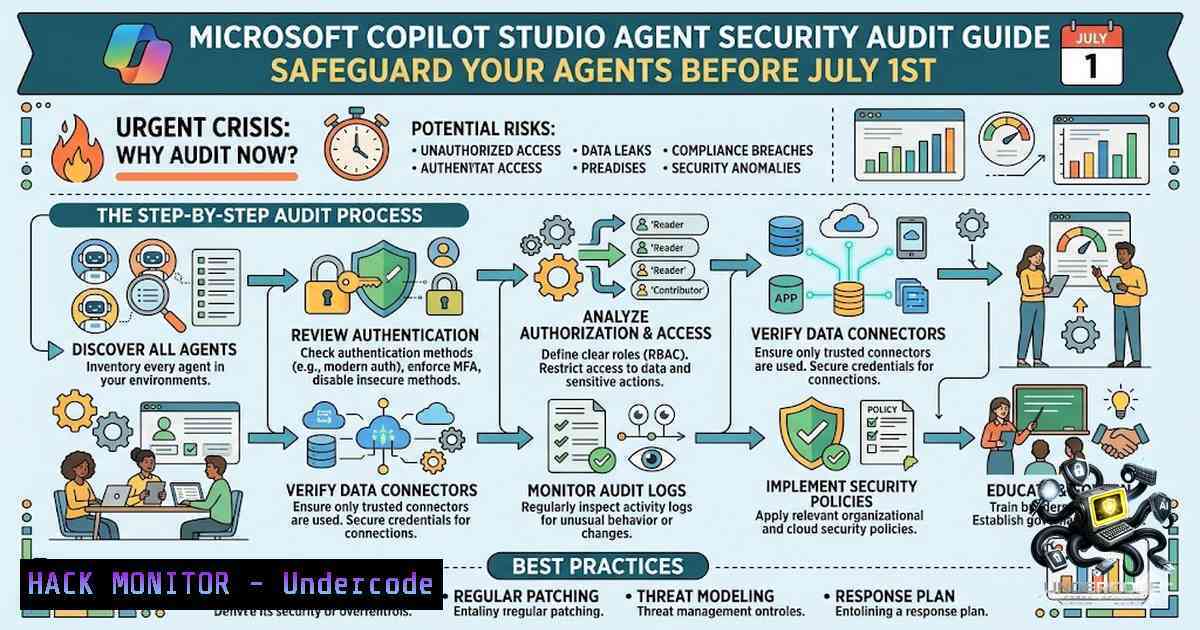
Introduction:
The clock is ticking on Microsoft’s `AIAgentsInfo` table deprecation, set for July 1, 2026. This advanced hunting schema table has been the backbone for security teams to query Copilot Studio agent configurations—but with its removal and the simultaneous enforcement of the Agent 365 license, organizations risk losing full visibility into their AI agent security posture. To address this critical gap, a multi-tenant Single-Page Application (SPA) has emerged as a read-only solution that extracts and correlates security settings across all agents, ensuring no configuration—from authentication modes to orphaned agents—goes unmonitored.
Learning Objectives:
- Understand the impact of the `AIAgentsInfo` deprecation and Agent 365 license enforcement on security monitoring.
- Learn to deploy and utilize a multi-tenant SPA for auditing Copilot Studio agent security settings.
- Master the interpretation of key security indicators including authentication modes, model compliance, and risk correlation.
You Should Know:
- The Deprecation Earthquake: Why `AIAgentsInfo` Is Going Dark
Effective July 1, 2026, Microsoft will officially deprecate the `AIAgentsInfo` table in the Microsoft Defender XDR advanced hunting schema. This table has been the primary source for querying AI agent inventory, including Copilot Studio agents, providing security-relevant properties such as tool permissions and identities. It is being replaced by the new `AgentsInfo` table, which consolidates telemetry for Copilot Studio, Microsoft 365 Copilot, Microsoft Foundry, and third-party agents into a single schema.
Compounding this issue, Microsoft is moving several AI agent security capabilities from existing Defender-based coverage into Microsoft Agent 365. Starting July 1, 2026, security capabilities for Copilot Studio agents require an Agent 365-eligible license. This dual change means that organizations relying on legacy queries and licensing models will lose the ability to monitor agent security settings unless they migrate.
Step‑by‑step guide to verify your current exposure:
- Query the legacy table before it disappears. In Microsoft Defender XDR, navigate to Investigation & Response > Hunting > Advanced hunting.
- Run the following KQL (Kusto Query Language) to inventory your agents:
AIAgentsInfo
| project AgentId, AgentName, CreatedDateTime, TenantId, AuthMode
- Identify agents using Maker-Provided Credentials—a high-risk configuration that allows agents to authenticate tools using the creator’s personal credentials:
AIAgentsInfo
| where AuthMode == "MakerCredentials"
| project AgentName, CreatedBy, EnvironmentId
- Check for orphaned agents—those without an assigned owner that pose a significant security risk:
AIAgentsInfo
| where IsOrphaned == true
| project AgentName, LastActivityDate
- Document all findings. These queries will stop working after July 1, 2026, so export your data immediately.
2. Building Your Multi-Tenant SPA Audit Tool
Since Microsoft’s native solutions will no longer provide a unified view post-deprecation, a multi-tenant SPA offers a viable workaround. This tool runs entirely in your browser, performing read-only operations against the Power Platform API to enumerate agents and their security settings across multiple tenants.
The SPA authenticates using your Microsoft Entra ID credentials and requires either the System Administrator or System Customizer role in each Power Platform environment you wish to audit. These roles grant full permissions to customize or administer the environment, including access to all AI models and prompts.
Step‑by‑step guide to deploy and use the SPA:
1. Register an application in Microsoft Entra ID:
- Navigate to Azure Portal > Microsoft Entra ID > App registrations > New registration.
- Name your application (e.g., “Copilot Studio Security Auditor”).
- Select Accounts in any organizational directory (Any Microsoft Entra ID tenant – Multitenant) for multi-tenant support.
- Set the redirect URI to your SPA’s URL (e.g., `https://your-spa-domain.com`).
- Click Register.
2. Configure API permissions:
- Under API permissions, add the following Microsoft Graph permissions:
– `Environment.Read.All` – to read Power Platform environments.
– `Application.Read.All` – to discover applications. - Add Power Platform API permissions:
– `Environment.Read.All`
– Grant admin consent for your organization.
3. Deploy the SPA:
- Host the static HTML/JavaScript application on any web server (Azure Static Web Apps, GitHub Pages, or your own infrastructure).
- The SPA will use the MSAL.js library to authenticate users and acquire tokens for the Power Platform API.
4. Run the audit:
- Access the SPA URL and authenticate with your credentials.
- The SPA will enumerate all environments where you have System Administrator or System Customizer permissions.
- For each environment, it queries the Power Platform API to retrieve all Copilot Studio agents and their security settings.
- Decoding the Security Posture: What the SPA Reveals
The SPA extracts nine critical security dimensions for each agent. Understanding these indicators is essential for maintaining a secure AI environment.
No Authentication – Agents configured with “No authentication” allow anyone with the link to access the agent. This is a severe security risk, especially for agents handling sensitive data.
Maker-Credentials – This setting allows the agent to use the maker’s personal credentials for authentication. While convenient, it violates the principle of least privilege and can lead to privilege escalation if the agent is compromised. Microsoft now provides a governance feature to block this, and administrators should enforce its use:
 PowerShell command to check if maker-credentials are blocked
Get-AdminPowerAppEnvironment | ForEach-Object {
Get-AdminPowerApp -EnvironmentName $<em>.EnvironmentName | Where-Object {$</em>.Internal.properties.toolAuthMode -eq "MakerCredentials"}
}
Model Compliance [World Map] – Agents must comply with regional data residency and AI regulations. The SPA visualizes compliance status on a world map, highlighting agents operating in non-compliant regions.
Send Mail – Agents with mail-sending capabilities can be abused for phishing or data exfiltration. The SPA identifies which agents have this permission.
MCP Server – Agents configured as Model Context Protocol servers expose interfaces that must be secured against unauthorized access.
HTTP Requests – Agents making outbound HTTP requests can interact with external services. The SPA audits these endpoints for security misconfigurations.
Orphaned Agents – Agents without an assigned owner represent a significant security gap. The Power Platform API now supports reassigning ownership of orphaned agents:
 Example REST API call to reassign an orphaned agent
curl -X POST "https://api.powerplatform.com/environments/{envId}/agents/{agentId}/reassign" \
-H "Authorization: Bearer {accessToken}" \
-H "Content-Type: application/json" \
-d '{"newOwnerId": "{newOwnerObjectId}"}'
Generative Orchestration – Agents using generative AI for orchestration require additional scrutiny to prevent prompt injection and data leakage.
Risk Correlation – The SPA correlates these indicators to produce a composite risk score for each agent, enabling prioritization of remediation efforts.
- Mitigating the Risks: Hardening Your Copilot Studio Agents
Once you’ve identified risky configurations, take immediate action to harden each agent.
Block Maker-Provided Credentials – Use the Copilot Studio governance feature to enforce that only end-user credentials can be used for authentication. Navigate to Copilot Studio > Settings > Security > Control maker credential options and select End-user credentials only.
Enable External Threat Detection – Configure your agents to use an external threat detection service via REST API. This provides runtime protection against malicious inputs.
Implement Just-In-Time (JIT) Credentials – Leverage solutions like Aembit that issue short-lived credentials for each task, ensuring agents never hold persistent credentials.
Quarantine Non-Compliant Agents – Use the Power Platform API to quarantine agents that violate security policies:
 Quarantine an agent via REST API
curl -X POST "https://api.powerplatform.com/environments/{envId}/agents/{agentId}/quarantine" \
-H "Authorization: Bearer {accessToken}" \
-H "Content-Type: application/json" \
-d '{"reason": "Non-compliant authentication configuration"}'
5. Governance at Scale: Tenant and Environment Policies
Beyond individual agent settings, establish governance policies at the tenant and environment levels.
Restrict Agent Sharing – In the Power Platform Admin Center, navigate to Settings > Security > Sharing controls to enforce who can share agents and with whom.
Control Agent Creation – Assign the Environment Maker role only to authorized users. Use the Power Platform API to audit creator activities.
Enable Dataverse Auditing – Turn on Dataverse auditing to log all changes to agent configurations.
Step‑by‑step guide to configure tenant-level policies:
- Sign in to the Power Platform Admin Center.
2. Select Environments and choose your production environment.
3. Navigate to Settings > Product > Features.
4. Enable Auditing and configure retention policies.
- Under Users + permissions > Security roles, assign the System Customizer role to administrators who need to manage agents.
- Configure Sharing controls to limit external sharing of agents.
6. Linux and Windows Commands for Automation
For security teams managing large fleets of agents, automation is key. Here are commands to integrate Copilot Studio security auditing into your CI/CD or SOAR workflows.
Windows PowerShell – Export All Agent Security Settings:
 Install the Power Apps Administration module
Install-Module -1ame Microsoft.PowerApps.Administration.PowerShell -Scope CurrentUser

Connect to Power Platform
Add-PowerAppsAccount

Get all environments
$environments = Get-AdminPowerAppEnvironment

Loop through environments and export agent details
foreach ($env in $environments) {
$agents = Get-AdminPowerApp -EnvironmentName $env.EnvironmentName | Where-Object {$<em>.AppType -eq "CopilotStudio"}
$agents | Select-Object DisplayName, Internal.properties.toolAuthMode, CreatedByUser | Export-Csv -Path "agents</em>$($env.EnvironmentName).csv" -1oTypeInformation
}
Linux/macOS – Query Power Platform API with cURL:
!/bin/bash
 Get access token using client credentials
TOKEN=$(curl -X POST "https://login.microsoftonline.com/{tenantId}/oauth2/v2.0/token" \
-d "client_id={clientId}" \
-d "client_secret={clientSecret}" \
-d "scope=https://api.powerplatform.com/.default" \
-d "grant_type=client_credentials" | jq -r '.access_token')

List all environments
curl -X GET "https://api.powerplatform.com/environments" \
-H "Authorization: Bearer $TOKEN" | jq '.'
KQL Queries for Advanced Hunting (Use Before July 1, 2026):
// Find agents with No Authentication
AIAgentsInfo
| where AuthMode == "None"
| project AgentName, EnvironmentName, CreatedDateTime

// Correlate agents with high-risk HTTP requests
AIAgentsInfo
| where HttpRequestsEnabled == true
| join kind=inner (
IdentityLogonEvents
| where AccountUpn != ""
| summarize by AccountUpn
) on $left.CreatedBy == $right.AccountUpn
What Undercode Say:
- The deprecation is a forcing function, not a limitation. Organizations must treat this as an opportunity to reassess their entire AI security governance framework rather than simply migrating queries.
- Visibility is the foundation of security. Without the ability to audit agent configurations, organizations are flying blind into an era where AI agents will outnumber human users. The multi-tenant SPA approach demonstrates that creative solutions can fill gaps left by vendor roadmaps.
- The Agent 365 license enforcement signals Microsoft’s strategic shift toward monetizing AI security capabilities. Organizations should evaluate whether the additional features justify the cost or if third-party alternatives (like the SPA) can provide sufficient coverage.
Prediction:
- +1 The deprecation will accelerate the adoption of third-party AI security posture management (AI-SPM) tools, creating a new market category focused on multi-agent governance across Copilot Studio, Foundry, and third-party ecosystems.
- -1 Organizations that fail to migrate their queries and licensing before July 1, 2026 will experience a sudden and complete loss of visibility into their Copilot Studio agent security posture, leading to undetected misconfigurations and potential breaches.
- +1 The new `AgentsInfo` table’s unified schema will eventually provide better visibility than the legacy table, enabling cross-agent threat hunting that was previously impossible.
- -1 The complexity of the migration—combining table schema changes with licensing enforcement—will catch many enterprises off guard, resulting in rushed, error-prone implementations.
- +1 The multi-tenant SPA model will inspire similar community-driven solutions for other Microsoft security gaps, fostering a more resilient and innovative security ecosystem.
- -1 As AI agents become more powerful and numerous, the attack surface will expand exponentially. The deprecation of `AIAgentsInfo` removes a critical monitoring tool at precisely the moment when AI agent security matters most.
▶️ Related Video (74% Match):
🎯Let’s Practice For Free:
🎓 Live Courses & Certifications:
Join Undercode Academy for Verified Certifications
🚀 Request a Custom Project:
Secure, high-velocity infrastructure and disruptive technological engineering. Contact our engineering team for high-tier development and proprietary systems:
[email protected]
💎 Smart Architecture | 🛡️ Secure by Design | ⭐ Trusted by Thousands
IT/Security Reporter URL:
Reported By: Derkvanderwoude Due – Hackers Feeds
Extra Hub: Undercode MoN
Basic Verification: Pass ✅


