Listen to this Post
Introduction:
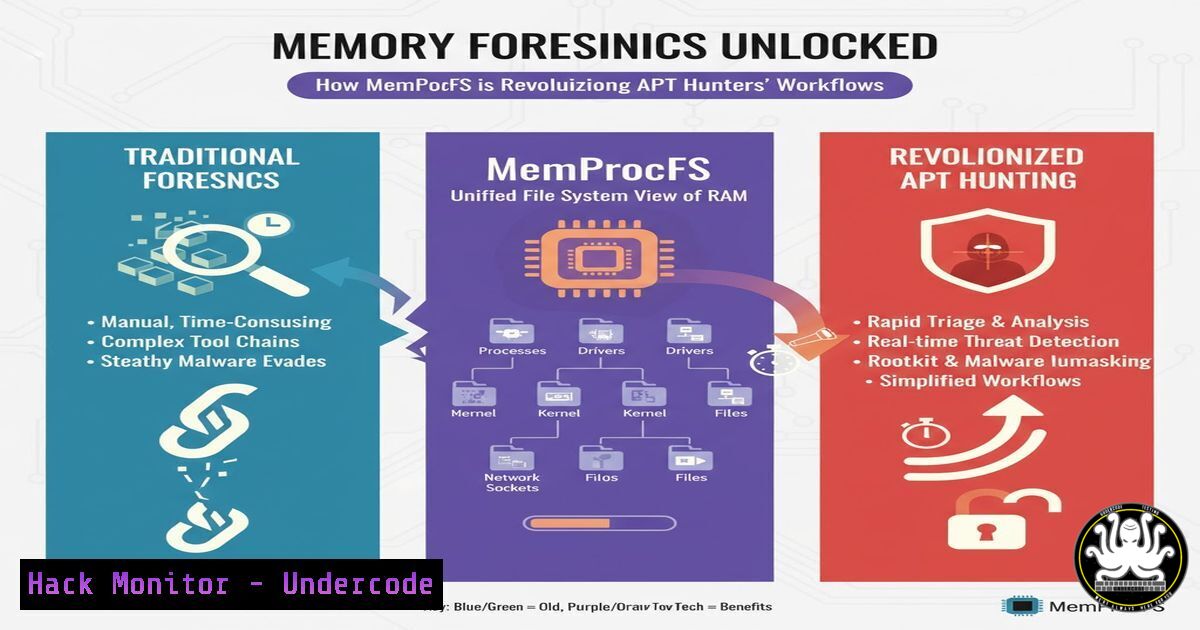
Memory forensics has become a critical discipline in detecting advanced persistent threats that evade traditional security controls. The MemProcFS tool represents a paradigm shift by mounting memory images as virtual file systems, enabling investigators to analyze live memory artifacts with unprecedented efficiency and depth in cases involving sophisticated actors like the Turla APT group.
Learning Objectives:
- Master the installation and mounting of memory images using MemProcFS for rapid forensic analysis
- Develop comprehensive memory artifact extraction techniques for process, network, and malware analysis
- Implement automated memory forensics workflows for detecting sophisticated attacker tradecraft
You Should Know:
1. MemProcFS Installation and Basic Mounting Operations
 Download and install MemProcFS on Linux
wget https://github.com/ufrisk/MemProcFS/releases/latest/download/MemProcFS.zip
unzip MemProcFS.zip -d /opt/memprocfs/
chmod +x /opt/memprocfs/.py

Mount memory image with basic parameters
python3 /opt/memprocfs/mpm.py -f memory.dmp -mount /mnt/memforensics/

Windows installation and mounting
MemProcFS.exe -device memory.dmp -mount M:
Step-by-step guide explaining what this does and how to use it:
MemProcFS transforms memory forensics by creating a virtual file system representation of physical memory. The installation process involves downloading the latest release from GitHub and extracting it to an appropriate directory. When mounting a memory image, the tool automatically analyzes the memory structures and presents various forensic artifacts through a directory hierarchy. The mount point becomes your gateway to memory analysis, where you can navigate through processes, network connections, and system information using standard file browsing tools without loading the entire image into memory.
2. Process and DLL Analysis for Malware Detection
 Navigate to process information directory
cd /mnt/memforensics/process/

List all processes with detailed information
ls -la processes/

Extract specific process memory
cat processes/pid_784/info.json | jq '.'
cat processes/pid_784/memory_dlls.json | jq '.[] | select(.name | contains("suspicious"))'

Windows alternative using mounted drive
dir M:\processes\
type M:\processes\pid_784\memory_dump.bin > process_784.bin
Step-by-step guide explaining what this does and how to use it:
Process analysis is fundamental to identifying malicious activity. MemProcFS organizes process information in structured directories where each process ID has its own folder containing memory dumps, loaded DLLs, and metadata. By examining the JSON information files, investigators can identify anomalous parent-child relationships, unusual process paths, and injected DLLs. The memory_dlls.json file is particularly valuable for detecting library injection techniques commonly used by APT groups to hide their presence within legitimate processes.
3. Network Artifact Extraction for C2 Communication Analysis
 Analyze network connections and sockets
cat /mnt/memforensics/network/tcp_connections.json | jq '.[] | {pid, local, remote, state}'

Extract DNS cache from memory
cat /mnt/memforensics/network/dns_cache.json | jq '.[] | select(.query | test("malicious"))'

Network statistics and listening ports
cat /mnt/memforensics/network/statistics.json | jq '.'
ls -la /mnt/memforensics/network/listening_ports/

PowerShell equivalent for Windows analysis
Get-Content M:\network\tcp_connections.json | ConvertFrom-Json | Where-Object {$_.remote -like "suspicious"}
Step-by-step guide explaining what this does and how to use it:
Network artifact analysis in memory captures reveals command and control communications that may be missed by network monitoring tools. MemProcFS extracts TCP/UDP connections, DNS cache entries, and socket information from memory structures. By correlating network connections with process information, investigators can identify backdoors and establish communication chains. The DNS cache analysis is particularly effective for detecting domain generation algorithm (DGA) domains and previously unknown malicious domains that resolved during the infection chain.
4. Registry Hive Analysis for Persistence Mechanism Discovery
 Access registry hives extracted from memory
ls -la /mnt/memforensics/registry/

Analyze specific hive for autoruns
cat /mnt/memforensics/registry/SYSTEM/ControlSet001/services.json | jq '.[] | select(.ImagePath | test("rundll32"))'

Extract user registry hives for lateral movement evidence
find /mnt/memforensics/registry/USER -name ".json" -exec grep -l "malware" {} \;

Registry query for Windows analysis
reg load M:\registry\SYSTEM system_reg
reg query "HKLM\SYSTEM\ControlSet001\Services" /s | findstr "ImagePath"
Step-by-step guide explaining what this does and how to use it:
Memory-resident registry hives contain crucial evidence of persistence mechanisms and system configuration changes. MemProcFS reconstructs registry hives from memory, allowing analysts to examine autorun locations, service configurations, and recent user activity without extracting separate hive files. This approach is particularly valuable for detecting registry-based persistence that only exists in memory or has been removed from disk but remains active in running systems—a common anti-forensics technique employed by sophisticated attackers.
5. File System Reconstruction and Timelining
 Access reconstructed file system from memory cache
ls -la /mnt/memforensics/filesystem/

Extract specific files from memory cache
find /mnt/memforensics/filesystem/ -name ".exe" -exec file {} \;
find /mnt/memforensics/filesystem/ -name ".ps1" -exec grep -l "IEX" {} \;

File metadata extraction for timelining
cat /mnt/memforensics/filesystem/metadata.json | jq '.[] | select(.name | contains("temp"))'

PowerShell file reconstruction
Get-ChildItem M:\filesystem\ -Recurse -Include .dll,.exe | Where-Object {$_.Length -gt 0}
Step-by-step guide explaining what this does and how to use it:
MemProcFS reconstructs file system artifacts from memory caches, providing access to files that were loaded or accessed by processes. This capability is invaluable for recovering malicious executables, scripts, and configuration files that may have been deleted from disk but remain in memory. The reconstructed file system maintains metadata timestamps that enable investigators to build accurate attack timelines and understand the sequence of intrusion events, crucial for determining the initial attack vector and subsequent lateral movement.
6. Malware Configuration Extraction and Automated Analysis
 Extract potential malware configurations
python3 /opt/memprocfs/plugins/malware_scanner.py -p /mnt/memforensics/

YARA scanning across process memory
yara -r malware_signatures.yar /mnt/memforensics/processes/

Automated artifact collection for IOCs
python3 -c "
import json
with open('/mnt/memforensics/processes/_all.json') as f:
processes = json.load(f)
suspicious = [p for p in processes if p['parent_pid'] == 1 and p['user'] != 'SYSTEM']
print(json.dumps(suspicious, indent=2))
"

PowerShell malware hunting
Get-Content M:\processes_all.json | ConvertFrom-Json | Where-Object {$_.command_line -match "-enc"}
Step-by-step guide explaining what this does and how to use it:
Advanced memory analysis involves extracting malware configurations and automating indicator of compromise (IOC) hunting. MemProcFS supports plugin architectures and integrates with YARA for memory scanning. By writing custom scripts that leverage the structured JSON output, analysts can rapidly identify processes with anomalous characteristics—such as unusual parent-child relationships, obfuscated command lines, or memory protection anomalies. This approach is particularly effective against fileless malware and living-off-the-land techniques where traditional file scanning fails.
7. Integration with Traditional Forensics Tools for Correlation
 Export specific artifacts for external analysis
volatility -f /mnt/memforensics/device/memory.dmp windows.malfind --pid 784
strings /mnt/memforensics/processes/pid_784/memory_dump.bin | grep -i "http"

Combine with timeline tools
log2timeline.py /mnt/memforensics/registry/
plaso -o dynamic /mnt/memforensics/filesystem/

Memory string extraction for broad pattern matching
strings -n 10 /mnt/memforensics/device/memory.dmp | grep -E "(https?://|.exe|cmd.exe)" > suspicious_strings.txt

Integrated analysis script
python3 -c "
import os, json
procs = json.load(open('/mnt/memforensics/processes/_all.json'))
conns = json.load(open('/mnt/memforensics/network/tcp_connections.json'))
for p in procs:
for c in conns:
if c['pid'] == p['pid']:
print(f\"Process {p['name']} (PID {p['pid']}) connected to {c['remote']}\")
"
Step-by-step guide explaining what this does and how to use it:
MemProcFS doesn’t replace traditional forensics tools but rather complements them. By exporting specific artifacts from the memory file system, investigators can leverage specialized tools like Volatility for deeper analysis while maintaining the performance benefits of MemProcFS for initial triage. The integration enables correlation between memory artifacts and disk-based evidence, providing a comprehensive view of the attack lifecycle. This hybrid approach is particularly valuable in large-scale incidents where time is critical and resources are limited.
What Undercode Say:
- MemProcFS represents a fundamental shift from batch-processing memory analysis to interactive, on-demand forensic exploration
- The file system abstraction dramatically reduces the learning curve for memory forensics while maintaining analytical depth
- Integration with standard Unix/Linux tools creates powerful analysis pipelines that were previously impossible
The emergence of MemProcFS marks a pivotal moment in digital forensics, effectively democratizing memory analysis by eliminating the need for specialized query languages and complex tool-specific syntax. By presenting memory artifacts through a familiar file system interface, the tool enables security teams to apply existing scripting skills and toolchains to memory forensics tasks. This accessibility is crucial as memory-based attacks become more prevalent among sophisticated threat actors. However, the abstraction layer does introduce potential blind spots—analysts may miss low-level memory structures that aren’t exposed through the virtual file system. The true power emerges when MemProcFS is used as a triage tool to identify areas of interest, followed by targeted deep-dive analysis using traditional memory forensics tools.
Prediction:
Memory forensics will evolve from a specialist discipline to a core competency for all security analysts within three years, driven by fileless malware and in-memory attack techniques. Tools like MemProcFS that lower the barrier to entry will become standard in SOC environments, enabling real-time memory analysis alongside traditional endpoint detection. As APT groups continue to refine their memory residency capabilities, the ability to rapidly analyze memory artifacts will become as fundamental as log analysis is today, potentially leading to integrated memory protection systems that can detect and block malicious memory manipulations in real-time.
🎯Let’s Practice For Free:
IT/Security Reporter URL:
Reported By: Wenray Memoryforensics – Hackers Feeds
Extra Hub: Undercode MoN
Basic Verification: Pass ✅


