
Listen to this Post
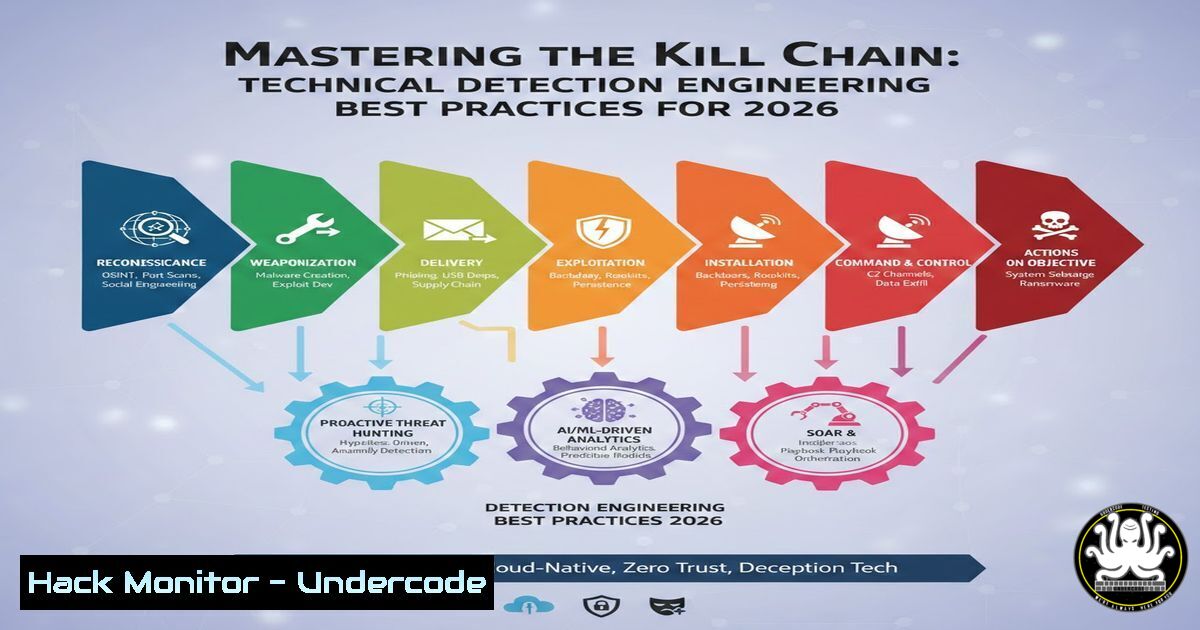
Introduction:
In the high-stakes arena of cybersecurity, detection engineering serves as the digital immune system, translating raw telemetry into actionable alerts. However, poorly built detections can lead to alert fatigue or, worse, missed intrusions. This article, based on the first part of a new technical series by Bert-Jan Pals, dives into the foundational best practices for crafting high-fidelity detections. We will explore how to handle data inconsistencies like ingestion delays, navigate the complexities of system language localization, and optimize query logic to ensure your security tools catch adversaries without being drowned in noise.
Learning Objectives:
- Understand how to compensate for data ingestion delays to avoid false positives in time-sensitive queries.
- Learn techniques to normalize log data across different system languages and regional settings.
- Master the strategic use of case sensitivity and join operators to improve detection accuracy and performance.
- Apply step-by-step configuration examples in KQL (Kusto Query Language) and other SIEM tools.
You Should Know:
1. The Latency Trap: Handling Ingestion Delays
One of the most common pitfalls in detection engineering is assuming data is available instantly. In reality, logs from endpoints, networks, or cloud services often face ingestion delays due to network latency, connector backlogs, or processing queues. If your detection looks back only a few minutes, it might miss events that just arrived.
Step‑by‑step guide: Mitigating Ingestion Time Skew
To ensure your query covers data that arrived late, you must look back further than the event time itself.
– Concept: Use `ingestion_time()` or a similar function (e.g., `_Timestamp` in some SIEMs) to filter when the log was ingested, while using `TimeGenerated` to filter when the event actually occurred.
– KQL Implementation:
// Bad Practice: Only looks at Event Time
SecurityEvent
| where TimeGenerated > ago(5m)

// Good Practice: Looks back at Ingestion Time to catch delays
SecurityEvent
| where TimeGenerated > ago(1h) // Look back further on event time
| where ingestion_time() > ago(15m) // Only process recently ingested logs
– Linux/Windows Parallel: In a custom logging pipeline using Logstash or Fluentd, you would configure a “jitter” buffer. For example, in Logstash, you might set a delay before processing to wait for late-arriving logs, ensuring your Elasticsearch queries don’t miss data windows.
2. The Language Barrier: Handling Internationalization
Attackers operate globally, and so do endpoints. A French Windows server logs “Échec de l’ouverture de session,” while an English one logs “Logon Failure.” If your detection logic relies on string matching for “Failed,” it will miss attacks on non-English systems.
Step‑by‑step guide: Normalizing System Languages
The solution is to map localized strings to universal event IDs or normalized fields.
– Windows Event Logs: Always prioritize Event ID over the message string. A logon failure is Event ID 4625 in any language.
– PowerShell Command to Verify:
 Get the latest 5 logon failure events regardless of language
Get-WinEvent -FilterHashtable @{LogName='Security'; ID=4625} -MaxEvents 5 | Format-List
– Linux Syslog: Use regex patterns that ignore language or map syslog PRI codes. For SSH failures, look for the `sshd` process and failure codes, not the English word “Failed.”
– Bash Command:
 Grep for SSH failures using common patterns and process ID
sudo grep "sshd.authentication failure" /var/log/auth.log
3. The Sensitivity Trap: Case (In)Security
By default, many string comparisons are case-insensitive. However, filenames and paths in Linux are case-sensitive. An adversary hiding a malicious file as `Svchost.exe` (capital S) in a temp directory might bypass a detection looking for `svchost.exe` from system32.
Step‑by‑step guide: Enforcing Case Sensitivity
You must explicitly define when case matters to avoid false negatives.
– KQL Implementation:
// Case-Insensitive (Default)
ProcessCreate
| where CommandLine contains "svchost.exe"

// Case-Sensitive (For Linux or precise path matching)
ProcessCreate
| where CommandLine contains_cs "svchost.exe" // This will miss "Svchost.exe"

// Best Practice: Hash comparison or combine with path checks
ProcessCreate
| where FileName =~ "svchost.exe" // Case-insensitive match for filename
| where FolderPath !startswith_cs "C:\Windows\System32" // Case-sensitive path check
– Splunk Equivalent: Use the `LIKE` command for case-sensitive comparisons in searches, or the `TERM` directive in props.conf to index case-sensitive tokens.
4. The Performance Killer: Mastering the JOIN
Joining large datasets is computationally expensive. A poorly optimized join can cause your detection to time out, allowing an attacker to slip through undetected during the window the query failed.
Step‑by‑step guide: Optimizing Join Strategies
- Rule 1: Reduce the Left Side. Filter the first table as much as possible before the join.
- Rule 2: Use `kind=anti` or `kind=inner` specifically. Avoid broad joins.
- Scenario: Detecting a user who logged in (Logon) but did not log out (Logoff) from a sensitive server.
- KQL Implementation:
// Start with Logon events, reduce to just sensitive servers
let Logons = SigninLogs
| where TimeGenerated > ago(1d)
| where AppDisplayName == "SensitiveApp"
| project AccountUpn, TimeGenerated, CorrelationId;</li>
</ul>

// Get Logoff events, reduce to same timeframe
let Logoffs = SigninLogs
| where TimeGenerated > ago(1d)
| where OperationName == "Logoff"
| project AccountUpn, CorrelationId;

// Anti-join: Find Logons without a matching Logoff
Logons
| join kind=leftanti Logoffs on CorrelationId
– Linux CLI Parallel: Think of it like using `comm -23` (find lines only in file A) after sorting both files, rather than looping through a massive unsorted list.
What Undercode Say:
- Precision over Speed: The goal of detection engineering is not to write the fastest query, but the most accurate one. Accounting for ingestion delays and language variations removes the “noise floor” that attackers hide beneath.
- Context is King: A detection looking for `cmd.exe` spawning is useless without context (parent process, command line arguments, case sensitivity). The best practices outlined here transform raw telemetry into a reliable narrative of system behavior.
Prediction:
As organizations continue to adopt multi-lingual workforces and hybrid cloud environments, detection engineering will pivot from simple “string matching” to “behavioral normalization.” We will see a rise in AI-driven parsers that can automatically abstract localized log messages into a universal security schema. Furthermore, SIEMs will likely introduce “ingestion latency budgets” as a built-in feature, allowing defenders to set tolerances per data source without writing complex KQL. The future of defense lies in making detections as resilient and adaptive as the infrastructure they protect.
▶️ Related Video (86% Match):
🎯Let’s Practice For Free:
IT/Security Reporter URL:
Reported By: Bert Janpals – Hackers Feeds
Extra Hub: Undercode MoN
Basic Verification: Pass ✅🔐JOIN OUR CYBER WORLD [ CVE News • HackMonitor • UndercodeNews ]
📢 Follow UndercodeTesting & Stay Tuned:


