Listen to this Post
Introduction:
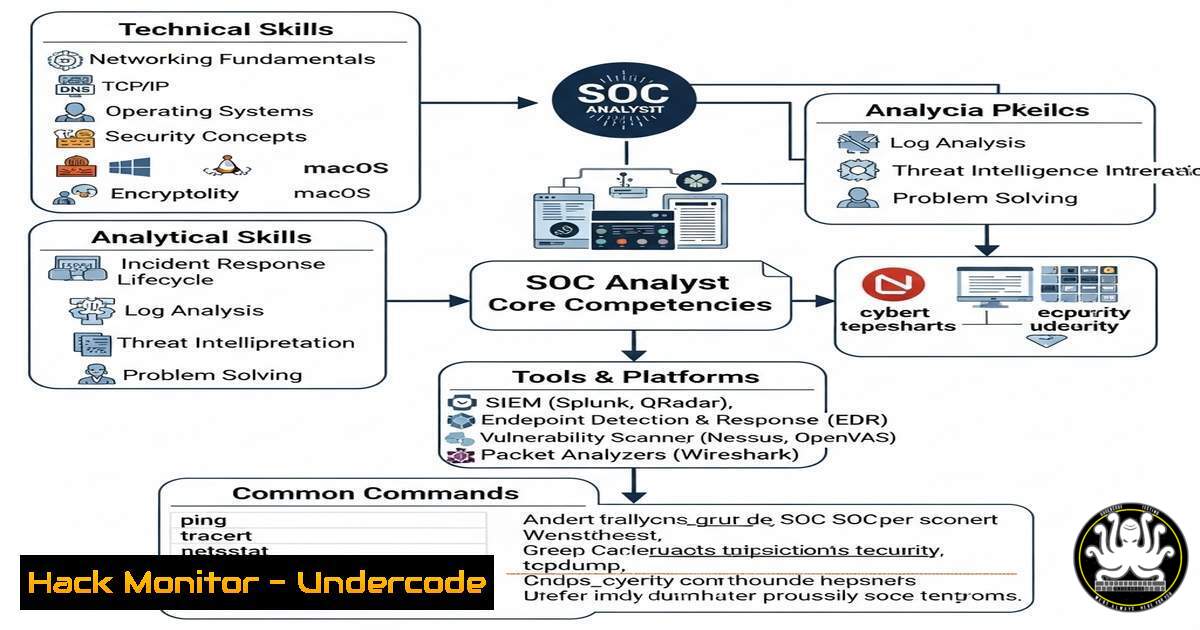
Transitioning into a Security Operations Center (SOC) role requires hands-on experience with real-world tools and techniques. Whether you’re preparing for certifications like CCNA, CCNP, or ISC2 CC, mastering SOC fundamentals is crucial. This guide covers essential Linux/Windows commands, threat detection methods, and security hardening techniques to help you excel in a SOC Level 1 role.
Learning Objectives:
- Understand core SOC analyst responsibilities and tools.
- Learn critical Linux/Windows commands for threat detection and mitigation.
- Apply security best practices for network and endpoint hardening.
You Should Know:
1. Basic Linux Commands for Log Analysis
Command:
grep "Failed password" /var/log/auth.log
What It Does:
Searches for failed SSH login attempts in Linux authentication logs—a key indicator of brute-force attacks.
Step-by-Step Guide:
1. Open a terminal.
- Run the command to filter failed login attempts.
- Analyze IP addresses and timestamps to identify potential threats.
- Windows Event Log Analysis for Suspicious Activity
Command (PowerShell):
Get-WinEvent -FilterHashtable @{LogName='Security'; ID=4625}
What It Does:
Retrieves Windows Security Event Log entries for failed logins (Event ID 4625).
Step-by-Step Guide:
1. Open PowerShell as Administrator.
- Run the command to extract failed login events.
- Investigate source IPs and usernames for signs of unauthorized access.
3. Network Traffic Analysis with TCPDump
Command:
sudo tcpdump -i eth0 -w capture.pcap
What It Does:
Captures live network traffic on interface `eth0` and saves it to a `.pcap` file for analysis.
Step-by-Step Guide:
- Install `tcpdump` if not present (
sudo apt install tcpdump).
2. Run the command to start packet capture.
3. Use Wireshark to analyze `capture.pcap` for anomalies.
4. Detecting Open Ports with Nmap
Command:
nmap -sV -T4 192.168.1.1
What It Does:
Scans a target IP for open ports and service versions.
Step-by-Step Guide:
1. Install Nmap (`sudo apt install nmap`).
2. Replace `192.168.1.1` with your target IP.
- Review results for unexpected open ports (e.g., unauthorized RDP or SSH).
5. Hardening SSH Access
Command:
sudo nano /etc/ssh/sshd_config
What It Does:
Edits the SSH configuration file to enforce security best practices.
Step-by-Step Guide:
1. Open the file and set `PermitRootLogin no`.
- Change `PasswordAuthentication` to `no` if using SSH keys.
3. Restart SSH (`sudo systemctl restart sshd`).
- SIEM Querying for Threat Detection (Splunk Example)
Query:
index=security sourcetype=firewall action=blocked | stats count by src_ip
What It Does:
Identifies blocked traffic by source IP in Splunk.
Step-by-Step Guide:
1. Log in to Splunk.
2. Run the query in the search bar.
3. Investigate high-frequency blocks for potential threats.
7. Mitigating SQL Injection with WAF Rules
Command (ModSecurity Rule Example):
SecRule ARGS "@detectSQLi" "id:1000,deny,status:403"
What It Does:
Blocks SQL injection attempts via web application firewalls.
Step-by-Step Guide:
1. Locate your WAF configuration file.
- Add the rule to filter malicious SQL patterns.
- Test with a benign payload to verify blocking.
What Undercode Say:
- Key Takeaway 1: SOC analysts must master log analysis, network monitoring, and endpoint security to detect and mitigate threats.
- Key Takeaway 2: Automation (e.g., SIEM queries, WAF rules) enhances efficiency in large-scale environments.
Analysis:
The increasing sophistication of cyber threats demands proactive defense strategies. SOC Level 1 analysts play a critical role in early threat detection, making command-line proficiency and log analysis indispensable. As AI-driven attacks rise, continuous training (e.g., TryHackMe, SOC challenges) will be vital for staying ahead.
Prediction:
With AI-powered attacks becoming more prevalent, SOC teams will increasingly rely on machine learning-enhanced SIEM tools for real-time anomaly detection. Analysts who upskill in automation and cloud security will have a competitive edge.
By mastering these commands and techniques, you’ll be well-equipped to tackle SOC Level 1 challenges and advance your cybersecurity career. 🚀
🎯Let’s Practice For Free:
IT/Security Reporter URL:
Reported By: Johnehlen Tryhackme – Hackers Feeds
Extra Hub: Undercode MoN
Basic Verification: Pass ✅


