Listen to this Post
Introduction
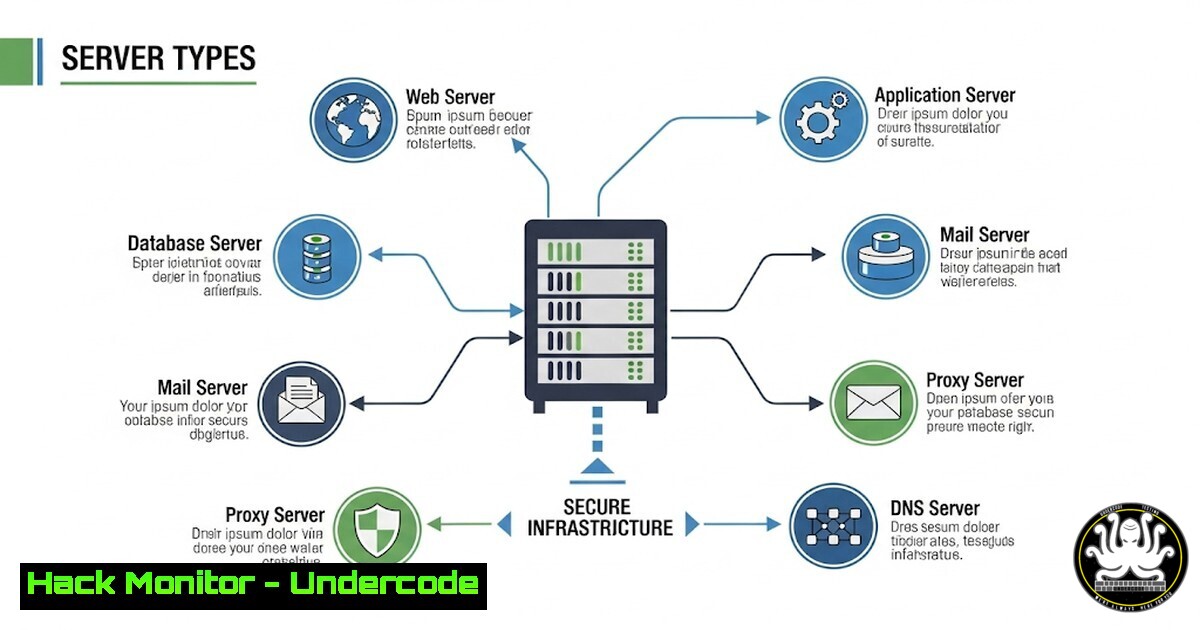
Servers are the backbone of modern digital infrastructure, handling everything from web requests to secure file transfers. Understanding their roles and securing them is critical for cybersecurity professionals. This guide dives into common server types, their functions, and how to harden them against threats.
Learning Objectives
- Identify key server types and their cybersecurity risks
- Apply hardening techniques for web, mail, and DNS servers
- Implement monitoring and attack mitigation strategies
1. Web Server Security: Hardening Apache & Nginx
Command:
 Apache - Disable unnecessary modules
sudo a2dismod autoindex status
sudo systemctl restart apache2

Nginx - Remove Server Tokens (hides version)
echo "server_tokens off;" | sudo tee -a /etc/nginx/nginx.conf
sudo systemctl restart nginx
Why It Matters:
Web servers are prime targets for DDoS and injection attacks. Disabling modules like `autoindex` prevents directory listing, while hiding server versions reduces exploit risks.
2. Mail Server Protection: Securing Postfix (SMTP)
Command:
 Enable TLS encryption in Postfix
sudo postconf -e "smtpd_tls_cert_file=/etc/ssl/certs/mail.crt"
sudo postconf -e "smtpd_tls_key_file=/etc/ssl/private/mail.key"
sudo postconf -e "smtpd_use_tls=yes"
sudo systemctl restart postfix
Why It Matters:
Unencrypted SMTP is vulnerable to eavesdropping. Enforcing TLS ensures email data is encrypted in transit.
3. DNS Server Hardening: BIND Best Practices
Command:
 Restrict zone transfers to trusted IPs
echo "allow-transfer { 192.168.1.10; };" | sudo tee -a /etc/bind/named.conf.options
sudo systemctl restart bind9
Why It Matters:
Open DNS resolvers can be abused for amplification attacks. Restricting zone transfers prevents unauthorized data leaks.
4. Proxy Server Security: Squid Configuration
Command:
 Block malicious domains via ACL
echo "acl banned_domains dstdomain .malware.com" | sudo tee -a /etc/squid/squid.conf
echo "http_access deny banned_domains" | sudo tee -a /etc/squid/squid.conf
sudo systemctl restart squid
Why It Matters:
Proxy servers filter traffic but can be bypassed. Blocking known malicious domains adds a layer of protection.
5. FTP Server Risks: Securing vsftpd
Command:
 Disable anonymous login
echo "anonymous_enable=NO" | sudo tee -a /etc/vsftpd.conf
sudo systemctl restart vsftpd
Why It Matters:
Anonymous FTP access is a common attack vector. Disabling it reduces unauthorized file uploads.
- Origin Server Protection: Rate Limiting & WAF Rules
Command (Nginx Rate Limiting):
 Limit requests to 100 per minute per IP
echo "limit_req_zone $binary_remote_addr zone=one:10m rate=100r/m;" | sudo tee -a /etc/nginx/nginx.conf
Why It Matters:
Origin servers host critical data. Rate limiting prevents brute-force and DDoS attacks.
7. Logging & Monitoring for Attack Detection
Command (Fail2ban for SSH):
 Install & configure Fail2ban
sudo apt install fail2ban
sudo cp /etc/fail2ban/jail.conf /etc/fail2ban/jail.local
sudo systemctl restart fail2ban
Why It Matters:
Real-time monitoring detects intrusion attempts. Fail2ban blocks IPs after repeated failed logins.
What Undercode Say:
- Key Takeaway 1: Each server type has unique vulnerabilities—hardening requires tailored configurations.
- Key Takeaway 2: Proactive monitoring (e.g., Fail2ban, WAFs) is essential to mitigate zero-day exploits.
Analysis:
Cyberattacks increasingly target server misconfigurations. A layered defense—encryption, access controls, and logging—reduces breach risks. Enterprises must adopt a “secure-by-default” approach, especially with cloud migration expanding attack surfaces.
Prediction:
As AI-driven attacks rise, automated server hardening tools will become standard. Expect more exploits targeting edge servers (CDNs) and API gateways, demanding zero-trust architectures.
Final Word:
Securing servers isn’t optional—it’s foundational. Implement these measures today to stay ahead of threats. 🚀
🎯Let’s Practice For Free:
IT/Security Reporter URL:
Reported By: Chiraggoswami23 Servertypes – Hackers Feeds
Extra Hub: Undercode MoN
Basic Verification: Pass ✅


